mirror of
https://github.com/alam00000/bentopdf.git
synced 2026-11-05 11:52:48 +01:00
Compare commits
| Author | SHA1 | Date | |
|---|---|---|---|
 github-actions[bot] |
0a729c3681 |
@@ -1,10 +0,0 @@
|
||||
node_modules
|
||||
npm-debug.log
|
||||
dist
|
||||
coverage
|
||||
.git
|
||||
.gitignore
|
||||
.env
|
||||
*.md
|
||||
.vscode
|
||||
.idea
|
||||
@@ -1,2 +0,0 @@
|
||||
github: alam00000
|
||||
ko_fi: alio01
|
||||
@@ -1,122 +0,0 @@
|
||||
name: 🐛 Bug Report
|
||||
description: Report a bug in BentoPDF
|
||||
title: "(Bug) "
|
||||
labels: ["bug", "needs triage"]
|
||||
body:
|
||||
- type: markdown
|
||||
attributes:
|
||||
value: |
|
||||
## ⚠️ Important Notice
|
||||
**Bug reports without logs or a sample file demonstrating the issue will not be investigated.**
|
||||
Please help us help you by providing the information needed to reproduce and fix the problem.
|
||||
|
||||
- type: textarea
|
||||
id: description
|
||||
attributes:
|
||||
label: Description
|
||||
description: Provide a clear and concise description of the bug.
|
||||
placeholder: What happened? What did you expect to happen?
|
||||
validations:
|
||||
required: true
|
||||
|
||||
- type: textarea
|
||||
id: steps
|
||||
attributes:
|
||||
label: Steps to Reproduce
|
||||
description: How can we reproduce this issue?
|
||||
placeholder: |
|
||||
1. Go to '...'
|
||||
2. Click on '...'
|
||||
3. Upload file '...'
|
||||
4. See error
|
||||
validations:
|
||||
required: true
|
||||
|
||||
- type: textarea
|
||||
id: console-logs
|
||||
attributes:
|
||||
label: Console Logs
|
||||
description: Open browser DevTools (F12 → Console tab) and paste any errors here.
|
||||
placeholder: Paste console logs here...
|
||||
render: shell
|
||||
validations:
|
||||
required: true
|
||||
|
||||
- type: textarea
|
||||
id: sample-file
|
||||
attributes:
|
||||
label: Sample PDF or File
|
||||
description: |
|
||||
Attach a sample PDF that reproduces the issue, or describe how to create one.
|
||||
If you cannot share the original, create a minimal example that shows the problem.
|
||||
placeholder: Drag and drop your file here, or describe how to reproduce with any PDF...
|
||||
validations:
|
||||
required: true
|
||||
|
||||
- type: dropdown
|
||||
id: browser
|
||||
attributes:
|
||||
label: Browser
|
||||
description: Which browser are you using?
|
||||
options:
|
||||
- Chrome
|
||||
- Firefox
|
||||
- Safari
|
||||
- Edge
|
||||
- Brave
|
||||
- Other
|
||||
validations:
|
||||
required: true
|
||||
|
||||
- type: input
|
||||
id: browser-version
|
||||
attributes:
|
||||
label: Browser Version
|
||||
description: e.g., Chrome 120, Firefox 121
|
||||
placeholder: "120"
|
||||
validations:
|
||||
required: true
|
||||
|
||||
- type: dropdown
|
||||
id: os
|
||||
attributes:
|
||||
label: Operating System
|
||||
options:
|
||||
- macOS
|
||||
- Windows
|
||||
- Linux
|
||||
- iOS
|
||||
- Android
|
||||
- Other
|
||||
validations:
|
||||
required: true
|
||||
|
||||
- type: input
|
||||
id: bentopdf-version
|
||||
attributes:
|
||||
label: BentoPDF Version
|
||||
description: Check the footer or package.json
|
||||
placeholder: "1.15.4"
|
||||
validations:
|
||||
required: false
|
||||
|
||||
- type: textarea
|
||||
id: additional
|
||||
attributes:
|
||||
label: Additional Context
|
||||
description: Any other information that might help us debug this issue.
|
||||
placeholder: Screenshots, network errors, stack traces, etc.
|
||||
validations:
|
||||
required: false
|
||||
|
||||
- type: checkboxes
|
||||
id: checklist
|
||||
attributes:
|
||||
label: Pre-submission Checklist
|
||||
options:
|
||||
- label: I have included console logs from the browser DevTools
|
||||
required: true
|
||||
- label: I have attached a sample file or described how to reproduce the issue
|
||||
required: true
|
||||
- label: I have searched existing issues to ensure this is not a duplicate
|
||||
required: true
|
||||
@@ -1,8 +0,0 @@
|
||||
blank_issues_enabled: false
|
||||
contact_links:
|
||||
- name: 💬 Discord Community
|
||||
url: https://discord.gg/Bgq3Ay3f2w
|
||||
about: Join our Discord for quick questions and community support
|
||||
- name: 📖 Documentation
|
||||
url: https://github.com/nicholaschen09/BentoPDF#readme
|
||||
about: Check the README for setup and usage instructions
|
||||
@@ -1,39 +0,0 @@
|
||||
name: 💡 Feature Request
|
||||
description: Suggest a new feature for BentoPDF
|
||||
title: "(Feature) "
|
||||
labels: ["enhancement", "needs triage"]
|
||||
body:
|
||||
- type: textarea
|
||||
id: description
|
||||
attributes:
|
||||
label: Feature Description
|
||||
description: What functionality are you requesting?
|
||||
placeholder: Describe the feature you'd like to see...
|
||||
validations:
|
||||
required: true
|
||||
|
||||
- type: textarea
|
||||
id: use-case
|
||||
attributes:
|
||||
label: Use Case
|
||||
description: Why is this feature useful? What problem does it solve?
|
||||
placeholder: Explain why you need this feature...
|
||||
validations:
|
||||
required: true
|
||||
|
||||
- type: textarea
|
||||
id: examples
|
||||
attributes:
|
||||
label: Examples
|
||||
description: Any examples, mockups, or references to illustrate the feature?
|
||||
placeholder: Links to similar features, screenshots, etc.
|
||||
validations:
|
||||
required: false
|
||||
|
||||
- type: textarea
|
||||
id: additional
|
||||
attributes:
|
||||
label: Additional Context
|
||||
description: Any other information about the feature request.
|
||||
validations:
|
||||
required: false
|
||||
@@ -1,30 +0,0 @@
|
||||
name: ❓ Question
|
||||
description: Ask a question about BentoPDF
|
||||
title: "(Question) "
|
||||
labels: ["question"]
|
||||
body:
|
||||
- type: textarea
|
||||
id: question
|
||||
attributes:
|
||||
label: Question
|
||||
description: What would you like to know?
|
||||
placeholder: Your question here...
|
||||
validations:
|
||||
required: true
|
||||
|
||||
- type: textarea
|
||||
id: tried
|
||||
attributes:
|
||||
label: What have you tried?
|
||||
description: What solutions have you already attempted?
|
||||
placeholder: Describe what you've tried so far...
|
||||
validations:
|
||||
required: false
|
||||
|
||||
- type: textarea
|
||||
id: context
|
||||
attributes:
|
||||
label: Additional Context
|
||||
description: Any relevant code snippets, screenshots, or scenarios.
|
||||
validations:
|
||||
required: false
|
||||
@@ -1,18 +0,0 @@
|
||||
{
|
||||
"name": "BentoPDF CLA",
|
||||
"text": [
|
||||
"Thank you for your contribution to BentoPDF!",
|
||||
"",
|
||||
"By signing this CLA, you agree to the terms of our Contributor License Agreement.",
|
||||
"",
|
||||
"**Individual Contributors**: Please review and sign our [Individual CLA (ICLA)](ICLA.md)",
|
||||
"",
|
||||
"**Corporate Contributors**: If you are contributing on behalf of your employer, please have your organization sign our [Corporate CLA (CCLA)](CCLA.md) by contacting [email protected]"
|
||||
],
|
||||
"notes": {
|
||||
"purpose": "This CLA enables BentoPDF's dual licensing model (AGPL-3.0 + commercial license)",
|
||||
"icla_url": "https://github.com/alam00000/bentopdf/blob/main/ICLA.md",
|
||||
"ccla_url": "https://github.com/alam00000/bentopdf/blob/main/CCLA.md",
|
||||
"contact": "[email protected]"
|
||||
}
|
||||
}
|
||||
@@ -1,15 +0,0 @@
|
||||
version: 2
|
||||
updates:
|
||||
- package-ecosystem: 'npm'
|
||||
directory: '/'
|
||||
schedule:
|
||||
interval: 'daily'
|
||||
groups:
|
||||
npm-dependencies:
|
||||
patterns:
|
||||
- '*'
|
||||
|
||||
- package-ecosystem: 'github-actions'
|
||||
directory: '/'
|
||||
schedule:
|
||||
interval: 'daily'
|
||||
@@ -1,44 +0,0 @@
|
||||
### Description
|
||||
|
||||
Please include a summary of the change and which issue is fixed. Please also include relevant motivation and context. List any dependencies that are required for this change.
|
||||
|
||||
Fixes # (issue)
|
||||
|
||||
### Type of change
|
||||
|
||||
Please delete options that are not relevant.
|
||||
|
||||
- [ ] Bug fix (non-breaking change which fixes an issue)
|
||||
- [ ] New feature (non-breaking change which adds functionality)
|
||||
- [ ] Breaking change (fix or feature that would cause existing functionality to not work as expected)
|
||||
- [ ] This change requires a documentation update
|
||||
|
||||
### 🧪 How Has This Been Tested?
|
||||
|
||||
Please describe **how you tested your changes** so that maintainers can verify them. Include enough detail for someone else to reproduce your tests.
|
||||
|
||||
**Checklist:**
|
||||
|
||||
- [ ] Verified output manually
|
||||
- [ ] Tested with relevant sample documents or data
|
||||
- [ ] Wrote Vite Test Case (if applicable)
|
||||
|
||||
**Expected Results:**
|
||||
|
||||
- What the tests should produce (e.g., correct PDF rendering, no errors).
|
||||
|
||||
**Actual Results:**
|
||||
|
||||
- What you observed when running the tests.
|
||||
|
||||
### Checklist:
|
||||
|
||||
- [ ] I have signed the [Contributor License Agreement (CLA)](ICLA.md) or my organization has signed the [Corporate CLA](CCLA.md)
|
||||
- [ ] My code follows the style guidelines of this project
|
||||
- [ ] I have performed a self-review of my own code
|
||||
- [ ] I have commented my code, particularly in hard-to-understand areas
|
||||
- [ ] I have made corresponding changes to the documentation
|
||||
- [ ] My changes generate no new warnings
|
||||
- [ ] I have added tests that prove my fix is effective or that my feature works
|
||||
- [ ] New and existing unit tests pass locally with my changes
|
||||
- [ ] Any dependent changes have been merged and published in downstream modules
|
||||
@@ -1,324 +0,0 @@
|
||||
name: Build and Push Docker Images (Default + Simple Mode)
|
||||
|
||||
on:
|
||||
push:
|
||||
branches:
|
||||
- "main"
|
||||
tags:
|
||||
- "v*"
|
||||
workflow_dispatch:
|
||||
|
||||
jobs:
|
||||
# New job to build dist and create release
|
||||
build-and-release:
|
||||
runs-on: ubuntu-latest
|
||||
if: github.repository == 'alam00000/bentopdf' && startsWith(github.ref, 'refs/tags/')
|
||||
permissions:
|
||||
contents: write
|
||||
env:
|
||||
HUSKY: 0
|
||||
steps:
|
||||
- name: Checkout code
|
||||
uses: actions/checkout@v4
|
||||
|
||||
- name: Setup Node.js
|
||||
uses: actions/setup-node@v4
|
||||
with:
|
||||
node-version: "20"
|
||||
|
||||
- name: Install dependencies
|
||||
run: npm ci
|
||||
|
||||
- name: Build distribution
|
||||
run: npm run build
|
||||
|
||||
- name: Extract version
|
||||
id: version
|
||||
run: |
|
||||
VERSION=${GITHUB_REF#refs/tags/v}
|
||||
echo "version=${VERSION}" >> $GITHUB_OUTPUT
|
||||
|
||||
- name: Package distribution
|
||||
run: npm run package
|
||||
|
||||
- name: Create GitHub Release
|
||||
uses: softprops/action-gh-release@v2
|
||||
with:
|
||||
files: dist-${{ steps.version.outputs.version }}.zip
|
||||
generate_release_notes: true
|
||||
draft: false
|
||||
prerelease: false
|
||||
env:
|
||||
GITHUB_TOKEN: ${{ secrets.GITHUB_TOKEN }}
|
||||
|
||||
# Build each platform natively in parallel, then merge manifests
|
||||
build-amd64:
|
||||
runs-on: ubuntu-latest
|
||||
if: github.repository == 'alam00000/bentopdf'
|
||||
permissions:
|
||||
contents: read
|
||||
packages: write
|
||||
strategy:
|
||||
matrix:
|
||||
mode:
|
||||
- name: default
|
||||
simple_mode: false
|
||||
suffix: ""
|
||||
- name: simple
|
||||
simple_mode: true
|
||||
suffix: "-simple"
|
||||
steps:
|
||||
- name: Checkout code
|
||||
uses: actions/checkout@v4
|
||||
|
||||
- name: Set up Docker Buildx
|
||||
uses: docker/setup-buildx-action@v3
|
||||
|
||||
- name: Login to GitHub Container Registry
|
||||
uses: docker/login-action@v3
|
||||
with:
|
||||
registry: ghcr.io
|
||||
username: ${{ github.repository_owner }}
|
||||
password: ${{ secrets.GITHUB_TOKEN }}
|
||||
|
||||
- name: Extract version
|
||||
id: version
|
||||
run: |
|
||||
if [[ $GITHUB_REF == refs/tags/v* ]]; then
|
||||
VERSION=${GITHUB_REF#refs/tags/}
|
||||
echo "version=${VERSION}" >> $GITHUB_OUTPUT
|
||||
echo "version_without_v=${VERSION#v}" >> $GITHUB_OUTPUT
|
||||
echo "is_release=true" >> $GITHUB_OUTPUT
|
||||
else
|
||||
SHORT_SHA=${GITHUB_SHA::7}
|
||||
echo "version=edge" >> $GITHUB_OUTPUT
|
||||
echo "short_sha=${SHORT_SHA}" >> $GITHUB_OUTPUT
|
||||
echo "is_release=false" >> $GITHUB_OUTPUT
|
||||
fi
|
||||
|
||||
- name: Build and push amd64 ${{ matrix.mode.name }} (release)
|
||||
if: steps.version.outputs.is_release == 'true'
|
||||
uses: docker/build-push-action@v6
|
||||
with:
|
||||
push: true
|
||||
build-args: |
|
||||
SIMPLE_MODE=${{ matrix.mode.simple_mode }}
|
||||
tags: |
|
||||
ghcr.io/${{ github.repository_owner }}/bentopdf${{ matrix.mode.suffix }}:${{ steps.version.outputs.version }}-amd64
|
||||
platforms: linux/amd64
|
||||
cache-from: type=gha,scope=amd64-${{ matrix.mode.name }}
|
||||
cache-to: type=gha,mode=max,scope=amd64-${{ matrix.mode.name }}
|
||||
|
||||
- name: Build and push amd64 ${{ matrix.mode.name }} (edge)
|
||||
if: steps.version.outputs.is_release == 'false'
|
||||
uses: docker/build-push-action@v6
|
||||
with:
|
||||
push: true
|
||||
build-args: |
|
||||
SIMPLE_MODE=${{ matrix.mode.simple_mode }}
|
||||
tags: |
|
||||
ghcr.io/${{ github.repository_owner }}/bentopdf${{ matrix.mode.suffix }}:edge-amd64
|
||||
platforms: linux/amd64
|
||||
cache-from: type=gha,scope=amd64-${{ matrix.mode.name }}
|
||||
cache-to: type=gha,mode=max,scope=amd64-${{ matrix.mode.name }}
|
||||
|
||||
build-arm64:
|
||||
runs-on: ubuntu-24.04-arm # Native ARM64 runner
|
||||
permissions:
|
||||
contents: read
|
||||
packages: write
|
||||
strategy:
|
||||
matrix:
|
||||
mode:
|
||||
- name: default
|
||||
simple_mode: false
|
||||
suffix: ""
|
||||
- name: simple
|
||||
simple_mode: true
|
||||
suffix: "-simple"
|
||||
steps:
|
||||
- name: Checkout code
|
||||
uses: actions/checkout@v4
|
||||
|
||||
- name: Set up Docker Buildx
|
||||
uses: docker/setup-buildx-action@v3
|
||||
|
||||
- name: Login to GitHub Container Registry
|
||||
uses: docker/login-action@v3
|
||||
with:
|
||||
registry: ghcr.io
|
||||
username: ${{ github.repository_owner }}
|
||||
password: ${{ secrets.GITHUB_TOKEN }}
|
||||
|
||||
- name: Extract version
|
||||
id: version
|
||||
run: |
|
||||
if [[ $GITHUB_REF == refs/tags/v* ]]; then
|
||||
VERSION=${GITHUB_REF#refs/tags/}
|
||||
echo "version=${VERSION}" >> $GITHUB_OUTPUT
|
||||
echo "version_without_v=${VERSION#v}" >> $GITHUB_OUTPUT
|
||||
echo "is_release=true" >> $GITHUB_OUTPUT
|
||||
else
|
||||
SHORT_SHA=${GITHUB_SHA::7}
|
||||
echo "version=edge" >> $GITHUB_OUTPUT
|
||||
echo "short_sha=${SHORT_SHA}" >> $GITHUB_OUTPUT
|
||||
echo "is_release=false" >> $GITHUB_OUTPUT
|
||||
fi
|
||||
|
||||
- name: Build and push arm64 ${{ matrix.mode.name }} (release)
|
||||
if: steps.version.outputs.is_release == 'true'
|
||||
uses: docker/build-push-action@v6
|
||||
with:
|
||||
push: true
|
||||
build-args: |
|
||||
SIMPLE_MODE=${{ matrix.mode.simple_mode }}
|
||||
tags: |
|
||||
ghcr.io/${{ github.repository_owner }}/bentopdf${{ matrix.mode.suffix }}:${{ steps.version.outputs.version }}-arm64
|
||||
platforms: linux/arm64
|
||||
cache-from: type=gha,scope=arm64-${{ matrix.mode.name }}
|
||||
cache-to: type=gha,mode=max,scope=arm64-${{ matrix.mode.name }}
|
||||
|
||||
- name: Build and push arm64 ${{ matrix.mode.name }} (edge)
|
||||
if: steps.version.outputs.is_release == 'false'
|
||||
uses: docker/build-push-action@v6
|
||||
with:
|
||||
push: true
|
||||
build-args: |
|
||||
SIMPLE_MODE=${{ matrix.mode.simple_mode }}
|
||||
tags: |
|
||||
ghcr.io/${{ github.repository_owner }}/bentopdf${{ matrix.mode.suffix }}:edge-arm64
|
||||
platforms: linux/arm64
|
||||
cache-from: type=gha,scope=arm64-${{ matrix.mode.name }}
|
||||
cache-to: type=gha,mode=max,scope=arm64-${{ matrix.mode.name }}
|
||||
|
||||
# Merge GHCR manifests after both platforms are built
|
||||
merge-manifests-ghcr:
|
||||
runs-on: ubuntu-latest
|
||||
needs: [build-amd64, build-arm64]
|
||||
permissions:
|
||||
packages: write
|
||||
strategy:
|
||||
matrix:
|
||||
mode:
|
||||
- name: default
|
||||
suffix: ""
|
||||
- name: simple
|
||||
suffix: "-simple"
|
||||
steps:
|
||||
- name: Login to GitHub Container Registry
|
||||
uses: docker/login-action@v3
|
||||
with:
|
||||
registry: ghcr.io
|
||||
username: ${{ github.repository_owner }}
|
||||
password: ${{ secrets.GITHUB_TOKEN }}
|
||||
|
||||
- name: Extract version
|
||||
id: version
|
||||
run: |
|
||||
if [[ $GITHUB_REF == refs/tags/v* ]]; then
|
||||
VERSION=${GITHUB_REF#refs/tags/}
|
||||
echo "version=${VERSION}" >> $GITHUB_OUTPUT
|
||||
echo "version_without_v=${VERSION#v}" >> $GITHUB_OUTPUT
|
||||
echo "is_release=true" >> $GITHUB_OUTPUT
|
||||
else
|
||||
SHORT_SHA=${GITHUB_SHA::7}
|
||||
echo "version=edge" >> $GITHUB_OUTPUT
|
||||
echo "short_sha=${SHORT_SHA}" >> $GITHUB_OUTPUT
|
||||
echo "is_release=false" >> $GITHUB_OUTPUT
|
||||
fi
|
||||
|
||||
- name: Create and push GHCR manifest (release)
|
||||
if: steps.version.outputs.is_release == 'true'
|
||||
run: |
|
||||
docker buildx imagetools create -t ghcr.io/${{ github.repository_owner }}/bentopdf${{ matrix.mode.suffix }}:latest \
|
||||
ghcr.io/${{ github.repository_owner }}/bentopdf${{ matrix.mode.suffix }}:${{ steps.version.outputs.version }}-amd64 \
|
||||
ghcr.io/${{ github.repository_owner }}/bentopdf${{ matrix.mode.suffix }}:${{ steps.version.outputs.version }}-arm64
|
||||
|
||||
docker buildx imagetools create -t ghcr.io/${{ github.repository_owner }}/bentopdf${{ matrix.mode.suffix }}:${{ steps.version.outputs.version }} \
|
||||
ghcr.io/${{ github.repository_owner }}/bentopdf${{ matrix.mode.suffix }}:${{ steps.version.outputs.version }}-amd64 \
|
||||
ghcr.io/${{ github.repository_owner }}/bentopdf${{ matrix.mode.suffix }}:${{ steps.version.outputs.version }}-arm64
|
||||
|
||||
docker buildx imagetools create -t ghcr.io/${{ github.repository_owner }}/bentopdf${{ matrix.mode.suffix }}:${{ steps.version.outputs.version_without_v }} \
|
||||
ghcr.io/${{ github.repository_owner }}/bentopdf${{ matrix.mode.suffix }}:${{ steps.version.outputs.version }}-amd64 \
|
||||
ghcr.io/${{ github.repository_owner }}/bentopdf${{ matrix.mode.suffix }}:${{ steps.version.outputs.version }}-arm64
|
||||
|
||||
- name: Create and push GHCR manifest (edge)
|
||||
if: steps.version.outputs.is_release == 'false'
|
||||
run: |
|
||||
docker buildx imagetools create -t ghcr.io/${{ github.repository_owner }}/bentopdf${{ matrix.mode.suffix }}:edge \
|
||||
ghcr.io/${{ github.repository_owner }}/bentopdf${{ matrix.mode.suffix }}:edge-amd64 \
|
||||
ghcr.io/${{ github.repository_owner }}/bentopdf${{ matrix.mode.suffix }}:edge-arm64
|
||||
|
||||
docker buildx imagetools create -t ghcr.io/${{ github.repository_owner }}/bentopdf${{ matrix.mode.suffix }}:sha-${{ steps.version.outputs.short_sha }} \
|
||||
ghcr.io/${{ github.repository_owner }}/bentopdf${{ matrix.mode.suffix }}:edge-amd64 \
|
||||
ghcr.io/${{ github.repository_owner }}/bentopdf${{ matrix.mode.suffix }}:edge-arm64
|
||||
|
||||
# Copy images from GHCR to DockerHub
|
||||
push-to-dockerhub:
|
||||
runs-on: ubuntu-latest
|
||||
needs: [merge-manifests-ghcr]
|
||||
continue-on-error: true
|
||||
permissions:
|
||||
contents: read
|
||||
packages: read
|
||||
strategy:
|
||||
matrix:
|
||||
mode:
|
||||
- name: default
|
||||
suffix: ""
|
||||
- name: simple
|
||||
suffix: "-simple"
|
||||
steps:
|
||||
- name: Login to GitHub Container Registry
|
||||
uses: docker/login-action@v3
|
||||
with:
|
||||
registry: ghcr.io
|
||||
username: ${{ github.repository_owner }}
|
||||
password: ${{ secrets.GITHUB_TOKEN }}
|
||||
|
||||
- name: Login to DockerHub
|
||||
uses: docker/login-action@v3
|
||||
with:
|
||||
username: ${{ secrets.DOCKER_USERNAME }}
|
||||
password: ${{ secrets.DOCKER_TOKEN }}
|
||||
|
||||
- name: Extract version
|
||||
id: version
|
||||
run: |
|
||||
if [[ $GITHUB_REF == refs/tags/v* ]]; then
|
||||
VERSION=${GITHUB_REF#refs/tags/}
|
||||
echo "version=${VERSION}" >> $GITHUB_OUTPUT
|
||||
echo "version_without_v=${VERSION#v}" >> $GITHUB_OUTPUT
|
||||
echo "is_release=true" >> $GITHUB_OUTPUT
|
||||
else
|
||||
SHORT_SHA=${GITHUB_SHA::7}
|
||||
echo "version=edge" >> $GITHUB_OUTPUT
|
||||
echo "short_sha=${SHORT_SHA}" >> $GITHUB_OUTPUT
|
||||
echo "is_release=false" >> $GITHUB_OUTPUT
|
||||
fi
|
||||
|
||||
- name: Copy images to DockerHub (release)
|
||||
if: steps.version.outputs.is_release == 'true'
|
||||
run: |
|
||||
docker buildx imagetools create -t bentopdfteam/bentopdf${{ matrix.mode.suffix }}:latest \
|
||||
ghcr.io/${{ github.repository_owner }}/bentopdf${{ matrix.mode.suffix }}:${{ steps.version.outputs.version }}-amd64 \
|
||||
ghcr.io/${{ github.repository_owner }}/bentopdf${{ matrix.mode.suffix }}:${{ steps.version.outputs.version }}-arm64
|
||||
|
||||
docker buildx imagetools create -t bentopdfteam/bentopdf${{ matrix.mode.suffix }}:${{ steps.version.outputs.version }} \
|
||||
ghcr.io/${{ github.repository_owner }}/bentopdf${{ matrix.mode.suffix }}:${{ steps.version.outputs.version }}-amd64 \
|
||||
ghcr.io/${{ github.repository_owner }}/bentopdf${{ matrix.mode.suffix }}:${{ steps.version.outputs.version }}-arm64
|
||||
|
||||
docker buildx imagetools create -t bentopdfteam/bentopdf${{ matrix.mode.suffix }}:${{ steps.version.outputs.version_without_v }} \
|
||||
ghcr.io/${{ github.repository_owner }}/bentopdf${{ matrix.mode.suffix }}:${{ steps.version.outputs.version }}-amd64 \
|
||||
ghcr.io/${{ github.repository_owner }}/bentopdf${{ matrix.mode.suffix }}:${{ steps.version.outputs.version }}-arm64
|
||||
|
||||
- name: Copy images to DockerHub (edge)
|
||||
if: steps.version.outputs.is_release == 'false'
|
||||
run: |
|
||||
docker buildx imagetools create -t bentopdfteam/bentopdf${{ matrix.mode.suffix }}:edge \
|
||||
ghcr.io/${{ github.repository_owner }}/bentopdf${{ matrix.mode.suffix }}:edge-amd64 \
|
||||
ghcr.io/${{ github.repository_owner }}/bentopdf${{ matrix.mode.suffix }}:edge-arm64
|
||||
|
||||
docker buildx imagetools create -t bentopdfteam/bentopdf${{ matrix.mode.suffix }}:sha-${{ steps.version.outputs.short_sha }} \
|
||||
ghcr.io/${{ github.repository_owner }}/bentopdf${{ matrix.mode.suffix }}:edge-amd64 \
|
||||
ghcr.io/${{ github.repository_owner }}/bentopdf${{ matrix.mode.suffix }}:edge-arm64
|
||||
@@ -1,78 +0,0 @@
|
||||
name: "CLA Assistant"
|
||||
|
||||
on:
|
||||
issue_comment:
|
||||
types: [created]
|
||||
pull_request_target:
|
||||
types: [opened, closed, synchronize]
|
||||
|
||||
# Permissions needed for the workflow
|
||||
permissions:
|
||||
actions: write
|
||||
contents: write
|
||||
pull-requests: write
|
||||
statuses: write
|
||||
|
||||
jobs:
|
||||
cla-check:
|
||||
runs-on: ubuntu-latest
|
||||
if: >
|
||||
github.event_name == 'pull_request_target' ||
|
||||
(
|
||||
github.event_name == 'issue_comment' &&
|
||||
github.event.issue.pull_request &&
|
||||
(
|
||||
github.event.comment.body == 'recheck' ||
|
||||
github.event.comment.body == 'I have read the CLA Document and I hereby sign the CLA'
|
||||
)
|
||||
)
|
||||
steps:
|
||||
- name: "CLA Assistant"
|
||||
uses: cla-assistant/[email protected]
|
||||
env:
|
||||
GITHUB_TOKEN: ${{ secrets.GITHUB_TOKEN }}
|
||||
PERSONAL_ACCESS_TOKEN: ${{ secrets.CLA_ASSISTANT_TOKEN }}
|
||||
with:
|
||||
path-to-signatures: 'signatures/cla.json'
|
||||
path-to-document: 'https://github.com/${{ github.repository }}/blob/main/ICLA.md'
|
||||
|
||||
# Branch to store signatures
|
||||
branch: 'main'
|
||||
|
||||
# Allowlist for bot accounts (won't need to sign CLA)
|
||||
allowlist: 'bot*,*[bot],dependabot*,renovate*,github-actions*'
|
||||
|
||||
# Custom messages
|
||||
custom-notsigned-prcomment: |
|
||||
## CLA Signature Required
|
||||
|
||||
Thank you for your contribution! Before we can accept your pull request, you need to sign our [Contributor License Agreement (CLA)](https://github.com/${{ github.repository }}/blob/main/ICLA.md).
|
||||
|
||||
### Why do we need a CLA?
|
||||
|
||||
BentoPDF uses a dual licensing model (AGPL-3.0 for open source + commercial license). The CLA allows us to:
|
||||
- Include your contributions in both open source and commercial versions
|
||||
- Protect you and us legally
|
||||
- Keep the project sustainable
|
||||
|
||||
### How to sign
|
||||
|
||||
To sign the CLA, please comment on this PR with:
|
||||
|
||||
```
|
||||
I have read the CLA Document and I hereby sign the CLA
|
||||
```
|
||||
|
||||
**For corporate contributions**, please have your organization sign our [Corporate CLA (CCLA)](https://github.com/${{ github.repository }}/blob/main/CCLA.md) by contacting us at [email protected].
|
||||
|
||||
---
|
||||
|
||||
⚠️ **Note**: You only need to sign the CLA once. Future contributions to this repository will not require re-signing.
|
||||
|
||||
custom-pr-sign-comment: 'I have read the CLA Document and I hereby sign the CLA'
|
||||
|
||||
# Lock PR while waiting for CLA signature
|
||||
lock-pullrequest-aftermerge: false
|
||||
|
||||
# Use issues to store signatures (alternative to branch storage)
|
||||
use-dco-flag: false
|
||||
@@ -1,12 +0,0 @@
|
||||
name: Update Sponsors
|
||||
on:
|
||||
workflow_dispatch:
|
||||
jobs:
|
||||
update:
|
||||
runs-on: ubuntu-latest
|
||||
steps:
|
||||
- uses: actions/checkout@v4
|
||||
- uses: JamesIves/github-sponsors-readme-action@v1
|
||||
with:
|
||||
token: ${{ secrets.SPONSORS_TOKEN }}
|
||||
file: 'README.md'
|
||||
@@ -1,67 +0,0 @@
|
||||
# Simple workflow for deploying static content to GitHub Pages
|
||||
name: Deploy static content to Pages
|
||||
|
||||
on:
|
||||
# Runs on pushes targeting the default branch
|
||||
push:
|
||||
branches: ["main"]
|
||||
|
||||
# Allows you to run this workflow manually from the Actions tab
|
||||
workflow_dispatch:
|
||||
|
||||
# Sets permissions of the GITHUB_TOKEN to allow deployment to GitHub Pages
|
||||
permissions:
|
||||
contents: read
|
||||
pages: write
|
||||
id-token: write
|
||||
|
||||
# Allow only one concurrent deployment, skipping runs queued between the run in-progress and latest queued.
|
||||
# However, do NOT cancel in-progress runs as we want to allow these production deployments to complete.
|
||||
concurrency:
|
||||
group: "pages"
|
||||
cancel-in-progress: false
|
||||
|
||||
|
||||
# Configure these variables under your repo settings.
|
||||
# You will likely need to set BASE_URL to be the name of your repo eg 'bentopdf'
|
||||
env:
|
||||
SIMPLE_MODE: ${{ vars.SIMPLE_MODE }}
|
||||
BASE_URL: ${{ vars.BASE_URL }}/
|
||||
HUSKY: 0
|
||||
|
||||
jobs:
|
||||
# Single deploy job since we're just deploying
|
||||
deploy:
|
||||
if: github.repository == 'alam00000/bentopdf'
|
||||
environment:
|
||||
name: github-pages
|
||||
url: ${{ steps.deployment.outputs.page_url }}
|
||||
runs-on: ubuntu-latest
|
||||
steps:
|
||||
- name: Checkout
|
||||
uses: actions/checkout@v4
|
||||
- name: Setup Node.js
|
||||
uses: actions/setup-node@v4
|
||||
with:
|
||||
node-version: "20"
|
||||
- name: Install dependencies
|
||||
run: npm ci
|
||||
- name: Build distribution
|
||||
run: |
|
||||
# export SIMPLE_MODE=${{ vars.SIMPLE_MODE }}
|
||||
# export BASE_URL=${{ vars.BASE_URL }}/
|
||||
npm run build
|
||||
|
||||
- name: Setup Pages
|
||||
uses: actions/configure-pages@v5
|
||||
- name: Upload artifact
|
||||
uses: actions/upload-pages-artifact@v3
|
||||
with:
|
||||
# Upload entire repository
|
||||
path: dist
|
||||
name: github-pages-deployment
|
||||
- name: Deploy to GitHub Pages
|
||||
id: deployment
|
||||
uses: actions/deploy-pages@v4
|
||||
with:
|
||||
artifact_name: github-pages-deployment
|
||||
@@ -1,139 +0,0 @@
|
||||
name: Update EmbedPDF Snippet
|
||||
|
||||
on:
|
||||
workflow_dispatch:
|
||||
schedule:
|
||||
- cron: '0 3 * * 1' # Weekly; adjust as needed
|
||||
|
||||
jobs:
|
||||
update-snippet:
|
||||
runs-on: ubuntu-latest
|
||||
steps:
|
||||
- name: Checkout repo
|
||||
uses: actions/checkout@v4
|
||||
|
||||
- name: Read current upstream version marker
|
||||
id: current-version
|
||||
run: |
|
||||
if [ -f vendor/embedpdf/.upstream-version ]; then
|
||||
CUR=$(cat vendor/embedpdf/.upstream-version)
|
||||
else
|
||||
CUR=""
|
||||
fi
|
||||
echo "version=$CUR" >> "$GITHUB_OUTPUT"
|
||||
|
||||
- name: Read latest upstream version (@embedpdf/core)
|
||||
id: upstream-version
|
||||
run: |
|
||||
LATEST=$(npm view @embedpdf/core version)
|
||||
echo "version=$LATEST" >> "$GITHUB_OUTPUT"
|
||||
|
||||
- name: Should update?
|
||||
id: gate
|
||||
run: |
|
||||
if [ "${{ steps.upstream-version.outputs.version }}" = "${{ steps.current-version.outputs.version }}" ]; then
|
||||
echo "run=false" >> "$GITHUB_OUTPUT"
|
||||
echo "No upstream version change detected."
|
||||
else
|
||||
echo "run=true" >> "$GITHUB_OUTPUT"
|
||||
echo "Updating from '${{ steps.current-version.outputs.version }}' to '${{ steps.upstream-version.outputs.version }}'"
|
||||
fi
|
||||
|
||||
- name: Enable corepack (pnpm)
|
||||
if: steps.gate.outputs.run == 'true'
|
||||
run: corepack enable
|
||||
|
||||
- name: Prepare workspace
|
||||
if: steps.gate.outputs.run == 'true'
|
||||
run: |
|
||||
mkdir -p vendor/embedpdf
|
||||
npm config set cache ./\.npm-cache
|
||||
|
||||
- name: Clone upstream embed-pdf-viewer
|
||||
if: steps.gate.outputs.run == 'true'
|
||||
run: git clone --depth 1 --branch main https://github.com/embedpdf/embed-pdf-viewer ./_upstream/embed-pdf-viewer
|
||||
|
||||
- name: Setup Node
|
||||
if: steps.gate.outputs.run == 'true'
|
||||
uses: actions/setup-node@v4
|
||||
with:
|
||||
node-version: 20
|
||||
cache: npm
|
||||
|
||||
- name: Install upstream deps
|
||||
if: steps.gate.outputs.run == 'true'
|
||||
working-directory: ./_upstream/embed-pdf-viewer
|
||||
run: pnpm install --no-frozen-lockfile
|
||||
|
||||
- name: Build snippet
|
||||
if: steps.gate.outputs.run == 'true'
|
||||
working-directory: ./_upstream/embed-pdf-viewer
|
||||
run: pnpm run build:snippet
|
||||
|
||||
- name: Pack snippet tarball
|
||||
if: steps.gate.outputs.run == 'true'
|
||||
working-directory: ./_upstream/embed-pdf-viewer
|
||||
run: |
|
||||
npm pack ./viewers/snippet --pack-destination ../../vendor/embedpdf
|
||||
ls -l ../../vendor/embedpdf
|
||||
|
||||
- name: Sanitize tarball (rename pkg and pin deps)
|
||||
if: steps.gate.outputs.run == 'true'
|
||||
env:
|
||||
UPSTREAM_VERSION: ${{ steps.upstream-version.outputs.version }}
|
||||
run: |
|
||||
TARBALL=$(ls vendor/embedpdf/*.tgz | sort | tail -n1)
|
||||
TMP=$(mktemp -d)
|
||||
tar -xzf "$TARBALL" -C "$TMP"
|
||||
PKG="$TMP/package/package.json"
|
||||
PKG="$PKG" node - <<'NODE'
|
||||
const fs = require("fs");
|
||||
const path = process.env.PKG;
|
||||
const ver = process.env.UPSTREAM_VERSION || "1.4.1";
|
||||
const pkg = JSON.parse(fs.readFileSync(path, "utf8"));
|
||||
pkg.name = "embedpdf-snippet";
|
||||
pkg.dependencies = pkg.dependencies || {};
|
||||
for (const k of Object.keys(pkg.dependencies)) {
|
||||
if (k.startsWith("@embedpdf/")) pkg.dependencies[k] = `^${ver}`;
|
||||
if (k === "preact") pkg.dependencies[k] = "^10.17.0";
|
||||
}
|
||||
fs.writeFileSync(path, JSON.stringify(pkg, null, 2) + "\n");
|
||||
NODE
|
||||
NEW=vendor/embedpdf/embedpdf-snippet-${UPSTREAM_VERSION}.tgz
|
||||
tar -czf "$NEW" -C "$TMP" package
|
||||
# Remove any older snippet tarballs, keep only the new one
|
||||
find vendor/embedpdf -maxdepth 1 -name 'embedpdf-snippet-*.tgz' ! -name "$(basename "$NEW")" -delete
|
||||
rm -rf "$TMP"
|
||||
ls -l vendor/embedpdf
|
||||
|
||||
- name: Update package.json dependency path
|
||||
if: steps.gate.outputs.run == 'true'
|
||||
run: |
|
||||
TARBALL=$(ls vendor/embedpdf/embedpdf-snippet-*.tgz | sort | tail -n1)
|
||||
node -e "const fs=require('fs');const pkg=require('./package.json');const tar=process.argv[1];pkg.dependencies['embedpdf-snippet']='file:'+tar;fs.writeFileSync('package.json',JSON.stringify(pkg,null,2)+'\n');" "$TARBALL"
|
||||
|
||||
- name: Refresh lockfile
|
||||
if: steps.gate.outputs.run == 'true'
|
||||
run: npm install --package-lock-only --ignore-scripts
|
||||
|
||||
- name: Write upstream version marker
|
||||
if: steps.gate.outputs.run == 'true'
|
||||
run: |
|
||||
echo "${{ steps.upstream-version.outputs.version }}" > vendor/embedpdf/.upstream-version
|
||||
|
||||
- name: Cleanup upstream clone
|
||||
if: steps.gate.outputs.run == 'true'
|
||||
run: rm -rf ./_upstream
|
||||
|
||||
- name: Create Pull Request
|
||||
if: steps.gate.outputs.run == 'true'
|
||||
uses: peter-evans/create-pull-request@v6
|
||||
with:
|
||||
commit-message: "build(deps): bump embedpdf-snippet from ${{ steps.current-version.outputs.version }} to ${{ steps.upstream-version.outputs.version }}"
|
||||
title: "build(deps): bump embedpdf-snippet from ${{ steps.current-version.outputs.version }} to ${{ steps.upstream-version.outputs.version }}"
|
||||
body: |
|
||||
- Build snippet from upstream embed-pdf-viewer via `npm run build:snippet`
|
||||
- Pack tarball into `vendor/embedpdf/` and point dependency to it
|
||||
- Refresh package-lock.json
|
||||
branch: chore/update-embedpdf-snippet
|
||||
delete-branch: true
|
||||
-41
@@ -1,41 +0,0 @@
|
||||
# Logs
|
||||
logs
|
||||
*.log
|
||||
npm-debug.log*
|
||||
yarn-debug.log*
|
||||
yarn-error.log*
|
||||
pnpm-debug.log*
|
||||
lerna-debug.log*
|
||||
|
||||
node_modules
|
||||
dist
|
||||
dist-ssr
|
||||
*.local
|
||||
.npm-cache
|
||||
.env
|
||||
.env.production
|
||||
.env.local
|
||||
|
||||
# Editor directories and files
|
||||
.vscode/*
|
||||
!.vscode/extensions.json
|
||||
.idea
|
||||
.DS_Store
|
||||
*.suo
|
||||
*.ntvs*
|
||||
*.njsproj
|
||||
*.sln
|
||||
*.sw?
|
||||
# Coverage reports
|
||||
coverage/
|
||||
*.lcov
|
||||
|
||||
#backup
|
||||
.seo-backup
|
||||
libreoffice-wasm-package
|
||||
|
||||
# helm chart
|
||||
bentopdf-*.tgz
|
||||
|
||||
# test
|
||||
dist-test
|
||||
@@ -1,139 +0,0 @@
|
||||
RewriteEngine On
|
||||
RewriteBase /
|
||||
|
||||
# ============================================
|
||||
# 1. SECURITY HEADERS (UPDATED FOR CDN COMPATIBILITY)
|
||||
# ============================================
|
||||
<IfModule mod_headers.c>
|
||||
Header always set X-Frame-Options "SAMEORIGIN"
|
||||
Header always set X-Content-Type-Options "nosniff"
|
||||
Header always set X-XSS-Protection "1; mode=block"
|
||||
Header always set Referrer-Policy "strict-origin-when-cross-origin"
|
||||
Header always set Permissions-Policy "geolocation=(), microphone=(), camera=()"
|
||||
Header always set Cross-Origin-Opener-Policy "same-origin"
|
||||
Header always set Cross-Origin-Embedder-Policy "require-corp"
|
||||
</IfModule>
|
||||
|
||||
# ============================================
|
||||
# 2. BROWSER CACHING
|
||||
# ============================================
|
||||
<IfModule mod_expires.c>
|
||||
ExpiresActive On
|
||||
ExpiresByType image/jpeg "access plus 1 year"
|
||||
ExpiresByType image/png "access plus 1 year"
|
||||
ExpiresByType image/gif "access plus 1 year"
|
||||
ExpiresByType image/webp "access plus 1 year"
|
||||
ExpiresByType image/svg+xml "access plus 1 year"
|
||||
ExpiresByType image/x-icon "access plus 1 year"
|
||||
ExpiresByType font/woff2 "access plus 1 year"
|
||||
ExpiresByType font/woff "access plus 1 year"
|
||||
ExpiresByType font/ttf "access plus 1 year"
|
||||
ExpiresByType text/css "access plus 1 month"
|
||||
ExpiresByType application/javascript "access plus 1 month"
|
||||
ExpiresByType application/wasm "access plus 1 year"
|
||||
ExpiresByType application/gzip "access plus 1 year"
|
||||
ExpiresByType text/html "access plus 0 seconds"
|
||||
</IfModule>
|
||||
|
||||
# ============================================
|
||||
# 3. COMPRESSION (STANDARD)
|
||||
# ============================================
|
||||
SetEnvIfNoCase Request_URI "\.gz$" no-gzip
|
||||
SetEnvIfNoCase Request_URI "\.br$" no-gzip
|
||||
SetEnvIfNoCase Request_URI "\.wasm$" no-gzip
|
||||
|
||||
<IfModule mod_deflate.c>
|
||||
AddOutputFilterByType DEFLATE text/plain
|
||||
AddOutputFilterByType DEFLATE text/html
|
||||
AddOutputFilterByType DEFLATE text/xml
|
||||
AddOutputFilterByType DEFLATE text/css
|
||||
AddOutputFilterByType DEFLATE application/xml
|
||||
AddOutputFilterByType DEFLATE application/xhtml+xml
|
||||
AddOutputFilterByType DEFLATE application/rss+xml
|
||||
AddOutputFilterByType DEFLATE application/javascript
|
||||
AddOutputFilterByType DEFLATE application/x-javascript
|
||||
AddOutputFilterByType DEFLATE application/json
|
||||
AddOutputFilterByType DEFLATE image/svg+xml
|
||||
AddOutputFilterByType DEFLATE font/woff
|
||||
AddOutputFilterByType DEFLATE font/ttf
|
||||
</IfModule>
|
||||
|
||||
# ============================================
|
||||
# 4. MIME TYPES & SPECIAL FILE HANDLING
|
||||
# ============================================
|
||||
AddType application/javascript .js .mjs
|
||||
AddType application/wasm .wasm
|
||||
AddType font/woff2 .woff2
|
||||
AddType font/woff .woff
|
||||
AddType image/webp .webp
|
||||
|
||||
<FilesMatch "soffice\.wasm\.gz$">
|
||||
ForceType application/wasm
|
||||
Header set Content-Encoding "gzip"
|
||||
Header set Cross-Origin-Resource-Policy "cross-origin"
|
||||
Header append Vary Accept-Encoding
|
||||
</FilesMatch>
|
||||
|
||||
<FilesMatch "soffice\.data\.gz$">
|
||||
ForceType application/octet-stream
|
||||
Header set Content-Encoding "gzip"
|
||||
Header append Vary Accept-Encoding
|
||||
</FilesMatch>
|
||||
|
||||
# ============================================
|
||||
# 5. REDIRECTS & ROUTING
|
||||
# ============================================
|
||||
# Canonical WWW
|
||||
RewriteCond %{HTTP_HOST} ^bentopdf\.com [NC]
|
||||
RewriteRule ^(.*)$ https://www.bentopdf.com/$1 [L,R=301]
|
||||
|
||||
# Force HTTPS
|
||||
RewriteCond %{HTTPS} off
|
||||
RewriteRule ^(.*)$ https://%{HTTP_HOST}%{REQUEST_URI} [L,R=301]
|
||||
|
||||
# Remove trailing slash (except for language root directories)
|
||||
RewriteCond %{REQUEST_FILENAME} !-d
|
||||
RewriteCond %{REQUEST_URI} !^/(de|es|zh|zh-TW|vi|it|id|tr|fr|pt)/$
|
||||
RewriteCond %{REQUEST_URI} (.+)/$
|
||||
RewriteRule ^ %1 [R=301,L]
|
||||
|
||||
# Existing files/dirs - serve directly
|
||||
RewriteCond %{REQUEST_FILENAME} -f [OR]
|
||||
RewriteCond %{REQUEST_FILENAME} -d
|
||||
RewriteRule ^ - [L]
|
||||
|
||||
# ============================================
|
||||
# 5.1. LANGUAGE ROUTES (MUST BE BEFORE .html extension rule)
|
||||
# ============================================
|
||||
# English prefix redirects to root
|
||||
RewriteRule ^en/?$ / [R=301,L]
|
||||
RewriteRule ^en/(.+)$ /$1 [R=301,L]
|
||||
|
||||
# Language prefix root (e.g., /de/ -> /de/index.html)
|
||||
RewriteCond %{DOCUMENT_ROOT}/$1/index.html -f
|
||||
RewriteRule ^(de|es|zh|zh-TW|vi|it|id|tr|fr|pt)/?$ /$1/index.html [L]
|
||||
|
||||
# Language prefix with path (e.g., /de/merge-pdf -> /de/merge-pdf.html)
|
||||
RewriteCond %{DOCUMENT_ROOT}/$1/$2.html -f
|
||||
RewriteRule ^(de|es|zh|zh-TW|vi|it|id|tr|fr|pt)/([^/]+)/?$ /$1/$2.html [L]
|
||||
|
||||
# ============================================
|
||||
# 5.5. DOCS ROUTING (VitePress)
|
||||
# ============================================
|
||||
RewriteCond %{REQUEST_URI} ^/docs
|
||||
RewriteCond %{REQUEST_FILENAME} !-f
|
||||
RewriteCond %{REQUEST_FILENAME}\.html -f
|
||||
RewriteRule ^(.*)$ $1.html [L]
|
||||
|
||||
# ============================================
|
||||
# 6. ADD .HTML EXTENSION IF FILE EXISTS (ROOT LEVEL ONLY)
|
||||
# ============================================
|
||||
RewriteCond %{REQUEST_FILENAME} !-f
|
||||
RewriteCond %{REQUEST_FILENAME} !-d
|
||||
RewriteCond %{REQUEST_FILENAME}.html -f
|
||||
RewriteRule ^([^/]+)$ $1.html [L]
|
||||
|
||||
# ============================================
|
||||
# 7. ERROR PAGES
|
||||
# ============================================
|
||||
ErrorDocument 404 /404.html
|
||||
@@ -1 +0,0 @@
|
||||
npx lint-staged
|
||||
@@ -1,8 +0,0 @@
|
||||
{
|
||||
"semi": true,
|
||||
"trailingComma": "es5",
|
||||
"singleQuote": true,
|
||||
"printWidth": 80,
|
||||
"tabWidth": 2,
|
||||
"useTabs": false
|
||||
}
|
||||
@@ -1 +0,0 @@
|
||||
https://www.bentopdf.com/funding.json
|
||||
@@ -1,177 +0,0 @@
|
||||
<!doctype html>
|
||||
<html lang="en">
|
||||
<head>
|
||||
<meta charset="UTF-8" />
|
||||
<meta name="viewport" content="width=device-width, initial-scale=1.0" />
|
||||
|
||||
<!-- Primary Meta Tags -->
|
||||
<title>404 - Page Not Found | BentoPDF</title>
|
||||
<meta
|
||||
name="description"
|
||||
content="Oops! The page you're looking for doesn't exist. Return to BentoPDF's homepage to access our free PDF tools."
|
||||
/>
|
||||
<meta name="robots" content="noindex, follow" />
|
||||
|
||||
<!-- Canonical URL -->
|
||||
<link rel="canonical" href="https://www.bentopdf.com/404.html" />
|
||||
|
||||
<!-- Open Graph -->
|
||||
<meta property="og:type" content="website" />
|
||||
<meta property="og:url" content="https://www.bentopdf.com/404" />
|
||||
<meta property="og:title" content="404 - Page Not Found | BentoPDF" />
|
||||
<meta
|
||||
property="og:description"
|
||||
content="The page you're looking for doesn't exist."
|
||||
/>
|
||||
<meta property="og:site_name" content="BentoPDF" />
|
||||
|
||||
<!-- Twitter Card -->
|
||||
<meta name="twitter:card" content="summary" />
|
||||
<meta name="twitter:title" content="404 - Page Not Found" />
|
||||
<meta
|
||||
name="twitter:description"
|
||||
content="The page you're looking for doesn't exist."
|
||||
/>
|
||||
<meta name="twitter:site" content="@BentoPDF" />
|
||||
|
||||
<link href="/src/css/styles.css" rel="stylesheet" />
|
||||
|
||||
<!-- Web App Manifest -->
|
||||
<link rel="manifest" href="/site.webmanifest" />
|
||||
|
||||
<!-- Favicons -->
|
||||
<link rel="icon" type="image/svg+xml" href="/images/favicon.svg" />
|
||||
<link
|
||||
rel="icon"
|
||||
type="image/png"
|
||||
sizes="192x192"
|
||||
href="/images/favicon-192x192.png"
|
||||
/>
|
||||
<link
|
||||
rel="icon"
|
||||
type="image/png"
|
||||
sizes="512x512"
|
||||
href="/images/favicon-512x512.png"
|
||||
/>
|
||||
<link
|
||||
rel="apple-touch-icon"
|
||||
sizes="180x180"
|
||||
href="/images/apple-touch-icon.png"
|
||||
/>
|
||||
<link rel="icon" href="/favicon.ico" sizes="32x32" />
|
||||
</head>
|
||||
|
||||
<body class="antialiased bg-gray-900 text-gray-300">
|
||||
{{> navbar }}
|
||||
|
||||
<div id="app" class="min-h-screen container mx-auto p-4 md:p-8">
|
||||
<section id="404-content" class="text-center py-20 md:py-32">
|
||||
<!-- 404 Number -->
|
||||
<div class="mb-8">
|
||||
<h1
|
||||
class="text-9xl md:text-[12rem] font-bold text-indigo-500 leading-none"
|
||||
>
|
||||
404
|
||||
</h1>
|
||||
</div>
|
||||
|
||||
<!-- Main heading -->
|
||||
<h2 class="text-3xl md:text-5xl font-bold text-white mb-4">
|
||||
Page Not Found
|
||||
</h2>
|
||||
|
||||
<!-- Description -->
|
||||
<p class="text-lg md:text-xl text-gray-400 mb-8 max-w-2xl mx-auto">
|
||||
Oops! The page you're looking for seems to have wandered off into the
|
||||
digital void. Don't worry though, our PDF tools are still right where
|
||||
you left them.
|
||||
</p>
|
||||
|
||||
<!-- Action buttons -->
|
||||
<div
|
||||
class="flex flex-col sm:flex-row gap-4 justify-center items-center"
|
||||
>
|
||||
<a
|
||||
href="index.html"
|
||||
class="inline-flex items-center gap-3 pl-8 pr-2 py-2 rounded-full bg-gradient-to-b from-indigo-500 to-indigo-600 text-white font-semibold focus:ring-2 focus:ring-offset-2 focus:ring-offset-gray-900 focus:ring-indigo-400 hover:shadow-xl hover:shadow-indigo-500/30 transition-all duration-200 transform hover:-translate-y-1"
|
||||
>
|
||||
<span>Back to Home</span>
|
||||
<span class="bg-white text-indigo-600 rounded-full p-2">
|
||||
<svg
|
||||
xmlns="http://www.w3.org/2000/svg"
|
||||
width="16"
|
||||
height="16"
|
||||
viewBox="0 0 24 24"
|
||||
fill="none"
|
||||
stroke="currentColor"
|
||||
stroke-width="2.5"
|
||||
stroke-linecap="round"
|
||||
stroke-linejoin="round"
|
||||
class="w-4 h-4"
|
||||
>
|
||||
<path d="m3 9 9-7 9 7v11a2 2 0 0 1-2 2H5a2 2 0 0 1-2-2z" />
|
||||
<polyline points="9 22 9 12 15 12 15 22" />
|
||||
</svg>
|
||||
</span>
|
||||
</a>
|
||||
|
||||
<a
|
||||
href="/index.html#tools-header"
|
||||
class="inline-block px-8 py-3 rounded-full bg-gray-800 text-white font-semibold border border-gray-700 hover:bg-gray-700 focus:ring-2 focus:ring-offset-2 focus:ring-offset-gray-900 focus:ring-gray-700 transition-all duration-200"
|
||||
>
|
||||
Browse All Tools
|
||||
</a>
|
||||
</div>
|
||||
|
||||
<!-- Helpful links -->
|
||||
<div class="mt-16">
|
||||
<p class="text-gray-500 mb-4">Or try these popular tools:</p>
|
||||
<div class="flex flex-wrap justify-center gap-3">
|
||||
<a
|
||||
href="/src/pages/merge-pdf.html"
|
||||
class="px-4 py-2 bg-gray-800 text-gray-300 rounded-lg hover:bg-gray-700 hover:text-white transition-colors text-sm"
|
||||
>
|
||||
Merge PDF
|
||||
</a>
|
||||
<a
|
||||
href="/src/pages/split-pdf.html"
|
||||
class="px-4 py-2 bg-gray-800 text-gray-300 rounded-lg hover:bg-gray-700 hover:text-white transition-colors text-sm"
|
||||
>
|
||||
Split PDF
|
||||
</a>
|
||||
<a
|
||||
href="/src/pages/compress-pdf.html"
|
||||
class="px-4 py-2 bg-gray-800 text-gray-300 rounded-lg hover:bg-gray-700 hover:text-white transition-colors text-sm"
|
||||
>
|
||||
Compress PDF
|
||||
</a>
|
||||
<a
|
||||
href="/src/pages/edit-pdf.html"
|
||||
class="px-4 py-2 bg-gray-800 text-gray-300 rounded-lg hover:bg-gray-700 hover:text-white transition-colors text-sm"
|
||||
>
|
||||
Edit PDF
|
||||
</a>
|
||||
</div>
|
||||
</div>
|
||||
</section>
|
||||
</div>
|
||||
|
||||
{{> footer }}
|
||||
|
||||
<script type="module" src="src/js/utils/lucide-init.ts"></script>
|
||||
<script type="module" src="src/version.ts"></script>
|
||||
<script type="module" src="src/js/main.ts"></script>
|
||||
<script type="module" src="src/js/mobileMenu.ts"></script>
|
||||
|
||||
<!-- JSON-LD Schema -->
|
||||
<script type="application/ld+json">
|
||||
{
|
||||
"@context": "https://schema.org",
|
||||
"@type": "WebPage",
|
||||
"name": "404 - Page Not Found",
|
||||
"description": "The page you're looking for doesn't exist on BentoPDF.",
|
||||
"url": "https://www.bentopdf.com/404"
|
||||
}
|
||||
</script>
|
||||
</body>
|
||||
</html>
|
||||
@@ -1,140 +0,0 @@
|
||||
# BentoPDF Corporate Contributor License Agreement (CCLA)
|
||||
|
||||
Thank you for your organization's interest in contributing to BentoPDF. This Corporate Contributor License Agreement ("Agreement") documents the rights granted by corporate contributors to the Project.
|
||||
|
||||
By signing this Agreement, you accept and agree to the following terms and conditions for your organization's present and future Contributions submitted to the Project.
|
||||
|
||||
## 1. Definitions
|
||||
|
||||
**"You" (or "Your")** means the legal entity on behalf of which this Agreement is being entered into.
|
||||
|
||||
**"Contributor"** means any employee, contractor, or authorized agent of You who submits Contributions on Your behalf.
|
||||
|
||||
**"Contribution"** means any original work of authorship, including any modifications or additions to an existing work, that is intentionally submitted by You or any of Your Contributors to the Project for inclusion in, or documentation of, the Project. For the purposes of this definition, "submitted" means any form of electronic, verbal, or written communication sent to the Project or its representatives, including but not limited to communication on electronic mailing lists, source code control systems, and issue tracking systems that are managed by, or on behalf of, the Project for the purpose of discussing and improving the Project.
|
||||
|
||||
**"Project"** means the BentoPDF software project and all associated repositories, documentation, and related materials maintained at https://github.com/alam00000/bentopdf.
|
||||
|
||||
**"Project Owner"** means the owners and maintainers of the Project.
|
||||
|
||||
## 2. Grant of Copyright License
|
||||
|
||||
Subject to the terms and conditions of this Agreement, You hereby grant to the Project Owner and to recipients of software distributed by the Project Owner a perpetual, worldwide, non-exclusive, no-charge, royalty-free, irrevocable copyright license to:
|
||||
|
||||
- Reproduce, prepare derivative works of, publicly display, publicly perform, and distribute Contributions made by You and Your Contributors, and such derivative works
|
||||
- Sublicense any or all of the foregoing rights to third parties
|
||||
- **Relicense Contributions under any license**, including but not limited to proprietary licenses, commercial licenses, or any other open source license
|
||||
|
||||
This grant specifically enables the Project Owner to offer commercial licenses of the Project incorporating Your Contributions, consistent with the Project's dual licensing model (AGPL-3.0 for open source use, and a separate commercial license for proprietary use).
|
||||
|
||||
## 3. Grant of Patent License
|
||||
|
||||
Subject to the terms and conditions of this Agreement, You hereby grant to the Project Owner and to recipients of software distributed by the Project Owner a perpetual, worldwide, non-exclusive, no-charge, royalty-free, irrevocable patent license to make, have made, use, offer to sell, sell, import, and otherwise transfer the Contribution, where such license applies only to those patent claims licensable by You that are necessarily infringed by Your Contribution(s) alone or by combination of Your Contribution(s) with the Project to which such Contribution(s) was submitted.
|
||||
|
||||
If any entity institutes patent litigation against You or any other entity (including a cross-claim or counterclaim in a lawsuit) alleging that Your Contribution, or the Project to which You have contributed, constitutes direct or contributory patent infringement, then any patent licenses granted to that entity under this Agreement for that Contribution or Project shall terminate as of the date such litigation is filed.
|
||||
|
||||
## 4. Authorized Contributors
|
||||
|
||||
You are responsible for:
|
||||
|
||||
a) Identifying the initial list of Contributors authorized to submit Contributions on Your behalf by listing them in Schedule A below
|
||||
|
||||
b) Keeping the list of authorized Contributors current by notifying the Project Owner when Contributors should be added or removed
|
||||
|
||||
c) Ensuring that all authorized Contributors are aware of and comply with the terms of this Agreement
|
||||
|
||||
All Contributions made by Your authorized Contributors shall be deemed to be made on Your behalf and subject to this Agreement.
|
||||
|
||||
## 5. Representations and Warranties
|
||||
|
||||
You represent and warrant that:
|
||||
|
||||
a) **Authority**: You are legally entitled to grant the above licenses and have the authority to bind the legal entity You represent. You have taken all necessary corporate action to authorize the execution of this Agreement.
|
||||
|
||||
b) **Contributor Authorization**: Each Contributor identified by You is authorized to submit Contributions on Your behalf.
|
||||
|
||||
c) **Originality**: Each Contribution is Your organization's original creation, or You have sufficient rights to submit the Contribution on behalf of the original authors.
|
||||
|
||||
d) **Third-Party Rights**: Your Contributions include complete details of any third-party license or other restriction (including, but not limited to, related patents and trademarks) of which You are aware and which are associated with any part of Your Contributions.
|
||||
|
||||
e) **No Conflicting Obligations**: Your Contributions do not violate any agreement or obligation You have with any third party.
|
||||
|
||||
f) **Accuracy**: All information You provide in connection with this Agreement and Your Contributions is accurate and complete.
|
||||
|
||||
## 6. Moral Rights Waiver
|
||||
|
||||
To the fullest extent permitted under applicable law, You hereby waive, and agree to cause Your Contributors to waive, any and all moral rights in or relating to Contributions, including without limitation:
|
||||
|
||||
- The right of attribution
|
||||
- The right of integrity
|
||||
- The right to object to derogatory treatment
|
||||
- Any similar rights existing under the laws of any jurisdiction
|
||||
|
||||
You acknowledge that the Project Owner may modify, adapt, translate, or otherwise change Contributions without consent and without attribution.
|
||||
|
||||
## 7. No Revocation
|
||||
|
||||
**This license grant is irrevocable.** Once a Contribution has been submitted under this Agreement, You may not revoke or withdraw the licenses granted herein. The Project Owner and all downstream recipients may continue to use, distribute, modify, and sublicense Contributions indefinitely.
|
||||
|
||||
## 8. Retention of Copyright
|
||||
|
||||
You retain all right, title, and interest in and to the copyright of Your Contributions. Nothing in this Agreement is intended to transfer ownership of Your Contributions to the Project Owner. You are free to use Your Contributions for any other purpose.
|
||||
|
||||
## 9. No Obligation
|
||||
|
||||
You understand that the decision to include any Contribution in any project or source repository is entirely at the discretion of the Project Owner. The Project Owner is under no obligation to accept, use, or include any Contribution.
|
||||
|
||||
## 10. Support and Warranty Disclaimer
|
||||
|
||||
Unless required by applicable law or agreed to in writing, You provide Contributions on an "AS IS" BASIS, WITHOUT WARRANTIES OR CONDITIONS OF ANY KIND, either express or implied, including, without limitation, any warranties or conditions of TITLE, NON-INFRINGEMENT, MERCHANTABILITY, or FITNESS FOR A PARTICULAR PURPOSE.
|
||||
|
||||
You are not expected to provide support for Contributions, except to the extent You desire to provide support. You may provide support for free, for a fee, or not at all.
|
||||
|
||||
## 11. Notification
|
||||
|
||||
You agree to notify the Project Owner of any facts or circumstances of which You become aware that would make any of Your representations in this Agreement inaccurate in any respect.
|
||||
|
||||
## 12. Governing Law
|
||||
|
||||
This Agreement shall be governed by and construed in accordance with the laws of India, without regard to its conflict of law provisions.
|
||||
|
||||
---
|
||||
|
||||
## Signature
|
||||
|
||||
By signing this Agreement, You confirm that You have the authority to bind the legal entity named below, and that entity agrees to the terms of this Corporate Contributor License Agreement.
|
||||
|
||||
**Legal Entity Name:** ___________________________
|
||||
|
||||
**Address:** ___________________________
|
||||
|
||||
**Point of Contact Name:** ___________________________
|
||||
|
||||
**Point of Contact Email:** ___________________________
|
||||
|
||||
**Point of Contact Phone:** ___________________________
|
||||
|
||||
**Signature:** ___________________________
|
||||
|
||||
**Title:** ___________________________
|
||||
|
||||
**Date:** ___________________________
|
||||
|
||||
---
|
||||
|
||||
## Schedule A: Authorized Contributors
|
||||
|
||||
The following individuals are authorized to submit Contributions to the Project on behalf of the above-named legal entity:
|
||||
|
||||
| Full Name | GitHub Username | Email Address | Date Added |
|
||||
|-----------|-----------------|---------------|------------|
|
||||
| | | | |
|
||||
| | | | |
|
||||
| | | | |
|
||||
| | | | |
|
||||
| | | | |
|
||||
|
||||
*Add additional rows as needed. To update this list, contact the Project Owner at [email protected]*
|
||||
|
||||
---
|
||||
|
||||
*This CLA is based on the Apache Corporate Contributor License Agreement and has been adapted for BentoPDF's dual licensing model.*
|
||||
@@ -1,65 +0,0 @@
|
||||
# Contributor Covenant Code of Conduct
|
||||
|
||||
## Our Pledge
|
||||
|
||||
In the interest of fostering an open and welcoming environment, we as contributors and maintainers of **BentoPDF** pledge to make participation in our project and our community a harassment-free experience for everyone, regardless of age, body size, disability, ethnicity, gender identity and expression, level of experience, nationality, personal appearance, race, religion, or sexual identity and orientation.
|
||||
|
||||
We pledge to act and interact in ways that contribute to an open, welcoming, diverse, inclusive, and healthy community.
|
||||
|
||||
---
|
||||
|
||||
## Our Standards
|
||||
|
||||
Examples of behavior that contributes to a positive environment for our community include:
|
||||
|
||||
- Using welcoming and inclusive language
|
||||
- Being respectful of differing viewpoints and experiences
|
||||
- Gracefully accepting constructive criticism
|
||||
- Focusing on what is best for the community
|
||||
- Showing empathy toward other community members
|
||||
|
||||
Examples of unacceptable behavior include:
|
||||
|
||||
- The use of sexualized language or imagery and unwelcome sexual attention or advances
|
||||
- Trolling, insulting or derogatory comments, and personal or political attacks
|
||||
- Public or private harassment
|
||||
- Publishing others’ private information, such as a physical or electronic address, without explicit permission
|
||||
- Other conduct which could reasonably be considered inappropriate in a professional setting
|
||||
|
||||
---
|
||||
|
||||
## Enforcement Responsibilities
|
||||
|
||||
Project maintainers of **BentoPDF** are responsible for clarifying the standards of acceptable behavior and are expected to take appropriate and fair corrective action in response to any instances of unacceptable behavior.
|
||||
|
||||
Maintainers have the right and responsibility to remove, edit, or reject comments, commits, code, wiki edits, issues, and other contributions that are not aligned with this Code of Conduct, or to ban temporarily or permanently any contributor for other behaviors that they deem inappropriate, threatening, offensive, or harmful.
|
||||
|
||||
---
|
||||
|
||||
## Reporting Guidelines
|
||||
|
||||
If you are subject to or witness unacceptable behavior, or have any other concerns, please report it by contacting the project team at:
|
||||
|
||||
**Email:** `[email protected]`
|
||||
|
||||
All complaints will be reviewed and investigated and will result in a response that is deemed necessary and appropriate to the circumstances.
|
||||
|
||||
---
|
||||
|
||||
## Scope
|
||||
|
||||
This Code of Conduct applies both within project spaces and in public spaces when an individual is representing the project or its community. Examples of representing the project include using an official project email address, posting via an official social media account, or acting as an appointed representative at an online or offline event.
|
||||
|
||||
---
|
||||
|
||||
## Enforcement
|
||||
|
||||
Instances of abusive, harassing, or otherwise unacceptable behavior may be reported by contacting the project team at the email above. All complaints will be reviewed and investigated promptly and fairly.
|
||||
|
||||
Maintainers who do not follow or enforce the Code of Conduct in good faith may face temporary or permanent consequences as determined by other members of the project's leadership.
|
||||
|
||||
---
|
||||
|
||||
## Attribution
|
||||
|
||||
This Code of Conduct is adapted from the [Contributor Covenant, version 2.1](https://www.contributor-covenant.org/version/2/1/code_of_conduct.html), available at https://www.contributor-covenant.org.
|
||||
-153
@@ -1,153 +0,0 @@
|
||||
# Contributing to BentoPDF
|
||||
|
||||
First off, thank you for considering contributing to **BentoPDF**! Your help makes this project better for everyone.
|
||||
|
||||
This document outlines how to contribute, report issues, and get involved in the project.
|
||||
|
||||
---
|
||||
|
||||
## Contributor License Agreement (CLA)
|
||||
|
||||
Before we can accept your contributions, you must sign our Contributor License Agreement (CLA). This is required because BentoPDF uses a dual licensing model:
|
||||
|
||||
- **AGPL-3.0** for open source use
|
||||
- **Commercial license** for proprietary use
|
||||
|
||||
The CLA ensures we can include your contributions in both versions of the project.
|
||||
|
||||
### For Individual Contributors
|
||||
|
||||
Sign our [Individual Contributor License Agreement (ICLA)](ICLA.md). When you submit your first pull request, the CLA Assistant bot will automatically ask you to sign by commenting on the PR.
|
||||
|
||||
### For Corporate Contributors
|
||||
|
||||
If you are contributing on behalf of your employer, your organization needs to sign our [Corporate Contributor License Agreement (CCLA)](CCLA.md). Please contact us at [[email protected]](mailto:[email protected]) to arrange corporate CLA signing.
|
||||
|
||||
### What the CLA Grants
|
||||
|
||||
By signing the CLA, you:
|
||||
|
||||
- Grant us a broad copyright license to use, modify, and relicense your contributions (including for commercial use)
|
||||
- Grant a patent license for any patents covering your contribution
|
||||
- Represent that you have the authority to make the contribution
|
||||
- Retain full copyright ownership of your contributions
|
||||
|
||||
---
|
||||
|
||||
## 1. How to Contribute
|
||||
|
||||
You can contribute in several ways:
|
||||
|
||||
- **Reporting Bugs:** If you find a bug or unexpected behavior, please open an issue. Include steps to reproduce and any relevant screenshots or logs.
|
||||
- **Feature Requests:** Suggest new features or improvements by opening an issue and describing your idea clearly.
|
||||
- **Code Contributions:** Submit a pull request with new features, bug fixes, or improvements.
|
||||
- **Documentation:** Help improve the README, usage examples, or guides.
|
||||
- **Testing:** Help test new releases or changes to ensure stability.
|
||||
|
||||
---
|
||||
|
||||
### Issue Template
|
||||
|
||||
When reporting bugs, requesting features, or asking questions, please use our [issue template](.github/ISSUE_TEMPLATE/bug_feature_question.md). The template will automatically appear when you create a new issue.
|
||||
|
||||
**Our issue template helps you provide:**
|
||||
|
||||
- Clear categorization (Bug, Feature Request, or Question)
|
||||
- Steps to reproduce (for bugs)
|
||||
- Expected vs actual behavior
|
||||
- Environment details
|
||||
- Screenshots or logs
|
||||
|
||||
**Title Format Examples:**
|
||||
|
||||
- `(Bug) Text alignment incorrect on multi-line paragraphs`
|
||||
- `(Feature) Add support for custom PDF metadata`
|
||||
- `(Question) How to embed custom fonts?`
|
||||
|
||||
### Pull Request Template
|
||||
|
||||
When submitting code contributions, please use our [pull request template](.github/pull_request_template.md). The template will automatically appear when you create a new PR.
|
||||
|
||||
**Key requirements:**
|
||||
|
||||
- Link to the related issue (e.g., `Fixes #123`)
|
||||
- Describe the type of change (bug fix, feature, breaking change)
|
||||
- Explain how you tested your changes
|
||||
- Complete the checklist before submitting
|
||||
|
||||
## 2. Getting Started with Code Contributions
|
||||
|
||||
1. **Fork the Repository**
|
||||
|
||||
```bash
|
||||
git clone https://github.com/alam00000/bentopdf.git
|
||||
cd bento-pdf
|
||||
npm install
|
||||
```
|
||||
|
||||
2. **Create a New Branch**
|
||||
|
||||
```bash
|
||||
git checkout -b feature/my-new-feature
|
||||
```
|
||||
|
||||
3. **Make Your Changes**
|
||||
- Follow the code style and conventions used in the project.
|
||||
- Add comments where necessary.
|
||||
- Update or add tests if applicable.
|
||||
|
||||
4. **Run Tests**
|
||||
|
||||
```bash
|
||||
npm run test
|
||||
```
|
||||
|
||||
5. **Commit Your Changes**
|
||||
|
||||
```bash
|
||||
git add .
|
||||
git commit -m "Add a meaningful commit message"
|
||||
```
|
||||
|
||||
6. **Push and Submit a Pull Request**
|
||||
|
||||
```bash
|
||||
git push origin feature/my-new-feature
|
||||
```
|
||||
|
||||
- Open a pull request on GitHub and provide a clear description of your changes.
|
||||
|
||||
---
|
||||
|
||||
## 3. Code Style
|
||||
|
||||
- Follow the existing TypeScript and JavaScript conventions.
|
||||
- Use `camelCase` for variables and functions.
|
||||
- Keep lines reasonably short and readable.
|
||||
- Comment complex logic for clarity.
|
||||
|
||||
---
|
||||
|
||||
## 4. Issues and Pull Requests
|
||||
|
||||
- Make sure your PR is focused and addresses a single issue or feature.
|
||||
- Reference related issues in your PR description (e.g., `Closes #12`).
|
||||
- Be responsive to feedback and make requested changes promptly.
|
||||
|
||||
---
|
||||
|
||||
## 5. Reporting Security Issues
|
||||
|
||||
If you discover a security vulnerability, please **do not** open a public issue. Instead, contact the project maintainer directly at:
|
||||
|
||||
**Email:** [[email protected]](mailto:[email protected])
|
||||
|
||||
---
|
||||
|
||||
## 6. Code of Conduct
|
||||
|
||||
All contributors are expected to follow the Code of Conduct. Be respectful and considerate in all communications.
|
||||
|
||||
---
|
||||
|
||||
Thank you for helping make **BentoPDF** a better library for everyone!
|
||||
-51
@@ -1,51 +0,0 @@
|
||||
# Global variable declaration:
|
||||
# Build to serve under Subdirectory BASE_URL if provided, eg: "ARG BASE_URL=/pdf/", otherwise leave blank: "ARG BASE_URL="
|
||||
ARG BASE_URL=
|
||||
|
||||
# Build stage
|
||||
FROM public.ecr.aws/docker/library/node:20-alpine AS builder
|
||||
WORKDIR /app
|
||||
COPY package*.json ./
|
||||
COPY vendor ./vendor
|
||||
ENV HUSKY=0
|
||||
RUN npm config set fetch-retries 5 && \
|
||||
npm config set fetch-retry-mintimeout 60000 && \
|
||||
npm config set fetch-retry-maxtimeout 300000 && \
|
||||
npm config set fetch-timeout 600000 && \
|
||||
npm ci
|
||||
COPY . .
|
||||
|
||||
# Build without type checking (vite build only)
|
||||
# Pass SIMPLE_MODE environment variable if provided
|
||||
ARG SIMPLE_MODE=false
|
||||
ENV SIMPLE_MODE=$SIMPLE_MODE
|
||||
ARG COMPRESSION_MODE=all
|
||||
ENV COMPRESSION_MODE=$COMPRESSION_MODE
|
||||
|
||||
# global arg to local arg - BASE_URL is read from env by vite.config.ts
|
||||
ARG BASE_URL
|
||||
ENV BASE_URL=$BASE_URL
|
||||
|
||||
ENV NODE_OPTIONS="--max-old-space-size=3072"
|
||||
|
||||
RUN npm run build:with-docs
|
||||
|
||||
# Production stage
|
||||
FROM quay.io/nginx/nginx-unprivileged:stable-alpine-slim
|
||||
|
||||
LABEL org.opencontainers.image.source="https://github.com/alam00000/bentopdf"
|
||||
LABEL org.opencontainers.image.url="https://github.com/alam00000/bentopdf"
|
||||
|
||||
# global arg to local arg
|
||||
ARG BASE_URL
|
||||
|
||||
# Set this to "true" to disable Nginx listening on IPv6
|
||||
ENV DISABLE_IPV6=false
|
||||
|
||||
COPY --chown=nginx:nginx --from=builder /app/dist /usr/share/nginx/html${BASE_URL%/}
|
||||
COPY --chown=nginx:nginx nginx.conf /etc/nginx/nginx.conf
|
||||
COPY --chown=nginx:nginx --chmod=755 nginx-ipv6.sh /docker-entrypoint.d/99-disable-ipv6.sh
|
||||
RUN mkdir -p /etc/nginx/tmp && chown -R nginx:nginx /etc/nginx/tmp
|
||||
|
||||
EXPOSE 8080
|
||||
CMD ["nginx", "-g", "daemon off;"]
|
||||
@@ -1,100 +0,0 @@
|
||||
# BentoPDF Individual Contributor License Agreement (ICLA)
|
||||
|
||||
Thank you for your interest in contributing to BentoPDF. This Individual Contributor License Agreement ("Agreement") documents the rights granted by contributors to the Project.
|
||||
|
||||
By signing this Agreement, you accept and agree to the following terms and conditions for your present and future Contributions submitted to the Project.
|
||||
|
||||
## 1. Definitions
|
||||
|
||||
**"You" (or "Your")** means the individual who is signing this Agreement and submitting Contributions to the Project.
|
||||
|
||||
**"Contribution"** means any original work of authorship, including any modifications or additions to an existing work, that is intentionally submitted by You to the Project for inclusion in, or documentation of, the Project. For the purposes of this definition, "submitted" means any form of electronic, verbal, or written communication sent to the Project or its representatives, including but not limited to communication on electronic mailing lists, source code control systems, and issue tracking systems that are managed by, or on behalf of, the Project for the purpose of discussing and improving the Project.
|
||||
|
||||
**"Project"** means the BentoPDF software project and all associated repositories, documentation, and related materials maintained at https://github.com/alam00000/bentopdf.
|
||||
|
||||
**"Project Owner"** means the owners and maintainers of the Project.
|
||||
|
||||
## 2. Grant of Copyright License
|
||||
|
||||
Subject to the terms and conditions of this Agreement, You hereby grant to the Project Owner and to recipients of software distributed by the Project Owner a perpetual, worldwide, non-exclusive, no-charge, royalty-free, irrevocable copyright license to:
|
||||
|
||||
- Reproduce, prepare derivative works of, publicly display, publicly perform, and distribute Your Contributions and such derivative works
|
||||
- Sublicense any or all of the foregoing rights to third parties
|
||||
- **Relicense Your Contributions under any license**, including but not limited to proprietary licenses, commercial licenses, or any other open source license
|
||||
|
||||
This grant specifically enables the Project Owner to offer commercial licenses of the Project incorporating Your Contributions, consistent with the Project's dual licensing model (AGPL-3.0 for open source use, and a separate commercial license for proprietary use).
|
||||
|
||||
## 3. Grant of Patent License
|
||||
|
||||
Subject to the terms and conditions of this Agreement, You hereby grant to the Project Owner and to recipients of software distributed by the Project Owner a perpetual, worldwide, non-exclusive, no-charge, royalty-free, irrevocable patent license to make, have made, use, offer to sell, sell, import, and otherwise transfer the Contribution, where such license applies only to those patent claims licensable by You that are necessarily infringed by Your Contribution(s) alone or by combination of Your Contribution(s) with the Project to which such Contribution(s) was submitted.
|
||||
|
||||
If any entity institutes patent litigation against You or any other entity (including a cross-claim or counterclaim in a lawsuit) alleging that Your Contribution, or the Project to which You have contributed, constitutes direct or contributory patent infringement, then any patent licenses granted to that entity under this Agreement for that Contribution or Project shall terminate as of the date such litigation is filed.
|
||||
|
||||
## 4. Representations and Warranties
|
||||
|
||||
You represent and warrant that:
|
||||
|
||||
a) **Authority**: You are legally entitled to grant the above licenses. If Your employer(s) has rights to intellectual property that You create, You represent that You have received permission to make Contributions on behalf of that employer, that Your employer has waived such rights for Your Contributions, or that Your employer has executed a separate Corporate CLA with the Project.
|
||||
|
||||
b) **Originality**: Each of Your Contributions is Your original creation. You represent that Your Contributions include complete details of any third-party license or other restriction (including, but not limited to, related patents and trademarks) of which You are aware and which are associated with any part of Your Contributions.
|
||||
|
||||
c) **No Conflicting Obligations**: Your Contribution does not violate any agreement or obligation You have with any third party.
|
||||
|
||||
d) **Accuracy**: All information You provide in connection with this Agreement and Your Contributions is accurate and complete.
|
||||
|
||||
## 5. Moral Rights Waiver
|
||||
|
||||
To the fullest extent permitted under applicable law, You hereby waive, and agree not to assert, any and all moral rights You may have in or relating to Your Contributions, including without limitation:
|
||||
|
||||
- The right of attribution
|
||||
- The right of integrity
|
||||
- The right to object to derogatory treatment
|
||||
- Any similar rights existing under the laws of any jurisdiction
|
||||
|
||||
You acknowledge that the Project Owner may modify, adapt, translate, or otherwise change Your Contributions without Your consent and without attribution.
|
||||
|
||||
## 6. No Revocation
|
||||
|
||||
**This license grant is irrevocable.** Once You have submitted a Contribution under this Agreement, You may not revoke or withdraw the licenses granted herein. The Project Owner and all downstream recipients may continue to use, distribute, modify, and sublicense Your Contribution indefinitely.
|
||||
|
||||
## 7. Retention of Copyright
|
||||
|
||||
You retain all right, title, and interest in and to the copyright of Your Contributions. Nothing in this Agreement is intended to transfer ownership of Your Contributions to the Project Owner. You are free to use Your Contributions for any other purpose.
|
||||
|
||||
## 8. No Obligation
|
||||
|
||||
You understand that the decision to include Your Contribution in any project or source repository is entirely at the discretion of the Project Owner. The Project Owner is under no obligation to accept, use, or include any Contribution.
|
||||
|
||||
## 9. Support and Warranty Disclaimer
|
||||
|
||||
Unless required by applicable law or agreed to in writing, You provide Your Contributions on an "AS IS" BASIS, WITHOUT WARRANTIES OR CONDITIONS OF ANY KIND, either express or implied, including, without limitation, any warranties or conditions of TITLE, NON-INFRINGEMENT, MERCHANTABILITY, or FITNESS FOR A PARTICULAR PURPOSE.
|
||||
|
||||
You are not expected to provide support for Your Contributions, except to the extent You desire to provide support. You may provide support for free, for a fee, or not at all.
|
||||
|
||||
## 10. Notification
|
||||
|
||||
You agree to notify the Project Owner of any facts or circumstances of which You become aware that would make any of Your representations in this Agreement inaccurate in any respect.
|
||||
|
||||
## 11. Governing Law
|
||||
|
||||
This Agreement shall be governed by and construed in accordance with the laws of India, without regard to its conflict of law provisions.
|
||||
|
||||
---
|
||||
|
||||
## Signature
|
||||
|
||||
By submitting a pull request or other Contribution to the Project, and by typing your name and date below (or by signing electronically via CLA Assistant), you agree to the terms of this Individual Contributor License Agreement.
|
||||
|
||||
**Full Legal Name:** Stephan Paternotte
|
||||
|
||||
**GitHub Username:** Stephan-P
|
||||
|
||||
**Email Address:** stephan@paternottes.net
|
||||
|
||||
**Date:** 20-12-2025
|
||||
|
||||
**Signature:** ___________________________
|
||||
|
||||
---
|
||||
|
||||
*This CLA is based on the Apache Individual Contributor License Agreement and has been adapted for BentoPDF's dual licensing model.*
|
||||
@@ -1,661 +0,0 @@
|
||||
GNU AFFERO GENERAL PUBLIC LICENSE
|
||||
Version 3, 19 November 2007
|
||||
|
||||
Copyright (C) 2007 Free Software Foundation, Inc. <https://fsf.org/>
|
||||
Everyone is permitted to copy and distribute verbatim copies
|
||||
of this license document, but changing it is not allowed.
|
||||
|
||||
Preamble
|
||||
|
||||
The GNU Affero General Public License is a free, copyleft license for
|
||||
software and other kinds of works, specifically designed to ensure
|
||||
cooperation with the community in the case of network server software.
|
||||
|
||||
The licenses for most software and other practical works are designed
|
||||
to take away your freedom to share and change the works. By contrast,
|
||||
our General Public Licenses are intended to guarantee your freedom to
|
||||
share and change all versions of a program--to make sure it remains free
|
||||
software for all its users.
|
||||
|
||||
When we speak of free software, we are referring to freedom, not
|
||||
price. Our General Public Licenses are designed to make sure that you
|
||||
have the freedom to distribute copies of free software (and charge for
|
||||
them if you wish), that you receive source code or can get it if you
|
||||
want it, that you can change the software or use pieces of it in new
|
||||
free programs, and that you know you can do these things.
|
||||
|
||||
Developers that use our General Public Licenses protect your rights
|
||||
with two steps: (1) assert copyright on the software, and (2) offer
|
||||
you this License which gives you legal permission to copy, distribute
|
||||
and/or modify the software.
|
||||
|
||||
A secondary benefit of defending all users' freedom is that
|
||||
improvements made in alternate versions of the program, if they
|
||||
receive widespread use, become available for other developers to
|
||||
incorporate. Many developers of free software are heartened and
|
||||
encouraged by the resulting cooperation. However, in the case of
|
||||
software used on network servers, this result may fail to come about.
|
||||
The GNU General Public License permits making a modified version and
|
||||
letting the public access it on a server without ever releasing its
|
||||
source code to the public.
|
||||
|
||||
The GNU Affero General Public License is designed specifically to
|
||||
ensure that, in such cases, the modified source code becomes available
|
||||
to the community. It requires the operator of a network server to
|
||||
provide the source code of the modified version running there to the
|
||||
users of that server. Therefore, public use of a modified version, on
|
||||
a publicly accessible server, gives the public access to the source
|
||||
code of the modified version.
|
||||
|
||||
An older license, called the Affero General Public License and
|
||||
published by Affero, was designed to accomplish similar goals. This is
|
||||
a different license, not a version of the Affero GPL, but Affero has
|
||||
released a new version of the Affero GPL which permits relicensing under
|
||||
this license.
|
||||
|
||||
The precise terms and conditions for copying, distribution and
|
||||
modification follow.
|
||||
|
||||
TERMS AND CONDITIONS
|
||||
|
||||
0. Definitions.
|
||||
|
||||
"This License" refers to version 3 of the GNU Affero General Public License.
|
||||
|
||||
"Copyright" also means copyright-like laws that apply to other kinds of
|
||||
works, such as semiconductor masks.
|
||||
|
||||
"The Program" refers to any copyrightable work licensed under this
|
||||
License. Each licensee is addressed as "you". "Licensees" and
|
||||
"recipients" may be individuals or organizations.
|
||||
|
||||
To "modify" a work means to copy from or adapt all or part of the work
|
||||
in a fashion requiring copyright permission, other than the making of an
|
||||
exact copy. The resulting work is called a "modified version" of the
|
||||
earlier work or a work "based on" the earlier work.
|
||||
|
||||
A "covered work" means either the unmodified Program or a work based
|
||||
on the Program.
|
||||
|
||||
To "propagate" a work means to do anything with it that, without
|
||||
permission, would make you directly or secondarily liable for
|
||||
infringement under applicable copyright law, except executing it on a
|
||||
computer or modifying a private copy. Propagation includes copying,
|
||||
distribution (with or without modification), making available to the
|
||||
public, and in some countries other activities as well.
|
||||
|
||||
To "convey" a work means any kind of propagation that enables other
|
||||
parties to make or receive copies. Mere interaction with a user through
|
||||
a computer network, with no transfer of a copy, is not conveying.
|
||||
|
||||
An interactive user interface displays "Appropriate Legal Notices"
|
||||
to the extent that it includes a convenient and prominently visible
|
||||
feature that (1) displays an appropriate copyright notice, and (2)
|
||||
tells the user that there is no warranty for the work (except to the
|
||||
extent that warranties are provided), that licensees may convey the
|
||||
work under this License, and how to view a copy of this License. If
|
||||
the interface presents a list of user commands or options, such as a
|
||||
menu, a prominent item in the list meets this criterion.
|
||||
|
||||
1. Source Code.
|
||||
|
||||
The "source code" for a work means the preferred form of the work
|
||||
for making modifications to it. "Object code" means any non-source
|
||||
form of a work.
|
||||
|
||||
A "Standard Interface" means an interface that either is an official
|
||||
standard defined by a recognized standards body, or, in the case of
|
||||
interfaces specified for a particular programming language, one that
|
||||
is widely used among developers working in that language.
|
||||
|
||||
The "System Libraries" of an executable work include anything, other
|
||||
than the work as a whole, that (a) is included in the normal form of
|
||||
packaging a Major Component, but which is not part of that Major
|
||||
Component, and (b) serves only to enable use of the work with that
|
||||
Major Component, or to implement a Standard Interface for which an
|
||||
implementation is available to the public in source code form. A
|
||||
"Major Component", in this context, means a major essential component
|
||||
(kernel, window system, and so on) of the specific operating system
|
||||
(if any) on which the executable work runs, or a compiler used to
|
||||
produce the work, or an object code interpreter used to run it.
|
||||
|
||||
The "Corresponding Source" for a work in object code form means all
|
||||
the source code needed to generate, install, and (for an executable
|
||||
work) run the object code and to modify the work, including scripts to
|
||||
control those activities. However, it does not include the work's
|
||||
System Libraries, or general-purpose tools or generally available free
|
||||
programs which are used unmodified in performing those activities but
|
||||
which are not part of the work. For example, Corresponding Source
|
||||
includes interface definition files associated with source files for
|
||||
the work, and the source code for shared libraries and dynamically
|
||||
linked subprograms that the work is specifically designed to require,
|
||||
such as by intimate data communication or control flow between those
|
||||
subprograms and other parts of the work.
|
||||
|
||||
The Corresponding Source need not include anything that users
|
||||
can regenerate automatically from other parts of the Corresponding
|
||||
Source.
|
||||
|
||||
The Corresponding Source for a work in source code form is that
|
||||
same work.
|
||||
|
||||
2. Basic Permissions.
|
||||
|
||||
All rights granted under this License are granted for the term of
|
||||
copyright on the Program, and are irrevocable provided the stated
|
||||
conditions are met. This License explicitly affirms your unlimited
|
||||
permission to run the unmodified Program. The output from running a
|
||||
covered work is covered by this License only if the output, given its
|
||||
content, constitutes a covered work. This License acknowledges your
|
||||
rights of fair use or other equivalent, as provided by copyright law.
|
||||
|
||||
You may make, run and propagate covered works that you do not
|
||||
convey, without conditions so long as your license otherwise remains
|
||||
in force. You may convey covered works to others for the sole purpose
|
||||
of having them make modifications exclusively for you, or provide you
|
||||
with facilities for running those works, provided that you comply with
|
||||
the terms of this License in conveying all material for which you do
|
||||
not control copyright. Those thus making or running the covered works
|
||||
for you must do so exclusively on your behalf, under your direction
|
||||
and control, on terms that prohibit them from making any copies of
|
||||
your copyrighted material outside their relationship with you.
|
||||
|
||||
Conveying under any other circumstances is permitted solely under
|
||||
the conditions stated below. Sublicensing is not allowed; section 10
|
||||
makes it unnecessary.
|
||||
|
||||
3. Protecting Users' Legal Rights From Anti-Circumvention Law.
|
||||
|
||||
No covered work shall be deemed part of an effective technological
|
||||
measure under any applicable law fulfilling obligations under article
|
||||
11 of the WIPO copyright treaty adopted on 20 December 1996, or
|
||||
similar laws prohibiting or restricting circumvention of such
|
||||
measures.
|
||||
|
||||
When you convey a covered work, you waive any legal power to forbid
|
||||
circumvention of technological measures to the extent such circumvention
|
||||
is effected by exercising rights under this License with respect to
|
||||
the covered work, and you disclaim any intention to limit operation or
|
||||
modification of the work as a means of enforcing, against the work's
|
||||
users, your or third parties' legal rights to forbid circumvention of
|
||||
technological measures.
|
||||
|
||||
4. Conveying Verbatim Copies.
|
||||
|
||||
You may convey verbatim copies of the Program's source code as you
|
||||
receive it, in any medium, provided that you conspicuously and
|
||||
appropriately publish on each copy an appropriate copyright notice;
|
||||
keep intact all notices stating that this License and any
|
||||
non-permissive terms added in accord with section 7 apply to the code;
|
||||
keep intact all notices of the absence of any warranty; and give all
|
||||
recipients a copy of this License along with the Program.
|
||||
|
||||
You may charge any price or no price for each copy that you convey,
|
||||
and you may offer support or warranty protection for a fee.
|
||||
|
||||
5. Conveying Modified Source Versions.
|
||||
|
||||
You may convey a work based on the Program, or the modifications to
|
||||
produce it from the Program, in the form of source code under the
|
||||
terms of section 4, provided that you also meet all of these conditions:
|
||||
|
||||
a) The work must carry prominent notices stating that you modified
|
||||
it, and giving a relevant date.
|
||||
|
||||
b) The work must carry prominent notices stating that it is
|
||||
released under this License and any conditions added under section
|
||||
7. This requirement modifies the requirement in section 4 to
|
||||
"keep intact all notices".
|
||||
|
||||
c) You must license the entire work, as a whole, under this
|
||||
License to anyone who comes into possession of a copy. This
|
||||
License will therefore apply, along with any applicable section 7
|
||||
additional terms, to the whole of the work, and all its parts,
|
||||
regardless of how they are packaged. This License gives no
|
||||
permission to license the work in any other way, but it does not
|
||||
invalidate such permission if you have separately received it.
|
||||
|
||||
d) If the work has interactive user interfaces, each must display
|
||||
Appropriate Legal Notices; however, if the Program has interactive
|
||||
interfaces that do not display Appropriate Legal Notices, your
|
||||
work need not make them do so.
|
||||
|
||||
A compilation of a covered work with other separate and independent
|
||||
works, which are not by their nature extensions of the covered work,
|
||||
and which are not combined with it such as to form a larger program,
|
||||
in or on a volume of a storage or distribution medium, is called an
|
||||
"aggregate" if the compilation and its resulting copyright are not
|
||||
used to limit the access or legal rights of the compilation's users
|
||||
beyond what the individual works permit. Inclusion of a covered work
|
||||
in an aggregate does not cause this License to apply to the other
|
||||
parts of the aggregate.
|
||||
|
||||
6. Conveying Non-Source Forms.
|
||||
|
||||
You may convey a covered work in object code form under the terms
|
||||
of sections 4 and 5, provided that you also convey the
|
||||
machine-readable Corresponding Source under the terms of this License,
|
||||
in one of these ways:
|
||||
|
||||
a) Convey the object code in, or embodied in, a physical product
|
||||
(including a physical distribution medium), accompanied by the
|
||||
Corresponding Source fixed on a durable physical medium
|
||||
customarily used for software interchange.
|
||||
|
||||
b) Convey the object code in, or embodied in, a physical product
|
||||
(including a physical distribution medium), accompanied by a
|
||||
written offer, valid for at least three years and valid for as
|
||||
long as you offer spare parts or customer support for that product
|
||||
model, to give anyone who possesses the object code either (1) a
|
||||
copy of the Corresponding Source for all the software in the
|
||||
product that is covered by this License, on a durable physical
|
||||
medium customarily used for software interchange, for a price no
|
||||
more than your reasonable cost of physically performing this
|
||||
conveying of source, or (2) access to copy the
|
||||
Corresponding Source from a network server at no charge.
|
||||
|
||||
c) Convey individual copies of the object code with a copy of the
|
||||
written offer to provide the Corresponding Source. This
|
||||
alternative is allowed only occasionally and noncommercially, and
|
||||
only if you received the object code with such an offer, in accord
|
||||
with subsection 6b.
|
||||
|
||||
d) Convey the object code by offering access from a designated
|
||||
place (gratis or for a charge), and offer equivalent access to the
|
||||
Corresponding Source in the same way through the same place at no
|
||||
further charge. You need not require recipients to copy the
|
||||
Corresponding Source along with the object code. If the place to
|
||||
copy the object code is a network server, the Corresponding Source
|
||||
may be on a different server (operated by you or a third party)
|
||||
that supports equivalent copying facilities, provided you maintain
|
||||
clear directions next to the object code saying where to find the
|
||||
Corresponding Source. Regardless of what server hosts the
|
||||
Corresponding Source, you remain obligated to ensure that it is
|
||||
available for as long as needed to satisfy these requirements.
|
||||
|
||||
e) Convey the object code using peer-to-peer transmission, provided
|
||||
you inform other peers where the object code and Corresponding
|
||||
Source of the work are being offered to the general public at no
|
||||
charge under subsection 6d.
|
||||
|
||||
A separable portion of the object code, whose source code is excluded
|
||||
from the Corresponding Source as a System Library, need not be
|
||||
included in conveying the object code work.
|
||||
|
||||
A "User Product" is either (1) a "consumer product", which means any
|
||||
tangible personal property which is normally used for personal, family,
|
||||
or household purposes, or (2) anything designed or sold for incorporation
|
||||
into a dwelling. In determining whether a product is a consumer product,
|
||||
doubtful cases shall be resolved in favor of coverage. For a particular
|
||||
product received by a particular user, "normally used" refers to a
|
||||
typical or common use of that class of product, regardless of the status
|
||||
of the particular user or of the way in which the particular user
|
||||
actually uses, or expects or is expected to use, the product. A product
|
||||
is a consumer product regardless of whether the product has substantial
|
||||
commercial, industrial or non-consumer uses, unless such uses represent
|
||||
the only significant mode of use of the product.
|
||||
|
||||
"Installation Information" for a User Product means any methods,
|
||||
procedures, authorization keys, or other information required to install
|
||||
and execute modified versions of a covered work in that User Product from
|
||||
a modified version of its Corresponding Source. The information must
|
||||
suffice to ensure that the continued functioning of the modified object
|
||||
code is in no case prevented or interfered with solely because
|
||||
modification has been made.
|
||||
|
||||
If you convey an object code work under this section in, or with, or
|
||||
specifically for use in, a User Product, and the conveying occurs as
|
||||
part of a transaction in which the right of possession and use of the
|
||||
User Product is transferred to the recipient in perpetuity or for a
|
||||
fixed term (regardless of how the transaction is characterized), the
|
||||
Corresponding Source conveyed under this section must be accompanied
|
||||
by the Installation Information. But this requirement does not apply
|
||||
if neither you nor any third party retains the ability to install
|
||||
modified object code on the User Product (for example, the work has
|
||||
been installed in ROM).
|
||||
|
||||
The requirement to provide Installation Information does not include a
|
||||
requirement to continue to provide support service, warranty, or updates
|
||||
for a work that has been modified or installed by the recipient, or for
|
||||
the User Product in which it has been modified or installed. Access to a
|
||||
network may be denied when the modification itself materially and
|
||||
adversely affects the operation of the network or violates the rules and
|
||||
protocols for communication across the network.
|
||||
|
||||
Corresponding Source conveyed, and Installation Information provided,
|
||||
in accord with this section must be in a format that is publicly
|
||||
documented (and with an implementation available to the public in
|
||||
source code form), and must require no special password or key for
|
||||
unpacking, reading or copying.
|
||||
|
||||
7. Additional Terms.
|
||||
|
||||
"Additional permissions" are terms that supplement the terms of this
|
||||
License by making exceptions from one or more of its conditions.
|
||||
Additional permissions that are applicable to the entire Program shall
|
||||
be treated as though they were included in this License, to the extent
|
||||
that they are valid under applicable law. If additional permissions
|
||||
apply only to part of the Program, that part may be used separately
|
||||
under those permissions, but the entire Program remains governed by
|
||||
this License without regard to the additional permissions.
|
||||
|
||||
When you convey a copy of a covered work, you may at your option
|
||||
remove any additional permissions from that copy, or from any part of
|
||||
it. (Additional permissions may be written to require their own
|
||||
removal in certain cases when you modify the work.) You may place
|
||||
additional permissions on material, added by you to a covered work,
|
||||
for which you have or can give appropriate copyright permission.
|
||||
|
||||
Notwithstanding any other provision of this License, for material you
|
||||
add to a covered work, you may (if authorized by the copyright holders of
|
||||
that material) supplement the terms of this License with terms:
|
||||
|
||||
a) Disclaiming warranty or limiting liability differently from the
|
||||
terms of sections 15 and 16 of this License; or
|
||||
|
||||
b) Requiring preservation of specified reasonable legal notices or
|
||||
author attributions in that material or in the Appropriate Legal
|
||||
Notices displayed by works containing it; or
|
||||
|
||||
c) Prohibiting misrepresentation of the origin of that material, or
|
||||
requiring that modified versions of such material be marked in
|
||||
reasonable ways as different from the original version; or
|
||||
|
||||
d) Limiting the use for publicity purposes of names of licensors or
|
||||
authors of the material; or
|
||||
|
||||
e) Declining to grant rights under trademark law for use of some
|
||||
trade names, trademarks, or service marks; or
|
||||
|
||||
f) Requiring indemnification of licensors and authors of that
|
||||
material by anyone who conveys the material (or modified versions of
|
||||
it) with contractual assumptions of liability to the recipient, for
|
||||
any liability that these contractual assumptions directly impose on
|
||||
those licensors and authors.
|
||||
|
||||
All other non-permissive additional terms are considered "further
|
||||
restrictions" within the meaning of section 10. If the Program as you
|
||||
received it, or any part of it, contains a notice stating that it is
|
||||
governed by this License along with a term that is a further
|
||||
restriction, you may remove that term. If a license document contains
|
||||
a further restriction but permits relicensing or conveying under this
|
||||
License, you may add to a covered work material governed by the terms
|
||||
of that license document, provided that the further restriction does
|
||||
not survive such relicensing or conveying.
|
||||
|
||||
If you add terms to a covered work in accord with this section, you
|
||||
must place, in the relevant source files, a statement of the
|
||||
additional terms that apply to those files, or a notice indicating
|
||||
where to find the applicable terms.
|
||||
|
||||
Additional terms, permissive or non-permissive, may be stated in the
|
||||
form of a separately written license, or stated as exceptions;
|
||||
the above requirements apply either way.
|
||||
|
||||
8. Termination.
|
||||
|
||||
You may not propagate or modify a covered work except as expressly
|
||||
provided under this License. Any attempt otherwise to propagate or
|
||||
modify it is void, and will automatically terminate your rights under
|
||||
this License (including any patent licenses granted under the third
|
||||
paragraph of section 11).
|
||||
|
||||
However, if you cease all violation of this License, then your
|
||||
license from a particular copyright holder is reinstated (a)
|
||||
provisionally, unless and until the copyright holder explicitly and
|
||||
finally terminates your license, and (b) permanently, if the copyright
|
||||
holder fails to notify you of the violation by some reasonable means
|
||||
prior to 60 days after the cessation.
|
||||
|
||||
Moreover, your license from a particular copyright holder is
|
||||
reinstated permanently if the copyright holder notifies you of the
|
||||
violation by some reasonable means, this is the first time you have
|
||||
received notice of violation of this License (for any work) from that
|
||||
copyright holder, and you cure the violation prior to 30 days after
|
||||
your receipt of the notice.
|
||||
|
||||
Termination of your rights under this section does not terminate the
|
||||
licenses of parties who have received copies or rights from you under
|
||||
this License. If your rights have been terminated and not permanently
|
||||
reinstated, you do not qualify to receive new licenses for the same
|
||||
material under section 10.
|
||||
|
||||
9. Acceptance Not Required for Having Copies.
|
||||
|
||||
You are not required to accept this License in order to receive or
|
||||
run a copy of the Program. Ancillary propagation of a covered work
|
||||
occurring solely as a consequence of using peer-to-peer transmission
|
||||
to receive a copy likewise does not require acceptance. However,
|
||||
nothing other than this License grants you permission to propagate or
|
||||
modify any covered work. These actions infringe copyright if you do
|
||||
not accept this License. Therefore, by modifying or propagating a
|
||||
covered work, you indicate your acceptance of this License to do so.
|
||||
|
||||
10. Automatic Licensing of Downstream Recipients.
|
||||
|
||||
Each time you convey a covered work, the recipient automatically
|
||||
receives a license from the original licensors, to run, modify and
|
||||
propagate that work, subject to this License. You are not responsible
|
||||
for enforcing compliance by third parties with this License.
|
||||
|
||||
An "entity transaction" is a transaction transferring control of an
|
||||
organization, or substantially all assets of one, or subdividing an
|
||||
organization, or merging organizations. If propagation of a covered
|
||||
work results from an entity transaction, each party to that
|
||||
transaction who receives a copy of the work also receives whatever
|
||||
licenses to the work the party's predecessor in interest had or could
|
||||
give under the previous paragraph, plus a right to possession of the
|
||||
Corresponding Source of the work from the predecessor in interest, if
|
||||
the predecessor has it or can get it with reasonable efforts.
|
||||
|
||||
You may not impose any further restrictions on the exercise of the
|
||||
rights granted or affirmed under this License. For example, you may
|
||||
not impose a license fee, royalty, or other charge for exercise of
|
||||
rights granted under this License, and you may not initiate litigation
|
||||
(including a cross-claim or counterclaim in a lawsuit) alleging that
|
||||
any patent claim is infringed by making, using, selling, offering for
|
||||
sale, or importing the Program or any portion of it.
|
||||
|
||||
11. Patents.
|
||||
|
||||
A "contributor" is a copyright holder who authorizes use under this
|
||||
License of the Program or a work on which the Program is based. The
|
||||
work thus licensed is called the contributor's "contributor version".
|
||||
|
||||
A contributor's "essential patent claims" are all patent claims
|
||||
owned or controlled by the contributor, whether already acquired or
|
||||
hereafter acquired, that would be infringed by some manner, permitted
|
||||
by this License, of making, using, or selling its contributor version,
|
||||
but do not include claims that would be infringed only as a
|
||||
consequence of further modification of the contributor version. For
|
||||
purposes of this definition, "control" includes the right to grant
|
||||
patent sublicenses in a manner consistent with the requirements of
|
||||
this License.
|
||||
|
||||
Each contributor grants you a non-exclusive, worldwide, royalty-free
|
||||
patent license under the contributor's essential patent claims, to
|
||||
make, use, sell, offer for sale, import and otherwise run, modify and
|
||||
propagate the contents of its contributor version.
|
||||
|
||||
In the following three paragraphs, a "patent license" is any express
|
||||
agreement or commitment, however denominated, not to enforce a patent
|
||||
(such as an express permission to practice a patent or covenant not to
|
||||
sue for patent infringement). To "grant" such a patent license to a
|
||||
party means to make such an agreement or commitment not to enforce a
|
||||
patent against the party.
|
||||
|
||||
If you convey a covered work, knowingly relying on a patent license,
|
||||
and the Corresponding Source of the work is not available for anyone
|
||||
to copy, free of charge and under the terms of this License, through a
|
||||
publicly available network server or other readily accessible means,
|
||||
then you must either (1) cause the Corresponding Source to be so
|
||||
available, or (2) arrange to deprive yourself of the benefit of the
|
||||
patent license for this particular work, or (3) arrange, in a manner
|
||||
consistent with the requirements of this License, to extend the patent
|
||||
license to downstream recipients. "Knowingly relying" means you have
|
||||
actual knowledge that, but for the patent license, your conveying the
|
||||
covered work in a country, or your recipient's use of the covered work
|
||||
in a country, would infringe one or more identifiable patents in that
|
||||
country that you have reason to believe are valid.
|
||||
|
||||
If, pursuant to or in connection with a single transaction or
|
||||
arrangement, you convey, or propagate by procuring conveyance of, a
|
||||
covered work, and grant a patent license to some of the parties
|
||||
receiving the covered work authorizing them to use, propagate, modify
|
||||
or convey a specific copy of the covered work, then the patent license
|
||||
you grant is automatically extended to all recipients of the covered
|
||||
work and works based on it.
|
||||
|
||||
A patent license is "discriminatory" if it does not include within
|
||||
the scope of its coverage, prohibits the exercise of, or is
|
||||
conditioned on the non-exercise of one or more of the rights that are
|
||||
specifically granted under this License. You may not convey a covered
|
||||
work if you are a party to an arrangement with a third party that is
|
||||
in the business of distributing software, under which you make payment
|
||||
to the third party based on the extent of your activity of conveying
|
||||
the work, and under which the third party grants, to any of the
|
||||
parties who would receive the covered work from you, a discriminatory
|
||||
patent license (a) in connection with copies of the covered work
|
||||
conveyed by you (or copies made from those copies), or (b) primarily
|
||||
for and in connection with specific products or compilations that
|
||||
contain the covered work, unless you entered into that arrangement,
|
||||
or that patent license was granted, prior to 28 March 2007.
|
||||
|
||||
Nothing in this License shall be construed as excluding or limiting
|
||||
any implied license or other defenses to infringement that may
|
||||
otherwise be available to you under applicable patent law.
|
||||
|
||||
12. No Surrender of Others' Freedom.
|
||||
|
||||
If conditions are imposed on you (whether by court order, agreement or
|
||||
otherwise) that contradict the conditions of this License, they do not
|
||||
excuse you from the conditions of this License. If you cannot convey a
|
||||
covered work so as to satisfy simultaneously your obligations under this
|
||||
License and any other pertinent obligations, then as a consequence you may
|
||||
not convey it at all. For example, if you agree to terms that obligate you
|
||||
to collect a royalty for further conveying from those to whom you convey
|
||||
the Program, the only way you could satisfy both those terms and this
|
||||
License would be to refrain entirely from conveying the Program.
|
||||
|
||||
13. Remote Network Interaction; Use with the GNU General Public License.
|
||||
|
||||
Notwithstanding any other provision of this License, if you modify the
|
||||
Program, your modified version must prominently offer all users
|
||||
interacting with it remotely through a computer network (if your version
|
||||
supports such interaction) an opportunity to receive the Corresponding
|
||||
Source of your version by providing access to the Corresponding Source
|
||||
from a network server at no charge, through some standard or customary
|
||||
means of facilitating copying of software. This Corresponding Source
|
||||
shall include the Corresponding Source for any work covered by version 3
|
||||
of the GNU General Public License that is incorporated pursuant to the
|
||||
following paragraph.
|
||||
|
||||
Notwithstanding any other provision of this License, you have
|
||||
permission to link or combine any covered work with a work licensed
|
||||
under version 3 of the GNU General Public License into a single
|
||||
combined work, and to convey the resulting work. The terms of this
|
||||
License will continue to apply to the part which is the covered work,
|
||||
but the work with which it is combined will remain governed by version
|
||||
3 of the GNU General Public License.
|
||||
|
||||
14. Revised Versions of this License.
|
||||
|
||||
The Free Software Foundation may publish revised and/or new versions of
|
||||
the GNU Affero General Public License from time to time. Such new versions
|
||||
will be similar in spirit to the present version, but may differ in detail to
|
||||
address new problems or concerns.
|
||||
|
||||
Each version is given a distinguishing version number. If the
|
||||
Program specifies that a certain numbered version of the GNU Affero General
|
||||
Public License "or any later version" applies to it, you have the
|
||||
option of following the terms and conditions either of that numbered
|
||||
version or of any later version published by the Free Software
|
||||
Foundation. If the Program does not specify a version number of the
|
||||
GNU Affero General Public License, you may choose any version ever published
|
||||
by the Free Software Foundation.
|
||||
|
||||
If the Program specifies that a proxy can decide which future
|
||||
versions of the GNU Affero General Public License can be used, that proxy's
|
||||
public statement of acceptance of a version permanently authorizes you
|
||||
to choose that version for the Program.
|
||||
|
||||
Later license versions may give you additional or different
|
||||
permissions. However, no additional obligations are imposed on any
|
||||
author or copyright holder as a result of your choosing to follow a
|
||||
later version.
|
||||
|
||||
15. Disclaimer of Warranty.
|
||||
|
||||
THERE IS NO WARRANTY FOR THE PROGRAM, TO THE EXTENT PERMITTED BY
|
||||
APPLICABLE LAW. EXCEPT WHEN OTHERWISE STATED IN WRITING THE COPYRIGHT
|
||||
HOLDERS AND/OR OTHER PARTIES PROVIDE THE PROGRAM "AS IS" WITHOUT WARRANTY
|
||||
OF ANY KIND, EITHER EXPRESSED OR IMPLIED, INCLUDING, BUT NOT LIMITED TO,
|
||||
THE IMPLIED WARRANTIES OF MERCHANTABILITY AND FITNESS FOR A PARTICULAR
|
||||
PURPOSE. THE ENTIRE RISK AS TO THE QUALITY AND PERFORMANCE OF THE PROGRAM
|
||||
IS WITH YOU. SHOULD THE PROGRAM PROVE DEFECTIVE, YOU ASSUME THE COST OF
|
||||
ALL NECESSARY SERVICING, REPAIR OR CORRECTION.
|
||||
|
||||
16. Limitation of Liability.
|
||||
|
||||
IN NO EVENT UNLESS REQUIRED BY APPLICABLE LAW OR AGREED TO IN WRITING
|
||||
WILL ANY COPYRIGHT HOLDER, OR ANY OTHER PARTY WHO MODIFIES AND/OR CONVEYS
|
||||
THE PROGRAM AS PERMITTED ABOVE, BE LIABLE TO YOU FOR DAMAGES, INCLUDING ANY
|
||||
GENERAL, SPECIAL, INCIDENTAL OR CONSEQUENTIAL DAMAGES ARISING OUT OF THE
|
||||
USE OR INABILITY TO USE THE PROGRAM (INCLUDING BUT NOT LIMITED TO LOSS OF
|
||||
DATA OR DATA BEING RENDERED INACCURATE OR LOSSES SUSTAINED BY YOU OR THIRD
|
||||
PARTIES OR A FAILURE OF THE PROGRAM TO OPERATE WITH ANY OTHER PROGRAMS),
|
||||
EVEN IF SUCH HOLDER OR OTHER PARTY HAS BEEN ADVISED OF THE POSSIBILITY OF
|
||||
SUCH DAMAGES.
|
||||
|
||||
17. Interpretation of Sections 15 and 16.
|
||||
|
||||
If the disclaimer of warranty and limitation of liability provided
|
||||
above cannot be given local legal effect according to their terms,
|
||||
reviewing courts shall apply local law that most closely approximates
|
||||
an absolute waiver of all civil liability in connection with the
|
||||
Program, unless a warranty or assumption of liability accompanies a
|
||||
copy of the Program in return for a fee.
|
||||
|
||||
END OF TERMS AND CONDITIONS
|
||||
|
||||
How to Apply These Terms to Your New Programs
|
||||
|
||||
If you develop a new program, and you want it to be of the greatest
|
||||
possible use to the public, the best way to achieve this is to make it
|
||||
free software which everyone can redistribute and change under these terms.
|
||||
|
||||
To do so, attach the following notices to the program. It is safest
|
||||
to attach them to the start of each source file to most effectively
|
||||
state the exclusion of warranty; and each file should have at least
|
||||
the "copyright" line and a pointer to where the full notice is found.
|
||||
|
||||
<one line to give the program's name and a brief idea of what it does.>
|
||||
Copyright (C) <year> <name of author>
|
||||
|
||||
This program is free software: you can redistribute it and/or modify
|
||||
it under the terms of the GNU Affero General Public License as published
|
||||
by the Free Software Foundation, either version 3 of the License, or
|
||||
(at your option) any later version.
|
||||
|
||||
This program is distributed in the hope that it will be useful,
|
||||
but WITHOUT ANY WARRANTY; without even the implied warranty of
|
||||
MERCHANTABILITY or FITNESS FOR A PARTICULAR PURPOSE. See the
|
||||
GNU Affero General Public License for more details.
|
||||
|
||||
You should have received a copy of the GNU Affero General Public License
|
||||
along with this program. If not, see <https://www.gnu.org/licenses/>.
|
||||
|
||||
Also add information on how to contact you by electronic and paper mail.
|
||||
|
||||
If your software can interact with users remotely through a computer
|
||||
network, you should also make sure that it provides a way for users to
|
||||
get its source. For example, if your program is a web application, its
|
||||
interface could display a "Source" link that leads users to an archive
|
||||
of the code. There are many ways you could offer source, and different
|
||||
solutions will be better for different programs; see section 13 for the
|
||||
specific requirements.
|
||||
|
||||
You should also get your employer (if you work as a programmer) or school,
|
||||
if any, to sign a "copyright disclaimer" for the program, if necessary.
|
||||
For more information on this, and how to apply and follow the GNU AGPL, see
|
||||
<https://www.gnu.org/licenses/>.
|
||||
@@ -1,852 +0,0 @@
|
||||
<p align="center"><img src="public/images/favicon-no-bg.svg" width="80"></p>
|
||||
<h1 align="center">BentoPDF</h1>
|
||||
<p align="center">
|
||||
<a href="https://www.digitalocean.com/?refcode=d93c189ef6d0&utm_campaign=Referral_Invite&utm_medium=Referral_Program&utm_source=badge">
|
||||
<img src="https://web-platforms.sfo2.cdn.digitaloceanspaces.com/WWW/Badge%203.svg" alt="DigitalOcean Referral Badge">
|
||||
</a>
|
||||
</p>
|
||||
|
||||
**BentoPDF** is a powerful, privacy-first, client-side PDF toolkit that is self hostable and allows you to manipulate, edit, merge, and process PDF files directly in your browser. No server-side processing is required, ensuring your files remain secure and private.
|
||||
|
||||
 [](https://ko-fi.com/alio01) 
|
||||
[](https://github.com/sponsors/alam00000)
|
||||
|
||||

|
||||
|
||||
---
|
||||
|
||||
## Table of Contents
|
||||
|
||||
- [Join Us on Discord](#-join-us-on-discord)
|
||||
- [Documentation](#-documentation)
|
||||
- [Licensing](#-licensing)
|
||||
- [Stargazers over time](#-stargazers-over-time)
|
||||
- [Thank You to Our Sponsors](#-thank-you-to-our-sponsors)
|
||||
- [Why BentoPDF?](#-why-bentopdf)
|
||||
- [Features / Tools Supported](#️-features--tools-supported)
|
||||
- [Organize & Manage PDFs](#organize--manage-pdfs)
|
||||
- [Edit & Modify PDFs](#edit--modify-pdfs)
|
||||
- [Convert to PDF](#convert-to-pdf)
|
||||
- [Convert from PDF](#convert-from-pdf)
|
||||
- [Secure & Optimize PDFs](#secure--optimize-pdfs)
|
||||
- [Translations](#-translations)
|
||||
- [Getting Started](#-getting-started)
|
||||
- [Prerequisites](#prerequisites)
|
||||
- [Quick Start](#-quick-start)
|
||||
- [Static Hosting](#static-hosting-using-netlify-vercel-and-github-pages)
|
||||
- [Self-Hosting Locally](#-self-hosting-locally)
|
||||
- [Docker Compose / Podman Compose](#-run-with-docker-compose--podman-compose-recommended)
|
||||
- [Podman Quadlet](#-podman-quadlet-systemd-integration)
|
||||
- [Simple Mode](#-simple-mode-for-internal-use)
|
||||
- [Security Features](#-security-features)
|
||||
- [Digital Signature CORS Proxy](#digital-signature-cors-proxy-required)
|
||||
- [Version Management](#-version-management)
|
||||
- [Development Setup](#-development-setup)
|
||||
- [Tech Stack & Background](#️-tech-stack--background)
|
||||
- [Roadmap](#️-roadmap)
|
||||
- [Contributing](#-contributing)
|
||||
- [Special Thanks](#special-thanks)
|
||||
|
||||
---
|
||||
|
||||
## 📢 Join Us on Discord
|
||||
|
||||
[](https://discord.gg/Bgq3Ay3f2w)
|
||||
|
||||
Have questions, feature requests, or want to chat with the community? Join our Discord server!
|
||||
|
||||
---
|
||||
|
||||
## 📚 Documentation
|
||||
|
||||
[](https://bentopdf.com/docs/)
|
||||
|
||||
Visit our [Documentation](https://bentopdf.com/docs/) for:
|
||||
|
||||
- **Getting Started** guide
|
||||
- **Tools Reference** (50+ tools)
|
||||
- **Self-Hosting** guides (Docker, Vercel, Netlify, Cloudflare, AWS, Hostinger, Nginx, Apache)
|
||||
- **Contributing** guide
|
||||
- **Commercial License** details
|
||||
|
||||
---
|
||||
|
||||
## 📜 Licensing
|
||||
|
||||
BentoPDF is **dual-licensed** to fit your needs:
|
||||
|
||||
| License | Best For | Price |
|
||||
| -------------- | -------------------------------------------- | ------------------ |
|
||||
| **AGPL-3.0** | Open-source projects with public source code | **Free** |
|
||||
| **Commercial** | Proprietary / closed-source applications | **$49** (lifetime) |
|
||||
|
||||
<p align="center">
|
||||
<a href="https://buy.polar.sh/polar_cl_ThDfffbl733x7oAodcIryCzhlO57ZtcWPq6HJ1qMChd">
|
||||
<img src="https://img.shields.io/badge/🚀_Get_Commercial_License-$49_Lifetime-6366f1?style=for-the-badge&labelColor=1f2937" alt="Get Commercial License">
|
||||
</a>
|
||||
</p>
|
||||
|
||||
> **One-time purchase** · **Unlimited devices & users** · **Lifetime updates** · **No AGPL obligations**
|
||||
|
||||
📖 For more details, see our [Licensing Page](https://bentopdf.com/licensing.html)
|
||||
|
||||
### AGPL Components (Not Bundled)
|
||||
|
||||
BentoPDF does **not** bundle AGPL-licensed processing libraries. The following components must be configured separately via **Advanced Settings** if you wish to use their features:
|
||||
|
||||
| Component | License | Features Enabled |
|
||||
| ---------------------- | -------- | --------------------------------------------------------------------------------------------------- |
|
||||
| **PyMuPDF** | AGPL-3.0 | PDF to Text/Markdown/SVG/DOCX, Extract Images/Tables, EPUB/MOBI/XPS conversion, Compression, Deskew |
|
||||
| **Ghostscript** | AGPL-3.0 | PDF/A Conversion, Font to Outline |
|
||||
| **CoherentPDF (CPDF)** | AGPL-3.0 | Merge, Split by Bookmarks, Table of Contents, PDF to/from JSON, Attachments |
|
||||
|
||||
> **Why?** This separation ensures clear legal boundaries. Users who need these features can configure their own WASM sources or use our optional [WASM Proxy](cloudflare/WASM-PROXY.md) to load them from external URLs.
|
||||
|
||||
**To enable these features:**
|
||||
|
||||
1. Navigate to **Advanced Settings** in BentoPDF
|
||||
2. Configure the URL for each WASM module you need
|
||||
3. The modules will be loaded dynamically when required
|
||||
|
||||
<hr>
|
||||
|
||||
## ⭐ Stargazers over time
|
||||
|
||||
[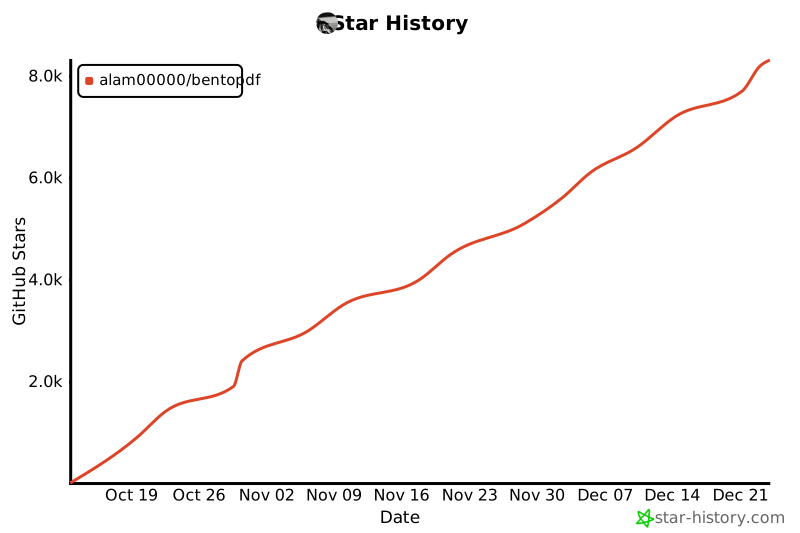](https://star-history.com/#alam00000/bentopdf&Date)
|
||||
|
||||
---
|
||||
|
||||
## 💖 Thank You to Our Sponsors
|
||||
|
||||
We're incredibly grateful to all our sponsors and supporters who help keep BentoPDF free and open source!
|
||||
|
||||
[](https://github.com/sponsors/alam00000)
|
||||
[](https://ko-fi.com/alio01)
|
||||
|
||||
<!-- sponsors -->
|
||||
<!-- sponsors -->
|
||||
|
||||
---
|
||||
|
||||
## ✨ Why BentoPDF?
|
||||
|
||||
- **Privacy First**: All processing happens in your browser. Your files are never uploaded to a server, guaranteeing 100% privacy.
|
||||
- **No Limits**: Manipulate as many files as you want, as often you want. There are no restrictions or upload limits.
|
||||
- **High Performance**: Built with modern web technologies, BentoPDF is fast and efficient, handling even large PDF files with ease.
|
||||
- **Completely Free**: BentoPDF is a free and open-source tool for everyone.
|
||||
|
||||
---
|
||||
|
||||
## 🛠️ Features / Tools Supported
|
||||
|
||||
BentoPDF offers a comprehensive suite of tools to handle all your PDF needs.
|
||||
|
||||
### Organize & Manage PDFs
|
||||
|
||||
| Tool Name | Description |
|
||||
| :--------------------------- | :------------------------------------------------------------------------------------------------------ |
|
||||
| **Merge PDFs** | Combine multiple PDF files into one. Preserves Bookmarks. |
|
||||
| **Split PDFs** | Extract specific pages or divide a document into smaller files. |
|
||||
| **Organize Pages** | Reorder, duplicate, or delete pages with a simple drag-and-drop interface. |
|
||||
| **Extract Pages** | Save a specific range of pages as a new PDF. |
|
||||
| **Delete Pages** | Remove unwanted pages from your document. |
|
||||
| **Rotate PDF** | Rotate individual or all pages in a document. |
|
||||
| **Rotate by Custom Degrees** | Rotate pages by any custom angle. |
|
||||
| **N-Up PDF** | Combine multiple pages onto a single page. |
|
||||
| **View PDF** | A powerful, integrated PDF viewer. |
|
||||
| **Alternate & Mix Pages** | Merge pages by alternating pages from each PDF. Preserves Bookmarks. |
|
||||
| **Posterize PDF** | Split a PDF into multiple smaller pages for print. |
|
||||
| **PDF Multi Tool** | Merge, Split, Organize, Delete, Rotate, Add Blank Pages, Extract and Duplicate in an unified interface. |
|
||||
| **PDF Booklet** | Rearrange pages for double-sided booklet printing. Fold and staple to create a booklet. |
|
||||
| **Add Attachments** | Embed one or more files into your PDF. |
|
||||
| **Extract Attachments** | Extract all embedded files from PDF(s) as a ZIP. |
|
||||
| **Edit Attachments** | View or remove attachments in your PDF. |
|
||||
| **Divide Pages** | Divide pages horizontally or vertically. |
|
||||
| **Combine to Single Page** | Stitch all pages into one continuous scroll. |
|
||||
| **Add Blank Page** | Insert an empty page anywhere in your PDF. |
|
||||
| **Reverse Pages** | Flip the order of all pages in your document. |
|
||||
| **View Metadata** | Inspect the hidden properties of your PDF. |
|
||||
| **PDFs to ZIP** | Package multiple PDF files into a ZIP archive. |
|
||||
| **Compare PDFs** | Compare two PDFs side by side. |
|
||||
|
||||
### Edit & Modify PDFs
|
||||
|
||||
| Tool Name | Description |
|
||||
| :------------------------ | :---------------------------------------------------------------------------------------------------------------------------------------------------------------------------------------------- |
|
||||
| **PDF Editor** | Annotate, highlight, redact, comment, add shapes/images, search, and view PDFs. |
|
||||
| **Create Fillable Forms** | Create professional fillable PDF forms with text fields, checkboxes, dropdowns, radio buttons, signatures, and more. Fully compliant with PDF standards for compatibility with all PDF viewers. |
|
||||
| **PDF Form Filler** | Fill in forms directly in the browser. Also supports XFA forms. |
|
||||
| **Add Page Numbers** | Easily add page numbers with customizable formatting. |
|
||||
| **Add Watermark** | Add text or image watermarks to protect your documents. |
|
||||
| **Header & Footer** | Add customizable headers and footers. |
|
||||
| **Crop PDF** | Crop specific pages or the entire document. |
|
||||
| **Deskew PDF** | Automatically straighten tilted scanned pages using OpenCV. |
|
||||
| **Font to Outline** | Convert all fonts to vector outlines for consistent rendering across all devices. |
|
||||
| **Invert Colors** | Invert the colors of your PDF pages for better readability. |
|
||||
| **Change Background** | Modify the background color of your PDF. |
|
||||
| **Change Text Color** | Change the color of text content within the PDF. |
|
||||
| **Flatten PDF** | Flatten form fields and annotations into static content. |
|
||||
| **Remove Annotations** | Remove comments, highlights, and other annotations. |
|
||||
| **Remove Blank Pages** | Auto detect and remove blank pages in a PDF. |
|
||||
| **Edit Bookmarks** | Add, Edit, Create, Import and Export PDF Bookmarks. |
|
||||
| **Add Stamps** | Add image stamps to your PDF using the annotation toolbar. |
|
||||
| **Table of Contents** | Generate a table of contents page from PDF bookmarks. |
|
||||
| **Redact Content** | Permanently remove sensitive content from your PDFs. |
|
||||
|
||||
### Convert to PDF
|
||||
|
||||
| Tool Name | Description |
|
||||
| :-------------------- | :----------------------------------------------------------------------------------------------------- |
|
||||
| **Image to PDF** | Convert JPG, PNG, BMP, GIF, TIFF, PNM, PGM, PBM, PPM, PAM, JXR, JPX, JP2, PSD, SVG, HEIC, WebP to PDF. |
|
||||
| **JPG to PDF** | Convert JPG, JPEG, and JPEG2000 (JP2/JPX) images to PDF. |
|
||||
| **PNG to PDF** | Convert PNG images to PDF. |
|
||||
| **WebP to PDF** | Convert WebP images to PDF. |
|
||||
| **SVG to PDF** | Convert SVG images to PDF. |
|
||||
| **BMP to PDF** | Convert BMP images to PDF. |
|
||||
| **HEIC to PDF** | Convert HEIC images to PDF. |
|
||||
| **TIFF to PDF** | Convert TIFF images to PDF. |
|
||||
| **PSD to PDF** | Convert Adobe Photoshop (PSD) files to PDF. |
|
||||
| **Word to PDF** | Convert Word documents (DOCX, DOC, ODT, RTF) to PDF. |
|
||||
| **Excel to PDF** | Convert Excel spreadsheets (XLSX, XLS, ODS, CSV) to PDF. |
|
||||
| **PowerPoint to PDF** | Convert PowerPoint presentations (PPTX, PPT, ODP) to PDF. |
|
||||
| **ODT to PDF** | Convert OpenDocument Text files to PDF. |
|
||||
| **ODS to PDF** | Convert OpenDocument Spreadsheet (ODS) files to PDF. |
|
||||
| **ODP to PDF** | Convert OpenDocument Presentation (ODP) files to PDF. |
|
||||
| **ODG to PDF** | Convert OpenDocument Graphics (ODG) files to PDF. |
|
||||
| **RTF to PDF** | Convert Rich Text Format documents to PDF. |
|
||||
| **CSV to PDF** | Convert CSV spreadsheet files to PDF. |
|
||||
| **Markdown to PDF** | Write or paste Markdown and export it as a beautifully formatted PDF. |
|
||||
| **Text to PDF** | Convert plain text files into a PDF. |
|
||||
| **JSON to PDF** | Convert JSON files to PDF. |
|
||||
| **XML to PDF** | Convert XML documents to PDF. |
|
||||
| **EPUB to PDF** | Convert EPUB e-books to PDF. |
|
||||
| **MOBI to PDF** | Convert MOBI e-books to PDF. |
|
||||
| **FB2 to PDF** | Convert FictionBook (FB2) e-books to PDF. |
|
||||
| **CBZ to PDF** | Convert comic book archives (CBZ/CBR) to PDF. |
|
||||
| **XPS to PDF** | Convert XPS/OXPS documents to PDF. |
|
||||
| **Email to PDF** | Convert email files (EML, MSG) to PDF. Supports Outlook exports. |
|
||||
| **Pages to PDF** | Convert Apple Pages documents to PDF. |
|
||||
| **WPD to PDF** | Convert WordPerfect documents (WPD) to PDF. |
|
||||
| **WPS to PDF** | Convert WPS Office documents to PDF. |
|
||||
| **PUB to PDF** | Convert Microsoft Publisher (PUB) files to PDF. |
|
||||
| **VSD to PDF** | Convert Microsoft Visio (VSD, VSDX) files to PDF. |
|
||||
|
||||
### Convert from PDF
|
||||
|
||||
| Tool Name | Description |
|
||||
| :------------------- | :----------------------------------------------------------------------------- |
|
||||
| **PDF to Image** | Convert PDF pages to JPG, PNG, WebP, BMP, or TIFF formats. |
|
||||
| **PDF to JPG** | Convert each PDF page into a JPG image. |
|
||||
| **PDF to PNG** | Convert each PDF page into a PNG image. |
|
||||
| **PDF to WebP** | Convert each PDF page into a WebP image. |
|
||||
| **PDF to BMP** | Convert each PDF page into a BMP image. |
|
||||
| **PDF to TIFF** | Convert each PDF page into a TIFF image. |
|
||||
| **PDF to SVG** | Convert each page into a scalable vector graphic (SVG) for perfect quality. |
|
||||
| **PDF to Greyscale** | Convert a color PDF into a black-and-white version. |
|
||||
| **PDF to Text** | Extract text from PDF files and save as plain text (.txt). |
|
||||
| **PDF to JSON** | Convert PDF files to JSON format. |
|
||||
| **PDF to CSV** | Extract tables from PDF and convert to CSV format. |
|
||||
| **PDF to Excel** | Extract tables from PDF and convert to Excel (XLSX) format. |
|
||||
| **Extract Tables** | Extract tables from PDF files and export as CSV, JSON, or Markdown. |
|
||||
| **OCR PDF** | Make scanned PDFs searchable and copyable using Optical Character Recognition. |
|
||||
|
||||
### Secure & Optimize PDFs
|
||||
|
||||
| Tool Name | Description |
|
||||
| :---------------------- | :--------------------------------------------------------------------------------------------------------- |
|
||||
| **Compress PDF** | Reduce file size while maintaining quality. |
|
||||
| **Repair PDF** | Attempt to repair and recover data from a corrupted PDF. |
|
||||
| **Encrypt PDF** | Add a password to protect your PDF from unauthorized access. |
|
||||
| **Decrypt PDF** | Remove password protection from a PDF (password required). |
|
||||
| **Change Permissions** | Set or modify user permissions for printing, copying, and editing. |
|
||||
| **Sign PDF** | Draw, type, or upload your signature. |
|
||||
| **Digital Signature** | Add cryptographic digital signatures using X.509 certificates (PFX/PEM). Private key never leaves browser. |
|
||||
| **Validate Signature** | Verify digital signatures, check certificate validity, and confirm document integrity. |
|
||||
| **Redact Content** | Permanently remove sensitive content from your PDFs. |
|
||||
| **Edit Metadata** | View and modify PDF metadata (author, title, keywords, etc.). |
|
||||
| **Remove Metadata** | Strip all metadata from your PDF for privacy. |
|
||||
| **Linearize PDF** | Optimize PDF for fast web viewing. |
|
||||
| **Sanitize PDF** | Remove metadata, annotations, scripts, and more. |
|
||||
| **Fix Page Size** | Standardize all pages to a uniform size. |
|
||||
| **Page Dimensions** | Analyze page size, orientation, and units. |
|
||||
| **Remove Restrictions** | Remove password protection and security restrictions associated with digitally signed PDF files. |
|
||||
|
||||
---
|
||||
|
||||
## 🌍 Translations
|
||||
|
||||
BentoPDF is available in multiple languages:
|
||||
|
||||
| Language | Status |
|
||||
| ------------------- | ------------------------------------------------------------------------------------------------------------------------- |
|
||||
| English | [](public/locales/en/common.json) |
|
||||
| Chinese | [](public/locales/zh/common.json) |
|
||||
| Traditional Chinese | [](public/locales/zh-TW/common.json) |
|
||||
| French | [](public/locales/fr/common.json) |
|
||||
| German | [](public/locales/de/common.json) |
|
||||
| Indonesian | [](public/locales/id/common.json) |
|
||||
| Italian | [](public/locales/it/common.json) |
|
||||
| Portuguese | [](public/locales/pt/common.json) |
|
||||
| Turkish | [](public/locales/tr/common.json) |
|
||||
| Vietnamese | [](public/locales/vi/common.json) |
|
||||
|
||||
Want to help translate BentoPDF into your language? Check out our [Translation Guide](TRANSLATION.md)!
|
||||
|
||||
---
|
||||
|
||||
## 🚀 Getting Started
|
||||
|
||||
You can run BentoPDF locally for development or personal use.
|
||||
|
||||
### Prerequisites
|
||||
|
||||
- [Node.js](https://nodejs.org/) (v18 or higher recommended)
|
||||
- [npm](https://www.npmjs.com/) (or yarn/pnpm)
|
||||
- [Docker](https://www.docker.com/) & [Docker Compose](https://docs.docker.com/compose/install/) (for containerized setup)
|
||||
|
||||
### 🚀 Quick Start
|
||||
|
||||
Run BentoPDF instantly from GitHub Container Registry (Recommended):
|
||||
|
||||
```bash
|
||||
docker run -p 3000:8080 ghcr.io/alam00000/bentopdf:latest
|
||||
```
|
||||
|
||||
Open your browser at: http://localhost:3000
|
||||
|
||||
<details>
|
||||
<summary><b>Alternative: Using Docker Hub or Podman</b></summary>
|
||||
|
||||
**Docker Hub:**
|
||||
|
||||
```bash
|
||||
docker run -p 3000:8080 bentopdfteam/bentopdf:latest
|
||||
```
|
||||
|
||||
**Podman (GHCR):**
|
||||
|
||||
```bash
|
||||
podman run -p 3000:8080 ghcr.io/alam00000/bentopdf:latest
|
||||
```
|
||||
|
||||
**Podman (Docker Hub):**
|
||||
|
||||
```bash
|
||||
podman run -p 3000:8080 docker.io/bentopdfteam/bentopdf:latest
|
||||
```
|
||||
|
||||
> **Note:** All `docker` commands in this documentation work with Podman by replacing `docker` with `podman`.
|
||||
|
||||
</details>
|
||||
|
||||
### Static Hosting using Netlify, Vercel, and GitHub Pages
|
||||
|
||||
It is very straightforward to host your own instance of BentoPDF using a static web page hosting service. Plus, services such as Netlify, Vercel, and GitHub Pages all offer a free tier for getting started. See [Static Hosting](https://github.com/alam00000/bentopdf/blob/main/STATIC-HOSTING.md) for details.
|
||||
|
||||
### 🏠 Self-Hosting Locally
|
||||
|
||||
Since BentoPDF is fully client-side, all processing happens in the user's browser and no server-side processing is required. This means you can host BentoPDF as simple static files on any web server or hosting platform.
|
||||
|
||||
**Download from Releases (Recommended):**
|
||||
|
||||
The easiest way to self-host is to download the pre-built distribution file from our [GitHub releases](https://github.com/alam00000/bentopdf/releases). Each release includes a `dist-{version}.zip` file that contains all necessary files for self-hosting.
|
||||
|
||||
1. Go to [BentoPDF Releases](https://github.com/alam00000/bentopdf/releases)
|
||||
2. Download the latest `dist-{version}.zip` file
|
||||
3. Extract the zip file
|
||||
4. Serve the extracted folder with your preferred web server
|
||||
|
||||
**Serve the extracted folder (requires Node.js):**
|
||||
|
||||
```bash
|
||||
# Navigate to the extracted folder
|
||||
cd dist-1.7.3 # Replace with your version
|
||||
|
||||
# Start a local server
|
||||
npx http-server -c-1
|
||||
```
|
||||
|
||||
The website will be accessible at: `http://localhost:8080/`
|
||||
|
||||
> **Note:** The `-c-1` flag disables caching for development.
|
||||
|
||||
**Build from Source (Advanced):**
|
||||
|
||||
If you prefer to build from source:
|
||||
|
||||
```bash
|
||||
# Clone the repository
|
||||
git clone https://github.com/alam00000/bentopdf.git
|
||||
cd bentopdf
|
||||
|
||||
# Install dependencies
|
||||
npm install
|
||||
|
||||
# Build the project
|
||||
npm run build
|
||||
|
||||
# Package the distribution for hosting (optional)
|
||||
npm run package
|
||||
|
||||
# Preview the build locally
|
||||
npm run preview
|
||||
|
||||
# The website will be accessible at: http://localhost:4173/
|
||||
|
||||
```
|
||||
|
||||
**Compression Modes:**
|
||||
|
||||
BentoPDF supports different compression modes for optimized builds:
|
||||
|
||||
```bash
|
||||
# Gzip only (smallest Docker image size)
|
||||
npm run build:gzip
|
||||
docker build --build-arg COMPRESSION_MODE=g -t bentopdf:gzip .
|
||||
|
||||
# Brotli only (best compression ratio)
|
||||
npm run build:brotli
|
||||
docker build --build-arg COMPRESSION_MODE=b -t bentopdf:brotli .
|
||||
|
||||
# No compression (fastest build time)
|
||||
npm run build:original
|
||||
docker build --build-arg COMPRESSION_MODE=o -t bentopdf:original .
|
||||
|
||||
# All formats (default, maximum browser compatibility)
|
||||
npm run build:all
|
||||
docker build --build-arg COMPRESSION_MODE=all -t bentopdf:all .
|
||||
```
|
||||
|
||||
| Mode | Files Kept | Use Case |
|
||||
| ----- | ----------- | --------------------------------- |
|
||||
| `g` | `.gz` only | Standard nginx or minimal size |
|
||||
| `b` | `.br` only | Modern CDN with Brotli support |
|
||||
| `o` | originals | Development or custom compression |
|
||||
| `all` | all formats | Maximum compatibility (default) |
|
||||
|
||||
**CDN Optimization:**
|
||||
|
||||
BentoPDF can use jsDelivr CDN to serve large WASM files (LibreOffice, Ghostscript, PyMuPDF) for improved performance and reduced bandwidth costs:
|
||||
|
||||
```bash
|
||||
# Production build with CDN (Recommended)
|
||||
VITE_USE_CDN=true npm run build
|
||||
|
||||
# Standard build with local files only
|
||||
npm run build
|
||||
```
|
||||
|
||||
**How it works:**
|
||||
|
||||
- When `VITE_USE_CDN=true`: Browser loads WASM files from jsDelivr CDN (fast, global delivery)
|
||||
- Local files are **always included** as automatic fallback
|
||||
- If CDN fails then it falls back to local files
|
||||
|
||||
**Subdirectory Hosting:**
|
||||
|
||||
BentoPDF can also be hosted from a subdirectory (e.g., `example.com/tools/bentopdf/`):
|
||||
|
||||
```bash
|
||||
|
||||
# Example:
|
||||
# 1. Build the app with the specific BASE_URL. BASE_URL must have a trailing and leading slash. The BASE_URL can be any url of your choice. Here we are using /tools/bentopdf/ as an example.
|
||||
|
||||
BASE_URL=/tools/bentopdf/ npm run build
|
||||
|
||||
# 2. Create the nested directory structure inside serve-test (or any folder of your choice for local testing. In case of production, create the nested directory structure inside the root directory)
|
||||
mkdir -p serve-test/tools/bentopdf
|
||||
|
||||
# 3. Copy all files from the 'dist' folder into that nested directory
|
||||
cp -r dist/* serve-test/tools/bentopdf/
|
||||
|
||||
# 4. Serve the 'serve-test' folder
|
||||
npx serve serve-test
|
||||
```
|
||||
|
||||
The website can be accessible at: `http://localhost:3000/tools/bentopdf/`
|
||||
|
||||
The `npm run package` command creates a `dist-{version}.zip` file that you can use for self-hosting.
|
||||
|
||||
**Docker Subdirectory Deployment:**
|
||||
|
||||
BentoPDF's Docker image also supports the `BASE_URL` build argument for subdirectory deployments:
|
||||
|
||||
```bash
|
||||
# Build for subdirectory deployment
|
||||
docker build --build-arg BASE_URL=/bentopdf/ -t bentopdf .
|
||||
|
||||
# Run the container
|
||||
docker run -p 3000:8080 bentopdf
|
||||
|
||||
# The app will be accessible at http://localhost:3000/bentopdf/
|
||||
```
|
||||
|
||||
**Combined with Simple Mode:**
|
||||
|
||||
```bash
|
||||
# Build with both BASE_URL and SIMPLE_MODE
|
||||
docker build \
|
||||
--build-arg BASE_URL=/tools/pdf/ \
|
||||
--build-arg SIMPLE_MODE=true \
|
||||
-t bentopdf-simple .
|
||||
|
||||
docker run -p 3000:8080 bentopdf-simple
|
||||
```
|
||||
|
||||
> **Important**:
|
||||
>
|
||||
> - Always include trailing slashes in `BASE_URL` (e.g., `/bentopdf/` not `/bentopdf`)
|
||||
> - The default value is `/` for root deployment
|
||||
|
||||
### 🚀 Run with Docker Compose / Podman Compose (Recommended)
|
||||
|
||||
For a more robust setup with auto-restart capabilities:
|
||||
|
||||
1. **Download the repo and create a `docker-compose.yml` file or use the one given in repo**:
|
||||
|
||||
```yaml
|
||||
services:
|
||||
bentopdf:
|
||||
image: ghcr.io/alam00000/bentopdf:latest # Recommended
|
||||
# image: bentopdfteam/bentopdf:latest # Alternative: Docker Hub
|
||||
container_name: bentopdf
|
||||
ports:
|
||||
- '3000:8080'
|
||||
restart: unless-stopped
|
||||
```
|
||||
|
||||
2. **Start the application**:
|
||||
|
||||
```bash
|
||||
# Docker Compose
|
||||
docker-compose up -d
|
||||
|
||||
# Podman Compose
|
||||
podman-compose up -d
|
||||
```
|
||||
|
||||
The application will be available at `http://localhost:3000`.
|
||||
|
||||
### 🐧 Podman Quadlet (Systemd Integration)
|
||||
|
||||
For Linux production deployments, you can run BentoPDF as a systemd service using [Podman Quadlet](https://docs.podman.io/en/latest/markdown/podman-systemd.unit.5.html).
|
||||
|
||||
Create `~/.config/containers/systemd/bentopdf.container`:
|
||||
|
||||
```ini
|
||||
[Unit]
|
||||
Description=BentoPDF - Privacy-first PDF toolkit
|
||||
After=network-online.target
|
||||
|
||||
[Container]
|
||||
Image=ghcr.io/alam00000/bentopdf:latest
|
||||
ContainerName=bentopdf
|
||||
PublishPort=3000:8080
|
||||
AutoUpdate=registry
|
||||
|
||||
[Service]
|
||||
Restart=always
|
||||
|
||||
[Install]
|
||||
WantedBy=default.target
|
||||
```
|
||||
|
||||
Then enable and start:
|
||||
|
||||
```bash
|
||||
systemctl --user daemon-reload
|
||||
systemctl --user enable --now bentopdf
|
||||
```
|
||||
|
||||
For detailed Quadlet configuration, see [Self-Hosting Docker Guide](https://bentopdf.com/docs/self-hosting/docker).
|
||||
|
||||
### 🏢 Simple Mode for Internal Use
|
||||
|
||||
For organizations that want a clean, distraction-free interface focused solely on PDF tools, BentoPDF supports a **Simple Mode** that hides all branding and marketing content.
|
||||
|
||||
**What Simple Mode does:**
|
||||
|
||||
- Hides navigation, hero section, features, FAQ, testimonials, and footer
|
||||
- Shows only the essential PDF tools
|
||||
- Updates page title to "PDF Tools"
|
||||
- Perfect for internal company tools and educational institutions
|
||||
|
||||
For more details, see [SIMPLE_MODE.md](SIMPLE_MODE.md).
|
||||
|
||||
### 🔒 Security Features
|
||||
|
||||
BentoPDF runs as a non-root user using nginx-unprivileged for enhanced security:
|
||||
|
||||
- **Non-Root Execution**: Container runs with minimal privileges using nginx-unprivileged
|
||||
- **Port 8080**: Uses high port number to avoid requiring root privileges
|
||||
- **Security Best Practices**: Follows Principle of Least Privilege
|
||||
|
||||
#### Basic Usage
|
||||
|
||||
```bash
|
||||
docker build -t bentopdf .
|
||||
docker run -p 8080:8080 bentopdf
|
||||
```
|
||||
|
||||
For detailed security configuration, see [SECURITY.md](SECURITY.md).
|
||||
|
||||
### Digital Signature CORS Proxy (Required)
|
||||
|
||||
The **Digital Signature** tool uses a signing library that may need to fetch certificate chain data from certificate authority provider. Since many certificate servers don't include CORS headers, a proxy is required for this feature to work in the browser.
|
||||
|
||||
**When is the proxy needed?**
|
||||
|
||||
- Only when using the Digital Signature tool
|
||||
- Only if your certificate requires fetching issuer certificates from external URLs
|
||||
- Self-signed certificates typically don't need this
|
||||
|
||||
**Deploying the CORS Proxy (Cloudflare Workers):**
|
||||
|
||||
1. **Navigate to the cloudflare directory:**
|
||||
|
||||
```bash
|
||||
cd cloudflare
|
||||
```
|
||||
|
||||
2. **Login to Cloudflare (if not already):**
|
||||
|
||||
```bash
|
||||
npx wrangler login
|
||||
```
|
||||
|
||||
3. **Deploy the worker:**
|
||||
|
||||
```bash
|
||||
npx wrangler deploy
|
||||
```
|
||||
|
||||
4. **Note your worker URL** (e.g., `https://bentopdf-cors-proxy.your-subdomain.workers.dev`)
|
||||
|
||||
5. **Set the environment variable when building:**
|
||||
```bash
|
||||
VITE_CORS_PROXY_URL=https://your-worker-url.workers.dev npm run build
|
||||
```
|
||||
|
||||
#### Production Security Features
|
||||
|
||||
The CORS proxy includes several security measures:
|
||||
|
||||
| Feature | Description |
|
||||
| ----------------------- | ------------------------------------------------------------------------- |
|
||||
| **URL Restrictions** | Only allows certificate URLs (`.crt`, `.cer`, `.pem`, `/certs/`, `/ocsp`) |
|
||||
| **Private IP Blocking** | Blocks requests to localhost, 10.x, 192.168.x, 172.16-31.x |
|
||||
| **File Size Limit** | Rejects files larger than 10MB |
|
||||
| **Rate Limiting** | 60 requests per IP per minute (requires KV) |
|
||||
| **HMAC Signatures** | Optional client-side signing (limited protection) |
|
||||
|
||||
#### Enabling Rate Limiting (Recommended)
|
||||
|
||||
Rate limiting requires Cloudflare KV storage:
|
||||
|
||||
```bash
|
||||
cd cloudflare
|
||||
|
||||
# Create KV namespace
|
||||
npx wrangler kv namespace create "RATE_LIMIT_KV"
|
||||
|
||||
# Copy the returned ID and add to wrangler.toml:
|
||||
# [[kv_namespaces]]
|
||||
# binding = "RATE_LIMIT_KV"
|
||||
# id = "YOUR_ID_HERE"
|
||||
|
||||
# Redeploy
|
||||
npx wrangler deploy
|
||||
```
|
||||
|
||||
**Free tier limits:** 100,000 reads/day, 1,000 writes/day (~300-500 signatures/day)
|
||||
|
||||
#### HMAC Signature Verification (Optional)
|
||||
|
||||
> **⚠️ Security Warning:** Client-side secrets can be extracted from bundled JavaScript. For production deployments with sensitive requirements, use your own backend server to proxy requests instead of embedding secrets in frontend code.
|
||||
|
||||
BentoPDF uses client-side HMAC as a deterrent against casual abuse, but accepts this tradeoff due to its fully client-side architecture. To enable:
|
||||
|
||||
```bash
|
||||
# Generate a secret
|
||||
openssl rand -hex 32
|
||||
|
||||
# Set on Cloudflare Worker
|
||||
npx wrangler secret put PROXY_SECRET
|
||||
|
||||
# Set in build environment
|
||||
VITE_CORS_PROXY_SECRET=your-secret npm run build
|
||||
```
|
||||
|
||||
### 📦 Version Management
|
||||
|
||||
BentoPDF supports semantic versioning with multiple container tags available:
|
||||
|
||||
**GitHub Container Registry (Recommended):**
|
||||
|
||||
- **Latest**: `ghcr.io/alam00000/bentopdf:latest`
|
||||
- **Specific Version**: `ghcr.io/alam00000/bentopdf:1.0.0`
|
||||
- **Version with Prefix**: `ghcr.io/alam00000/bentopdf:v1.0.0`
|
||||
|
||||
**Docker Hub:**
|
||||
|
||||
- **Latest**: `bentopdfteam/bentopdf:latest`
|
||||
- **Specific Version**: `bentopdfteam/bentopdf:1.0.0`
|
||||
- **Version with Prefix**: `bentopdfteam/bentopdf:v1.0.0`
|
||||
|
||||
#### Quick Release
|
||||
|
||||
```bash
|
||||
# Release a patch version (0.0.1 → 0.0.2)
|
||||
npm run release
|
||||
|
||||
# Release a minor version (0.0.1 → 0.1.0)
|
||||
npm run release:minor
|
||||
|
||||
# Release a major version (0.0.1 → 1.0.0)
|
||||
npm run release:major
|
||||
```
|
||||
|
||||
For detailed release instructions, see [RELEASE.md](RELEASE.md).
|
||||
|
||||
### 🚀 Development Setup
|
||||
|
||||
#### Option 1: Run with npm
|
||||
|
||||
1. **Clone the Repository**:
|
||||
|
||||
```bash
|
||||
git clone https://github.com/alam00000/bentopdf.git
|
||||
cd bentopdf
|
||||
```
|
||||
|
||||
2. **Install Dependencies**:
|
||||
|
||||
```bash
|
||||
npm install
|
||||
```
|
||||
|
||||
3. **Run the Development Server**:
|
||||
```bash
|
||||
npm run dev
|
||||
```
|
||||
The application will be available at `http://localhost:5173`.
|
||||
|
||||
#### Option 2: Build and Run with Docker Compose
|
||||
|
||||
1. **Clone the Repository**:
|
||||
|
||||
```bash
|
||||
git clone https://github.com/alam00000/bentopdf.git
|
||||
cd bentopdf
|
||||
```
|
||||
|
||||
2. **Run with Docker Compose**:
|
||||
|
||||
```bash
|
||||
docker-compose -f docker-compose.dev.yml up -d
|
||||
```
|
||||
|
||||
The application will be available at `http://localhost:3000`.
|
||||
|
||||
> **Note:** After making any local changes to the code, rebuild the Docker image using:
|
||||
|
||||
```bash
|
||||
docker-compose -f docker-compose.dev.yml up --build -d
|
||||
```
|
||||
|
||||
This ensures your latest changes are applied inside the container.
|
||||
|
||||
---
|
||||
|
||||
## 🛠️ Tech Stack & Background
|
||||
|
||||
BentoPDF was originally built using **HTML**, **CSS**, and **vanilla JavaScript**. As the project grew, it was migrated to a modern stack for better maintainability and scalability:
|
||||
|
||||
- **Vite**: A fast build tool for modern web development.
|
||||
- **TypeScript**: For type safety and an improved developer experience.
|
||||
- **Tailwind CSS**: For rapid and consistent UI development.
|
||||
|
||||
> **Note:** Some parts of the codebase still use legacy structures from the original implementation. Contributors should expect gradual updates as testing and refactoring continue.
|
||||
|
||||
---
|
||||
|
||||
## 🗺️ Roadmap
|
||||
|
||||
### Planned Features:
|
||||
|
||||
- **HTML to PDF**: Convert HTML files or web pages into PDF documents.
|
||||
- **Markdown to PDF**: Enhanced support for converting `.md` files to PDF.
|
||||
- **Convert to PDF/A**: Convert PDFs to the PDF/A archival format.
|
||||
- **Edit PDF Content**: Directly edit text and other content within your PDF.
|
||||
- **PDF to Office**: Converts PDF files into editable Word, Excel, and PowerPoint formats.
|
||||
- **Office to PDF**: Converts Word, Excel, and PowerPoint documents into optimized PDFs.
|
||||
|
||||
Contributions and discussions on the roadmap are welcome! Join the conversation via [Discord](https://discord.gg/Bgq3Ay3f2w).
|
||||
|
||||
---
|
||||
|
||||
## 🤝 Contributing
|
||||
|
||||
We welcome contributions from the community! Here's how you can get started:
|
||||
|
||||
1. **Fork the repository** and create your branch from `main`.
|
||||
2. Follow the **Getting Started** steps to set up your local environment.
|
||||
3. Make your changes and commit them with a clear message.
|
||||
4. **Open a Pull Request** and describe the changes you've made.
|
||||
|
||||
Have an idea for a new tool or an improvement? [Open an issue](https://github.com/alam00000/bentopdf/issues) to discuss it first.
|
||||
|
||||
### 📖 Contributing to Documentation
|
||||
|
||||
Our documentation is built with [VitePress](https://vitepress.dev/). Here's how to contribute:
|
||||
|
||||
```bash
|
||||
# Install dependencies
|
||||
npm install
|
||||
|
||||
# Start docs dev server
|
||||
npm run docs:dev
|
||||
|
||||
# Build docs for production
|
||||
npm run docs:build
|
||||
|
||||
# Preview the built docs
|
||||
npm run docs:preview
|
||||
```
|
||||
|
||||
Documentation files are in the `docs/` folder:
|
||||
|
||||
- `docs/index.md` - Home page
|
||||
- `docs/getting-started.md` - Getting started guide
|
||||
- `docs/tools/` - Tools reference
|
||||
- `docs/self-hosting/` - Self-hosting guides (Docker, Vercel, Netlify, Hostinger, etc.)
|
||||
- `docs/contributing.md` - Contributing guide
|
||||
- `docs/licensing.md` - Commercial license info
|
||||
|
||||
---
|
||||
|
||||
## Special Thanks
|
||||
|
||||
BentoPDF wouldn't be possible without the amazing open-source tools and libraries that power it. We'd like to extend our heartfelt thanks to the creators and maintainers of:
|
||||
|
||||
**Bundled Libraries:**
|
||||
|
||||
- **[PDFLib.js](https://pdf-lib.js.org/)** – For enabling powerful client-side PDF manipulation.
|
||||
- **[PDF.js](https://mozilla.github.io/pdf.js/)** – For the robust PDF rendering engine in the browser.
|
||||
- **[PDFKit](https://pdfkit.org/)** – For creating and editing PDFs with ease.
|
||||
- **[EmbedPDF](https://github.com/embedpdf/embed-pdf-viewer)** – For seamless PDF editing in pure JS.
|
||||
- **[Cropper.js](https://fengyuanchen.github.io/cropperjs/)** – For intuitive image cropping functionality.
|
||||
- **[Vite](https://vitejs.dev/)** – For lightning-fast development and build tooling.
|
||||
- **[Tailwind CSS](https://tailwindcss.com/)** – For rapid, flexible, and beautiful UI styling.
|
||||
- **[qpdf](https://github.com/qpdf/qpdf)** and **[qpdf-wasm](https://github.com/neslinesli93/qpdf-wasm)** – For inspecting, repairing, and transforming PDF files.
|
||||
- **[LibreOffice](https://www.libreoffice.org/)** – For powerful document conversion capabilities.
|
||||
|
||||
**AGPL Libraries (Not Bundled - User Configured):**
|
||||
|
||||
- **[CoherentPDF (cpdf)](https://www.coherentpdf.com/)** – For content-preserving PDF operations. _(AGPL-3.0)_
|
||||
- **[PyMuPDF](https://github.com/pymupdf/PyMuPDF)** – For high-performance PDF manipulation and data extraction. _(AGPL-3.0)_
|
||||
- **[Ghostscript (GhostPDL)](https://github.com/ArtifexSoftware/ghostpdl)** – For PDF/A conversion and font outlining. _(AGPL-3.0)_
|
||||
|
||||
> **Note:** AGPL-licensed libraries are not bundled with BentoPDF. Users can optionally configure these via Advanced Settings to enable additional features.
|
||||
|
||||
Your work inspires and empowers developers everywhere. Thank you for making open-source amazing!
|
||||
-317
@@ -1,317 +0,0 @@
|
||||
# 🚀 Release Process - Real-World Scenarios
|
||||
|
||||
## 📋 Common Release Scenarios
|
||||
|
||||
### **Scenario 1: I Just Finished a Feature and Want to Release**
|
||||
|
||||
**Situation:** You've completed a new feature, tested it locally, and want to release it.
|
||||
|
||||
**Current State:**
|
||||
|
||||
```bash
|
||||
$ git status
|
||||
On branch main
|
||||
Your branch is up to date with 'origin/main'.
|
||||
|
||||
Changes not staged for commit:
|
||||
modified: src/js/new-feature.js
|
||||
modified: src/css/styles.css
|
||||
modified: README.md
|
||||
|
||||
Untracked files:
|
||||
src/js/feature-helper.js
|
||||
```
|
||||
|
||||
**Steps:**
|
||||
|
||||
```bash
|
||||
# 1. Commit your feature changes
|
||||
git add .
|
||||
git commit -m "Add new PDF watermark feature"
|
||||
|
||||
# 2. Choose your release type and run
|
||||
npm run release # Patch: 1.0.0 → 1.0.1 (bug fixes, small improvements)
|
||||
npm run release:minor # Minor: 1.0.0 → 1.1.0 (new features, backward compatible)
|
||||
npm run release:major # Major: 1.0.0 → 2.0.0 (breaking changes)
|
||||
```
|
||||
|
||||
**What Happens:**
|
||||
|
||||
- ✅ Your feature commit stays as-is
|
||||
- ✅ Version gets bumped in `package.json`
|
||||
- ✅ New release commit is created
|
||||
- ✅ Git tag is created (e.g., `v1.0.1`)
|
||||
- ✅ Everything gets pushed to GitHub
|
||||
- ✅ Docker image gets built and published
|
||||
|
||||
---
|
||||
|
||||
### **Scenario 2: I Have Uncommitted Changes and Want to Release**
|
||||
|
||||
**Situation:** You have local changes but haven't committed them yet.
|
||||
|
||||
**Current State:**
|
||||
|
||||
```bash
|
||||
$ git status
|
||||
Changes not staged for commit:
|
||||
modified: package.json
|
||||
modified: src/js/main.js
|
||||
modified: README.md
|
||||
```
|
||||
|
||||
**❌ This Will Fail:**
|
||||
|
||||
```bash
|
||||
npm run release
|
||||
# Error: Your local changes would be overwritten by merge
|
||||
```
|
||||
|
||||
**✅ Solution Options:**
|
||||
|
||||
**Option A: Commit Everything First (Recommended)**
|
||||
|
||||
```bash
|
||||
git add .
|
||||
git commit -m "Add new features and improvements"
|
||||
npm run release
|
||||
```
|
||||
|
||||
**Option B: Stash Changes Temporarily**
|
||||
|
||||
```bash
|
||||
git stash
|
||||
npm run release
|
||||
git stash pop # Restore your changes after release
|
||||
```
|
||||
|
||||
**Option C: Commit Only What's Needed**
|
||||
|
||||
```bash
|
||||
git add package.json src/js/main.js
|
||||
git commit -m "Add core improvements"
|
||||
npm run release
|
||||
git add README.md
|
||||
git commit -m "Update documentation"
|
||||
```
|
||||
|
||||
---
|
||||
|
||||
### **Scenario 3: I Want to Release a Hotfix**
|
||||
|
||||
**Situation:** There's a critical bug in production that needs immediate fixing.
|
||||
|
||||
**Steps:**
|
||||
|
||||
```bash
|
||||
# 1. Fix the bug
|
||||
git add src/js/bug-fix.js
|
||||
git commit -m "Fix critical PDF rendering issue"
|
||||
|
||||
# 2. Release as patch (bug fix)
|
||||
npm run release
|
||||
# This creates: 1.0.0 → 1.0.1
|
||||
```
|
||||
|
||||
**Result:**
|
||||
|
||||
- ✅ Bug fix gets released immediately
|
||||
- ✅ Docker image with fix is available
|
||||
- ✅ Users can pull the fixed version
|
||||
|
||||
---
|
||||
|
||||
### **Scenario 4: I Want to Release a Major Update**
|
||||
|
||||
**Situation:** You've added significant new features that might break existing functionality.
|
||||
|
||||
**Steps:**
|
||||
|
||||
```bash
|
||||
# 1. Commit all your changes
|
||||
git add .
|
||||
git commit -m "Add major PDF editing features and API changes"
|
||||
|
||||
# 2. Release as major version
|
||||
npm run release:major
|
||||
# This creates: 1.0.0 → 2.0.0
|
||||
```
|
||||
|
||||
**Result:**
|
||||
|
||||
- ✅ Major version bump indicates breaking changes
|
||||
- ✅ Users know to check compatibility
|
||||
- ✅ Both old and new versions available
|
||||
|
||||
---
|
||||
|
||||
### **Scenario 5: I Want to Release Multiple Features at Once**
|
||||
|
||||
**Situation:** You've been working on multiple features and want to release them together.
|
||||
|
||||
**Steps:**
|
||||
|
||||
```bash
|
||||
# 1. Commit all features
|
||||
git add .
|
||||
git commit -m "Add multiple PDF tools: watermark, encryption, and compression"
|
||||
|
||||
# 2. Choose appropriate release type
|
||||
npm run release:minor # For new features (1.0.0 → 1.1.0)
|
||||
# OR
|
||||
npm run release:major # For breaking changes (1.0.0 → 2.0.0)
|
||||
```
|
||||
|
||||
---
|
||||
|
||||
### **Scenario 6: I Want to Test the Release Process**
|
||||
|
||||
**Situation:** You want to test the release system without affecting production.
|
||||
|
||||
**Steps:**
|
||||
|
||||
```bash
|
||||
# 1. Make a small test change
|
||||
echo "// Test comment" >> src/js/main.js
|
||||
git add src/js/main.js
|
||||
git commit -m "Test release process"
|
||||
|
||||
# 2. Run patch release
|
||||
npm run release
|
||||
# This creates: 1.0.0 → 1.0.1
|
||||
|
||||
# 3. Verify everything works
|
||||
# Check GitHub Actions, Docker Hub, etc.
|
||||
|
||||
# 4. If you want to undo the test release
|
||||
git tag -d v1.0.1
|
||||
git push origin :refs/tags/v1.0.1
|
||||
git reset --hard HEAD~1
|
||||
```
|
||||
|
||||
---
|
||||
|
||||
## 🎯 **Release Type Guidelines**
|
||||
|
||||
| Scenario | Command | Version Change | When to Use |
|
||||
| ------------------- | ----------------------- | --------------- | ------------------------------------ |
|
||||
| **Bug Fix** | `npm run release` | `1.0.0 → 1.0.1` | Fixing bugs, small improvements |
|
||||
| **New Feature** | `npm run release:minor` | `1.0.0 → 1.1.0` | Adding features, backward compatible |
|
||||
| **Breaking Change** | `npm run release:major` | `1.0.0 → 2.0.0` | API changes, major rewrites |
|
||||
|
||||
---
|
||||
|
||||
## 🔄 **What Happens After You Run a Release Command**
|
||||
|
||||
### **Immediate Actions (Local):**
|
||||
|
||||
1. **Version Update**: `package.json` version gets bumped
|
||||
2. **Git Commit**: New commit created with "Release vX.X.X"
|
||||
3. **Git Tag**: Tag created (e.g., `v1.0.1`)
|
||||
4. **Git Push**: Everything pushed to GitHub
|
||||
|
||||
### **Automatic Actions (GitHub):**
|
||||
|
||||
1. **GitHub Actions Triggered**: Workflow starts building Docker image
|
||||
2. **Docker Build**: Multi-architecture image created
|
||||
3. **Docker Push**: Images pushed to Docker Hub with tags:
|
||||
- `bentopdfteam/bentopdf:latest`
|
||||
- `bentopdfteam/bentopdf:1.0.1`
|
||||
- `bentopdfteam/bentopdf:v1.0.1`
|
||||
|
||||
### **End Result:**
|
||||
|
||||
Users can immediately pull your new version:
|
||||
|
||||
```bash
|
||||
docker pull bentopdfteam/bentopdf:1.0.1
|
||||
```
|
||||
|
||||
---
|
||||
|
||||
## 🚨 **Before You Release - Prerequisites**
|
||||
|
||||
### **1. Docker Hub Credentials Setup**
|
||||
|
||||
You need to add these secrets to your GitHub repository:
|
||||
|
||||
1. Go to **Settings** → **Secrets and variables** → **Actions**
|
||||
2. Add these secrets:
|
||||
- `DOCKER_USERNAME`: Your Docker Hub username
|
||||
- `DOCKER_TOKEN`: Your Docker Hub access token
|
||||
|
||||
### **2. Get Docker Hub Token**
|
||||
|
||||
1. Go to [Docker Hub](https://hub.docker.com)
|
||||
2. Account Settings → Security → New Access Token
|
||||
3. Set permissions to "Read, Write, Delete"
|
||||
4. Copy the token and add it to GitHub Secrets
|
||||
|
||||
---
|
||||
|
||||
## 🔧 **Troubleshooting Common Issues**
|
||||
|
||||
### **❌ "Your local changes would be overwritten by merge"**
|
||||
|
||||
**Problem:** You have uncommitted changes
|
||||
**Solution:**
|
||||
|
||||
```bash
|
||||
git add .
|
||||
git commit -m "Your commit message"
|
||||
npm run release
|
||||
```
|
||||
|
||||
### **❌ "Permission denied" in GitHub Actions**
|
||||
|
||||
**Problem:** Missing Docker Hub credentials
|
||||
**Solution:** Add `DOCKER_USERNAME` and `DOCKER_TOKEN` to GitHub Secrets
|
||||
|
||||
### **❌ "Tag already exists"**
|
||||
|
||||
**Problem:** You've run the same release before
|
||||
**Solution:** This is normal! The script will skip creating duplicate tags
|
||||
|
||||
### **❌ GitHub Actions fails**
|
||||
|
||||
**Problem:** Various build issues
|
||||
**Solution:**
|
||||
|
||||
1. Check Actions tab for detailed logs
|
||||
2. Verify Docker Hub credentials
|
||||
3. Check Dockerfile for syntax errors
|
||||
|
||||
---
|
||||
|
||||
## 🧪 **Testing Your Release System**
|
||||
|
||||
### **Quick Test:**
|
||||
|
||||
```bash
|
||||
# Make a small change
|
||||
echo "// Test" >> src/js/main.js
|
||||
git add src/js/main.js
|
||||
git commit -m "Test release"
|
||||
npm run release
|
||||
```
|
||||
|
||||
### **Verify Results:**
|
||||
|
||||
1. **GitHub Actions**: Check Actions tab for successful build
|
||||
2. **Docker Hub**: Verify images are published
|
||||
3. **Git Tags**: `git tag --list` should show new tag
|
||||
4. **Version**: `cat package.json | grep version` should show updated version
|
||||
|
||||
### **Undo Test Release:**
|
||||
|
||||
```bash
|
||||
git tag -d v1.0.1
|
||||
git push origin :refs/tags/v1.0.1
|
||||
git reset --hard HEAD~1
|
||||
```
|
||||
|
||||
---
|
||||
|
||||
## 🎉 **That's It!**
|
||||
|
||||
Your release system is now ready! Just follow the scenarios above based on your situation and run the appropriate `npm run release` command.
|
||||
-110
@@ -1,110 +0,0 @@
|
||||
# Security Configuration
|
||||
|
||||
## Non-Root User Support
|
||||
|
||||
BentoPDF now uses nginx-unprivileged for enhanced security. This follows the Principle of Least Privilege and is essential for production environments.
|
||||
|
||||
### Security Benefits
|
||||
|
||||
- **Reduced Attack Surface**: If compromised, attackers won't have root privileges
|
||||
- **Compliance**: Meets security standards like SOC 2, PCI DSS
|
||||
- **Kubernetes/OpenShift Compatibility**: Works with security policies that require non-root execution
|
||||
- **System Protection**: Prevents system-wide damage if the application is compromised
|
||||
|
||||
### Usage
|
||||
|
||||
#### Default Configuration (nginx-unprivileged)
|
||||
|
||||
```bash
|
||||
docker build -t bentopdf .
|
||||
docker run -p 8080:8080 bentopdf
|
||||
```
|
||||
|
||||
#### Simple Mode
|
||||
|
||||
```bash
|
||||
# Build with simple mode enabled
|
||||
docker build --build-arg SIMPLE_MODE=true -t bentopdf-simple .
|
||||
|
||||
# Run the container
|
||||
docker run -p 8080:8080 bentopdf-simple
|
||||
```
|
||||
|
||||
#### Kubernetes Example
|
||||
|
||||
```yaml
|
||||
apiVersion: apps/v1
|
||||
kind: Deployment
|
||||
metadata:
|
||||
name: bentopdf
|
||||
spec:
|
||||
template:
|
||||
spec:
|
||||
securityContext:
|
||||
runAsNonRoot: true
|
||||
runAsUser: 2000
|
||||
runAsGroup: 2000
|
||||
containers:
|
||||
- name: bentopdf
|
||||
image: bentopdf:latest
|
||||
ports:
|
||||
- containerPort: 8080
|
||||
```
|
||||
|
||||
#### Docker Compose Example
|
||||
|
||||
```yaml
|
||||
version: '3.8'
|
||||
services:
|
||||
bentopdf:
|
||||
build:
|
||||
context: .
|
||||
dockerfile: Dockerfile
|
||||
args:
|
||||
SIMPLE_MODE: false
|
||||
ports:
|
||||
- '8080:8080'
|
||||
security_opt:
|
||||
- no-new-privileges:true
|
||||
```
|
||||
|
||||
### Verification
|
||||
|
||||
To verify the container is running as non-root:
|
||||
|
||||
```bash
|
||||
# Check the user inside the container
|
||||
docker exec <container_id> whoami
|
||||
# Should output: nginx
|
||||
|
||||
# Check the user ID
|
||||
docker exec <container_id> id
|
||||
# Should show UID/GID for nginx user (typically 101)
|
||||
```
|
||||
|
||||
### Security Best Practices
|
||||
|
||||
1. **Use nginx-unprivileged**: Built-in non-root user with minimal privileges
|
||||
2. **Regular Updates**: Keep the base image updated (currently using 1.29-alpine)
|
||||
3. **Port 8080**: Use high port numbers to avoid requiring root privileges
|
||||
4. **Security Scanning**: Regularly scan images for vulnerabilities
|
||||
5. **Network Policies**: Implement network segmentation
|
||||
|
||||
### Troubleshooting
|
||||
|
||||
If you encounter permission issues:
|
||||
|
||||
1. **Check file ownership**: Ensure all application files are owned by the nginx user
|
||||
2. **Verify PID directory**: Ensure `/etc/nginx/tmp/` directory exists and is writable
|
||||
3. **Port binding**: Ensure port 8080 is available and not blocked by firewall
|
||||
|
||||
### Migration from Root
|
||||
|
||||
If migrating from a root-based setup:
|
||||
|
||||
1. Update your Dockerfile to use nginx-unprivileged base image
|
||||
2. Change port mappings from 80 to 8080 in all configurations
|
||||
3. Update nginx.conf to use `/etc/nginx/tmp/nginx.pid` for PID file
|
||||
4. Rebuild your images with the new security settings
|
||||
5. Update your deployment configurations (Kubernetes, Docker Compose, etc.)
|
||||
6. Test thoroughly in a staging environment
|
||||
-244
@@ -1,244 +0,0 @@
|
||||
# Simple Mode for BentoPDF
|
||||
|
||||
Simple Mode is designed for internal organizational use where you want to hide all branding and marketing content, showing only the essential PDF tools for your users.
|
||||
|
||||
## What Simple Mode Does
|
||||
|
||||
When enabled, Simple Mode will:
|
||||
|
||||
- Hide the navigation bar
|
||||
- Hide the hero section with marketing content
|
||||
- Hide the features section
|
||||
- Hide the security/compliance section
|
||||
- Hide the FAQ section
|
||||
- Hide the testimonials section
|
||||
- Hide the support section
|
||||
- Hide the footer
|
||||
- Update the page title to "PDF Tools"
|
||||
- Make the tools section more prominent
|
||||
|
||||
## How to Enable Simple Mode
|
||||
|
||||
### Method 1: Using Pre-built Simple Mode Image (Recommended)
|
||||
|
||||
Use the pre-built Simple Mode image directly:
|
||||
|
||||
**Using GitHub Container Registry (Recommended):**
|
||||
|
||||
```bash
|
||||
# Docker
|
||||
docker run -p 3000:8080 ghcr.io/alam00000/bentopdf-simple:latest
|
||||
|
||||
# Podman
|
||||
podman run -p 3000:8080 ghcr.io/alam00000/bentopdf-simple:latest
|
||||
```
|
||||
|
||||
**Using Docker Hub:**
|
||||
|
||||
```bash
|
||||
# Docker
|
||||
docker run -p 3000:8080 bentopdfteam/bentopdf-simple:latest
|
||||
|
||||
# Podman
|
||||
podman run -p 3000:8080 docker.io/bentopdfteam/bentopdf-simple:latest
|
||||
```
|
||||
|
||||
Or with Docker Compose / Podman Compose:
|
||||
|
||||
```yaml
|
||||
services:
|
||||
bentopdf:
|
||||
# Using GitHub Container Registry (Recommended)
|
||||
image: ghcr.io/alam00000/bentopdf-simple:latest
|
||||
# Or using Docker Hub
|
||||
# image: bentopdfteam/bentopdf-simple:latest
|
||||
container_name: bentopdf
|
||||
restart: unless-stopped
|
||||
ports:
|
||||
- '3000:8080'
|
||||
```
|
||||
|
||||
### Method 2: Using Docker Compose with Build
|
||||
|
||||
Build the image locally with Simple Mode enabled:
|
||||
|
||||
```bash
|
||||
docker compose -f docker-compose.dev.yml build --build-arg SIMPLE_MODE=true
|
||||
docker compose -f docker-compose.dev.yml up -d
|
||||
```
|
||||
|
||||
### Method 3: Using Docker Build
|
||||
|
||||
Build the image with the SIMPLE_MODE build argument:
|
||||
|
||||
```bash
|
||||
docker build --build-arg SIMPLE_MODE=true -t bentopdf-simple .
|
||||
docker run -p 3000:8080 bentopdf-simple
|
||||
```
|
||||
|
||||
### Method 4: Using npm Script (Easiest for Local Development)
|
||||
|
||||
Use the built-in npm script that handles everything:
|
||||
|
||||
```bash
|
||||
npm run serve:simple
|
||||
```
|
||||
|
||||
This command automatically:
|
||||
|
||||
- Sets `SIMPLE_MODE=true`
|
||||
- Builds the project with Simple Mode enabled
|
||||
- Serves the built files on `http://localhost:3000`
|
||||
|
||||
### Method 5: Using Environment Variables
|
||||
|
||||
Set the environment variable before building:
|
||||
|
||||
```bash
|
||||
export SIMPLE_MODE=true
|
||||
npm run build
|
||||
npx serve dist -p 3000
|
||||
```
|
||||
|
||||
## 🧪 Testing Simple Mode Locally
|
||||
|
||||
### Method 1: Using npm Script (Easiest for Development)
|
||||
|
||||
```bash
|
||||
npm run serve:simple
|
||||
```
|
||||
|
||||
This automatically builds and serves Simple Mode on `http://localhost:3000`.
|
||||
|
||||
### Method 2: Using Pre-built Image (Easiest for Production)
|
||||
|
||||
```bash
|
||||
# Docker - Pull and run the Simple Mode image
|
||||
docker pull ghcr.io/alam00000/bentopdf-simple:latest
|
||||
docker run -p 3000:8080 ghcr.io/alam00000/bentopdf-simple:latest
|
||||
|
||||
# Podman
|
||||
podman pull ghcr.io/alam00000/bentopdf-simple:latest
|
||||
podman run -p 3000:8080 ghcr.io/alam00000/bentopdf-simple:latest
|
||||
```
|
||||
|
||||
Open `http://localhost:3000` in your browser.
|
||||
|
||||
### Method 3: Build and Test Locally
|
||||
|
||||
```bash
|
||||
# Build with simple mode
|
||||
SIMPLE_MODE=true npm run build
|
||||
|
||||
# Serve the built files
|
||||
npx serve dist -p 3000
|
||||
```
|
||||
|
||||
Open `http://localhost:3000` in your browser.
|
||||
|
||||
### Method 4: Compare Both Modes
|
||||
|
||||
```bash
|
||||
# Test Normal Mode (Docker)
|
||||
docker run -p 3000:8080 ghcr.io/alam00000/bentopdf:latest
|
||||
|
||||
# Test Simple Mode (Docker)
|
||||
docker run -p 3001:8080 ghcr.io/alam00000/bentopdf-simple:latest
|
||||
|
||||
# Podman users: replace 'docker' with 'podman'
|
||||
```
|
||||
|
||||
- Normal Mode: `http://localhost:3000`
|
||||
- Simple Mode: `http://localhost:3001`
|
||||
|
||||
## 🔍 What to Look For
|
||||
|
||||
When Simple Mode is working correctly, you should see:
|
||||
|
||||
- ✅ Clean "PDF Tools" header (no marketing hero section)
|
||||
- ✅ "Select a tool to get started" subtitle
|
||||
- ✅ Search bar for tools
|
||||
- ✅ All PDF tool cards organized by category
|
||||
- ❌ No navigation bar
|
||||
- ❌ No hero section with "The PDF Toolkit built for privacy"
|
||||
- ❌ No features, FAQ, testimonials, or footer sections
|
||||
|
||||
## 📦 Available Container Images
|
||||
|
||||
### Normal Mode (Full Branding)
|
||||
|
||||
**GitHub Container Registry (Recommended):**
|
||||
|
||||
- `ghcr.io/alam00000/bentopdf:latest`
|
||||
- `ghcr.io/alam00000/bentopdf:v1.0.0` (versioned)
|
||||
|
||||
**Docker Hub:**
|
||||
|
||||
- `bentopdfteam/bentopdf:latest`
|
||||
- `bentopdfteam/bentopdf:v1.0.0` (versioned)
|
||||
|
||||
### Simple Mode (Clean Interface)
|
||||
|
||||
**GitHub Container Registry (Recommended):**
|
||||
|
||||
- `ghcr.io/alam00000/bentopdf-simple:latest`
|
||||
- `ghcr.io/alam00000/bentopdf-simple:v1.0.0` (versioned)
|
||||
|
||||
**Docker Hub:**
|
||||
|
||||
- `bentopdfteam/bentopdf-simple:latest`
|
||||
- `bentopdfteam/bentopdf-simple:v1.0.0` (versioned)
|
||||
|
||||
## 🚀 Production Deployment Examples
|
||||
|
||||
### Docker Compose / Podman Compose
|
||||
|
||||
```yaml
|
||||
services:
|
||||
bentopdf:
|
||||
image: ghcr.io/alam00000/bentopdf-simple:latest # Recommended
|
||||
# image: bentopdfteam/bentopdf-simple:latest # Alternative: Docker Hub
|
||||
container_name: bentopdf
|
||||
restart: unless-stopped
|
||||
ports:
|
||||
- '80:8080'
|
||||
environment:
|
||||
- PUID=1000
|
||||
- PGID=1000
|
||||
```
|
||||
|
||||
### Podman Quadlet (Linux Systemd)
|
||||
|
||||
Create `~/.config/containers/systemd/bentopdf-simple.container`:
|
||||
|
||||
```ini
|
||||
[Unit]
|
||||
Description=BentoPDF Simple Mode
|
||||
After=network-online.target
|
||||
|
||||
[Container]
|
||||
Image=ghcr.io/alam00000/bentopdf-simple:latest
|
||||
ContainerName=bentopdf-simple
|
||||
PublishPort=80:8080
|
||||
AutoUpdate=registry
|
||||
|
||||
[Service]
|
||||
Restart=always
|
||||
|
||||
[Install]
|
||||
WantedBy=default.target
|
||||
```
|
||||
|
||||
Enable and start:
|
||||
|
||||
```bash
|
||||
systemctl --user daemon-reload
|
||||
systemctl --user enable --now bentopdf-simple
|
||||
```
|
||||
|
||||
## ⚠️ Important Notes
|
||||
|
||||
- **Pre-built images**: Use `ghcr.io/alam00000/bentopdf-simple:latest` for Simple Mode (recommended)
|
||||
- **Environment variables**: `SIMPLE_MODE=true` only works during build, not runtime
|
||||
- **Build-time optimization**: Simple Mode uses dead code elimination for smaller bundles
|
||||
- **Same functionality**: All PDF tools work identically in both modes
|
||||
@@ -1,63 +0,0 @@
|
||||
# Hosting BentoPDF as a static website
|
||||
|
||||
As an alternative to runnning BenotPDF locally or in a Docker container, you can very easily host it as a set of static web pages. Here are a few examples:
|
||||
|
||||
## Netlify
|
||||
|
||||
### Netlify - static deployment
|
||||
|
||||
One of simplest ways to host BentoPDF is to create a project at [Netlify](https://www.netlify.com/) and create a static deployment. You can accomplish this by first downloading the pre-built distribution file from our [GitHub releases](https://github.com/alam00000/bentopdf/releases). Each release includes a `dist-{version}.zip` file that contains all necessary files for self-hosting.
|
||||
|
||||
1. Go to [BentoPDF Releases](https://github.com/alam00000/bentopdf/releases)
|
||||
2. Download the latest `dist-{version}.zip` file
|
||||
3. Next, if you have not already done so, create a Netlify account and log in.
|
||||
4. From your Netlify projects page, add a new project and select "Deploy manually".
|
||||
5. Drag and drop to upload the Bentopdf zip file you downloaded in step 3.
|
||||
6. Your BentoPDF deployment should now be working! Optionally, you can go into Project Configuration and change the project name.
|
||||
|
||||
When a new BentoPDF release becomes available, you will need to repeat steps 1-3, then go into "Deploys" and upload the new release.
|
||||
|
||||
### Netlify - dynamic deployment
|
||||
|
||||
Alternatively, you can configure a Netlify project to automatically deploy whenever your BentoPDF is updated.
|
||||
|
||||
1. If you have not done so already, create a fork of BentoPDF into your own Github account.
|
||||
2. If you have not already done so, create a Netlify account and log in.
|
||||
3. From your Netlify projects page, add a new project and select 'Import an existing project'.
|
||||
4. Select the GitHub button, authorize Netlify, then choose where to install the integration. You can choose 'All repositories' or 'Only select repositories' and choose your BentoPDF fork.
|
||||
5. Select your repo and give it a project name. (add environment variables?) Then click the blue 'Deploy' button.
|
||||
6. The Netlify build & deploy process will kick off. Once it finishes, you can click on the provided URL `https://[projectname]/netlify.app` to view your deployment of BentoPDF.
|
||||
|
||||
Whenever the BentoPDF source code is updated, you can sync the changes into your repo. This will kick off a new build and deploy within Netlify.
|
||||
|
||||
If you want to use BentoPDF's simple mode, go into Deploy Settings, then Environment Variables, and Add a variable. Add `SIMPLE_MODE` and set it to `true`. You will need to manually kick a new build to get this to take effect.
|
||||
|
||||
## Vercel
|
||||
|
||||
Vercel provides similar services to Netlify dynamic hosting.
|
||||
|
||||
1. If you have not done so already, create a fork of BentoPDF into your own Github account.
|
||||
2. If you have not already done so, create a Vercel account and log in.
|
||||
3. From your Vercel Overview page, select 'Add new project'
|
||||
4. Under 'Import Git Repository' and then choose 'Add GitHub Account'. Follow the prompts to authorize Vercel integration. You can choose 'All repositories' or 'Only select repositories' and choose your BentoPDF fork.
|
||||
5. Select 'Import' to import the repo into Vercel.
|
||||
6. Under 'Framework Preset', select 'Vite' and save the settings.
|
||||
7. The Vercel build & deploy process will kick off. Once it finishes, you can click on the provided link to view your deployment of BentoPDF.
|
||||
|
||||
Whenever the BentoPDF source code is updated, you can sync the changes into your repo. This will kick off a new build and deploy within BentoPDF.
|
||||
|
||||
If you want to use BentoPDF's simple mode, go into Project Settings, then Environment Variables, and Create a new variable. Add `SIMPLE_MODE` and set it to `true`. You will need to redeploy to get this to take effect.
|
||||
|
||||
## GitHub Pages
|
||||
|
||||
You can also host your own instance of BentoPDF using GitHub pages. An advantage of this over the other options is you are able to do everything in GitHub without any third party service.
|
||||
|
||||
1. If you have not done so already, create a fork of BentoPDF into your own Github account.
|
||||
2. From your fork, go to `Settings->Pages`, and change the 'Source' to 'GitHub Actions'
|
||||
3. Go to `Settings->Secrets and Variables > Actions`, then select 'Variables', and add the repository variable `BASE_URL`. Set the value to `/bentopdf`. *If you've renamed the repo to something other than bentopdf, put that here*.
|
||||
4. Go to `Actions` in the top menu, and select 'I understand' to enable Actions
|
||||
5. Within Actions, on the left, select 'Deploy static content to Pages', and then on the right select 'Run workflow', and in the dropdown, 'Run Workflow'. The action will not run to build BentoPDF and deploy it to GitHub Pages.
|
||||
|
||||
When the build completes, you can find the website at `https://[your-github-username]/bentopdf`
|
||||
|
||||
If/when you merge changes from the source BentoPDF repository, the build and deploy action will automatically be kicked off and the new version will be automatically deployed to GitHub Pages.
|
||||
-606
@@ -1,606 +0,0 @@
|
||||
# 🌍 Translation Guide for BentoPDF
|
||||
|
||||
This guide will help you add new languages or improve existing translations for BentoPDF.
|
||||
|
||||
## Table of Contents
|
||||
|
||||
- [Overview](#overview)
|
||||
- [Quick Start](#quick-start)
|
||||
- [Adding a New Language](#adding-a-new-language)
|
||||
- [Translation File Structure](#translation-file-structure)
|
||||
- [Where Translations Are Used](#where-translations-are-used)
|
||||
- [Testing Your Translations](#testing-your-translations)
|
||||
- [Translation Guidelines](#translation-guidelines)
|
||||
- [Common Issues](#common-issues)
|
||||
|
||||
---
|
||||
|
||||
## Overview
|
||||
|
||||
BentoPDF uses **i18next** for internationalization (i18n). Currently supported languages:
|
||||
|
||||
- **English** (`en`) - Default
|
||||
- **Belarusian** (`be`)
|
||||
- **German** (`de`)
|
||||
- **Spanish** (`es`)
|
||||
- **French** (`fr`)
|
||||
- **Italian** (`it`)
|
||||
- **Portuguese** (`pt`)
|
||||
- **Turkish** (`tr`)
|
||||
- **Vietnamese** (`vi`)
|
||||
- **Indonesian** (`id`)
|
||||
- **Chinese** (`zh`)
|
||||
- **Traditional Chinese (Taiwan)** (`zh-TW`)
|
||||
|
||||
The app automatically detects the language from the URL path:
|
||||
|
||||
- `/` or `/en/` → English (default)
|
||||
- `/de/` → German
|
||||
- `/fr/` → French
|
||||
- etc.
|
||||
|
||||
### Architecture
|
||||
|
||||
BentoPDF uses a **static pre-rendering** approach for SEO-optimized i18n:
|
||||
|
||||
1. **Build time**: `scripts/generate-i18n-pages.mjs` generates localized HTML files in `dist/{lang}/`
|
||||
2. **Dev/Preview**: `languageRouterPlugin` in `vite.config.ts` handles URL rewriting
|
||||
3. **Production**: Nginx serves static files directly from language directories
|
||||
|
||||
---
|
||||
|
||||
## Quick Start
|
||||
|
||||
**To improve existing translations:**
|
||||
|
||||
1. Navigate to `public/locales/{language}/common.json` and `public/locales/{language}/tools.json`
|
||||
2. Find the key you want to update
|
||||
3. Change the translation value
|
||||
4. Save and test
|
||||
|
||||
**To add a new language (e.g., Japanese `ja`):**
|
||||
|
||||
1. Copy `public/locales/en/` to `public/locales/ja/`
|
||||
2. Translate all values in both `ja/common.json` and `ja/tools.json`
|
||||
3. Add Japanese to `supportedLanguages` and `languageNames` in `src/js/i18n/i18n.ts`
|
||||
4. Add `'ja'` to `SUPPORTED_LANGUAGES` in `vite.config.ts`
|
||||
5. Restart the dev server
|
||||
6. Run `npm run build` to generate static language pages
|
||||
7. Test thoroughly
|
||||
|
||||
---
|
||||
|
||||
## Adding a New Language
|
||||
|
||||
Let's add **Spanish** as an example:
|
||||
|
||||
### Step 1: Create Translation Files
|
||||
|
||||
```bash
|
||||
# Create the directory
|
||||
mkdir -p public/locales/es
|
||||
|
||||
# Copy the English template
|
||||
cp public/locales/en/common.json public/locales/es/common.json
|
||||
```
|
||||
|
||||
### Step 2: Translate the JSON Files
|
||||
|
||||
Open `public/locales/es/common.json` and translate all the values:
|
||||
|
||||
```json
|
||||
{
|
||||
"nav": {
|
||||
"home": "Inicio",
|
||||
"about": "Acerca de",
|
||||
"contact": "Contacto",
|
||||
"allTools": "Todas las herramientas"
|
||||
},
|
||||
"hero": {
|
||||
"title": "Tu conjunto de herramientas PDF gratuito y seguro",
|
||||
"subtitle": "Combina, divide, comprime y edita archivos PDF directamente en tu navegador."
|
||||
}
|
||||
// ... continue translating all keys
|
||||
}
|
||||
```
|
||||
|
||||
⚠️ **Important**: Only translate the **values**, NOT the keys!
|
||||
|
||||
✅ **Correct:**
|
||||
|
||||
```json
|
||||
"home": "Inicio"
|
||||
```
|
||||
|
||||
❌ **Wrong:**
|
||||
|
||||
```json
|
||||
"inicio": "Inicio"
|
||||
```
|
||||
|
||||
Then do the same for `public/locales/fr/tools.json` to translate all tool names and descriptions.
|
||||
|
||||
### Step 3: Register the Language
|
||||
|
||||
Edit `src/js/i18n/i18n.ts`:
|
||||
|
||||
```typescript
|
||||
// Add 'fr' to supported languages
|
||||
export const supportedLanguages = ['en', 'de', 'es', 'fr', 'zh', 'vi'] as const;
|
||||
export type SupportedLanguage = (typeof supportedLanguages)[number];
|
||||
|
||||
// Add French display name
|
||||
export const languageNames: Record<SupportedLanguage, string> = {
|
||||
en: 'English',
|
||||
de: 'Deutsch',
|
||||
fr: 'Français', // ← Add this
|
||||
};
|
||||
```
|
||||
|
||||
### Step 4: Update Vite Configuration
|
||||
|
||||
In `vite.config.ts`, add your language to the `SUPPORTED_LANGUAGES` array:
|
||||
|
||||
```typescript
|
||||
const SUPPORTED_LANGUAGES = [
|
||||
'en',
|
||||
'de',
|
||||
'es',
|
||||
'zh',
|
||||
'zh-TW',
|
||||
'vi',
|
||||
'it',
|
||||
'id',
|
||||
'tr',
|
||||
'fr',
|
||||
'pt',
|
||||
'ja',
|
||||
] as const;
|
||||
```
|
||||
|
||||
> **Important**: This is required for both dev server routing and the build-time i18n generation.
|
||||
|
||||
### Step 5: Test Your Translation
|
||||
|
||||
```bash
|
||||
# Restart the dev server
|
||||
npm run dev
|
||||
|
||||
# Visit the Japanese version
|
||||
# http://localhost:5173/ja/
|
||||
```
|
||||
|
||||
### Step 6: Build and Verify Static Files
|
||||
|
||||
```bash
|
||||
# Run build (includes i18n page generation)
|
||||
npm run build
|
||||
|
||||
# Verify files were created
|
||||
ls dist/ja/
|
||||
# Should show: index.html, merge-pdf.html, etc.
|
||||
```
|
||||
|
||||
---
|
||||
|
||||
## Translation File Structure
|
||||
|
||||
The `common.json` file is organized into logical sections:
|
||||
|
||||
```json
|
||||
{
|
||||
"nav": {
|
||||
// Navigation menu items
|
||||
},
|
||||
"hero": {
|
||||
// Homepage hero section
|
||||
},
|
||||
"features": {
|
||||
// Features section
|
||||
},
|
||||
"tools": {
|
||||
// Tool names and descriptions
|
||||
},
|
||||
"upload": {
|
||||
// File upload UI
|
||||
},
|
||||
"settings": {
|
||||
// Settings modal and keyboard shortcuts
|
||||
},
|
||||
"faq": {
|
||||
// FAQ section
|
||||
},
|
||||
"footer": {
|
||||
// Footer links and text
|
||||
},
|
||||
"compliance": {
|
||||
// Security compliance information
|
||||
},
|
||||
"testimonials": {
|
||||
// User testimonials
|
||||
},
|
||||
"support": {
|
||||
// Support section
|
||||
},
|
||||
"alert": {
|
||||
// Alert and error messages
|
||||
}
|
||||
}
|
||||
```
|
||||
|
||||
### Key Naming Convention
|
||||
|
||||
- Use **camelCase** for keys: `"deletePage"` not `"delete_page"`
|
||||
- Use **nested objects** for organization: `"nav.home"` is represented as:
|
||||
```json
|
||||
{
|
||||
"nav": {
|
||||
"home": "Home"
|
||||
}
|
||||
}
|
||||
```
|
||||
- Be descriptive: `"shortcutsWarning"` is better than `"warning1"`
|
||||
|
||||
---
|
||||
|
||||
## Where Translations Are Used
|
||||
|
||||
### 1. HTML Templates (`data-i18n` attribute)
|
||||
|
||||
```html
|
||||
<!-- Translation key: nav.home -->
|
||||
<a href="/" data-i18n="nav.home">Home</a>
|
||||
```
|
||||
|
||||
The `data-i18n` attribute tells i18next which translation to use.
|
||||
|
||||
### 2. Tool Definitions
|
||||
|
||||
Tool names and descriptions are defined in `src/js/config/tools.ts` and use a special namespace:
|
||||
|
||||
```typescript
|
||||
{
|
||||
name: 'Merge PDF', // Used for shortcuts only
|
||||
subtitle: 'Combine multiple PDFs into one file.',
|
||||
}
|
||||
```
|
||||
|
||||
In translations:
|
||||
|
||||
```json
|
||||
{
|
||||
"tools": {
|
||||
"mergePdf": {
|
||||
"name": "PDF zusammenführen",
|
||||
"subtitle": "Mehrere PDFs in eine Datei kombinieren."
|
||||
}
|
||||
}
|
||||
}
|
||||
```
|
||||
|
||||
### 3. Dynamic JavaScript (`t()` function)
|
||||
|
||||
For translations that need to be applied dynamically:
|
||||
|
||||
```typescript
|
||||
import { t } from './i18n/i18n';
|
||||
|
||||
const message = t('alert.error');
|
||||
console.log(message); // "Error" or "Fehler" depending on language
|
||||
```
|
||||
|
||||
### 4. Placeholders
|
||||
|
||||
For input placeholders:
|
||||
|
||||
```html
|
||||
<input
|
||||
type="text"
|
||||
placeholder="Search for a tool..."
|
||||
data-i18n-placeholder="tools.searchPlaceholder"
|
||||
/>
|
||||
```
|
||||
|
||||
In `common.json`:
|
||||
|
||||
```json
|
||||
{
|
||||
"tools": {
|
||||
"searchPlaceholder": "Nach einem Tool suchen..."
|
||||
}
|
||||
}
|
||||
```
|
||||
|
||||
---
|
||||
|
||||
## Testing Your Translations
|
||||
|
||||
### Manual Testing
|
||||
|
||||
1. **Start development server:**
|
||||
|
||||
```bash
|
||||
npm run dev
|
||||
```
|
||||
|
||||
2. **Visit each language:**
|
||||
- English: `http://localhost:5173/en/`
|
||||
- German: `http://localhost:5173/de/`
|
||||
- Vietnamese: `http://localhost:5173/vi/`
|
||||
- Indonesian: `http://localhost:5173/id/`
|
||||
- Chinese: `http://localhost:5173/zh/`
|
||||
- Traditional Chinese (Taiwan): `http://localhost:5173/zh-TW/`
|
||||
- French: `http://localhost:5173/fr/`
|
||||
- Your new language: `http://localhost:5173/es/`
|
||||
|
||||
3. **Check these pages:**
|
||||
- Homepage (`/`)
|
||||
- About page (`/about.html`)
|
||||
- Contact page (`/contact.html`)
|
||||
- FAQ page (`/faq.html`)
|
||||
- Tool pages (e.g., `/merge-pdf.html`)
|
||||
|
||||
4. **Test these interactions:**
|
||||
- Click the language switcher in the footer
|
||||
- Navigate between pages
|
||||
- Open the settings modal (click gear icon next to search)
|
||||
- Try a tool to see upload messages
|
||||
|
||||
### Automated Checks
|
||||
|
||||
Check for missing translations:
|
||||
|
||||
```bash
|
||||
# This will show any missing keys
|
||||
node scripts/check-translations.js
|
||||
```
|
||||
|
||||
_(If this script doesn't exist, you may need to create it or manually compare JSON files)_
|
||||
|
||||
### Browser Testing
|
||||
|
||||
Test in different browsers:
|
||||
|
||||
- Chrome/Edge
|
||||
- Firefox
|
||||
- Safari
|
||||
|
||||
---
|
||||
|
||||
## Translation Guidelines
|
||||
|
||||
### 1. Keep the Tone Consistent
|
||||
|
||||
BentoPDF is **friendly, clear, and professional**. Match this tone in your translations.
|
||||
|
||||
✅ **Good:**
|
||||
|
||||
```json
|
||||
"hero.title": "Ihr kostenloses und sicheres PDF-Toolkit"
|
||||
```
|
||||
|
||||
❌ **Too formal:**
|
||||
|
||||
```json
|
||||
"hero.title": "Ihr gebührenfreies und gesichertes Werkzeug für PDF-Dokumente"
|
||||
```
|
||||
|
||||
### 2. Preserve Formatting
|
||||
|
||||
Some strings contain HTML or special characters:
|
||||
|
||||
```json
|
||||
{
|
||||
"faq.analytics.answer": "We care about your privacy. BentoPDF does not track personal information. We use <a href=\"https://simpleanalytics.com\" class=\"text-indigo-400 hover:underline\" target=\"_blank\" rel=\"noopener noreferrer\">Simple Analytics</a> solely to see anonymous visit counts."
|
||||
}
|
||||
```
|
||||
|
||||
When translating, **keep the HTML tags intact**:
|
||||
|
||||
```json
|
||||
{
|
||||
"faq.analytics.answer": "Wir schätzen Ihre Privatsphäre. BentoPDF verfolgt keine persönlichen Informationen. Wir verwenden <a href=\"https://simpleanalytics.com\" class=\"text-indigo-400 hover:underline\" target=\"_blank\" rel=\"noopener noreferrer\">Simple Analytics</a> ausschließlich, um anonyme Besucherzahlen zu sehen."
|
||||
}
|
||||
```
|
||||
|
||||
### 3. Handle Plurals and Gender
|
||||
|
||||
If your language has complex plural rules or gender distinctions, consult the [i18next pluralization guide](https://www.i18next.com/translation-function/plurals).
|
||||
|
||||
Example:
|
||||
|
||||
```json
|
||||
{
|
||||
"pages": "page",
|
||||
"pages_plural": "pages"
|
||||
}
|
||||
```
|
||||
|
||||
### 4. Don't Translate Brand Names or Legal Terms
|
||||
|
||||
Keep these as-is:
|
||||
|
||||
- BentoPDF
|
||||
- PDF
|
||||
- GitHub
|
||||
- Discord
|
||||
- Chrome, Firefox, Safari, etc.
|
||||
- Terms and Conditions
|
||||
- Privacy Policy
|
||||
- Licensing
|
||||
|
||||
### 5. Technical Terms
|
||||
|
||||
For technical terms, use commonly accepted translations in your language:
|
||||
|
||||
- "Merge" → "Fusionner" (French), "Zusammenführen" (German)
|
||||
- "Split" → "Diviser" (French), "Teilen" (German)
|
||||
- "Compress" → "Compresser" (French), "Komprimieren" (German)
|
||||
|
||||
If unsure, check how other PDF tools translate these terms in your language.
|
||||
|
||||
### 6. String Length
|
||||
|
||||
Some UI elements have limited space. Try to keep translations **similar in length** to the English version.
|
||||
|
||||
If a translation is much longer, test it visually to ensure it doesn't break the layout.
|
||||
|
||||
---
|
||||
|
||||
## Common Issues
|
||||
|
||||
### Issue: Translations Not Showing Up
|
||||
|
||||
**Solution:**
|
||||
|
||||
1. Clear your browser cache
|
||||
2. Hard refresh (Ctrl+F5 or Cmd+Shift+R)
|
||||
3. Check browser console for errors
|
||||
4. Verify the JSON file is valid (no syntax errors)
|
||||
|
||||
### Issue: Some Text Still in English
|
||||
|
||||
**Possible causes:**
|
||||
|
||||
1. Missing translation key in your language file
|
||||
2. Missing `data-i18n` attribute in HTML
|
||||
3. Hardcoded text in JavaScript
|
||||
|
||||
**Solution:**
|
||||
|
||||
- Compare your language file with `en/common.json` to find missing keys
|
||||
- Search the codebase for hardcoded strings
|
||||
|
||||
### Issue: JSON Syntax Error
|
||||
|
||||
**Symptoms:**
|
||||
|
||||
```
|
||||
SyntaxError: Unexpected token } in JSON at position 1234
|
||||
```
|
||||
|
||||
**Solution:**
|
||||
|
||||
- Use a JSON validator: https://jsonlint.com/
|
||||
- Common mistakes:
|
||||
- Trailing comma after last item
|
||||
- Missing or extra quotes
|
||||
- Unescaped quotes inside strings (use `\"`)
|
||||
|
||||
### Issue: Language Switcher Not Showing New Language
|
||||
|
||||
**Solution:**
|
||||
Make sure you added the language to both arrays in `i18n.ts`:
|
||||
|
||||
```typescript
|
||||
export const supportedLanguages = ['en', 'de', 'es', 'fr', 'zh', 'vi']; // ← Add here
|
||||
export const languageNames = {
|
||||
en: 'English',
|
||||
de: 'Deutsch',
|
||||
es: 'Español',
|
||||
fr: 'Français', // ← And here
|
||||
zh: '中文',
|
||||
vi: 'Tiếng Việt',
|
||||
};
|
||||
```
|
||||
|
||||
### Issue: 404 Error When Accessing Language Pages
|
||||
|
||||
**Symptoms:**
|
||||
Visiting `http://localhost:5173/ja/about.html` shows a 404 error page.
|
||||
|
||||
**Solution:**
|
||||
You need to add your language code to `SUPPORTED_LANGUAGES` in `vite.config.ts`:
|
||||
|
||||
```typescript
|
||||
const SUPPORTED_LANGUAGES = [
|
||||
'en',
|
||||
'de',
|
||||
'es',
|
||||
'zh',
|
||||
'zh-TW',
|
||||
'vi',
|
||||
'it',
|
||||
'id',
|
||||
'tr',
|
||||
'fr',
|
||||
'pt',
|
||||
'ja',
|
||||
] as const;
|
||||
```
|
||||
|
||||
After updating, restart the dev server:
|
||||
|
||||
```bash
|
||||
npm run dev
|
||||
```
|
||||
|
||||
---
|
||||
|
||||
## File Checklist
|
||||
|
||||
When adding a new language, make sure these files are updated:
|
||||
|
||||
- [ ] `public/locales/{lang}/common.json` - Main translation file
|
||||
- [ ] `public/locales/{lang}/tools.json` - Tools translation file
|
||||
- [ ] `src/js/i18n/i18n.ts` - Add to `supportedLanguages` and `languageNames`
|
||||
- [ ] `vite.config.ts` - Add to `SUPPORTED_LANGUAGES` array
|
||||
- [ ] Test all pages: homepage, about, contact, FAQ, tool pages
|
||||
- [ ] Test settings modal and shortcuts
|
||||
- [ ] Test language switcher in footer
|
||||
- [ ] Verify URL routing works (`/{lang}/`)
|
||||
- [ ] Run `npm run build` and verify `dist/{lang}/` folder is created
|
||||
- [ ] Test that all tools load correctly
|
||||
|
||||
---
|
||||
|
||||
## Getting Help
|
||||
|
||||
If you have questions or need help:
|
||||
|
||||
1. Check existing translations in `public/locales/de/common.json` for reference
|
||||
2. Open an issue on [GitHub](https://github.com/alam00000/bentopdf/issues)
|
||||
3. Join our [Discord server](https://discord.gg/Bgq3Ay3f2w)
|
||||
|
||||
---
|
||||
|
||||
## Contributing Your Translation
|
||||
|
||||
Once you've completed a translation:
|
||||
|
||||
1. **Test thoroughly** (see [Testing Your Translations](#testing-your-translations))
|
||||
2. **Fork the repository** on GitHub
|
||||
3. **Create a new branch**: `git checkout -b add-french-translation`
|
||||
4. **Commit your changes**: `git commit -m "Add French translation"`
|
||||
5. **Push to your fork**: `git push origin add-french-translation`
|
||||
6. **Open a Pull Request** with:
|
||||
- Description of the language added
|
||||
- Screenshots showing the translation in action
|
||||
- Confirmation that you've tested all pages
|
||||
|
||||
Thank you for contributing to BentoPDF! 🎉
|
||||
|
||||
---
|
||||
|
||||
## Translation Progress
|
||||
|
||||
Current translation coverage:
|
||||
|
||||
| Language | Code | Status | Maintainer |
|
||||
| ------------------- | ------- | -------------- | ---------- |
|
||||
| English | `en` | ✅ Complete | Core team |
|
||||
| German | `de` | ✅ Complete | Community |
|
||||
| Spanish | `es` | ✅ Complete | Community |
|
||||
| French | `fr` | ✅ Complete | Community |
|
||||
| Italian | `it` | ✅ Complete | Community |
|
||||
| Portuguese | `pt` | ✅ Complete | Community |
|
||||
| Turkish | `tr` | ✅ Complete | Community |
|
||||
| Vietnamese | `vi` | ✅ Complete | Community |
|
||||
| Indonesian | `id` | ✅ Complete | Community |
|
||||
| Chinese | `zh` | ✅ Complete | Community |
|
||||
| Traditional Chinese | `zh-TW` | ✅ Complete | Community |
|
||||
| Your Language | `??` | 🚧 In Progress | You? |
|
||||
|
||||
---
|
||||
|
||||
**Last Updated**: January 2026
|
||||
-315
@@ -1,315 +0,0 @@
|
||||
<!doctype html>
|
||||
<html lang="en">
|
||||
<head>
|
||||
<meta charset="UTF-8" />
|
||||
<meta name="viewport" content="width=device-width, initial-scale=1.0" />
|
||||
|
||||
<!-- Primary Meta Tags -->
|
||||
<title>About BentoPDF - Privacy-First Free PDF Tools | Our Mission</title>
|
||||
<meta
|
||||
name="description"
|
||||
content="Learn about BentoPDF - 100% free, privacy-first PDF toolkit. All tools run in your browser, no uploads, no signup. Fast, secure, and forever free."
|
||||
/>
|
||||
<meta
|
||||
name="keywords"
|
||||
content="about bentopdf, privacy-first pdf, free pdf tools, browser-based pdf, open source pdf"
|
||||
/>
|
||||
<meta name="author" content="BentoPDF" />
|
||||
<meta name="robots" content="index, follow" />
|
||||
|
||||
<!-- Canonical URL -->
|
||||
<link rel="canonical" href="https://www.bentopdf.com/about.html" />
|
||||
|
||||
<!-- Open Graph -->
|
||||
<meta property="og:type" content="website" />
|
||||
<meta property="og:url" content="https://www.bentopdf.com/about" />
|
||||
<meta
|
||||
property="og:title"
|
||||
content="About BentoPDF - Privacy-First Free PDF Tools"
|
||||
/>
|
||||
<meta
|
||||
property="og:description"
|
||||
content="100% free PDF toolkit. Privacy-first, browser-based, no signups. Learn about our mission and values."
|
||||
/>
|
||||
<meta
|
||||
property="og:image"
|
||||
content="https://www.bentopdf.com/images/og-about.png"
|
||||
/>
|
||||
<meta property="og:site_name" content="BentoPDF" />
|
||||
|
||||
<!-- Twitter Card -->
|
||||
<meta name="twitter:card" content="summary_large_image" />
|
||||
<meta name="twitter:title" content="About BentoPDF" />
|
||||
<meta
|
||||
name="twitter:description"
|
||||
content="Privacy-first, free PDF tools that run in your browser."
|
||||
/>
|
||||
<meta
|
||||
name="twitter:image"
|
||||
content="https://www.bentopdf.com/images/twitter-about.png"
|
||||
/>
|
||||
<meta name="twitter:site" content="@BentoPDF" />
|
||||
|
||||
<link href="/src/css/styles.css" rel="stylesheet" />
|
||||
|
||||
<!-- Web App Manifest -->
|
||||
<link rel="manifest" href="/site.webmanifest" />
|
||||
|
||||
<!-- Favicons -->
|
||||
<link rel="icon" type="image/svg+xml" href="/images/favicon.svg" />
|
||||
<link
|
||||
rel="icon"
|
||||
type="image/png"
|
||||
sizes="192x192"
|
||||
href="/images/favicon-192x192.png"
|
||||
/>
|
||||
<link
|
||||
rel="icon"
|
||||
type="image/png"
|
||||
sizes="512x512"
|
||||
href="/images/favicon-512x512.png"
|
||||
/>
|
||||
<link
|
||||
rel="apple-touch-icon"
|
||||
sizes="180x180"
|
||||
href="/images/apple-touch-icon.png"
|
||||
/>
|
||||
<link rel="icon" href="/favicon.ico" sizes="32x32" />
|
||||
</head>
|
||||
|
||||
<body class="antialiased bg-gray-900 text-gray-300">
|
||||
{{> navbar }}
|
||||
|
||||
<div id="app" class="min-h-screen container mx-auto p-4 md:p-8">
|
||||
<section id="about-hero" class="text-center py-16 md:py-24">
|
||||
<h1 class="text-3xl md:text-6xl font-bold text-white mb-4">
|
||||
<span data-i18n="about.hero.title"
|
||||
>We believe PDF tools should be</span
|
||||
>
|
||||
<span class="marker-slanted" data-i18n="about.hero.subtitle"
|
||||
>fast, private, and free.</span
|
||||
>
|
||||
</h1>
|
||||
<p
|
||||
class="text-lg md:text-xl text-gray-400"
|
||||
data-i18n="about.hero.noCompromises"
|
||||
>
|
||||
No compromises.
|
||||
</p>
|
||||
</section>
|
||||
|
||||
<div class="section-divider"></div>
|
||||
|
||||
<section id="mission-section" class="py-16 max-w-4xl mx-auto">
|
||||
<div class="text-center">
|
||||
<i
|
||||
data-lucide="rocket"
|
||||
class="w-16 h-16 text-indigo-400 mx-auto mb-6"
|
||||
></i>
|
||||
<h2
|
||||
class="text-3xl md:text-4xl font-bold text-white mb-4"
|
||||
data-i18n="about.mission.title"
|
||||
>
|
||||
Our Mission
|
||||
</h2>
|
||||
<p
|
||||
class="text-lg text-gray-400 leading-relaxed"
|
||||
data-i18n="about.mission.description"
|
||||
>
|
||||
To provide the most comprehensive PDF toolbox that respects your
|
||||
privacy and never asks for payment. We believe essential document
|
||||
tools should be accessible to everyone, everywhere, without
|
||||
barriers.
|
||||
</p>
|
||||
</div>
|
||||
</section>
|
||||
|
||||
<div
|
||||
class="bg-gray-800 rounded-xl p-8 md:p-12 my-16 border border-gray-700"
|
||||
>
|
||||
<div class="grid grid-cols-1 md:grid-cols-2 gap-12 items-center">
|
||||
<div class="text-center md:text-left">
|
||||
<span
|
||||
class="text-indigo-400 font-bold uppercase"
|
||||
data-i18n="about.philosophy.label"
|
||||
>Our Core Philosophy</span
|
||||
>
|
||||
<h2
|
||||
class="text-3xl md:text-4xl font-bold text-white mt-2 mb-4"
|
||||
data-i18n="about.philosophy.title"
|
||||
>
|
||||
Privacy First. Always.
|
||||
</h2>
|
||||
<p
|
||||
class="text-gray-400 leading-relaxed"
|
||||
data-i18n="about.philosophy.description"
|
||||
>
|
||||
In an era where data is a commodity, we take a different approach.
|
||||
All processing for Bentopdf tools happens locally in your browser.
|
||||
This means your files never touch our servers, we never see your
|
||||
documents, and we don't track what you do. Your documents remain
|
||||
completely and unequivocally private. It's not just a feature;
|
||||
it's our foundation.
|
||||
</p>
|
||||
</div>
|
||||
<div class="flex justify-center">
|
||||
<div class="relative w-48 h-48">
|
||||
<div
|
||||
class="absolute inset-0 bg-indigo-500 rounded-full opacity-20 animate-pulse"
|
||||
></div>
|
||||
<div
|
||||
class="absolute inset-4 bg-indigo-500 rounded-full opacity-30 animate-pulse delay-500"
|
||||
></div>
|
||||
<i
|
||||
data-lucide="shield-check"
|
||||
class="w-48 h-48 text-indigo-400"
|
||||
></i>
|
||||
</div>
|
||||
</div>
|
||||
</div>
|
||||
</div>
|
||||
|
||||
<section id="why-Bentopdf" class="py-16">
|
||||
<h2 class="text-3xl md:text-4xl font-bold text-center text-white mb-12">
|
||||
<span data-i18n="about.whyBentopdf.title">Why</span>
|
||||
<span class="marker-slanted">Bentopdf?</span>
|
||||
</h2>
|
||||
<div class="grid grid-cols-1 md:grid-cols-2 gap-8 max-w-5xl mx-auto">
|
||||
<div class="bg-gray-800 p-6 rounded-lg flex items-start gap-4">
|
||||
<i
|
||||
data-lucide="zap"
|
||||
class="w-10 h-10 text-indigo-400 flex-shrink-0 mt-1"
|
||||
></i>
|
||||
<div>
|
||||
<h3
|
||||
class="text-xl font-bold text-white"
|
||||
data-i18n="about.whyBentopdf.speed.title"
|
||||
>
|
||||
Built for Speed
|
||||
</h3>
|
||||
<p
|
||||
class="text-gray-400 mt-2"
|
||||
data-i18n="about.whyBentopdf.speed.description"
|
||||
>
|
||||
No waiting for uploads or downloads to a server. By processing
|
||||
files directly in your browser using modern web technologies
|
||||
like WebAssembly, we offer unparalleled speed for all our tools.
|
||||
</p>
|
||||
</div>
|
||||
</div>
|
||||
<div class="bg-gray-800 p-6 rounded-lg flex items-start gap-4">
|
||||
<i
|
||||
data-lucide="badge-dollar-sign"
|
||||
class="w-10 h-10 text-indigo-400 flex-shrink-0 mt-1"
|
||||
></i>
|
||||
<div>
|
||||
<h3
|
||||
class="text-xl font-bold text-white"
|
||||
data-i18n="about.whyBentopdf.free.title"
|
||||
>
|
||||
Completely Free
|
||||
</h3>
|
||||
<p
|
||||
class="text-gray-400 mt-2"
|
||||
data-i18n="about.whyBentopdf.free.description"
|
||||
>
|
||||
No trials, no subscriptions, no hidden fees, and no "premium"
|
||||
features held hostage. We believe powerful PDF tools should be a
|
||||
public utility, not a profit center.
|
||||
</p>
|
||||
</div>
|
||||
</div>
|
||||
<div class="bg-gray-800 p-6 rounded-lg flex items-start gap-4">
|
||||
<i
|
||||
data-lucide="user-plus"
|
||||
class="w-10 h-10 text-indigo-400 flex-shrink-0 mt-1"
|
||||
></i>
|
||||
<div>
|
||||
<h3
|
||||
class="text-xl font-bold text-white"
|
||||
data-i18n="about.whyBentopdf.noAccount.title"
|
||||
>
|
||||
No Account Required
|
||||
</h3>
|
||||
<p
|
||||
class="text-gray-400 mt-2"
|
||||
data-i18n="about.whyBentopdf.noAccount.description"
|
||||
>
|
||||
Start using any tool immediately. We don't need your email, a
|
||||
password, or any personal information. Your workflow should be
|
||||
frictionless and anonymous.
|
||||
</p>
|
||||
</div>
|
||||
</div>
|
||||
<div class="bg-gray-800 p-6 rounded-lg flex items-start gap-4">
|
||||
<i
|
||||
data-lucide="code-2"
|
||||
class="w-10 h-10 text-indigo-400 flex-shrink-0 mt-1"
|
||||
></i>
|
||||
<div>
|
||||
<h3
|
||||
class="text-xl font-bold text-white"
|
||||
data-i18n="about.whyBentopdf.openSource.title"
|
||||
>
|
||||
Open Source Spirit
|
||||
</h3>
|
||||
<p
|
||||
class="text-gray-400 mt-2"
|
||||
data-i18n="about.whyBentopdf.openSource.description"
|
||||
>
|
||||
Built with transparency in mind. We leverage incredible
|
||||
open-source libraries like PDF-lib and PDF.js, and believe in
|
||||
the community-driven effort to make powerful tools accessible to
|
||||
everyone.
|
||||
</p>
|
||||
</div>
|
||||
</div>
|
||||
</div>
|
||||
</section>
|
||||
|
||||
<div class="section-divider"></div>
|
||||
|
||||
<section id="cta-section" class="text-center py-16">
|
||||
<h2
|
||||
class="text-3xl font-bold text-white mb-4"
|
||||
data-i18n="about.cta.title"
|
||||
>
|
||||
Ready to get started?
|
||||
</h2>
|
||||
<p
|
||||
class="text-lg text-gray-400 mb-8 max-w-2xl mx-auto"
|
||||
data-i18n="about.cta.description"
|
||||
>
|
||||
Join thousands of users who trust Bentopdf for their daily document
|
||||
needs. Experience the difference that privacy and performance can
|
||||
make.
|
||||
</p>
|
||||
<a
|
||||
href="index.html#tools-header"
|
||||
class="inline-block px-8 py-3 rounded-full bg-gradient-to-b from-indigo-500 to-indigo-600 text-white font-semibold focus:ring-2 focus:ring-offset-2 focus:ring-offset-gray-900 focus:ring-indigo-400 hover:shadow-xl hover:shadow-indigo-500/30 transition-all duration-200 transform hover:-translate-y-1"
|
||||
data-i18n="about.cta.button"
|
||||
>
|
||||
Explore All Tools
|
||||
</a>
|
||||
</section>
|
||||
</div>
|
||||
|
||||
{{> footer }}
|
||||
|
||||
<script type="module" src="src/js/utils/lucide-init.ts"></script>
|
||||
<script type="module" src="src/version.ts"></script>
|
||||
<script type="module" src="src/js/main.ts"></script>
|
||||
<script type="module" src="src/js/mobileMenu.ts"></script>
|
||||
|
||||
<!-- JSON-LD Schema -->
|
||||
<script type="application/ld+json">
|
||||
{
|
||||
"@context": "https://schema.org",
|
||||
"@type": "AboutPage",
|
||||
"name": "About BentoPDF",
|
||||
"description": "Learn about BentoPDF's mission to provide free, privacy-first PDF tools",
|
||||
"url": "https://www.bentopdf.com/about"
|
||||
}
|
||||
</script>
|
||||
</body>
|
||||
</html>
|
||||
@@ -1,23 +0,0 @@
|
||||
# Patterns to ignore when building packages.
|
||||
# This supports shell glob matching, relative path matching, and
|
||||
# negation (prefixed with !). Only one pattern per line.
|
||||
.DS_Store
|
||||
# Common VCS dirs
|
||||
.git/
|
||||
.gitignore
|
||||
.bzr/
|
||||
.bzrignore
|
||||
.hg/
|
||||
.hgignore
|
||||
.svn/
|
||||
# Common backup files
|
||||
*.swp
|
||||
*.bak
|
||||
*.tmp
|
||||
*.orig
|
||||
*~
|
||||
# Various IDEs
|
||||
.project
|
||||
.idea/
|
||||
*.tmproj
|
||||
.vscode/
|
||||
@@ -1,16 +0,0 @@
|
||||
apiVersion: v2
|
||||
name: bentopdf
|
||||
description: BentoPDF static frontend served by NGINX
|
||||
icon: https://raw.githubusercontent.com/spwoodcock/bentopdf/refs/heads/main/public/favicon.ico
|
||||
type: application
|
||||
|
||||
# This is the chart version. This version number should be incremented each time you make changes
|
||||
# to the chart and its templates, including the app version.
|
||||
# Versions are expected to follow Semantic Versioning (https://semver.org/)
|
||||
version: 0.2.0
|
||||
|
||||
# This is the version number of the application being deployed. This version number should be
|
||||
# incremented each time you make changes to the application. Versions are not expected to
|
||||
# follow Semantic Versioning. They should reflect the version the application is using.
|
||||
# It is recommended to use it with quotes.
|
||||
appVersion: "1.15.4"
|
||||
-114
@@ -1,114 +0,0 @@
|
||||
# BentoPDF Helm Chart
|
||||
|
||||
Deploys **BentoPDF** as a **single NGINX container** serving the static frontend.
|
||||
|
||||
## Prereqs
|
||||
|
||||
- Kubernetes cluster
|
||||
- Helm v3 with OCI support
|
||||
- An image that serves BentoPDF via nginx (default chart expects the repo image, which listens on **8080** inside the container)
|
||||
|
||||
## Quickstart (ClusterIP + port-forward)
|
||||
|
||||
```bash
|
||||
helm install bentopdf ./chart
|
||||
|
||||
kubectl port-forward deploy/bentopdf 8080:8080
|
||||
# open http://127.0.0.1:8080
|
||||
```
|
||||
|
||||
## Configuration
|
||||
|
||||
### Image
|
||||
|
||||
- **`image.repository`**: container image repo (default `bentopdf/bentopdf`)
|
||||
- **`image.tag`**: image tag (default: `Chart.appVersion`)
|
||||
- **`image.pullPolicy`**: default `IfNotPresent`
|
||||
|
||||
### Ports
|
||||
|
||||
- **`containerPort`**: container listen port (**8080** for the BentoPDF nginx image)
|
||||
- **`service.port`**: Service port exposed in-cluster (default **80**)
|
||||
|
||||
### Environment variables
|
||||
|
||||
Use **`env`** for the container.
|
||||
|
||||
Example (IPv4-only environments):
|
||||
|
||||
```yaml
|
||||
env:
|
||||
- name: DISABLE_IPV6
|
||||
value: "true"
|
||||
```
|
||||
|
||||
### Ingress (optional)
|
||||
|
||||
Enable the built-in Kubernetes Ingress:
|
||||
|
||||
```yaml
|
||||
ingress:
|
||||
enabled: true
|
||||
className: nginx
|
||||
hosts:
|
||||
- host: bentopdf.example.com
|
||||
paths:
|
||||
- path: /
|
||||
pathType: Prefix
|
||||
```
|
||||
|
||||
### Gateway API: Gateway + HTTPRoute (optional)
|
||||
|
||||
This chart can optionally:
|
||||
|
||||
- Create a **Gateway** (`gateway.enabled=true`)
|
||||
- Create an **HTTPRoute** (`httpRoute.enabled=true`) that points at the chart Service
|
||||
|
||||
If your cluster uses a shared Gateway created elsewhere, set `gateway.enabled=false` and point `httpRoute.parentRefs` to that Gateway.
|
||||
|
||||
Example (create both Gateway + HTTPRoute):
|
||||
|
||||
```yaml
|
||||
gateway:
|
||||
enabled: true
|
||||
gatewayClassName: cloudflare # or nginx, istio, etc (controller-specific)
|
||||
listeners:
|
||||
- name: http
|
||||
protocol: HTTP
|
||||
port: 80
|
||||
|
||||
httpRoute:
|
||||
enabled: true
|
||||
hostnames:
|
||||
- bentopdf.example.com
|
||||
parentRefs:
|
||||
- name: "" # default: release fullname (or gateway.name if set)
|
||||
sectionName: http
|
||||
rules:
|
||||
- matches:
|
||||
- path:
|
||||
type: PathPrefix
|
||||
value: /
|
||||
```
|
||||
|
||||
## Publish this chart to GHCR (OCI) for testing/deploying
|
||||
|
||||
### Build And Push OCI
|
||||
|
||||
```bash
|
||||
echo "$GHCR_TOKEN" | helm registry login ghcr.io -u "$GHCR_USERNAME" --password-stdin
|
||||
|
||||
cd chart
|
||||
helm package .
|
||||
|
||||
# produces bentopdf-<version>.tgz
|
||||
helm push bentopdf-*.tgz oci://ghcr.io/$GHCR_USERNAME/charts
|
||||
```
|
||||
|
||||
This could be automated as part of a Github workflow.
|
||||
|
||||
### Deploy
|
||||
|
||||
```bash
|
||||
helm upgrade --install bentopdf oci://ghcr.io/$GHCR_USERNAME/charts/bentopdf --version 0.1.0
|
||||
```
|
||||
@@ -1,35 +0,0 @@
|
||||
1. Get the application URL by running these commands:
|
||||
{{- if .Values.httpRoute.enabled }}
|
||||
{{- if .Values.httpRoute.hostnames }}
|
||||
export APP_HOSTNAME={{ .Values.httpRoute.hostnames | first }}
|
||||
{{- else }}
|
||||
export APP_HOSTNAME=$(kubectl get --namespace {{(first .Values.httpRoute.parentRefs).namespace | default .Release.Namespace }} gateway/{{ (first .Values.httpRoute.parentRefs).name }} -o jsonpath="{.spec.listeners[0].hostname}")
|
||||
{{- end }}
|
||||
{{- if and .Values.httpRoute.rules (first .Values.httpRoute.rules).matches (first (first .Values.httpRoute.rules).matches).path.value }}
|
||||
echo "Visit http://$APP_HOSTNAME{{ (first (first .Values.httpRoute.rules).matches).path.value }} to use your application"
|
||||
|
||||
NOTE: Your HTTPRoute depends on the listener configuration of your gateway and your HTTPRoute rules.
|
||||
The rules can be set for path, method, header and query parameters.
|
||||
You can check the gateway configuration with 'kubectl get --namespace {{(first .Values.httpRoute.parentRefs).namespace | default .Release.Namespace }} gateway/{{ (first .Values.httpRoute.parentRefs).name }} -o yaml'
|
||||
{{- end }}
|
||||
{{- else if .Values.ingress.enabled }}
|
||||
{{- range $host := .Values.ingress.hosts }}
|
||||
{{- range .paths }}
|
||||
http{{ if $.Values.ingress.tls }}s{{ end }}://{{ $host.host }}{{ .path }}
|
||||
{{- end }}
|
||||
{{- end }}
|
||||
{{- else if contains "NodePort" .Values.service.type }}
|
||||
export NODE_PORT=$(kubectl get --namespace {{ .Release.Namespace }} -o jsonpath="{.spec.ports[0].nodePort}" services {{ include "chart.fullname" . }})
|
||||
export NODE_IP=$(kubectl get nodes --namespace {{ .Release.Namespace }} -o jsonpath="{.items[0].status.addresses[0].address}")
|
||||
echo http://$NODE_IP:$NODE_PORT
|
||||
{{- else if contains "LoadBalancer" .Values.service.type }}
|
||||
NOTE: It may take a few minutes for the LoadBalancer IP to be available.
|
||||
You can watch its status by running 'kubectl get --namespace {{ .Release.Namespace }} svc -w {{ include "chart.fullname" . }}'
|
||||
export SERVICE_IP=$(kubectl get svc --namespace {{ .Release.Namespace }} {{ include "chart.fullname" . }} --template "{{"{{ range (index .status.loadBalancer.ingress 0) }}{{.}}{{ end }}"}}")
|
||||
echo http://$SERVICE_IP:{{ .Values.service.port }}
|
||||
{{- else if contains "ClusterIP" .Values.service.type }}
|
||||
export POD_NAME=$(kubectl get pods --namespace {{ .Release.Namespace }} -l "app.kubernetes.io/name={{ include "chart.name" . }},app.kubernetes.io/instance={{ .Release.Name }}" -o jsonpath="{.items[0].metadata.name}")
|
||||
export CONTAINER_PORT=$(kubectl get pod --namespace {{ .Release.Namespace }} $POD_NAME -o jsonpath="{.spec.containers[0].ports[0].containerPort}")
|
||||
echo "Visit http://127.0.0.1:8080 to use your application"
|
||||
kubectl --namespace {{ .Release.Namespace }} port-forward $POD_NAME 8080:$CONTAINER_PORT
|
||||
{{- end }}
|
||||
@@ -1,52 +0,0 @@
|
||||
{{/*
|
||||
Expand the name of the chart.
|
||||
*/}}
|
||||
{{- define "chart.name" -}}
|
||||
{{- default .Chart.Name .Values.nameOverride | trunc 63 | trimSuffix "-" }}
|
||||
{{- end }}
|
||||
|
||||
{{/*
|
||||
Create a default fully qualified app name.
|
||||
We truncate at 63 chars because some Kubernetes name fields are limited to this (by the DNS naming spec).
|
||||
If release name contains chart name it will be used as a full name.
|
||||
*/}}
|
||||
{{- define "chart.fullname" -}}
|
||||
{{- if .Values.fullnameOverride }}
|
||||
{{- .Values.fullnameOverride | trunc 63 | trimSuffix "-" }}
|
||||
{{- else }}
|
||||
{{- $name := default .Chart.Name .Values.nameOverride }}
|
||||
{{- if contains $name .Release.Name }}
|
||||
{{- .Release.Name | trunc 63 | trimSuffix "-" }}
|
||||
{{- else }}
|
||||
{{- printf "%s-%s" .Release.Name $name | trunc 63 | trimSuffix "-" }}
|
||||
{{- end }}
|
||||
{{- end }}
|
||||
{{- end }}
|
||||
|
||||
{{/*
|
||||
Create chart name and version as used by the chart label.
|
||||
*/}}
|
||||
{{- define "chart.chart" -}}
|
||||
{{- printf "%s-%s" .Chart.Name .Chart.Version | replace "+" "_" | trunc 63 | trimSuffix "-" }}
|
||||
{{- end }}
|
||||
|
||||
{{/*
|
||||
Common labels
|
||||
*/}}
|
||||
{{- define "chart.labels" -}}
|
||||
helm.sh/chart: {{ include "chart.chart" . }}
|
||||
{{ include "chart.selectorLabels" . }}
|
||||
{{- if .Chart.AppVersion }}
|
||||
app.kubernetes.io/version: {{ .Chart.AppVersion | quote }}
|
||||
{{- end }}
|
||||
app.kubernetes.io/managed-by: {{ .Release.Service }}
|
||||
{{- end }}
|
||||
|
||||
{{/*
|
||||
Selector labels
|
||||
*/}}
|
||||
{{- define "chart.selectorLabels" -}}
|
||||
app.kubernetes.io/name: {{ include "chart.name" . }}
|
||||
app.kubernetes.io/instance: {{ .Release.Name }}
|
||||
{{- end }}
|
||||
|
||||
@@ -1,51 +0,0 @@
|
||||
apiVersion: apps/v1
|
||||
kind: Deployment
|
||||
metadata:
|
||||
name: {{ include "chart.fullname" . }}
|
||||
labels:
|
||||
{{- include "chart.labels" . | nindent 4 }}
|
||||
spec:
|
||||
replicas: {{ .Values.replicaCount }}
|
||||
selector:
|
||||
matchLabels:
|
||||
{{- include "chart.selectorLabels" . | nindent 6 }}
|
||||
template:
|
||||
metadata:
|
||||
{{- with .Values.podAnnotations }}
|
||||
annotations:
|
||||
{{- toYaml . | nindent 8 }}
|
||||
{{- end }}
|
||||
labels:
|
||||
{{- include "chart.labels" . | nindent 8 }}
|
||||
{{- with .Values.podLabels }}
|
||||
{{- toYaml . | nindent 8 }}
|
||||
{{- end }}
|
||||
spec:
|
||||
{{- with .Values.imagePullSecrets }}
|
||||
imagePullSecrets:
|
||||
{{- toYaml . | nindent 8 }}
|
||||
{{- end }}
|
||||
containers:
|
||||
- name: {{ .Chart.Name }}
|
||||
image: "{{ .Values.image.repository }}:{{ .Values.image.tag | default .Chart.AppVersion }}"
|
||||
imagePullPolicy: {{ .Values.image.pullPolicy }}
|
||||
ports:
|
||||
- name: http
|
||||
containerPort: {{ .Values.containerPort }}
|
||||
protocol: TCP
|
||||
{{- with .Values.env }}
|
||||
env:
|
||||
{{- toYaml . | nindent 12 }}
|
||||
{{- end }}
|
||||
{{- with .Values.livenessProbe }}
|
||||
livenessProbe:
|
||||
{{- toYaml . | nindent 12 }}
|
||||
{{- end }}
|
||||
{{- with .Values.readinessProbe }}
|
||||
readinessProbe:
|
||||
{{- toYaml . | nindent 12 }}
|
||||
{{- end }}
|
||||
{{- with .Values.resources }}
|
||||
resources:
|
||||
{{- toYaml . | nindent 12 }}
|
||||
{{- end }}
|
||||
@@ -1,17 +0,0 @@
|
||||
{{- if .Values.gateway.enabled -}}
|
||||
apiVersion: gateway.networking.k8s.io/v1
|
||||
kind: Gateway
|
||||
metadata:
|
||||
name: {{ default (include "chart.fullname" .) .Values.gateway.name }}
|
||||
namespace: {{ default .Release.Namespace .Values.gateway.namespace }}
|
||||
labels:
|
||||
{{- include "chart.labels" . | nindent 4 }}
|
||||
{{- with .Values.gateway.annotations }}
|
||||
annotations:
|
||||
{{- toYaml . | nindent 4 }}
|
||||
{{- end }}
|
||||
spec:
|
||||
gatewayClassName: {{ required "values.gateway.gatewayClassName is required when gateway.enabled=true" .Values.gateway.gatewayClassName }}
|
||||
listeners:
|
||||
{{- toYaml .Values.gateway.listeners | nindent 4 }}
|
||||
{{- end }}
|
||||
@@ -1,51 +0,0 @@
|
||||
{{- if .Values.httpRoute.enabled -}}
|
||||
{{- $fullName := include "chart.fullname" . -}}
|
||||
{{- $svcPort := .Values.service.port -}}
|
||||
{{- $defaultGatewayName := (default $fullName .Values.gateway.name) -}}
|
||||
apiVersion: gateway.networking.k8s.io/v1
|
||||
kind: HTTPRoute
|
||||
metadata:
|
||||
name: {{ $fullName }}
|
||||
labels:
|
||||
{{- include "chart.labels" . | nindent 4 }}
|
||||
{{- with .Values.httpRoute.annotations }}
|
||||
annotations:
|
||||
{{- toYaml . | nindent 4 }}
|
||||
{{- end }}
|
||||
spec:
|
||||
parentRefs:
|
||||
{{- range $ref := .Values.httpRoute.parentRefs }}
|
||||
- name: {{ default $defaultGatewayName $ref.name | quote }}
|
||||
{{- with $ref.sectionName }}
|
||||
sectionName: {{ . | quote }}
|
||||
{{- end }}
|
||||
{{- with $ref.namespace }}
|
||||
namespace: {{ . | quote }}
|
||||
{{- end }}
|
||||
{{- with $ref.kind }}
|
||||
kind: {{ . | quote }}
|
||||
{{- end }}
|
||||
{{- with $ref.group }}
|
||||
group: {{ . | quote }}
|
||||
{{- end }}
|
||||
{{- end }}
|
||||
{{- with .Values.httpRoute.hostnames }}
|
||||
hostnames:
|
||||
{{- toYaml . | nindent 4 }}
|
||||
{{- end }}
|
||||
rules:
|
||||
{{- range .Values.httpRoute.rules }}
|
||||
{{- with .matches }}
|
||||
- matches:
|
||||
{{- toYaml . | nindent 8 }}
|
||||
{{- end }}
|
||||
{{- with .filters }}
|
||||
filters:
|
||||
{{- toYaml . | nindent 8 }}
|
||||
{{- end }}
|
||||
backendRefs:
|
||||
- name: {{ $fullName }}
|
||||
port: {{ $svcPort }}
|
||||
weight: 1
|
||||
{{- end }}
|
||||
{{- end }}
|
||||
@@ -1,43 +0,0 @@
|
||||
{{- if .Values.ingress.enabled -}}
|
||||
apiVersion: networking.k8s.io/v1
|
||||
kind: Ingress
|
||||
metadata:
|
||||
name: {{ include "chart.fullname" . }}
|
||||
labels:
|
||||
{{- include "chart.labels" . | nindent 4 }}
|
||||
{{- with .Values.ingress.annotations }}
|
||||
annotations:
|
||||
{{- toYaml . | nindent 4 }}
|
||||
{{- end }}
|
||||
spec:
|
||||
{{- with .Values.ingress.className }}
|
||||
ingressClassName: {{ . }}
|
||||
{{- end }}
|
||||
{{- if .Values.ingress.tls }}
|
||||
tls:
|
||||
{{- range .Values.ingress.tls }}
|
||||
- hosts:
|
||||
{{- range .hosts }}
|
||||
- {{ . | quote }}
|
||||
{{- end }}
|
||||
secretName: {{ .secretName }}
|
||||
{{- end }}
|
||||
{{- end }}
|
||||
rules:
|
||||
{{- range .Values.ingress.hosts }}
|
||||
- host: {{ .host | quote }}
|
||||
http:
|
||||
paths:
|
||||
{{- range .paths }}
|
||||
- path: {{ .path }}
|
||||
{{- with .pathType }}
|
||||
pathType: {{ . }}
|
||||
{{- end }}
|
||||
backend:
|
||||
service:
|
||||
name: {{ include "chart.fullname" $ }}
|
||||
port:
|
||||
number: {{ $.Values.service.port }}
|
||||
{{- end }}
|
||||
{{- end }}
|
||||
{{- end }}
|
||||
@@ -1,15 +0,0 @@
|
||||
apiVersion: v1
|
||||
kind: Service
|
||||
metadata:
|
||||
name: {{ include "chart.fullname" . }}
|
||||
labels:
|
||||
{{- include "chart.labels" . | nindent 4 }}
|
||||
spec:
|
||||
type: {{ .Values.service.type }}
|
||||
ports:
|
||||
- port: {{ .Values.service.port }}
|
||||
targetPort: http
|
||||
protocol: TCP
|
||||
name: http
|
||||
selector:
|
||||
{{- include "chart.selectorLabels" . | nindent 4 }}
|
||||
@@ -1,4 +0,0 @@
|
||||
# The service account was removed, as it's not necessary for a chart like this.
|
||||
#
|
||||
# There are no calls to the Kubernetes API - routing between services.
|
||||
# It's a simple nginx static website deployment only.
|
||||
@@ -1,15 +0,0 @@
|
||||
apiVersion: v1
|
||||
kind: Pod
|
||||
metadata:
|
||||
name: "{{ include "chart.fullname" . }}-test-connection"
|
||||
labels:
|
||||
{{- include "chart.labels" . | nindent 4 }}
|
||||
annotations:
|
||||
"helm.sh/hook": test
|
||||
spec:
|
||||
containers:
|
||||
- name: wget
|
||||
image: busybox
|
||||
command: ['wget']
|
||||
args: ['-qO-', 'http://{{ include "chart.fullname" . }}:{{ .Values.service.port }}/']
|
||||
restartPolicy: Never
|
||||
@@ -1,72 +0,0 @@
|
||||
# Default values for the BentoPDF chart (single nginx static frontend).
|
||||
replicaCount: 1
|
||||
|
||||
image:
|
||||
# Image built from this repo's `Dockerfile` (nginx serving static frontend).
|
||||
repository: alam00000/bentopdf-simple
|
||||
pullPolicy: IfNotPresent
|
||||
tag: ""
|
||||
|
||||
imagePullSecrets: []
|
||||
nameOverride: ""
|
||||
fullnameOverride: ""
|
||||
|
||||
podAnnotations: {}
|
||||
podLabels: {}
|
||||
|
||||
service:
|
||||
type: ClusterIP
|
||||
port: 80
|
||||
|
||||
# Container listen port (BentoPDF nginx image listens on 8080).
|
||||
containerPort: 8080
|
||||
|
||||
env: []
|
||||
|
||||
ingress:
|
||||
enabled: false
|
||||
className: ""
|
||||
annotations: {}
|
||||
hosts:
|
||||
- host: bentopdf.local
|
||||
paths:
|
||||
- path: /
|
||||
pathType: ImplementationSpecific
|
||||
tls: []
|
||||
|
||||
# Gateway API (optional)
|
||||
gateway:
|
||||
enabled: false
|
||||
name: "" # default: release fullname
|
||||
namespace: "" # default: release namespace
|
||||
annotations: {}
|
||||
gatewayClassName: "" # required when enabled=true
|
||||
listeners:
|
||||
- name: http
|
||||
protocol: HTTP
|
||||
port: 80
|
||||
|
||||
httpRoute:
|
||||
enabled: false
|
||||
annotations: {}
|
||||
parentRefs:
|
||||
- name: "" # default: gateway.name (if set) else release fullname
|
||||
sectionName: http
|
||||
hostnames:
|
||||
- bentopdf.local
|
||||
rules:
|
||||
- matches:
|
||||
- path:
|
||||
type: PathPrefix
|
||||
value: /
|
||||
|
||||
resources: {}
|
||||
|
||||
livenessProbe:
|
||||
httpGet:
|
||||
path: /
|
||||
port: http
|
||||
readinessProbe:
|
||||
httpGet:
|
||||
path: /
|
||||
port: http
|
||||
@@ -1,92 +0,0 @@
|
||||
# WASM Proxy Setup Guide
|
||||
|
||||
BentoPDF uses a Cloudflare Worker to proxy WASM library requests, bypassing CORS restrictions when loading AGPL-licensed components (PyMuPDF, Ghostscript, CoherentPDF) from external sources.
|
||||
|
||||
## Quick Start
|
||||
|
||||
### 1. Deploy the Worker
|
||||
|
||||
```bash
|
||||
cd cloudflare
|
||||
npx wrangler login
|
||||
npx wrangler deploy -c wasm-wrangler.toml
|
||||
```
|
||||
|
||||
### 2. Configure Source URLs
|
||||
|
||||
Set environment secrets with the base URLs for your WASM files:
|
||||
|
||||
```bash
|
||||
# Option A: Interactive prompts
|
||||
npx wrangler secret put PYMUPDF_SOURCE -c wasm-wrangler.toml
|
||||
npx wrangler secret put GS_SOURCE -c wasm-wrangler.toml
|
||||
npx wrangler secret put CPDF_SOURCE -c wasm-wrangler.toml
|
||||
|
||||
# Option B: Set via Cloudflare Dashboard
|
||||
# Go to Workers & Pages > bentopdf-wasm-proxy > Settings > Variables
|
||||
```
|
||||
|
||||
**Recommended Source URLs:**
|
||||
|
||||
- PYMUPDF_SOURCE: `https://cdn.jsdelivr.net/npm/@bentopdf/[email protected]/`
|
||||
- GS_SOURCE: `https://cdn.jsdelivr.net/npm/@bentopdf/gs-wasm/assets/`
|
||||
- CPDF_SOURCE: `https://cdn.jsdelivr.net/npm/coherentpdf/dist/`
|
||||
|
||||
> **Note:** You can use your own hosted WASM files instead of the recommended URLs. Just ensure your files match the expected directory structure and file names that BentoPDF expects for each module.
|
||||
|
||||
### 3. Configure BentoPDF
|
||||
|
||||
In BentoPDF's Advanced Settings (wasm-settings.html), enter:
|
||||
|
||||
| Module | URL |
|
||||
| ----------- | ------------------------------------------------------------------- |
|
||||
| PyMuPDF | `https://bentopdf-wasm-proxy.<your-subdomain>.workers.dev/pymupdf/` |
|
||||
| Ghostscript | `https://bentopdf-wasm-proxy.<your-subdomain>.workers.dev/gs/` |
|
||||
| CoherentPDF | `https://bentopdf-wasm-proxy.<your-subdomain>.workers.dev/cpdf/` |
|
||||
|
||||
## Custom Domain (Optional)
|
||||
|
||||
To use a custom domain like `wasm.bentopdf.com`:
|
||||
|
||||
1. Add route in `wasm-wrangler.toml`:
|
||||
|
||||
```toml
|
||||
routes = [
|
||||
{ pattern = "wasm.bentopdf.com/*", zone_name = "bentopdf.com" }
|
||||
]
|
||||
```
|
||||
|
||||
2. Add DNS record in Cloudflare:
|
||||
- Type: AAAA
|
||||
- Name: wasm
|
||||
- Content: 100::
|
||||
- Proxied: Yes
|
||||
|
||||
3. Redeploy:
|
||||
|
||||
```bash
|
||||
npx wrangler deploy -c wasm-wrangler.toml
|
||||
```
|
||||
|
||||
## Security Features
|
||||
|
||||
- **Origin validation**: Only allows requests from configured origins
|
||||
- **Rate limiting**: 100 requests/minute per IP (requires KV namespace)
|
||||
- **File type restrictions**: Only WASM-related files (.js, .wasm, .data, etc.)
|
||||
- **Size limits**: Max 100MB per file
|
||||
- **Caching**: Reduces origin requests and improves performance
|
||||
|
||||
## Self-Hosting Notes
|
||||
|
||||
1. Update `ALLOWED_ORIGINS` in `wasm-proxy-worker.js` to include your domain
|
||||
2. Host your WASM files on any origin (R2, S3, or any CDN)
|
||||
3. Set source URLs as secrets in your worker
|
||||
|
||||
## Endpoints
|
||||
|
||||
| Endpoint | Description |
|
||||
| ------------ | -------------------------------------- |
|
||||
| `/` | Health check, shows configured modules |
|
||||
| `/pymupdf/*` | PyMuPDF WASM files |
|
||||
| `/gs/*` | Ghostscript WASM files |
|
||||
| `/cpdf/*` | CoherentPDF files |
|
||||
@@ -1,351 +0,0 @@
|
||||
/**
|
||||
* BentoPDF CORS Proxy Worker
|
||||
*
|
||||
* This Cloudflare Worker proxies certificate requests for the digital signing tool.
|
||||
* It fetches certificates from external CAs that don't have CORS headers enabled
|
||||
* and returns them with proper CORS headers.
|
||||
*
|
||||
*
|
||||
* Deploy: npx wrangler deploy
|
||||
*
|
||||
* Required Environment Variables (set in wrangler.toml or Cloudflare dashboard):
|
||||
* - PROXY_SECRET: Shared secret for HMAC signature verification
|
||||
*/
|
||||
|
||||
const ALLOWED_PATTERNS = [
|
||||
/\.crt$/i,
|
||||
/\.cer$/i,
|
||||
/\.pem$/i,
|
||||
/\/certs\//i,
|
||||
/\/ocsp/i,
|
||||
/\/crl/i,
|
||||
/caIssuers/i,
|
||||
];
|
||||
|
||||
const ALLOWED_ORIGINS = [
|
||||
'https://www.bentopdf.com',
|
||||
'https://bentopdf.com',
|
||||
];
|
||||
|
||||
const BLOCKED_DOMAINS = [
|
||||
'localhost',
|
||||
'127.0.0.1',
|
||||
'0.0.0.0',
|
||||
];
|
||||
|
||||
|
||||
const MAX_TIMESTAMP_AGE_MS = 5 * 60 * 1000;
|
||||
|
||||
const RATE_LIMIT_MAX_REQUESTS = 60;
|
||||
const RATE_LIMIT_WINDOW_MS = 60 * 1000;
|
||||
|
||||
const MAX_FILE_SIZE_BYTES = 10 * 1024 * 1024;
|
||||
|
||||
async function verifySignature(message, signature, secret) {
|
||||
try {
|
||||
const encoder = new TextEncoder();
|
||||
const key = await crypto.subtle.importKey(
|
||||
'raw',
|
||||
encoder.encode(secret),
|
||||
{ name: 'HMAC', hash: 'SHA-256' },
|
||||
false,
|
||||
['verify']
|
||||
);
|
||||
|
||||
const signatureBytes = new Uint8Array(
|
||||
signature.match(/.{1,2}/g).map(byte => parseInt(byte, 16))
|
||||
);
|
||||
|
||||
return await crypto.subtle.verify(
|
||||
'HMAC',
|
||||
key,
|
||||
signatureBytes,
|
||||
encoder.encode(message)
|
||||
);
|
||||
} catch (e) {
|
||||
console.error('Signature verification error:', e);
|
||||
return false;
|
||||
}
|
||||
}
|
||||
|
||||
async function generateSignature(message, secret) {
|
||||
const encoder = new TextEncoder();
|
||||
const key = await crypto.subtle.importKey(
|
||||
'raw',
|
||||
encoder.encode(secret),
|
||||
{ name: 'HMAC', hash: 'SHA-256' },
|
||||
false,
|
||||
['sign']
|
||||
);
|
||||
|
||||
const signature = await crypto.subtle.sign(
|
||||
'HMAC',
|
||||
key,
|
||||
encoder.encode(message)
|
||||
);
|
||||
|
||||
return Array.from(new Uint8Array(signature))
|
||||
.map(b => b.toString(16).padStart(2, '0'))
|
||||
.join('');
|
||||
}
|
||||
|
||||
function isAllowedOrigin(origin) {
|
||||
if (!origin) return false;
|
||||
return ALLOWED_ORIGINS.some(allowed => origin.startsWith(allowed.replace(/\/$/, '')));
|
||||
}
|
||||
|
||||
function isValidCertificateUrl(urlString) {
|
||||
try {
|
||||
const url = new URL(urlString);
|
||||
|
||||
if (!['http:', 'https:'].includes(url.protocol)) {
|
||||
return false;
|
||||
}
|
||||
|
||||
if (BLOCKED_DOMAINS.some(domain => url.hostname.includes(domain))) {
|
||||
return false;
|
||||
}
|
||||
|
||||
const hostname = url.hostname;
|
||||
if (/^10\./.test(hostname) ||
|
||||
/^172\.(1[6-9]|2[0-9]|3[0-1])\./.test(hostname) ||
|
||||
/^192\.168\./.test(hostname)) {
|
||||
return false;
|
||||
}
|
||||
|
||||
return ALLOWED_PATTERNS.some(pattern => pattern.test(urlString));
|
||||
} catch {
|
||||
return false;
|
||||
}
|
||||
}
|
||||
|
||||
function corsHeaders(origin) {
|
||||
return {
|
||||
'Access-Control-Allow-Origin': origin || '*',
|
||||
'Access-Control-Allow-Methods': 'GET, OPTIONS',
|
||||
'Access-Control-Allow-Headers': 'Content-Type',
|
||||
'Access-Control-Max-Age': '86400',
|
||||
};
|
||||
}
|
||||
|
||||
function handleOptions(request) {
|
||||
const origin = request.headers.get('Origin');
|
||||
return new Response(null, {
|
||||
status: 204,
|
||||
headers: corsHeaders(origin),
|
||||
});
|
||||
}
|
||||
|
||||
export default {
|
||||
async fetch(request, env, ctx) {
|
||||
const url = new URL(request.url);
|
||||
const origin = request.headers.get('Origin');
|
||||
|
||||
if (request.method === 'OPTIONS') {
|
||||
return handleOptions(request);
|
||||
}
|
||||
|
||||
// NOTE: If you are selfhosting this proxy, you can remove this check, or can set it to only accept requests from your own domain
|
||||
if (!isAllowedOrigin(origin)) {
|
||||
return new Response(JSON.stringify({
|
||||
error: 'Forbidden',
|
||||
message: 'This proxy only accepts requests from bentopdf.com',
|
||||
}), {
|
||||
status: 403,
|
||||
headers: {
|
||||
'Content-Type': 'application/json',
|
||||
},
|
||||
});
|
||||
}
|
||||
|
||||
if (request.method !== 'GET') {
|
||||
return new Response('Method not allowed', {
|
||||
status: 405,
|
||||
headers: corsHeaders(origin),
|
||||
});
|
||||
}
|
||||
|
||||
const targetUrl = url.searchParams.get('url');
|
||||
const timestamp = url.searchParams.get('t');
|
||||
const signature = url.searchParams.get('sig');
|
||||
|
||||
if (env.PROXY_SECRET) {
|
||||
if (!timestamp || !signature) {
|
||||
return new Response(JSON.stringify({
|
||||
error: 'Missing authentication parameters',
|
||||
message: 'Request must include timestamp (t) and signature (sig) parameters',
|
||||
}), {
|
||||
status: 401,
|
||||
headers: {
|
||||
...corsHeaders(origin),
|
||||
'Content-Type': 'application/json',
|
||||
},
|
||||
});
|
||||
}
|
||||
|
||||
const requestTime = parseInt(timestamp, 10);
|
||||
const now = Date.now();
|
||||
if (isNaN(requestTime) || Math.abs(now - requestTime) > MAX_TIMESTAMP_AGE_MS) {
|
||||
return new Response(JSON.stringify({
|
||||
error: 'Request expired or invalid timestamp',
|
||||
message: 'Timestamp must be within 5 minutes of current time',
|
||||
}), {
|
||||
status: 401,
|
||||
headers: {
|
||||
...corsHeaders(origin),
|
||||
'Content-Type': 'application/json',
|
||||
},
|
||||
});
|
||||
}
|
||||
|
||||
const message = `${targetUrl}${timestamp}`;
|
||||
const isValid = await verifySignature(message, signature, env.PROXY_SECRET);
|
||||
|
||||
if (!isValid) {
|
||||
return new Response(JSON.stringify({
|
||||
error: 'Invalid signature',
|
||||
message: 'Request signature verification failed',
|
||||
}), {
|
||||
status: 401,
|
||||
headers: {
|
||||
...corsHeaders(origin),
|
||||
'Content-Type': 'application/json',
|
||||
},
|
||||
});
|
||||
}
|
||||
}
|
||||
|
||||
if (!targetUrl) {
|
||||
return new Response(JSON.stringify({
|
||||
error: 'Missing url parameter',
|
||||
usage: 'GET /?url=<certificate_url>',
|
||||
}), {
|
||||
status: 400,
|
||||
headers: {
|
||||
...corsHeaders(origin),
|
||||
'Content-Type': 'application/json',
|
||||
},
|
||||
});
|
||||
}
|
||||
|
||||
if (!isValidCertificateUrl(targetUrl)) {
|
||||
return new Response(JSON.stringify({
|
||||
error: 'Invalid or disallowed URL',
|
||||
message: 'Only certificate-related URLs are allowed (*.crt, *.cer, *.pem, /certs/, /ocsp, /crl)',
|
||||
}), {
|
||||
status: 403,
|
||||
headers: {
|
||||
...corsHeaders(origin),
|
||||
'Content-Type': 'application/json',
|
||||
},
|
||||
});
|
||||
}
|
||||
|
||||
const clientIP = request.headers.get('CF-Connecting-IP') || 'unknown';
|
||||
const rateLimitKey = `ratelimit:${clientIP}`;
|
||||
const now = Date.now();
|
||||
|
||||
if (env.RATE_LIMIT_KV) {
|
||||
const rateLimitData = await env.RATE_LIMIT_KV.get(rateLimitKey, { type: 'json' });
|
||||
const requests = rateLimitData?.requests || [];
|
||||
|
||||
const recentRequests = requests.filter(t => now - t < RATE_LIMIT_WINDOW_MS);
|
||||
|
||||
if (recentRequests.length >= RATE_LIMIT_MAX_REQUESTS) {
|
||||
return new Response(JSON.stringify({
|
||||
error: 'Rate limit exceeded',
|
||||
message: `Maximum ${RATE_LIMIT_MAX_REQUESTS} requests per minute. Please try again later.`,
|
||||
retryAfter: Math.ceil((recentRequests[0] + RATE_LIMIT_WINDOW_MS - now) / 1000),
|
||||
}), {
|
||||
status: 429,
|
||||
headers: {
|
||||
...corsHeaders(origin),
|
||||
'Content-Type': 'application/json',
|
||||
'Retry-After': Math.ceil((recentRequests[0] + RATE_LIMIT_WINDOW_MS - now) / 1000).toString(),
|
||||
},
|
||||
});
|
||||
}
|
||||
|
||||
recentRequests.push(now);
|
||||
await env.RATE_LIMIT_KV.put(rateLimitKey, JSON.stringify({ requests: recentRequests }), {
|
||||
expirationTtl: 120,
|
||||
});
|
||||
}
|
||||
|
||||
try {
|
||||
const response = await fetch(targetUrl, {
|
||||
headers: {
|
||||
'User-Agent': 'BentoPDF-CertProxy/1.0',
|
||||
},
|
||||
});
|
||||
|
||||
if (!response.ok) {
|
||||
return new Response(JSON.stringify({
|
||||
error: 'Failed to fetch certificate',
|
||||
status: response.status,
|
||||
statusText: response.statusText,
|
||||
}), {
|
||||
status: response.status,
|
||||
headers: {
|
||||
...corsHeaders(origin),
|
||||
'Content-Type': 'application/json',
|
||||
},
|
||||
});
|
||||
}
|
||||
|
||||
const contentLength = parseInt(response.headers.get('Content-Length') || '0', 10);
|
||||
if (contentLength > MAX_FILE_SIZE_BYTES) {
|
||||
return new Response(JSON.stringify({
|
||||
error: 'File too large',
|
||||
message: `Certificate file exceeds maximum size of ${MAX_FILE_SIZE_BYTES / 1024}KB`,
|
||||
size: contentLength,
|
||||
maxSize: MAX_FILE_SIZE_BYTES,
|
||||
}), {
|
||||
status: 413,
|
||||
headers: {
|
||||
...corsHeaders(origin),
|
||||
'Content-Type': 'application/json',
|
||||
},
|
||||
});
|
||||
}
|
||||
|
||||
const certData = await response.arrayBuffer();
|
||||
|
||||
if (certData.byteLength > MAX_FILE_SIZE_BYTES) {
|
||||
return new Response(JSON.stringify({
|
||||
error: 'File too large',
|
||||
message: `Certificate file exceeds maximum size of ${MAX_FILE_SIZE_BYTES / 1024}KB`,
|
||||
size: certData.byteLength,
|
||||
maxSize: MAX_FILE_SIZE_BYTES,
|
||||
}), {
|
||||
status: 413,
|
||||
headers: {
|
||||
...corsHeaders(origin),
|
||||
'Content-Type': 'application/json',
|
||||
},
|
||||
});
|
||||
}
|
||||
|
||||
return new Response(certData, {
|
||||
status: 200,
|
||||
headers: {
|
||||
...corsHeaders(origin),
|
||||
'Content-Type': response.headers.get('Content-Type') || 'application/x-x509-ca-cert',
|
||||
'Content-Length': certData.byteLength.toString(),
|
||||
'Cache-Control': 'public, max-age=86400',
|
||||
},
|
||||
});
|
||||
} catch (error) {
|
||||
return new Response(JSON.stringify({
|
||||
error: 'Proxy error',
|
||||
message: error.message,
|
||||
}), {
|
||||
status: 500,
|
||||
headers: {
|
||||
...corsHeaders(origin),
|
||||
'Content-Type': 'application/json',
|
||||
},
|
||||
});
|
||||
}
|
||||
},
|
||||
};
|
||||
@@ -1,356 +0,0 @@
|
||||
/**
|
||||
* BentoPDF WASM Proxy Worker
|
||||
*
|
||||
* This Cloudflare Worker proxies WASM module requests to bypass CORS restrictions.
|
||||
* It fetches WASM libraries (PyMuPDF, Ghostscript, CoherentPDF) from configured sources
|
||||
* and serves them with proper CORS headers.
|
||||
*
|
||||
* Endpoints:
|
||||
* - /pymupdf/* - Proxies to PyMuPDF WASM source
|
||||
* - /gs/* - Proxies to Ghostscript WASM source
|
||||
* - /cpdf/* - Proxies to CoherentPDF WASM source
|
||||
*
|
||||
* Deploy: cd cloudflare && npx wrangler deploy -c wasm-wrangler.toml
|
||||
*
|
||||
* Required Environment Variables (set in Cloudflare dashboard):
|
||||
* - PYMUPDF_SOURCE: Base URL for PyMuPDF WASM files (e.g., https://cdn.example.com/pymupdf)
|
||||
* - GS_SOURCE: Base URL for Ghostscript WASM files (e.g., https://cdn.example.com/gs)
|
||||
* - CPDF_SOURCE: Base URL for CoherentPDF files (e.g., https://cdn.example.com/cpdf)
|
||||
*/
|
||||
|
||||
const ALLOWED_ORIGINS = ['https://www.bentopdf.com', 'https://bentopdf.com'];
|
||||
|
||||
const MAX_FILE_SIZE_BYTES = 100 * 1024 * 1024;
|
||||
|
||||
const RATE_LIMIT_MAX_REQUESTS = 100;
|
||||
const RATE_LIMIT_WINDOW_MS = 60 * 1000;
|
||||
|
||||
const CACHE_TTL_SECONDS = 604800;
|
||||
|
||||
const ALLOWED_EXTENSIONS = [
|
||||
'.js',
|
||||
'.mjs',
|
||||
'.wasm',
|
||||
'.data',
|
||||
'.py',
|
||||
'.so',
|
||||
'.zip',
|
||||
'.json',
|
||||
'.mem',
|
||||
'.asm.js',
|
||||
'.worker.js',
|
||||
'.html',
|
||||
];
|
||||
|
||||
function isAllowedOrigin(origin) {
|
||||
if (!origin) return true; // Allow no-origin requests (e.g., direct browser navigation)
|
||||
return ALLOWED_ORIGINS.some((allowed) =>
|
||||
origin.startsWith(allowed.replace(/\/$/, ''))
|
||||
);
|
||||
}
|
||||
|
||||
function isAllowedFile(pathname) {
|
||||
const ext = pathname.substring(pathname.lastIndexOf('.')).toLowerCase();
|
||||
if (ALLOWED_EXTENSIONS.includes(ext)) return true;
|
||||
|
||||
if (!pathname.includes('.') || pathname.endsWith('/')) return true;
|
||||
|
||||
return false;
|
||||
}
|
||||
|
||||
function corsHeaders(origin) {
|
||||
return {
|
||||
'Access-Control-Allow-Origin': origin || '*',
|
||||
'Access-Control-Allow-Methods': 'GET, HEAD, OPTIONS',
|
||||
'Access-Control-Allow-Headers': 'Content-Type, Range, Cache-Control',
|
||||
'Access-Control-Expose-Headers':
|
||||
'Content-Length, Content-Range, Content-Type',
|
||||
'Access-Control-Max-Age': '86400',
|
||||
};
|
||||
}
|
||||
|
||||
function handleOptions(request) {
|
||||
const origin = request.headers.get('Origin');
|
||||
return new Response(null, {
|
||||
status: 204,
|
||||
headers: corsHeaders(origin),
|
||||
});
|
||||
}
|
||||
|
||||
function getContentType(pathname) {
|
||||
const ext = pathname.substring(pathname.lastIndexOf('.')).toLowerCase();
|
||||
const contentTypes = {
|
||||
'.js': 'application/javascript',
|
||||
'.mjs': 'application/javascript',
|
||||
'.wasm': 'application/wasm',
|
||||
'.json': 'application/json',
|
||||
'.data': 'application/octet-stream',
|
||||
'.py': 'text/x-python',
|
||||
'.so': 'application/octet-stream',
|
||||
'.zip': 'application/zip',
|
||||
'.mem': 'application/octet-stream',
|
||||
'.html': 'text/html',
|
||||
};
|
||||
return contentTypes[ext] || 'application/octet-stream';
|
||||
}
|
||||
|
||||
async function proxyRequest(request, env, sourceBaseUrl, subpath, origin) {
|
||||
if (!sourceBaseUrl) {
|
||||
return new Response(
|
||||
JSON.stringify({
|
||||
error: 'Source not configured',
|
||||
message: 'This WASM module source URL has not been configured.',
|
||||
}),
|
||||
{
|
||||
status: 503,
|
||||
headers: {
|
||||
...corsHeaders(origin),
|
||||
'Content-Type': 'application/json',
|
||||
},
|
||||
}
|
||||
);
|
||||
}
|
||||
|
||||
const normalizedBase = sourceBaseUrl.endsWith('/')
|
||||
? sourceBaseUrl.slice(0, -1)
|
||||
: sourceBaseUrl;
|
||||
const normalizedPath = subpath.startsWith('/') ? subpath : `/${subpath}`;
|
||||
const targetUrl = `${normalizedBase}${normalizedPath}`;
|
||||
|
||||
if (!isAllowedFile(normalizedPath)) {
|
||||
return new Response(
|
||||
JSON.stringify({
|
||||
error: 'Forbidden file type',
|
||||
message: 'Only WASM-related file types are allowed.',
|
||||
}),
|
||||
{
|
||||
status: 403,
|
||||
headers: {
|
||||
...corsHeaders(origin),
|
||||
'Content-Type': 'application/json',
|
||||
},
|
||||
}
|
||||
);
|
||||
}
|
||||
|
||||
try {
|
||||
const cacheKey = new Request(targetUrl, request);
|
||||
const cache = caches.default;
|
||||
let response = await cache.match(cacheKey);
|
||||
|
||||
if (!response) {
|
||||
response = await fetch(targetUrl, {
|
||||
headers: {
|
||||
'User-Agent': 'BentoPDF-WASM-Proxy/1.0',
|
||||
Accept: '*/*',
|
||||
},
|
||||
});
|
||||
|
||||
if (!response.ok) {
|
||||
return new Response(
|
||||
JSON.stringify({
|
||||
error: 'Failed to fetch resource',
|
||||
status: response.status,
|
||||
statusText: response.statusText,
|
||||
targetUrl: targetUrl,
|
||||
}),
|
||||
{
|
||||
status: response.status,
|
||||
headers: {
|
||||
...corsHeaders(origin),
|
||||
'Content-Type': 'application/json',
|
||||
},
|
||||
}
|
||||
);
|
||||
}
|
||||
|
||||
const contentLength = parseInt(
|
||||
response.headers.get('Content-Length') || '0',
|
||||
10
|
||||
);
|
||||
if (contentLength > MAX_FILE_SIZE_BYTES) {
|
||||
return new Response(
|
||||
JSON.stringify({
|
||||
error: 'File too large',
|
||||
message: `File exceeds maximum size of ${MAX_FILE_SIZE_BYTES / 1024 / 1024}MB`,
|
||||
}),
|
||||
{
|
||||
status: 413,
|
||||
headers: {
|
||||
...corsHeaders(origin),
|
||||
'Content-Type': 'application/json',
|
||||
},
|
||||
}
|
||||
);
|
||||
}
|
||||
|
||||
response = new Response(response.body, response);
|
||||
response.headers.set(
|
||||
'Cache-Control',
|
||||
`public, max-age=${CACHE_TTL_SECONDS}`
|
||||
);
|
||||
|
||||
if (response.status === 200) {
|
||||
await cache.put(cacheKey, response.clone());
|
||||
}
|
||||
}
|
||||
|
||||
const bodyData = await response.arrayBuffer();
|
||||
|
||||
return new Response(bodyData, {
|
||||
status: 200,
|
||||
headers: {
|
||||
...corsHeaders(origin),
|
||||
'Content-Type': getContentType(normalizedPath),
|
||||
'Content-Length': bodyData.byteLength.toString(),
|
||||
'Cache-Control': `public, max-age=${CACHE_TTL_SECONDS}`,
|
||||
'X-Proxied-From': new URL(targetUrl).hostname,
|
||||
},
|
||||
});
|
||||
} catch (error) {
|
||||
return new Response(
|
||||
JSON.stringify({
|
||||
error: 'Proxy error',
|
||||
message: error.message,
|
||||
}),
|
||||
{
|
||||
status: 500,
|
||||
headers: {
|
||||
...corsHeaders(origin),
|
||||
'Content-Type': 'application/json',
|
||||
},
|
||||
}
|
||||
);
|
||||
}
|
||||
}
|
||||
|
||||
export default {
|
||||
async fetch(request, env, ctx) {
|
||||
const url = new URL(request.url);
|
||||
const pathname = url.pathname;
|
||||
const origin = request.headers.get('Origin');
|
||||
|
||||
if (request.method === 'OPTIONS') {
|
||||
return handleOptions(request);
|
||||
}
|
||||
|
||||
if (!isAllowedOrigin(origin)) {
|
||||
return new Response(
|
||||
JSON.stringify({
|
||||
error: 'Forbidden',
|
||||
message:
|
||||
'Origin not allowed. Add your domain to ALLOWED_ORIGINS if self-hosting.',
|
||||
}),
|
||||
{
|
||||
status: 403,
|
||||
headers: {
|
||||
'Content-Type': 'application/json',
|
||||
...corsHeaders(origin),
|
||||
},
|
||||
}
|
||||
);
|
||||
}
|
||||
|
||||
if (request.method !== 'GET' && request.method !== 'HEAD') {
|
||||
return new Response('Method not allowed', {
|
||||
status: 405,
|
||||
headers: corsHeaders(origin),
|
||||
});
|
||||
}
|
||||
|
||||
if (env.RATE_LIMIT_KV) {
|
||||
const clientIP = request.headers.get('CF-Connecting-IP') || 'unknown';
|
||||
const rateLimitKey = `wasm-ratelimit:${clientIP}`;
|
||||
const now = Date.now();
|
||||
|
||||
const rateLimitData = await env.RATE_LIMIT_KV.get(rateLimitKey, {
|
||||
type: 'json',
|
||||
});
|
||||
const requests = rateLimitData?.requests || [];
|
||||
const recentRequests = requests.filter(
|
||||
(t) => now - t < RATE_LIMIT_WINDOW_MS
|
||||
);
|
||||
|
||||
if (recentRequests.length >= RATE_LIMIT_MAX_REQUESTS) {
|
||||
return new Response(
|
||||
JSON.stringify({
|
||||
error: 'Rate limit exceeded',
|
||||
message: `Maximum ${RATE_LIMIT_MAX_REQUESTS} requests per minute.`,
|
||||
}),
|
||||
{
|
||||
status: 429,
|
||||
headers: {
|
||||
...corsHeaders(origin),
|
||||
'Content-Type': 'application/json',
|
||||
'Retry-After': '60',
|
||||
},
|
||||
}
|
||||
);
|
||||
}
|
||||
|
||||
recentRequests.push(now);
|
||||
await env.RATE_LIMIT_KV.put(
|
||||
rateLimitKey,
|
||||
JSON.stringify({ requests: recentRequests }),
|
||||
{
|
||||
expirationTtl: 120,
|
||||
}
|
||||
);
|
||||
}
|
||||
|
||||
if (pathname.startsWith('/pymupdf/')) {
|
||||
const subpath = pathname.replace('/pymupdf', '');
|
||||
return proxyRequest(request, env, env.PYMUPDF_SOURCE, subpath, origin);
|
||||
}
|
||||
|
||||
if (pathname.startsWith('/gs/')) {
|
||||
const subpath = pathname.replace('/gs', '');
|
||||
return proxyRequest(request, env, env.GS_SOURCE, subpath, origin);
|
||||
}
|
||||
|
||||
if (pathname.startsWith('/cpdf/')) {
|
||||
const subpath = pathname.replace('/cpdf', '');
|
||||
return proxyRequest(request, env, env.CPDF_SOURCE, subpath, origin);
|
||||
}
|
||||
|
||||
if (pathname === '/' || pathname === '/health') {
|
||||
return new Response(
|
||||
JSON.stringify({
|
||||
service: 'BentoPDF WASM Proxy',
|
||||
version: '1.0.0',
|
||||
endpoints: {
|
||||
pymupdf: '/pymupdf/*',
|
||||
gs: '/gs/*',
|
||||
cpdf: '/cpdf/*',
|
||||
},
|
||||
configured: {
|
||||
pymupdf: !!env.PYMUPDF_SOURCE,
|
||||
gs: !!env.GS_SOURCE,
|
||||
cpdf: !!env.CPDF_SOURCE,
|
||||
},
|
||||
}),
|
||||
{
|
||||
status: 200,
|
||||
headers: {
|
||||
...corsHeaders(origin),
|
||||
'Content-Type': 'application/json',
|
||||
},
|
||||
}
|
||||
);
|
||||
}
|
||||
|
||||
return new Response(
|
||||
JSON.stringify({
|
||||
error: 'Not Found',
|
||||
message: 'Use /pymupdf/*, /gs/*, or /cpdf/* endpoints',
|
||||
}),
|
||||
{
|
||||
status: 404,
|
||||
headers: {
|
||||
...corsHeaders(origin),
|
||||
'Content-Type': 'application/json',
|
||||
},
|
||||
}
|
||||
);
|
||||
},
|
||||
};
|
||||
@@ -1,69 +0,0 @@
|
||||
name = "bentopdf-wasm-proxy"
|
||||
main = "wasm-proxy-worker.js"
|
||||
compatibility_date = "2024-01-01"
|
||||
|
||||
# =============================================================================
|
||||
# DEPLOYMENT
|
||||
# =============================================================================
|
||||
# Deploy this worker:
|
||||
# cd cloudflare
|
||||
# npx wrangler deploy -c wasm-wrangler.toml
|
||||
#
|
||||
# Set environment secrets (one of the following methods):
|
||||
# Option A: Cloudflare Dashboard
|
||||
# Go to Workers & Pages > bentopdf-wasm-proxy > Settings > Variables
|
||||
# Add: PYMUPDF_SOURCE, GS_SOURCE, CPDF_SOURCE
|
||||
#
|
||||
# Option B: Wrangler CLI
|
||||
# npx wrangler secret put PYMUPDF_SOURCE -c wasm-wrangler.toml
|
||||
# npx wrangler secret put GS_SOURCE -c wasm-wrangler.toml
|
||||
# npx wrangler secret put CPDF_SOURCE -c wasm-wrangler.toml
|
||||
|
||||
# =============================================================================
|
||||
# WASM SOURCE URLS
|
||||
# =============================================================================
|
||||
# Set these as secrets in the Cloudflare dashboard or via wrangler:
|
||||
#
|
||||
# PYMUPDF_SOURCE: Base URL to PyMuPDF WASM files
|
||||
# Example: https://cdn.jsdelivr.net/npm/@bentopdf/pymupdf-wasm/assets
|
||||
# https://your-bucket.r2.cloudflarestorage.com/pymupdf
|
||||
#
|
||||
# GS_SOURCE: Base URL to Ghostscript WASM files
|
||||
# Example: https://cdn.jsdelivr.net/npm/@bentopdf/gs-wasm/assets
|
||||
# https://your-bucket.r2.cloudflarestorage.com/gs
|
||||
#
|
||||
# CPDF_SOURCE: Base URL to CoherentPDF files
|
||||
# Example: https://cdn.jsdelivr.net/npm/coherentpdf/cpdf
|
||||
# https://your-bucket.r2.cloudflarestorage.com/cpdf
|
||||
|
||||
# =============================================================================
|
||||
# USAGE FROM BENTOPDF
|
||||
# =============================================================================
|
||||
# In BentoPDF's WASM Settings page, configure URLs like:
|
||||
# PyMuPDF: https://wasm.bentopdf.com/pymupdf/
|
||||
# Ghostscript: https://wasm.bentopdf.com/gs/
|
||||
# CoherentPDF: https://wasm.bentopdf.com/cpdf/
|
||||
|
||||
# =============================================================================
|
||||
# RATE LIMITING (Optional but recommended)
|
||||
# =============================================================================
|
||||
# Create KV namespace:
|
||||
# npx wrangler kv namespace create "RATE_LIMIT_KV"
|
||||
#
|
||||
# Then uncomment and update the ID below:
|
||||
# [[kv_namespaces]]
|
||||
# binding = "RATE_LIMIT_KV"
|
||||
# id = "<YOUR_KV_NAMESPACE_ID>"
|
||||
|
||||
# Use the same KV namespace as the CORS proxy if you want shared rate limiting
|
||||
[[kv_namespaces]]
|
||||
binding = "RATE_LIMIT_KV"
|
||||
id = "b88e030b308941118cd484e3fcb3ae49"
|
||||
|
||||
# =============================================================================
|
||||
# CUSTOM DOMAIN (Optional)
|
||||
# =============================================================================
|
||||
# If you want a custom domain like wasm.bentopdf.com:
|
||||
# routes = [
|
||||
# { pattern = "wasm.bentopdf.com/*", zone_name = "bentopdf.com" }
|
||||
# ]
|
||||
@@ -1,45 +0,0 @@
|
||||
name = "bentopdf-cors-proxy"
|
||||
main = "cors-proxy-worker.js"
|
||||
compatibility_date = "2024-01-01"
|
||||
|
||||
# Deploy to Cloudflare's global network
|
||||
# If you are self hosting change the name to your worker name
|
||||
# Run: npx wrangler deploy
|
||||
|
||||
# =============================================================================
|
||||
# SECURITY FEATURES
|
||||
# =============================================================================
|
||||
#
|
||||
# 1. SIGNATURE VERIFICATION (Optional - for anti-spoofing)
|
||||
# - Generate secret: openssl rand -hex 32
|
||||
# - Set secret: npx wrangler secret put PROXY_SECRET
|
||||
# - Note: Secret is visible in frontend JS, so provides limited protection
|
||||
#
|
||||
# 2. RATE LIMITING (Recommended - requires KV)
|
||||
# - Create KV namespace: npx wrangler kv namespace create "RATE_LIMIT_KV"
|
||||
# - Uncomment the kv_namespaces section below with the returned ID
|
||||
# - Limits: 60 requests per IP per minute
|
||||
#
|
||||
# 3. FILE SIZE LIMIT
|
||||
# - Automatic: Rejects files larger than 1MB
|
||||
# - Certificates are typically <10KB, so this prevents abuse
|
||||
#
|
||||
# 4. URL RESTRICTIONS
|
||||
# - Only certificate URLs allowed (*.crt, *.cer, *.pem, /certs/, etc.)
|
||||
# - Blocks private IPs (localhost, 10.x, 192.168.x, 172.16-31.x)
|
||||
|
||||
# =============================================================================
|
||||
# KV NAMESPACE FOR RATE LIMITING
|
||||
# =============================================================================
|
||||
[[kv_namespaces]]
|
||||
binding = "RATE_LIMIT_KV"
|
||||
id = "b88e030b308941118cd484e3fcb3ae49"
|
||||
|
||||
# Optional: Custom domain routing
|
||||
# routes = [
|
||||
# { pattern = "cors-proxy.bentopdf.com/*", zone_name = "bentopdf.com" }
|
||||
# ]
|
||||
|
||||
# Optional: Environment variables (for non-secret config)
|
||||
# [vars]
|
||||
# ALLOWED_ORIGINS = "https://www.bentopdf.com,https://bentopdf.com"
|
||||
-130
@@ -1,130 +0,0 @@
|
||||
<!doctype html>
|
||||
<html lang="en">
|
||||
<head>
|
||||
<meta charset="UTF-8" />
|
||||
<meta name="viewport" content="width=device-width, initial-scale=1.0" />
|
||||
<!-- Primary Meta Tags -->
|
||||
<title>Contact BentoPDF - Get in Touch | Support</title>
|
||||
<meta
|
||||
name="description"
|
||||
content="Contact BentoPDF for support, questions, or feedback. Reach us at [email protected] - we're here to help with your PDF needs."
|
||||
/>
|
||||
<meta name="author" content="BentoPDF" />
|
||||
<meta name="robots" content="index, follow" />
|
||||
|
||||
<!-- Canonical URL -->
|
||||
<link rel="canonical" href="https://www.bentopdf.com/contact.html" />
|
||||
|
||||
<!-- Open Graph -->
|
||||
<meta property="og:type" content="website" />
|
||||
<meta property="og:url" content="https://www.bentopdf.com/contact" />
|
||||
<meta
|
||||
property="og:title"
|
||||
content="Contact BentoPDF - Get in Touch | Support"
|
||||
/>
|
||||
<meta
|
||||
property="og:description"
|
||||
content="Contact BentoPDF for support, questions, or feedback. Reach us at [email protected] - we're here to help with your PDF needs."
|
||||
/>
|
||||
<meta
|
||||
property="og:image"
|
||||
content="https://www.bentopdf.com/images/og-contact.png"
|
||||
/>
|
||||
<meta property="og:site_name" content="BentoPDF" />
|
||||
|
||||
<!-- Twitter Card -->
|
||||
<meta name="twitter:card" content="summary_large_image" />
|
||||
<meta
|
||||
name="twitter:title"
|
||||
content="Contact BentoPDF - Get in Touch | Support"
|
||||
/>
|
||||
<meta
|
||||
name="twitter:description"
|
||||
content="Contact BentoPDF for support, questions, or feedback. Reach us at [email protected] - we're here to help with your PDF needs."
|
||||
/>
|
||||
<meta
|
||||
name="twitter:image"
|
||||
content="https://www.bentopdf.com/images/twitter-contact.png"
|
||||
/>
|
||||
<meta name="twitter:site" content="@BentoPDF" />
|
||||
|
||||
<title>Contact BentoPDF - Get in Touch | Support</title>
|
||||
|
||||
<link href="/src/css/styles.css" rel="stylesheet" />
|
||||
|
||||
<!-- Web App Manifest -->
|
||||
<link rel="manifest" href="/site.webmanifest" />
|
||||
|
||||
<!-- Favicons -->
|
||||
<link rel="icon" type="image/svg+xml" href="/images/favicon.svg" />
|
||||
<link
|
||||
rel="icon"
|
||||
type="image/png"
|
||||
sizes="192x192"
|
||||
href="/images/favicon-192x192.png"
|
||||
/>
|
||||
<link
|
||||
rel="icon"
|
||||
type="image/png"
|
||||
sizes="512x512"
|
||||
href="/images/favicon-512x512.png"
|
||||
/>
|
||||
<link
|
||||
rel="apple-touch-icon"
|
||||
sizes="180x180"
|
||||
href="/images/apple-touch-icon.png"
|
||||
/>
|
||||
<link rel="icon" href="/favicon.ico" sizes="32x32" />
|
||||
</head>
|
||||
|
||||
<body class="antialiased bg-gray-900 text-gray-300">
|
||||
{{> navbar }}
|
||||
|
||||
<div id="app" class="min-h-screen container mx-auto p-4 md:p-8">
|
||||
<section id="contact-hero" class="text-center py-16 md:py-24">
|
||||
<h1
|
||||
class="text-4xl md:text-5xl font-bold text-white mb-4"
|
||||
data-i18n="contact.title"
|
||||
>
|
||||
Get in Touch
|
||||
</h1>
|
||||
<p
|
||||
class="text-lg md:text-xl text-gray-400 max-w-3xl mx-auto"
|
||||
data-i18n="contact.subtitle"
|
||||
>
|
||||
We'd love to hear from you. Whether you have a question, feedback, or
|
||||
a feature request, please don't hesitate to reach out.
|
||||
</p>
|
||||
</section>
|
||||
|
||||
<div class="max-w-2xl mx-auto text-center py-8">
|
||||
<p class="text-lg text-gray-400">
|
||||
<span data-i18n="contact.email"
|
||||
>You can reach us directly by email at:</span
|
||||
>
|
||||
<a
|
||||
href="mailto:[email protected]"
|
||||
class="text-indigo-400 underline hover:text-indigo-300"
|
||||
>[email protected]</a
|
||||
>
|
||||
</p>
|
||||
</div>
|
||||
</div>
|
||||
|
||||
{{> footer }}
|
||||
|
||||
<script type="module" src="src/js/utils/lucide-init.ts"></script>
|
||||
<script type="module" src="src/version.ts"></script>
|
||||
<script type="module" src="src/js/main.ts"></script>
|
||||
<script type="module" src="src/js/mobileMenu.ts"></script>
|
||||
<!-- JSON-LD Schema -->
|
||||
<script type="application/ld+json">
|
||||
{
|
||||
"@context": "https://schema.org",
|
||||
"@type": "ContactPage",
|
||||
"name": "Contact BentoPDF - Get in Touch | Support",
|
||||
"url": "https://www.bentopdf.com/contact"
|
||||
}
|
||||
</script>
|
||||
</body>
|
||||
</html>
|
||||
@@ -1,14 +0,0 @@
|
||||
services:
|
||||
bentopdf:
|
||||
build:
|
||||
context: .
|
||||
dockerfile: Dockerfile
|
||||
args:
|
||||
SIMPLE_MODE: false # false for default mode, true for simple mode
|
||||
container_name: bentopdf
|
||||
ports:
|
||||
- '8080:8080'
|
||||
restart: unless-stopped
|
||||
# For IPv4-only environments
|
||||
#environment:
|
||||
# - DISABLE_IPV6=true
|
||||
@@ -1,16 +0,0 @@
|
||||
services:
|
||||
bentopdf:
|
||||
# GitHub Container Registry (Recommended)
|
||||
# simple mode - ghcr.io/alam00000/bentopdf-simple:latest
|
||||
# default mode - ghcr.io/alam00000/bentopdf:latest
|
||||
# Docker Hub (Alternative)
|
||||
# simple mode - bentopdfteam/bentopdf-simple:latest
|
||||
# default mode - bentopdfteam/bentopdf:latest
|
||||
image: ghcr.io/alam00000/bentopdf-simple:latest
|
||||
container_name: bentopdf
|
||||
restart: unless-stopped
|
||||
ports:
|
||||
- '8080:8080'
|
||||
# For IPv4-only environments
|
||||
#environment:
|
||||
# - DISABLE_IPV6=true
|
||||
@@ -0,0 +1,7 @@
|
||||
{
|
||||
"schemaVersion": 1,
|
||||
"label": "Docker Downloads",
|
||||
"message": "15.1M",
|
||||
"color": "blue",
|
||||
"namedLogo": "docker"
|
||||
}
|
||||
-275
@@ -1,275 +0,0 @@
|
||||
import {
|
||||
useMediaQuery
|
||||
} from "./chunk-2CLQ7TTZ.js";
|
||||
import {
|
||||
computed,
|
||||
ref,
|
||||
shallowRef,
|
||||
watch
|
||||
} from "./chunk-LE5NDSFD.js";
|
||||
|
||||
// node_modules/vitepress/dist/client/theme-default/index.js
|
||||
import "/Users/abdullahtapadar/Desktop/workspaceforbento/bento-pdf/node_modules/vitepress/dist/client/theme-default/styles/fonts.css";
|
||||
|
||||
// node_modules/vitepress/dist/client/theme-default/without-fonts.js
|
||||
import "/Users/abdullahtapadar/Desktop/workspaceforbento/bento-pdf/node_modules/vitepress/dist/client/theme-default/styles/vars.css";
|
||||
import "/Users/abdullahtapadar/Desktop/workspaceforbento/bento-pdf/node_modules/vitepress/dist/client/theme-default/styles/base.css";
|
||||
import "/Users/abdullahtapadar/Desktop/workspaceforbento/bento-pdf/node_modules/vitepress/dist/client/theme-default/styles/icons.css";
|
||||
import "/Users/abdullahtapadar/Desktop/workspaceforbento/bento-pdf/node_modules/vitepress/dist/client/theme-default/styles/utils.css";
|
||||
import "/Users/abdullahtapadar/Desktop/workspaceforbento/bento-pdf/node_modules/vitepress/dist/client/theme-default/styles/components/custom-block.css";
|
||||
import "/Users/abdullahtapadar/Desktop/workspaceforbento/bento-pdf/node_modules/vitepress/dist/client/theme-default/styles/components/vp-code.css";
|
||||
import "/Users/abdullahtapadar/Desktop/workspaceforbento/bento-pdf/node_modules/vitepress/dist/client/theme-default/styles/components/vp-code-group.css";
|
||||
import "/Users/abdullahtapadar/Desktop/workspaceforbento/bento-pdf/node_modules/vitepress/dist/client/theme-default/styles/components/vp-doc.css";
|
||||
import "/Users/abdullahtapadar/Desktop/workspaceforbento/bento-pdf/node_modules/vitepress/dist/client/theme-default/styles/components/vp-sponsor.css";
|
||||
import VPBadge from "/Users/abdullahtapadar/Desktop/workspaceforbento/bento-pdf/node_modules/vitepress/dist/client/theme-default/components/VPBadge.vue";
|
||||
import Layout from "/Users/abdullahtapadar/Desktop/workspaceforbento/bento-pdf/node_modules/vitepress/dist/client/theme-default/Layout.vue";
|
||||
import { default as default2 } from "/Users/abdullahtapadar/Desktop/workspaceforbento/bento-pdf/node_modules/vitepress/dist/client/theme-default/components/VPBadge.vue";
|
||||
import { default as default3 } from "/Users/abdullahtapadar/Desktop/workspaceforbento/bento-pdf/node_modules/vitepress/dist/client/theme-default/components/VPButton.vue";
|
||||
import { default as default4 } from "/Users/abdullahtapadar/Desktop/workspaceforbento/bento-pdf/node_modules/vitepress/dist/client/theme-default/components/VPDocAsideSponsors.vue";
|
||||
import { default as default5 } from "/Users/abdullahtapadar/Desktop/workspaceforbento/bento-pdf/node_modules/vitepress/dist/client/theme-default/components/VPFeatures.vue";
|
||||
import { default as default6 } from "/Users/abdullahtapadar/Desktop/workspaceforbento/bento-pdf/node_modules/vitepress/dist/client/theme-default/components/VPHomeContent.vue";
|
||||
import { default as default7 } from "/Users/abdullahtapadar/Desktop/workspaceforbento/bento-pdf/node_modules/vitepress/dist/client/theme-default/components/VPHomeFeatures.vue";
|
||||
import { default as default8 } from "/Users/abdullahtapadar/Desktop/workspaceforbento/bento-pdf/node_modules/vitepress/dist/client/theme-default/components/VPHomeHero.vue";
|
||||
import { default as default9 } from "/Users/abdullahtapadar/Desktop/workspaceforbento/bento-pdf/node_modules/vitepress/dist/client/theme-default/components/VPHomeSponsors.vue";
|
||||
import { default as default10 } from "/Users/abdullahtapadar/Desktop/workspaceforbento/bento-pdf/node_modules/vitepress/dist/client/theme-default/components/VPImage.vue";
|
||||
import { default as default11 } from "/Users/abdullahtapadar/Desktop/workspaceforbento/bento-pdf/node_modules/vitepress/dist/client/theme-default/components/VPLink.vue";
|
||||
import { default as default12 } from "/Users/abdullahtapadar/Desktop/workspaceforbento/bento-pdf/node_modules/vitepress/dist/client/theme-default/components/VPNavBarSearch.vue";
|
||||
import { default as default13 } from "/Users/abdullahtapadar/Desktop/workspaceforbento/bento-pdf/node_modules/vitepress/dist/client/theme-default/components/VPSocialLink.vue";
|
||||
import { default as default14 } from "/Users/abdullahtapadar/Desktop/workspaceforbento/bento-pdf/node_modules/vitepress/dist/client/theme-default/components/VPSocialLinks.vue";
|
||||
import { default as default15 } from "/Users/abdullahtapadar/Desktop/workspaceforbento/bento-pdf/node_modules/vitepress/dist/client/theme-default/components/VPSponsors.vue";
|
||||
import { default as default16 } from "/Users/abdullahtapadar/Desktop/workspaceforbento/bento-pdf/node_modules/vitepress/dist/client/theme-default/components/VPTeamMembers.vue";
|
||||
import { default as default17 } from "/Users/abdullahtapadar/Desktop/workspaceforbento/bento-pdf/node_modules/vitepress/dist/client/theme-default/components/VPTeamPage.vue";
|
||||
import { default as default18 } from "/Users/abdullahtapadar/Desktop/workspaceforbento/bento-pdf/node_modules/vitepress/dist/client/theme-default/components/VPTeamPageSection.vue";
|
||||
import { default as default19 } from "/Users/abdullahtapadar/Desktop/workspaceforbento/bento-pdf/node_modules/vitepress/dist/client/theme-default/components/VPTeamPageTitle.vue";
|
||||
|
||||
// node_modules/vitepress/dist/client/theme-default/composables/local-nav.js
|
||||
import { onContentUpdated } from "vitepress";
|
||||
|
||||
// node_modules/vitepress/dist/client/theme-default/composables/outline.js
|
||||
import { getScrollOffset } from "vitepress";
|
||||
|
||||
// node_modules/vitepress/dist/client/theme-default/support/utils.js
|
||||
import { withBase } from "vitepress";
|
||||
|
||||
// node_modules/vitepress/dist/client/theme-default/composables/data.js
|
||||
import { useData as useData$ } from "vitepress";
|
||||
var useData = useData$;
|
||||
|
||||
// node_modules/vitepress/dist/client/theme-default/support/utils.js
|
||||
function ensureStartingSlash(path) {
|
||||
return path.startsWith("/") ? path : `/${path}`;
|
||||
}
|
||||
|
||||
// node_modules/vitepress/dist/client/theme-default/support/sidebar.js
|
||||
function getSidebar(_sidebar, path) {
|
||||
if (Array.isArray(_sidebar))
|
||||
return addBase(_sidebar);
|
||||
if (_sidebar == null)
|
||||
return [];
|
||||
path = ensureStartingSlash(path);
|
||||
const dir = Object.keys(_sidebar).sort((a, b) => {
|
||||
return b.split("/").length - a.split("/").length;
|
||||
}).find((dir2) => {
|
||||
return path.startsWith(ensureStartingSlash(dir2));
|
||||
});
|
||||
const sidebar = dir ? _sidebar[dir] : [];
|
||||
return Array.isArray(sidebar) ? addBase(sidebar) : addBase(sidebar.items, sidebar.base);
|
||||
}
|
||||
function getSidebarGroups(sidebar) {
|
||||
const groups = [];
|
||||
let lastGroupIndex = 0;
|
||||
for (const index in sidebar) {
|
||||
const item = sidebar[index];
|
||||
if (item.items) {
|
||||
lastGroupIndex = groups.push(item);
|
||||
continue;
|
||||
}
|
||||
if (!groups[lastGroupIndex]) {
|
||||
groups.push({ items: [] });
|
||||
}
|
||||
groups[lastGroupIndex].items.push(item);
|
||||
}
|
||||
return groups;
|
||||
}
|
||||
function addBase(items, _base) {
|
||||
return [...items].map((_item) => {
|
||||
const item = { ..._item };
|
||||
const base = item.base || _base;
|
||||
if (base && item.link)
|
||||
item.link = base + item.link;
|
||||
if (item.items)
|
||||
item.items = addBase(item.items, base);
|
||||
return item;
|
||||
});
|
||||
}
|
||||
|
||||
// node_modules/vitepress/dist/client/theme-default/composables/sidebar.js
|
||||
function useSidebar() {
|
||||
const { frontmatter, page, theme: theme2 } = useData();
|
||||
const is960 = useMediaQuery("(min-width: 960px)");
|
||||
const isOpen = ref(false);
|
||||
const _sidebar = computed(() => {
|
||||
const sidebarConfig = theme2.value.sidebar;
|
||||
const relativePath = page.value.relativePath;
|
||||
return sidebarConfig ? getSidebar(sidebarConfig, relativePath) : [];
|
||||
});
|
||||
const sidebar = ref(_sidebar.value);
|
||||
watch(_sidebar, (next, prev) => {
|
||||
if (JSON.stringify(next) !== JSON.stringify(prev))
|
||||
sidebar.value = _sidebar.value;
|
||||
});
|
||||
const hasSidebar = computed(() => {
|
||||
return frontmatter.value.sidebar !== false && sidebar.value.length > 0 && frontmatter.value.layout !== "home";
|
||||
});
|
||||
const leftAside = computed(() => {
|
||||
if (hasAside)
|
||||
return frontmatter.value.aside == null ? theme2.value.aside === "left" : frontmatter.value.aside === "left";
|
||||
return false;
|
||||
});
|
||||
const hasAside = computed(() => {
|
||||
if (frontmatter.value.layout === "home")
|
||||
return false;
|
||||
if (frontmatter.value.aside != null)
|
||||
return !!frontmatter.value.aside;
|
||||
return theme2.value.aside !== false;
|
||||
});
|
||||
const isSidebarEnabled = computed(() => hasSidebar.value && is960.value);
|
||||
const sidebarGroups = computed(() => {
|
||||
return hasSidebar.value ? getSidebarGroups(sidebar.value) : [];
|
||||
});
|
||||
function open() {
|
||||
isOpen.value = true;
|
||||
}
|
||||
function close() {
|
||||
isOpen.value = false;
|
||||
}
|
||||
function toggle() {
|
||||
isOpen.value ? close() : open();
|
||||
}
|
||||
return {
|
||||
isOpen,
|
||||
sidebar,
|
||||
sidebarGroups,
|
||||
hasSidebar,
|
||||
hasAside,
|
||||
leftAside,
|
||||
isSidebarEnabled,
|
||||
open,
|
||||
close,
|
||||
toggle
|
||||
};
|
||||
}
|
||||
|
||||
// node_modules/vitepress/dist/client/theme-default/composables/outline.js
|
||||
var ignoreRE = /\b(?:VPBadge|header-anchor|footnote-ref|ignore-header)\b/;
|
||||
var resolvedHeaders = [];
|
||||
function getHeaders(range) {
|
||||
const headers = [
|
||||
...document.querySelectorAll(".VPDoc :where(h1,h2,h3,h4,h5,h6)")
|
||||
].filter((el) => el.id && el.hasChildNodes()).map((el) => {
|
||||
const level = Number(el.tagName[1]);
|
||||
return {
|
||||
element: el,
|
||||
title: serializeHeader(el),
|
||||
link: "#" + el.id,
|
||||
level
|
||||
};
|
||||
});
|
||||
return resolveHeaders(headers, range);
|
||||
}
|
||||
function serializeHeader(h) {
|
||||
let ret = "";
|
||||
for (const node of h.childNodes) {
|
||||
if (node.nodeType === 1) {
|
||||
if (ignoreRE.test(node.className))
|
||||
continue;
|
||||
ret += node.textContent;
|
||||
} else if (node.nodeType === 3) {
|
||||
ret += node.textContent;
|
||||
}
|
||||
}
|
||||
return ret.trim();
|
||||
}
|
||||
function resolveHeaders(headers, range) {
|
||||
if (range === false) {
|
||||
return [];
|
||||
}
|
||||
const levelsRange = (typeof range === "object" && !Array.isArray(range) ? range.level : range) || 2;
|
||||
const [high, low] = typeof levelsRange === "number" ? [levelsRange, levelsRange] : levelsRange === "deep" ? [2, 6] : levelsRange;
|
||||
return buildTree(headers, high, low);
|
||||
}
|
||||
function buildTree(data, min, max) {
|
||||
resolvedHeaders.length = 0;
|
||||
const result = [];
|
||||
const stack = [];
|
||||
data.forEach((item) => {
|
||||
const node = { ...item, children: [] };
|
||||
let parent = stack[stack.length - 1];
|
||||
while (parent && parent.level >= node.level) {
|
||||
stack.pop();
|
||||
parent = stack[stack.length - 1];
|
||||
}
|
||||
if (node.element.classList.contains("ignore-header") || parent && "shouldIgnore" in parent) {
|
||||
stack.push({ level: node.level, shouldIgnore: true });
|
||||
return;
|
||||
}
|
||||
if (node.level > max || node.level < min)
|
||||
return;
|
||||
resolvedHeaders.push({ element: node.element, link: node.link });
|
||||
if (parent)
|
||||
parent.children.push(node);
|
||||
else
|
||||
result.push(node);
|
||||
stack.push(node);
|
||||
});
|
||||
return result;
|
||||
}
|
||||
|
||||
// node_modules/vitepress/dist/client/theme-default/composables/local-nav.js
|
||||
function useLocalNav() {
|
||||
const { theme: theme2, frontmatter } = useData();
|
||||
const headers = shallowRef([]);
|
||||
const hasLocalNav = computed(() => {
|
||||
return headers.value.length > 0;
|
||||
});
|
||||
onContentUpdated(() => {
|
||||
headers.value = getHeaders(frontmatter.value.outline ?? theme2.value.outline);
|
||||
});
|
||||
return {
|
||||
headers,
|
||||
hasLocalNav
|
||||
};
|
||||
}
|
||||
|
||||
// node_modules/vitepress/dist/client/theme-default/without-fonts.js
|
||||
var theme = {
|
||||
Layout,
|
||||
enhanceApp: ({ app }) => {
|
||||
app.component("Badge", VPBadge);
|
||||
}
|
||||
};
|
||||
var without_fonts_default = theme;
|
||||
export {
|
||||
default2 as VPBadge,
|
||||
default3 as VPButton,
|
||||
default4 as VPDocAsideSponsors,
|
||||
default5 as VPFeatures,
|
||||
default6 as VPHomeContent,
|
||||
default7 as VPHomeFeatures,
|
||||
default8 as VPHomeHero,
|
||||
default9 as VPHomeSponsors,
|
||||
default10 as VPImage,
|
||||
default11 as VPLink,
|
||||
default12 as VPNavBarSearch,
|
||||
default13 as VPSocialLink,
|
||||
default14 as VPSocialLinks,
|
||||
default15 as VPSponsors,
|
||||
default16 as VPTeamMembers,
|
||||
default17 as VPTeamPage,
|
||||
default18 as VPTeamPageSection,
|
||||
default19 as VPTeamPageTitle,
|
||||
without_fonts_default as default,
|
||||
useLocalNav,
|
||||
useSidebar
|
||||
};
|
||||
//# sourceMappingURL=@theme_index.js.map
|
||||
File diff suppressed because one or more lines are too long
-58
@@ -1,58 +0,0 @@
|
||||
{
|
||||
"hash": "b8473a4c",
|
||||
"configHash": "de601e5a",
|
||||
"lockfileHash": "97b635bf",
|
||||
"browserHash": "6dc79743",
|
||||
"optimized": {
|
||||
"vue": {
|
||||
"src": "../../../../node_modules/vue/dist/vue.runtime.esm-bundler.js",
|
||||
"file": "vue.js",
|
||||
"fileHash": "82d9bd70",
|
||||
"needsInterop": false
|
||||
},
|
||||
"vitepress > @vue/devtools-api": {
|
||||
"src": "../../../../node_modules/@vue/devtools-api/dist/index.js",
|
||||
"file": "vitepress___@vue_devtools-api.js",
|
||||
"fileHash": "776db5f7",
|
||||
"needsInterop": false
|
||||
},
|
||||
"vitepress > @vueuse/core": {
|
||||
"src": "../../../../node_modules/@vueuse/core/index.mjs",
|
||||
"file": "vitepress___@vueuse_core.js",
|
||||
"fileHash": "5b890910",
|
||||
"needsInterop": false
|
||||
},
|
||||
"vitepress > @vueuse/integrations/useFocusTrap": {
|
||||
"src": "../../../../node_modules/@vueuse/integrations/useFocusTrap.mjs",
|
||||
"file": "vitepress___@vueuse_integrations_useFocusTrap.js",
|
||||
"fileHash": "0798c805",
|
||||
"needsInterop": false
|
||||
},
|
||||
"vitepress > mark.js/src/vanilla.js": {
|
||||
"src": "../../../../node_modules/mark.js/src/vanilla.js",
|
||||
"file": "vitepress___mark__js_src_vanilla__js.js",
|
||||
"fileHash": "ce575f5c",
|
||||
"needsInterop": false
|
||||
},
|
||||
"vitepress > minisearch": {
|
||||
"src": "../../../../node_modules/minisearch/dist/es/index.js",
|
||||
"file": "vitepress___minisearch.js",
|
||||
"fileHash": "97a74ec0",
|
||||
"needsInterop": false
|
||||
},
|
||||
"@theme/index": {
|
||||
"src": "../../../../node_modules/vitepress/dist/client/theme-default/index.js",
|
||||
"file": "@theme_index.js",
|
||||
"fileHash": "725ded83",
|
||||
"needsInterop": false
|
||||
}
|
||||
},
|
||||
"chunks": {
|
||||
"chunk-2CLQ7TTZ": {
|
||||
"file": "chunk-2CLQ7TTZ.js"
|
||||
},
|
||||
"chunk-LE5NDSFD": {
|
||||
"file": "chunk-LE5NDSFD.js"
|
||||
}
|
||||
}
|
||||
}
|
||||
-9719
File diff suppressed because it is too large
Load Diff
File diff suppressed because one or more lines are too long
-12824
File diff suppressed because it is too large
Load Diff
File diff suppressed because one or more lines are too long
-3
@@ -1,3 +0,0 @@
|
||||
{
|
||||
"type": "module"
|
||||
}
|
||||
File diff suppressed because it is too large
Load Diff
File diff suppressed because one or more lines are too long
@@ -1,583 +0,0 @@
|
||||
import {
|
||||
DefaultMagicKeysAliasMap,
|
||||
StorageSerializers,
|
||||
TransitionPresets,
|
||||
assert,
|
||||
breakpointsAntDesign,
|
||||
breakpointsBootstrapV5,
|
||||
breakpointsElement,
|
||||
breakpointsMasterCss,
|
||||
breakpointsPrimeFlex,
|
||||
breakpointsQuasar,
|
||||
breakpointsSematic,
|
||||
breakpointsTailwind,
|
||||
breakpointsVuetify,
|
||||
breakpointsVuetifyV2,
|
||||
breakpointsVuetifyV3,
|
||||
bypassFilter,
|
||||
camelize,
|
||||
clamp,
|
||||
cloneFnJSON,
|
||||
computedAsync,
|
||||
computedEager,
|
||||
computedInject,
|
||||
computedWithControl,
|
||||
containsProp,
|
||||
controlledRef,
|
||||
createEventHook,
|
||||
createFetch,
|
||||
createFilterWrapper,
|
||||
createGlobalState,
|
||||
createInjectionState,
|
||||
createRef,
|
||||
createReusableTemplate,
|
||||
createSharedComposable,
|
||||
createSingletonPromise,
|
||||
createTemplatePromise,
|
||||
createUnrefFn,
|
||||
customStorageEventName,
|
||||
debounceFilter,
|
||||
defaultDocument,
|
||||
defaultLocation,
|
||||
defaultNavigator,
|
||||
defaultWindow,
|
||||
executeTransition,
|
||||
extendRef,
|
||||
formatDate,
|
||||
formatTimeAgo,
|
||||
get,
|
||||
getLifeCycleTarget,
|
||||
getSSRHandler,
|
||||
hasOwn,
|
||||
hyphenate,
|
||||
identity,
|
||||
increaseWithUnit,
|
||||
injectLocal,
|
||||
invoke,
|
||||
isClient,
|
||||
isDef,
|
||||
isDefined,
|
||||
isIOS,
|
||||
isObject,
|
||||
isWorker,
|
||||
makeDestructurable,
|
||||
mapGamepadToXbox360Controller,
|
||||
noop,
|
||||
normalizeDate,
|
||||
notNullish,
|
||||
now,
|
||||
objectEntries,
|
||||
objectOmit,
|
||||
objectPick,
|
||||
onClickOutside,
|
||||
onElementRemoval,
|
||||
onKeyDown,
|
||||
onKeyPressed,
|
||||
onKeyStroke,
|
||||
onKeyUp,
|
||||
onLongPress,
|
||||
onStartTyping,
|
||||
pausableFilter,
|
||||
promiseTimeout,
|
||||
provideLocal,
|
||||
provideSSRWidth,
|
||||
pxValue,
|
||||
rand,
|
||||
reactify,
|
||||
reactifyObject,
|
||||
reactiveComputed,
|
||||
reactiveOmit,
|
||||
reactivePick,
|
||||
refAutoReset,
|
||||
refDebounced,
|
||||
refDefault,
|
||||
refThrottled,
|
||||
refWithControl,
|
||||
resolveRef,
|
||||
resolveUnref,
|
||||
set,
|
||||
setSSRHandler,
|
||||
syncRef,
|
||||
syncRefs,
|
||||
templateRef,
|
||||
throttleFilter,
|
||||
timestamp,
|
||||
toArray,
|
||||
toReactive,
|
||||
toRef,
|
||||
toRefs,
|
||||
toValue,
|
||||
tryOnBeforeMount,
|
||||
tryOnBeforeUnmount,
|
||||
tryOnMounted,
|
||||
tryOnScopeDispose,
|
||||
tryOnUnmounted,
|
||||
unrefElement,
|
||||
until,
|
||||
useActiveElement,
|
||||
useAnimate,
|
||||
useArrayDifference,
|
||||
useArrayEvery,
|
||||
useArrayFilter,
|
||||
useArrayFind,
|
||||
useArrayFindIndex,
|
||||
useArrayFindLast,
|
||||
useArrayIncludes,
|
||||
useArrayJoin,
|
||||
useArrayMap,
|
||||
useArrayReduce,
|
||||
useArraySome,
|
||||
useArrayUnique,
|
||||
useAsyncQueue,
|
||||
useAsyncState,
|
||||
useBase64,
|
||||
useBattery,
|
||||
useBluetooth,
|
||||
useBreakpoints,
|
||||
useBroadcastChannel,
|
||||
useBrowserLocation,
|
||||
useCached,
|
||||
useClipboard,
|
||||
useClipboardItems,
|
||||
useCloned,
|
||||
useColorMode,
|
||||
useConfirmDialog,
|
||||
useCountdown,
|
||||
useCounter,
|
||||
useCssVar,
|
||||
useCurrentElement,
|
||||
useCycleList,
|
||||
useDark,
|
||||
useDateFormat,
|
||||
useDebounceFn,
|
||||
useDebouncedRefHistory,
|
||||
useDeviceMotion,
|
||||
useDeviceOrientation,
|
||||
useDevicePixelRatio,
|
||||
useDevicesList,
|
||||
useDisplayMedia,
|
||||
useDocumentVisibility,
|
||||
useDraggable,
|
||||
useDropZone,
|
||||
useElementBounding,
|
||||
useElementByPoint,
|
||||
useElementHover,
|
||||
useElementSize,
|
||||
useElementVisibility,
|
||||
useEventBus,
|
||||
useEventListener,
|
||||
useEventSource,
|
||||
useEyeDropper,
|
||||
useFavicon,
|
||||
useFetch,
|
||||
useFileDialog,
|
||||
useFileSystemAccess,
|
||||
useFocus,
|
||||
useFocusWithin,
|
||||
useFps,
|
||||
useFullscreen,
|
||||
useGamepad,
|
||||
useGeolocation,
|
||||
useIdle,
|
||||
useImage,
|
||||
useInfiniteScroll,
|
||||
useIntersectionObserver,
|
||||
useInterval,
|
||||
useIntervalFn,
|
||||
useKeyModifier,
|
||||
useLastChanged,
|
||||
useLocalStorage,
|
||||
useMagicKeys,
|
||||
useManualRefHistory,
|
||||
useMediaControls,
|
||||
useMediaQuery,
|
||||
useMemoize,
|
||||
useMemory,
|
||||
useMounted,
|
||||
useMouse,
|
||||
useMouseInElement,
|
||||
useMousePressed,
|
||||
useMutationObserver,
|
||||
useNavigatorLanguage,
|
||||
useNetwork,
|
||||
useNow,
|
||||
useObjectUrl,
|
||||
useOffsetPagination,
|
||||
useOnline,
|
||||
usePageLeave,
|
||||
useParallax,
|
||||
useParentElement,
|
||||
usePerformanceObserver,
|
||||
usePermission,
|
||||
usePointer,
|
||||
usePointerLock,
|
||||
usePointerSwipe,
|
||||
usePreferredColorScheme,
|
||||
usePreferredContrast,
|
||||
usePreferredDark,
|
||||
usePreferredLanguages,
|
||||
usePreferredReducedMotion,
|
||||
usePreferredReducedTransparency,
|
||||
usePrevious,
|
||||
useRafFn,
|
||||
useRefHistory,
|
||||
useResizeObserver,
|
||||
useSSRWidth,
|
||||
useScreenOrientation,
|
||||
useScreenSafeArea,
|
||||
useScriptTag,
|
||||
useScroll,
|
||||
useScrollLock,
|
||||
useSessionStorage,
|
||||
useShare,
|
||||
useSorted,
|
||||
useSpeechRecognition,
|
||||
useSpeechSynthesis,
|
||||
useStepper,
|
||||
useStorage,
|
||||
useStorageAsync,
|
||||
useStyleTag,
|
||||
useSupported,
|
||||
useSwipe,
|
||||
useTemplateRefsList,
|
||||
useTextDirection,
|
||||
useTextSelection,
|
||||
useTextareaAutosize,
|
||||
useThrottleFn,
|
||||
useThrottledRefHistory,
|
||||
useTimeAgo,
|
||||
useTimeout,
|
||||
useTimeoutFn,
|
||||
useTimeoutPoll,
|
||||
useTimestamp,
|
||||
useTitle,
|
||||
useToNumber,
|
||||
useToString,
|
||||
useToggle,
|
||||
useTransition,
|
||||
useUrlSearchParams,
|
||||
useUserMedia,
|
||||
useVModel,
|
||||
useVModels,
|
||||
useVibrate,
|
||||
useVirtualList,
|
||||
useWakeLock,
|
||||
useWebNotification,
|
||||
useWebSocket,
|
||||
useWebWorker,
|
||||
useWebWorkerFn,
|
||||
useWindowFocus,
|
||||
useWindowScroll,
|
||||
useWindowSize,
|
||||
watchArray,
|
||||
watchAtMost,
|
||||
watchDebounced,
|
||||
watchDeep,
|
||||
watchIgnorable,
|
||||
watchImmediate,
|
||||
watchOnce,
|
||||
watchPausable,
|
||||
watchThrottled,
|
||||
watchTriggerable,
|
||||
watchWithFilter,
|
||||
whenever
|
||||
} from "./chunk-2CLQ7TTZ.js";
|
||||
import "./chunk-LE5NDSFD.js";
|
||||
export {
|
||||
DefaultMagicKeysAliasMap,
|
||||
StorageSerializers,
|
||||
TransitionPresets,
|
||||
assert,
|
||||
computedAsync as asyncComputed,
|
||||
refAutoReset as autoResetRef,
|
||||
breakpointsAntDesign,
|
||||
breakpointsBootstrapV5,
|
||||
breakpointsElement,
|
||||
breakpointsMasterCss,
|
||||
breakpointsPrimeFlex,
|
||||
breakpointsQuasar,
|
||||
breakpointsSematic,
|
||||
breakpointsTailwind,
|
||||
breakpointsVuetify,
|
||||
breakpointsVuetifyV2,
|
||||
breakpointsVuetifyV3,
|
||||
bypassFilter,
|
||||
camelize,
|
||||
clamp,
|
||||
cloneFnJSON,
|
||||
computedAsync,
|
||||
computedEager,
|
||||
computedInject,
|
||||
computedWithControl,
|
||||
containsProp,
|
||||
computedWithControl as controlledComputed,
|
||||
controlledRef,
|
||||
createEventHook,
|
||||
createFetch,
|
||||
createFilterWrapper,
|
||||
createGlobalState,
|
||||
createInjectionState,
|
||||
reactify as createReactiveFn,
|
||||
createRef,
|
||||
createReusableTemplate,
|
||||
createSharedComposable,
|
||||
createSingletonPromise,
|
||||
createTemplatePromise,
|
||||
createUnrefFn,
|
||||
customStorageEventName,
|
||||
debounceFilter,
|
||||
refDebounced as debouncedRef,
|
||||
watchDebounced as debouncedWatch,
|
||||
defaultDocument,
|
||||
defaultLocation,
|
||||
defaultNavigator,
|
||||
defaultWindow,
|
||||
computedEager as eagerComputed,
|
||||
executeTransition,
|
||||
extendRef,
|
||||
formatDate,
|
||||
formatTimeAgo,
|
||||
get,
|
||||
getLifeCycleTarget,
|
||||
getSSRHandler,
|
||||
hasOwn,
|
||||
hyphenate,
|
||||
identity,
|
||||
watchIgnorable as ignorableWatch,
|
||||
increaseWithUnit,
|
||||
injectLocal,
|
||||
invoke,
|
||||
isClient,
|
||||
isDef,
|
||||
isDefined,
|
||||
isIOS,
|
||||
isObject,
|
||||
isWorker,
|
||||
makeDestructurable,
|
||||
mapGamepadToXbox360Controller,
|
||||
noop,
|
||||
normalizeDate,
|
||||
notNullish,
|
||||
now,
|
||||
objectEntries,
|
||||
objectOmit,
|
||||
objectPick,
|
||||
onClickOutside,
|
||||
onElementRemoval,
|
||||
onKeyDown,
|
||||
onKeyPressed,
|
||||
onKeyStroke,
|
||||
onKeyUp,
|
||||
onLongPress,
|
||||
onStartTyping,
|
||||
pausableFilter,
|
||||
watchPausable as pausableWatch,
|
||||
promiseTimeout,
|
||||
provideLocal,
|
||||
provideSSRWidth,
|
||||
pxValue,
|
||||
rand,
|
||||
reactify,
|
||||
reactifyObject,
|
||||
reactiveComputed,
|
||||
reactiveOmit,
|
||||
reactivePick,
|
||||
refAutoReset,
|
||||
refDebounced,
|
||||
refDefault,
|
||||
refThrottled,
|
||||
refWithControl,
|
||||
resolveRef,
|
||||
resolveUnref,
|
||||
set,
|
||||
setSSRHandler,
|
||||
syncRef,
|
||||
syncRefs,
|
||||
templateRef,
|
||||
throttleFilter,
|
||||
refThrottled as throttledRef,
|
||||
watchThrottled as throttledWatch,
|
||||
timestamp,
|
||||
toArray,
|
||||
toReactive,
|
||||
toRef,
|
||||
toRefs,
|
||||
toValue,
|
||||
tryOnBeforeMount,
|
||||
tryOnBeforeUnmount,
|
||||
tryOnMounted,
|
||||
tryOnScopeDispose,
|
||||
tryOnUnmounted,
|
||||
unrefElement,
|
||||
until,
|
||||
useActiveElement,
|
||||
useAnimate,
|
||||
useArrayDifference,
|
||||
useArrayEvery,
|
||||
useArrayFilter,
|
||||
useArrayFind,
|
||||
useArrayFindIndex,
|
||||
useArrayFindLast,
|
||||
useArrayIncludes,
|
||||
useArrayJoin,
|
||||
useArrayMap,
|
||||
useArrayReduce,
|
||||
useArraySome,
|
||||
useArrayUnique,
|
||||
useAsyncQueue,
|
||||
useAsyncState,
|
||||
useBase64,
|
||||
useBattery,
|
||||
useBluetooth,
|
||||
useBreakpoints,
|
||||
useBroadcastChannel,
|
||||
useBrowserLocation,
|
||||
useCached,
|
||||
useClipboard,
|
||||
useClipboardItems,
|
||||
useCloned,
|
||||
useColorMode,
|
||||
useConfirmDialog,
|
||||
useCountdown,
|
||||
useCounter,
|
||||
useCssVar,
|
||||
useCurrentElement,
|
||||
useCycleList,
|
||||
useDark,
|
||||
useDateFormat,
|
||||
refDebounced as useDebounce,
|
||||
useDebounceFn,
|
||||
useDebouncedRefHistory,
|
||||
useDeviceMotion,
|
||||
useDeviceOrientation,
|
||||
useDevicePixelRatio,
|
||||
useDevicesList,
|
||||
useDisplayMedia,
|
||||
useDocumentVisibility,
|
||||
useDraggable,
|
||||
useDropZone,
|
||||
useElementBounding,
|
||||
useElementByPoint,
|
||||
useElementHover,
|
||||
useElementSize,
|
||||
useElementVisibility,
|
||||
useEventBus,
|
||||
useEventListener,
|
||||
useEventSource,
|
||||
useEyeDropper,
|
||||
useFavicon,
|
||||
useFetch,
|
||||
useFileDialog,
|
||||
useFileSystemAccess,
|
||||
useFocus,
|
||||
useFocusWithin,
|
||||
useFps,
|
||||
useFullscreen,
|
||||
useGamepad,
|
||||
useGeolocation,
|
||||
useIdle,
|
||||
useImage,
|
||||
useInfiniteScroll,
|
||||
useIntersectionObserver,
|
||||
useInterval,
|
||||
useIntervalFn,
|
||||
useKeyModifier,
|
||||
useLastChanged,
|
||||
useLocalStorage,
|
||||
useMagicKeys,
|
||||
useManualRefHistory,
|
||||
useMediaControls,
|
||||
useMediaQuery,
|
||||
useMemoize,
|
||||
useMemory,
|
||||
useMounted,
|
||||
useMouse,
|
||||
useMouseInElement,
|
||||
useMousePressed,
|
||||
useMutationObserver,
|
||||
useNavigatorLanguage,
|
||||
useNetwork,
|
||||
useNow,
|
||||
useObjectUrl,
|
||||
useOffsetPagination,
|
||||
useOnline,
|
||||
usePageLeave,
|
||||
useParallax,
|
||||
useParentElement,
|
||||
usePerformanceObserver,
|
||||
usePermission,
|
||||
usePointer,
|
||||
usePointerLock,
|
||||
usePointerSwipe,
|
||||
usePreferredColorScheme,
|
||||
usePreferredContrast,
|
||||
usePreferredDark,
|
||||
usePreferredLanguages,
|
||||
usePreferredReducedMotion,
|
||||
usePreferredReducedTransparency,
|
||||
usePrevious,
|
||||
useRafFn,
|
||||
useRefHistory,
|
||||
useResizeObserver,
|
||||
useSSRWidth,
|
||||
useScreenOrientation,
|
||||
useScreenSafeArea,
|
||||
useScriptTag,
|
||||
useScroll,
|
||||
useScrollLock,
|
||||
useSessionStorage,
|
||||
useShare,
|
||||
useSorted,
|
||||
useSpeechRecognition,
|
||||
useSpeechSynthesis,
|
||||
useStepper,
|
||||
useStorage,
|
||||
useStorageAsync,
|
||||
useStyleTag,
|
||||
useSupported,
|
||||
useSwipe,
|
||||
useTemplateRefsList,
|
||||
useTextDirection,
|
||||
useTextSelection,
|
||||
useTextareaAutosize,
|
||||
refThrottled as useThrottle,
|
||||
useThrottleFn,
|
||||
useThrottledRefHistory,
|
||||
useTimeAgo,
|
||||
useTimeout,
|
||||
useTimeoutFn,
|
||||
useTimeoutPoll,
|
||||
useTimestamp,
|
||||
useTitle,
|
||||
useToNumber,
|
||||
useToString,
|
||||
useToggle,
|
||||
useTransition,
|
||||
useUrlSearchParams,
|
||||
useUserMedia,
|
||||
useVModel,
|
||||
useVModels,
|
||||
useVibrate,
|
||||
useVirtualList,
|
||||
useWakeLock,
|
||||
useWebNotification,
|
||||
useWebSocket,
|
||||
useWebWorker,
|
||||
useWebWorkerFn,
|
||||
useWindowFocus,
|
||||
useWindowScroll,
|
||||
useWindowSize,
|
||||
watchArray,
|
||||
watchAtMost,
|
||||
watchDebounced,
|
||||
watchDeep,
|
||||
watchIgnorable,
|
||||
watchImmediate,
|
||||
watchOnce,
|
||||
watchPausable,
|
||||
watchThrottled,
|
||||
watchTriggerable,
|
||||
watchWithFilter,
|
||||
whenever
|
||||
};
|
||||
//# sourceMappingURL=vitepress___@vueuse_core.js.map
|
||||
@@ -1,7 +0,0 @@
|
||||
{
|
||||
"version": 3,
|
||||
"sources": [],
|
||||
"sourcesContent": [],
|
||||
"mappings": "",
|
||||
"names": []
|
||||
}
|
||||
-1334
File diff suppressed because it is too large
Load Diff
-7
File diff suppressed because one or more lines are too long
File diff suppressed because it is too large
Load Diff
File diff suppressed because one or more lines are too long
-1813
File diff suppressed because it is too large
Load Diff
File diff suppressed because one or more lines are too long
Vendored
-347
@@ -1,347 +0,0 @@
|
||||
import {
|
||||
BaseTransition,
|
||||
BaseTransitionPropsValidators,
|
||||
Comment,
|
||||
DeprecationTypes,
|
||||
EffectScope,
|
||||
ErrorCodes,
|
||||
ErrorTypeStrings,
|
||||
Fragment,
|
||||
KeepAlive,
|
||||
ReactiveEffect,
|
||||
Static,
|
||||
Suspense,
|
||||
Teleport,
|
||||
Text,
|
||||
TrackOpTypes,
|
||||
Transition,
|
||||
TransitionGroup,
|
||||
TriggerOpTypes,
|
||||
VueElement,
|
||||
assertNumber,
|
||||
callWithAsyncErrorHandling,
|
||||
callWithErrorHandling,
|
||||
camelize,
|
||||
capitalize,
|
||||
cloneVNode,
|
||||
compatUtils,
|
||||
compile,
|
||||
computed,
|
||||
createApp,
|
||||
createBaseVNode,
|
||||
createBlock,
|
||||
createCommentVNode,
|
||||
createElementBlock,
|
||||
createHydrationRenderer,
|
||||
createPropsRestProxy,
|
||||
createRenderer,
|
||||
createSSRApp,
|
||||
createSlots,
|
||||
createStaticVNode,
|
||||
createTextVNode,
|
||||
createVNode,
|
||||
customRef,
|
||||
defineAsyncComponent,
|
||||
defineComponent,
|
||||
defineCustomElement,
|
||||
defineEmits,
|
||||
defineExpose,
|
||||
defineModel,
|
||||
defineOptions,
|
||||
defineProps,
|
||||
defineSSRCustomElement,
|
||||
defineSlots,
|
||||
devtools,
|
||||
effect,
|
||||
effectScope,
|
||||
getCurrentInstance,
|
||||
getCurrentScope,
|
||||
getCurrentWatcher,
|
||||
getTransitionRawChildren,
|
||||
guardReactiveProps,
|
||||
h,
|
||||
handleError,
|
||||
hasInjectionContext,
|
||||
hydrate,
|
||||
hydrateOnIdle,
|
||||
hydrateOnInteraction,
|
||||
hydrateOnMediaQuery,
|
||||
hydrateOnVisible,
|
||||
initCustomFormatter,
|
||||
initDirectivesForSSR,
|
||||
inject,
|
||||
isMemoSame,
|
||||
isProxy,
|
||||
isReactive,
|
||||
isReadonly,
|
||||
isRef,
|
||||
isRuntimeOnly,
|
||||
isShallow,
|
||||
isVNode,
|
||||
markRaw,
|
||||
mergeDefaults,
|
||||
mergeModels,
|
||||
mergeProps,
|
||||
nextTick,
|
||||
nodeOps,
|
||||
normalizeClass,
|
||||
normalizeProps,
|
||||
normalizeStyle,
|
||||
onActivated,
|
||||
onBeforeMount,
|
||||
onBeforeUnmount,
|
||||
onBeforeUpdate,
|
||||
onDeactivated,
|
||||
onErrorCaptured,
|
||||
onMounted,
|
||||
onRenderTracked,
|
||||
onRenderTriggered,
|
||||
onScopeDispose,
|
||||
onServerPrefetch,
|
||||
onUnmounted,
|
||||
onUpdated,
|
||||
onWatcherCleanup,
|
||||
openBlock,
|
||||
patchProp,
|
||||
popScopeId,
|
||||
provide,
|
||||
proxyRefs,
|
||||
pushScopeId,
|
||||
queuePostFlushCb,
|
||||
reactive,
|
||||
readonly,
|
||||
ref,
|
||||
registerRuntimeCompiler,
|
||||
render,
|
||||
renderList,
|
||||
renderSlot,
|
||||
resolveComponent,
|
||||
resolveDirective,
|
||||
resolveDynamicComponent,
|
||||
resolveFilter,
|
||||
resolveTransitionHooks,
|
||||
setBlockTracking,
|
||||
setDevtoolsHook,
|
||||
setTransitionHooks,
|
||||
shallowReactive,
|
||||
shallowReadonly,
|
||||
shallowRef,
|
||||
ssrContextKey,
|
||||
ssrUtils,
|
||||
stop,
|
||||
toDisplayString,
|
||||
toHandlerKey,
|
||||
toHandlers,
|
||||
toRaw,
|
||||
toRef,
|
||||
toRefs,
|
||||
toValue,
|
||||
transformVNodeArgs,
|
||||
triggerRef,
|
||||
unref,
|
||||
useAttrs,
|
||||
useCssModule,
|
||||
useCssVars,
|
||||
useHost,
|
||||
useId,
|
||||
useModel,
|
||||
useSSRContext,
|
||||
useShadowRoot,
|
||||
useSlots,
|
||||
useTemplateRef,
|
||||
useTransitionState,
|
||||
vModelCheckbox,
|
||||
vModelDynamic,
|
||||
vModelRadio,
|
||||
vModelSelect,
|
||||
vModelText,
|
||||
vShow,
|
||||
version,
|
||||
warn,
|
||||
watch,
|
||||
watchEffect,
|
||||
watchPostEffect,
|
||||
watchSyncEffect,
|
||||
withAsyncContext,
|
||||
withCtx,
|
||||
withDefaults,
|
||||
withDirectives,
|
||||
withKeys,
|
||||
withMemo,
|
||||
withModifiers,
|
||||
withScopeId
|
||||
} from "./chunk-LE5NDSFD.js";
|
||||
export {
|
||||
BaseTransition,
|
||||
BaseTransitionPropsValidators,
|
||||
Comment,
|
||||
DeprecationTypes,
|
||||
EffectScope,
|
||||
ErrorCodes,
|
||||
ErrorTypeStrings,
|
||||
Fragment,
|
||||
KeepAlive,
|
||||
ReactiveEffect,
|
||||
Static,
|
||||
Suspense,
|
||||
Teleport,
|
||||
Text,
|
||||
TrackOpTypes,
|
||||
Transition,
|
||||
TransitionGroup,
|
||||
TriggerOpTypes,
|
||||
VueElement,
|
||||
assertNumber,
|
||||
callWithAsyncErrorHandling,
|
||||
callWithErrorHandling,
|
||||
camelize,
|
||||
capitalize,
|
||||
cloneVNode,
|
||||
compatUtils,
|
||||
compile,
|
||||
computed,
|
||||
createApp,
|
||||
createBlock,
|
||||
createCommentVNode,
|
||||
createElementBlock,
|
||||
createBaseVNode as createElementVNode,
|
||||
createHydrationRenderer,
|
||||
createPropsRestProxy,
|
||||
createRenderer,
|
||||
createSSRApp,
|
||||
createSlots,
|
||||
createStaticVNode,
|
||||
createTextVNode,
|
||||
createVNode,
|
||||
customRef,
|
||||
defineAsyncComponent,
|
||||
defineComponent,
|
||||
defineCustomElement,
|
||||
defineEmits,
|
||||
defineExpose,
|
||||
defineModel,
|
||||
defineOptions,
|
||||
defineProps,
|
||||
defineSSRCustomElement,
|
||||
defineSlots,
|
||||
devtools,
|
||||
effect,
|
||||
effectScope,
|
||||
getCurrentInstance,
|
||||
getCurrentScope,
|
||||
getCurrentWatcher,
|
||||
getTransitionRawChildren,
|
||||
guardReactiveProps,
|
||||
h,
|
||||
handleError,
|
||||
hasInjectionContext,
|
||||
hydrate,
|
||||
hydrateOnIdle,
|
||||
hydrateOnInteraction,
|
||||
hydrateOnMediaQuery,
|
||||
hydrateOnVisible,
|
||||
initCustomFormatter,
|
||||
initDirectivesForSSR,
|
||||
inject,
|
||||
isMemoSame,
|
||||
isProxy,
|
||||
isReactive,
|
||||
isReadonly,
|
||||
isRef,
|
||||
isRuntimeOnly,
|
||||
isShallow,
|
||||
isVNode,
|
||||
markRaw,
|
||||
mergeDefaults,
|
||||
mergeModels,
|
||||
mergeProps,
|
||||
nextTick,
|
||||
nodeOps,
|
||||
normalizeClass,
|
||||
normalizeProps,
|
||||
normalizeStyle,
|
||||
onActivated,
|
||||
onBeforeMount,
|
||||
onBeforeUnmount,
|
||||
onBeforeUpdate,
|
||||
onDeactivated,
|
||||
onErrorCaptured,
|
||||
onMounted,
|
||||
onRenderTracked,
|
||||
onRenderTriggered,
|
||||
onScopeDispose,
|
||||
onServerPrefetch,
|
||||
onUnmounted,
|
||||
onUpdated,
|
||||
onWatcherCleanup,
|
||||
openBlock,
|
||||
patchProp,
|
||||
popScopeId,
|
||||
provide,
|
||||
proxyRefs,
|
||||
pushScopeId,
|
||||
queuePostFlushCb,
|
||||
reactive,
|
||||
readonly,
|
||||
ref,
|
||||
registerRuntimeCompiler,
|
||||
render,
|
||||
renderList,
|
||||
renderSlot,
|
||||
resolveComponent,
|
||||
resolveDirective,
|
||||
resolveDynamicComponent,
|
||||
resolveFilter,
|
||||
resolveTransitionHooks,
|
||||
setBlockTracking,
|
||||
setDevtoolsHook,
|
||||
setTransitionHooks,
|
||||
shallowReactive,
|
||||
shallowReadonly,
|
||||
shallowRef,
|
||||
ssrContextKey,
|
||||
ssrUtils,
|
||||
stop,
|
||||
toDisplayString,
|
||||
toHandlerKey,
|
||||
toHandlers,
|
||||
toRaw,
|
||||
toRef,
|
||||
toRefs,
|
||||
toValue,
|
||||
transformVNodeArgs,
|
||||
triggerRef,
|
||||
unref,
|
||||
useAttrs,
|
||||
useCssModule,
|
||||
useCssVars,
|
||||
useHost,
|
||||
useId,
|
||||
useModel,
|
||||
useSSRContext,
|
||||
useShadowRoot,
|
||||
useSlots,
|
||||
useTemplateRef,
|
||||
useTransitionState,
|
||||
vModelCheckbox,
|
||||
vModelDynamic,
|
||||
vModelRadio,
|
||||
vModelSelect,
|
||||
vModelText,
|
||||
vShow,
|
||||
version,
|
||||
warn,
|
||||
watch,
|
||||
watchEffect,
|
||||
watchPostEffect,
|
||||
watchSyncEffect,
|
||||
withAsyncContext,
|
||||
withCtx,
|
||||
withDefaults,
|
||||
withDirectives,
|
||||
withKeys,
|
||||
withMemo,
|
||||
withModifiers,
|
||||
withScopeId
|
||||
};
|
||||
//# sourceMappingURL=vue.js.map
|
||||
-7
@@ -1,7 +0,0 @@
|
||||
{
|
||||
"version": 3,
|
||||
"sources": [],
|
||||
"sourcesContent": [],
|
||||
"mappings": "",
|
||||
"names": []
|
||||
}
|
||||
@@ -1,75 +0,0 @@
|
||||
import { defineConfig } from 'vitepress'
|
||||
|
||||
// https://vitepress.dev/reference/site-config
|
||||
export default defineConfig({
|
||||
title: "BentoPDF Docs",
|
||||
description: "Documentation for BentoPDF - The free, open-source, privacy-first PDF toolkit",
|
||||
base: '/docs/',
|
||||
|
||||
themeConfig: {
|
||||
// https://vitepress.dev/reference/default-theme-config
|
||||
logo: '/images/favicon-no-bg.svg',
|
||||
|
||||
nav: [
|
||||
{ text: 'Home', link: '/' },
|
||||
{ text: 'Getting Started', link: '/getting-started' },
|
||||
{ text: 'Tools', link: '/tools/' },
|
||||
{ text: 'Self-Hosting', link: '/self-hosting/' },
|
||||
{ text: 'Contributing', link: '/contributing' },
|
||||
{ text: 'Commercial License', link: '/licensing' }
|
||||
],
|
||||
|
||||
sidebar: {
|
||||
'/tools/': [
|
||||
{
|
||||
text: 'Tools Reference',
|
||||
items: [
|
||||
{ text: 'Overview', link: '/tools/' }
|
||||
]
|
||||
}
|
||||
],
|
||||
'/self-hosting/': [
|
||||
{
|
||||
text: 'Self-Hosting Guide',
|
||||
items: [
|
||||
{ text: 'Overview', link: '/self-hosting/' },
|
||||
{ text: 'Docker', link: '/self-hosting/docker' },
|
||||
{ text: 'Vercel', link: '/self-hosting/vercel' },
|
||||
{ text: 'Netlify', link: '/self-hosting/netlify' },
|
||||
{ text: 'Cloudflare Pages', link: '/self-hosting/cloudflare' },
|
||||
{ text: 'AWS S3 + CloudFront', link: '/self-hosting/aws' },
|
||||
{ text: 'Hostinger', link: '/self-hosting/hostinger' },
|
||||
{ text: 'Nginx', link: '/self-hosting/nginx' },
|
||||
{ text: 'Apache', link: '/self-hosting/apache' }
|
||||
]
|
||||
}
|
||||
],
|
||||
'/': [
|
||||
{
|
||||
text: 'Guide',
|
||||
items: [
|
||||
{ text: 'Getting Started', link: '/getting-started' },
|
||||
{ text: 'Tools Reference', link: '/tools/' },
|
||||
{ text: 'Self-Hosting', link: '/self-hosting/' },
|
||||
{ text: 'Contributing', link: '/contributing' },
|
||||
{ text: 'Commercial License', link: '/licensing' }
|
||||
]
|
||||
}
|
||||
]
|
||||
},
|
||||
|
||||
socialLinks: [
|
||||
{ icon: 'github', link: 'https://github.com/alam00000/bentopdf' },
|
||||
{ icon: 'discord', link: 'https://discord.gg/Bgq3Ay3f2w' }
|
||||
],
|
||||
|
||||
footer: {
|
||||
message: 'Dual-licensed under AGPL-3.0 and Commercial License.',
|
||||
copyright: 'Copyright © 2026 BentoPDF'
|
||||
},
|
||||
|
||||
search: {
|
||||
provider: 'local'
|
||||
}
|
||||
}
|
||||
})
|
||||
@@ -1,136 +0,0 @@
|
||||
# Contributing
|
||||
|
||||
Thank you for your interest in contributing to BentoPDF! This guide will help you get started.
|
||||
|
||||
## Getting Started
|
||||
|
||||
### Prerequisites
|
||||
|
||||
- Node.js 18+
|
||||
- npm 9+
|
||||
- Git
|
||||
|
||||
### Setup
|
||||
|
||||
```bash
|
||||
# Fork and clone the repository
|
||||
git clone https://github.com/YOUR_USERNAME/bentopdf.git
|
||||
cd bentopdf
|
||||
|
||||
# Install dependencies
|
||||
npm install
|
||||
|
||||
# Start development server
|
||||
npm run dev
|
||||
```
|
||||
|
||||
## Project Structure
|
||||
|
||||
```
|
||||
bentopdf/
|
||||
├── src/
|
||||
│ ├── js/
|
||||
│ │ ├── config/ # Tool definitions
|
||||
│ │ ├── logic/ # Tool page logic
|
||||
│ │ ├── utils/ # Shared utilities
|
||||
│ │ └── ui.ts # UI helpers
|
||||
│ ├── pages/ # Tool HTML pages
|
||||
│ └── css/ # Styles
|
||||
├── public/
|
||||
│ ├── locales/ # Translations
|
||||
│ └── pymupdf-wasm/ # WASM modules
|
||||
├── docs/ # Documentation (VitePress)
|
||||
└── scripts/ # Build scripts
|
||||
```
|
||||
|
||||
## Adding a New Tool
|
||||
|
||||
### Step 1: Create the Logic File
|
||||
|
||||
Create `src/js/logic/your-tool-page.ts`:
|
||||
|
||||
```typescript
|
||||
import { showLoader, hideLoader, showAlert } from '../ui.js';
|
||||
import { state } from '../state.js';
|
||||
|
||||
document.addEventListener('DOMContentLoaded', () => {
|
||||
// Your tool logic here
|
||||
});
|
||||
```
|
||||
|
||||
### Step 2: Create the HTML Page
|
||||
|
||||
Create `src/pages/your-tool.html` following the existing tool templates.
|
||||
|
||||
### Step 3: Register the Tool
|
||||
|
||||
Add to `src/js/config/tools.ts`:
|
||||
|
||||
```typescript
|
||||
{
|
||||
href: import.meta.env.BASE_URL + 'your-tool.html',
|
||||
name: 'Your Tool',
|
||||
icon: 'ph-icon-name',
|
||||
subtitle: 'Description of your tool.',
|
||||
}
|
||||
```
|
||||
|
||||
### Step 4: Add to Build Config
|
||||
|
||||
Add the page to `vite.config.ts`:
|
||||
|
||||
```typescript
|
||||
'your-tool': resolve(__dirname, 'src/pages/your-tool.html'),
|
||||
```
|
||||
|
||||
### Step 5: Add Translations
|
||||
|
||||
Add entries to all locale files in `public/locales/`:
|
||||
|
||||
```json
|
||||
{
|
||||
"yourTool": {
|
||||
"name": "Your Tool",
|
||||
"subtitle": "Description"
|
||||
}
|
||||
}
|
||||
```
|
||||
|
||||
## Code Style
|
||||
|
||||
- Use TypeScript for all new code
|
||||
- Follow existing patterns for consistency
|
||||
- Run `npm run format` before committing
|
||||
- No comments in production code (comments removed during build)
|
||||
|
||||
## Pull Request Process
|
||||
|
||||
1. Create a feature branch: `git checkout -b feature/your-feature`
|
||||
2. Make your changes
|
||||
3. Test thoroughly: `npm run build`
|
||||
4. Submit a PR with a clear description
|
||||
|
||||
## Translation
|
||||
|
||||
See [TRANSLATION.md](https://github.com/alam00000/bentopdf/blob/main/TRANSLATION.md) for adding new languages.
|
||||
|
||||
## Contributor License Agreement
|
||||
|
||||
Before your PR can be merged, you'll need to sign our CLA:
|
||||
|
||||
- [Individual CLA (ICLA)](https://github.com/alam00000/bentopdf/blob/main/ICLA.md)
|
||||
- [Corporate CLA (CCLA)](https://github.com/alam00000/bentopdf/blob/main/CCLA.md)
|
||||
|
||||
## Getting Help
|
||||
|
||||
- [GitHub Issues](https://github.com/alam00000/bentopdf/issues)
|
||||
- [Discord Community](https://discord.gg/Bgq3Ay3f2w)
|
||||
|
||||
## License
|
||||
|
||||
BentoPDF is dual-licensed:
|
||||
|
||||
- **AGPL-3.0** for open-source projects where you share your full source code publicly
|
||||
- **Commercial License** for proprietary/closed-source applications - [Get Lifetime License for $49](https://ko-fi.com/s/f32ca4cb75)
|
||||
|
||||
By contributing, you agree that your contributions will be licensed under these terms.
|
||||
@@ -1,65 +0,0 @@
|
||||
# Getting Started
|
||||
|
||||
Welcome to BentoPDF! This guide will help you get up and running quickly.
|
||||
|
||||
## What is BentoPDF?
|
||||
|
||||
BentoPDF is a free, open-source, privacy-first PDF toolkit that runs **entirely in your browser**. Your files never leave your device—all processing happens locally using WebAssembly (WASM) technology.
|
||||
|
||||
## Quick Start
|
||||
|
||||
### Option 1: Use the Hosted Version
|
||||
|
||||
Visit [bentopdf.com](https://bentopdf.com) to use BentoPDF instantly—no installation required.
|
||||
|
||||
### Option 2: Self-Host with Docker
|
||||
|
||||
```bash
|
||||
# Pull and run the Docker image
|
||||
docker run -d -p 3000:8080 ghcr.io/alam00000/bentopdf:latest
|
||||
|
||||
# Or use Docker Compose
|
||||
curl -O https://raw.githubusercontent.com/alam00000/bentopdf/main/docker-compose.yml
|
||||
docker compose up -d
|
||||
```
|
||||
|
||||
Then open `http://localhost:3000` in your browser.
|
||||
|
||||
### Option 3: Build from Source
|
||||
|
||||
```bash
|
||||
# Clone the repository
|
||||
git clone https://github.com/alam00000/bentopdf.git
|
||||
cd bentopdf
|
||||
|
||||
# Install dependencies
|
||||
npm install
|
||||
|
||||
# Start development server
|
||||
npm run dev
|
||||
```
|
||||
|
||||
## Features at a Glance
|
||||
|
||||
| Category | Tools |
|
||||
|----------|-------|
|
||||
| **Convert to PDF** | Word, Excel, PowerPoint, Images, Markdown, EPUB, MOBI, and more |
|
||||
| **Convert from PDF** | JPG, PNG, Text, Excel, SVG, and more |
|
||||
| **Edit & Annotate** | Sign, Highlight, Redact, Fill Forms, Add Stamps |
|
||||
| **Organize** | Merge, Split, Rotate, Delete Pages, Reorder |
|
||||
| **Optimize** | Compress, Repair, Flatten, OCR |
|
||||
| **Security** | Encrypt, Decrypt, Remove Restrictions |
|
||||
|
||||
## Browser Support
|
||||
|
||||
BentoPDF works best on modern browsers:
|
||||
|
||||
- ✅ Chrome/Edge 90+
|
||||
- ✅ Firefox 90+
|
||||
- ✅ Safari 15+
|
||||
|
||||
## Next Steps
|
||||
|
||||
- [Explore all tools](/tools/)
|
||||
- [Self-host BentoPDF](/self-hosting/)
|
||||
- [Contribute to the project](/contributing)
|
||||
@@ -1,36 +0,0 @@
|
||||
---
|
||||
# https://vitepress.dev/reference/default-theme-home-page
|
||||
layout: home
|
||||
|
||||
hero:
|
||||
name: "BentoPDF"
|
||||
text: "Free, Open-Source PDF Tools"
|
||||
tagline: Process PDFs entirely in your browser. No uploads. No servers. Complete privacy.
|
||||
actions:
|
||||
- theme: brand
|
||||
text: Get Started
|
||||
link: /getting-started
|
||||
- theme: alt
|
||||
text: View Tools
|
||||
link: /tools/
|
||||
- theme: alt
|
||||
text: Self-Host
|
||||
link: /self-hosting/
|
||||
- theme: alt
|
||||
text: Commercial License
|
||||
link: /licensing
|
||||
|
||||
features:
|
||||
- icon: 🔒
|
||||
title: 100% Private
|
||||
details: Your files never leave your device. All processing happens locally in your browser using WebAssembly.
|
||||
- icon: ⚡
|
||||
title: Fast & Free
|
||||
details: No sign-ups, no limits, no watermarks. Process unlimited PDFs for free, forever.
|
||||
- icon: 🛠️
|
||||
title: 50+ Tools
|
||||
details: Convert, edit, merge, split, compress, sign, OCR, and more. Everything you need in one place.
|
||||
- icon: 🌐
|
||||
title: Self-Hostable
|
||||
details: Deploy on your own infrastructure. Docker, Vercel, Netlify, AWS, or any static hosting.
|
||||
---
|
||||
@@ -1,96 +0,0 @@
|
||||
# Commercial License
|
||||
|
||||
BentoPDF is dual-licensed under **AGPL-3.0** (for open-source projects) and a **Commercial License** (for proprietary/closed-source applications).
|
||||
|
||||
::: tip Full Details
|
||||
For complete licensing information, delivery details, AGPL component notices, and invoicing, visit our [Licensing Page](https://bentopdf.com/licensing.html).
|
||||
:::
|
||||
|
||||
## Get a Commercial License
|
||||
|
||||
**[Get Lifetime License for $49](https://ko-fi.com/s/f32ca4cb75)** — A one-time purchase that includes all future updates forever.
|
||||
|
||||
## When Do You Need a Commercial License?
|
||||
|
||||
| Use Case | License Required |
|
||||
| ------------------------------------------- | ---------------------- |
|
||||
| Open-source project with public source code | AGPL-3.0 (Free) |
|
||||
| Internal company tool (not distributed) | AGPL-3.0 (Free) |
|
||||
| Proprietary/closed-source application | **Commercial License** |
|
||||
| SaaS product without source code disclosure | **Commercial License** |
|
||||
| Redistributing without AGPL compliance | **Commercial License** |
|
||||
|
||||
## Delivery & Licensing Model
|
||||
|
||||
- **No license key is required or provided.** BentoPDF intentionally does not use license keys to streamline deployment and reduce operational friction for users.
|
||||
- Upon purchase, users receive a ZIP archive containing the complete BentoPDF source code and binaries.
|
||||
- The source code provided is identical to the code published in our public open-source repository.
|
||||
|
||||
**GitHub Repository:** [github.com/alam00000/bentopdf](https://github.com/alam00000/bentopdf)
|
||||
|
||||
## Important Notice on Third-Party Components
|
||||
|
||||
::: warning AGPL Components - Not Bundled
|
||||
BentoPDF **does not bundle** AGPL-licensed processing libraries. The following components are loaded separately by users who configure them via **Advanced Settings**:
|
||||
|
||||
| Component | License | Status |
|
||||
| --------------- | -------- | ----------------------------- |
|
||||
| **PyMuPDF** | AGPL-3.0 | Not bundled - user configured |
|
||||
| **Ghostscript** | AGPL-3.0 | Not bundled - user configured |
|
||||
| **CoherentPDF** | AGPL-3.0 | Not bundled - user configured |
|
||||
|
||||
**Why are AGPL binaries not included?**
|
||||
|
||||
To maintain clear legal separation, BentoPDF does not distribute AGPL-licensed binaries. Users who need features powered by these libraries can:
|
||||
|
||||
1. Configure their own WASM sources in Advanced Settings
|
||||
2. Host their own WASM proxy to serve these files
|
||||
3. Use any compatible CDN that hosts these packages
|
||||
|
||||
This approach ensures:
|
||||
|
||||
- BentoPDF's core code remains under its dual-license (AGPL-3.0 / Commercial)
|
||||
- Users make an informed choice when enabling AGPL features
|
||||
- Clear compliance boundaries for commercial users
|
||||
:::
|
||||
|
||||
::: tip Commercial License & AGPL Features
|
||||
The commercial license covers BentoPDF's own code. If you configure and use AGPL components (PyMuPDF, Ghostscript, CoherentPDF), you must still comply with their respective AGPL-3.0 license terms, which may require source code disclosure if you distribute modified versions.
|
||||
:::
|
||||
|
||||
## Invoicing
|
||||
|
||||
- Ko-fi does not automatically issue invoices.
|
||||
- An official invoice will be provided immediately upon request.
|
||||
|
||||
**Contact us:** [[email protected]](mailto:[email protected]) with your purchase details.
|
||||
|
||||
## What's Included
|
||||
|
||||
| Feature | Included |
|
||||
| ----------------------------- | -------------- |
|
||||
| Full source code | ✅ |
|
||||
| All 50+ PDF tools | ✅ |
|
||||
| Self-hosting rights | ✅ |
|
||||
| Lifetime updates | ✅ |
|
||||
| Remove branding (Simple Mode) | ✅ |
|
||||
| Commercial support | ✅ (via email) |
|
||||
| Priority feature requests | ✅ |
|
||||
|
||||
## FAQ
|
||||
|
||||
### Do I need a license key to use BentoPDF?
|
||||
|
||||
No. BentoPDF does not use license keys. The commercial license grants you legal rights to use the software in proprietary applications.
|
||||
|
||||
### Can I use BentoPDF in my SaaS product?
|
||||
|
||||
Yes, with a commercial license. Without it, you must comply with AGPL-3.0, which requires you to make your full source code available to users.
|
||||
|
||||
### What about the AGPL components?
|
||||
|
||||
Components like CoherentPDF are licensed under AGPL v3 and remain under that license. The commercial license covers BentoPDF's own code but does not override third-party AGPL obligations.
|
||||
|
||||
### How do I get an invoice?
|
||||
|
||||
Email [[email protected]](mailto:[email protected]) with your Ko-fi purchase confirmation, and we'll send an official invoice.
|
||||

@@ -1,7 +0,0 @@
|
||||
<svg width="166" height="166" viewBox="0 0 166 166" fill="none" xmlns="http://www.w3.org/2000/svg">
|
||||
<g transform="translate(40, 0)">
|
||||
<path d="M56.7848 80.9116L0 25.6211L24.8434 1.43151C26.8037 -0.47717 29.9814 -0.47717 31.9414 1.43151L85.177 53.2662L56.7848 80.9116Z" fill="#A5B4FC"/>
|
||||
<path d="M-1.30805e-05 80.7335L21.2939 101.467L42.5878 80.7335L21.2939 60L-1.30805e-05 80.7335Z" fill="#E0E7FF"/>
|
||||
<path d="M56.7848 83L81.6279 107.19C83.5881 109.098 83.5881 112.192 81.6279 114.101L28.3925 165.936L0 138.29L56.7848 83Z" fill="#6366F1"/>
|
||||
</g>
|
||||
</svg>
|
||||
|
Before Width: | Height: | Size: 550 B |
@@ -1,199 +0,0 @@
|
||||
# Deploy with Apache
|
||||
|
||||
Host BentoPDF using Apache HTTP Server.
|
||||
|
||||
## Prerequisites
|
||||
|
||||
- Apache 2.4+
|
||||
- mod_rewrite enabled
|
||||
- SSL certificate (recommended)
|
||||
|
||||
## Step 1: Build the Project
|
||||
|
||||
```bash
|
||||
git clone https://github.com/alam00000/bentopdf.git
|
||||
cd bentopdf
|
||||
npm install
|
||||
npm run build
|
||||
```
|
||||
|
||||
## Step 2: Copy Files
|
||||
|
||||
```bash
|
||||
sudo mkdir -p /var/www/bentopdf
|
||||
sudo cp -r dist/* /var/www/bentopdf/
|
||||
sudo chown -R www-data:www-data /var/www/bentopdf
|
||||
```
|
||||
|
||||
## Step 3: Apache Configuration
|
||||
|
||||
Create `/etc/apache2/sites-available/bentopdf.conf`:
|
||||
|
||||
```apache
|
||||
<VirtualHost *:80>
|
||||
ServerName your-domain.com
|
||||
Redirect permanent / https://your-domain.com/
|
||||
</VirtualHost>
|
||||
|
||||
<VirtualHost *:443>
|
||||
ServerName your-domain.com
|
||||
DocumentRoot /var/www/bentopdf
|
||||
|
||||
SSLEngine on
|
||||
SSLCertificateFile /etc/letsencrypt/live/your-domain.com/fullchain.pem
|
||||
SSLCertificateKeyFile /etc/letsencrypt/live/your-domain.com/privkey.pem
|
||||
|
||||
<Directory /var/www/bentopdf>
|
||||
Options -Indexes +FollowSymLinks
|
||||
AllowOverride All
|
||||
Require all granted
|
||||
</Directory>
|
||||
|
||||
# WASM MIME type
|
||||
AddType application/wasm .wasm
|
||||
|
||||
# Compression
|
||||
<IfModule mod_deflate.c>
|
||||
AddOutputFilterByType DEFLATE text/html text/plain text/css application/javascript application/json application/wasm
|
||||
</IfModule>
|
||||
|
||||
# Cache headers
|
||||
<IfModule mod_expires.c>
|
||||
ExpiresActive On
|
||||
ExpiresByType application/javascript "access plus 1 year"
|
||||
ExpiresByType text/css "access plus 1 year"
|
||||
ExpiresByType application/wasm "access plus 1 year"
|
||||
ExpiresByType image/png "access plus 1 year"
|
||||
ExpiresByType image/svg+xml "access plus 1 year"
|
||||
</IfModule>
|
||||
|
||||
# Security headers
|
||||
Header always set X-Frame-Options "SAMEORIGIN"
|
||||
Header always set X-Content-Type-Options "nosniff"
|
||||
</VirtualHost>
|
||||
```
|
||||
|
||||
## Step 4: .htaccess for Routing
|
||||
|
||||
Create `/var/www/bentopdf/.htaccess`:
|
||||
|
||||
```apache
|
||||
RewriteEngine On
|
||||
RewriteBase /
|
||||
|
||||
# Existing files/dirs - serve directly
|
||||
RewriteCond %{REQUEST_FILENAME} -f [OR]
|
||||
RewriteCond %{REQUEST_FILENAME} -d
|
||||
RewriteRule ^ - [L]
|
||||
|
||||
# ============================================
|
||||
# LANGUAGE ROUTES
|
||||
# ============================================
|
||||
# Supported languages: de, es, zh, zh-TW, vi, it, id, tr, fr, pt
|
||||
# English has no prefix - served from root
|
||||
|
||||
# English prefix redirects to root
|
||||
RewriteRule ^en/?$ / [R=301,L]
|
||||
RewriteRule ^en/(.+)$ /$1 [R=301,L]
|
||||
|
||||
# Language prefix root (e.g., /de/ -> /de/index.html)
|
||||
RewriteCond %{DOCUMENT_ROOT}/$1/index.html -f
|
||||
RewriteRule ^(de|es|zh|zh-TW|vi|it|id|tr|fr|pt)/?$ /$1/index.html [L]
|
||||
|
||||
# Language prefix with path (e.g., /de/merge-pdf -> /de/merge-pdf.html)
|
||||
RewriteCond %{DOCUMENT_ROOT}/$1/$2.html -f
|
||||
RewriteRule ^(de|es|zh|zh-TW|vi|it|id|tr|fr|pt)/([^/]+)/?$ /$1/$2.html [L]
|
||||
|
||||
# ============================================
|
||||
# ADD .HTML EXTENSION (ROOT LEVEL)
|
||||
# ============================================
|
||||
RewriteCond %{REQUEST_FILENAME} !-f
|
||||
RewriteCond %{REQUEST_FILENAME} !-d
|
||||
RewriteCond %{REQUEST_FILENAME}.html -f
|
||||
RewriteRule ^([^/]+)$ $1.html [L]
|
||||
|
||||
ErrorDocument 404 /404.html
|
||||
```
|
||||
|
||||
## Step 5: Enable Required Modules
|
||||
|
||||
```bash
|
||||
sudo a2enmod rewrite
|
||||
sudo a2enmod ssl
|
||||
sudo a2enmod headers
|
||||
sudo a2enmod expires
|
||||
sudo a2enmod deflate
|
||||
```
|
||||
|
||||
## Step 6: Enable the Site
|
||||
|
||||
```bash
|
||||
sudo a2ensite bentopdf.conf
|
||||
sudo apache2ctl configtest
|
||||
sudo systemctl reload apache2
|
||||
```
|
||||
|
||||
## Subdirectory Deployment
|
||||
|
||||
To host at `/pdf/`:
|
||||
|
||||
1. Build with base URL:
|
||||
|
||||
```bash
|
||||
BASE_URL=/pdf/ npm run build
|
||||
```
|
||||
|
||||
2. Update `.htaccess`:
|
||||
|
||||
```apache
|
||||
RewriteEngine On
|
||||
RewriteBase /pdf/
|
||||
|
||||
# Existing files/dirs - serve directly
|
||||
RewriteCond %{REQUEST_FILENAME} -f [OR]
|
||||
RewriteCond %{REQUEST_FILENAME} -d
|
||||
RewriteRule ^ - [L]
|
||||
|
||||
# Language routes
|
||||
RewriteRule ^en/?$ /pdf/ [R=301,L]
|
||||
RewriteRule ^en/(.+)$ /pdf/$1 [R=301,L]
|
||||
|
||||
RewriteCond %{DOCUMENT_ROOT}/pdf/$1/index.html -f
|
||||
RewriteRule ^(de|es|zh|zh-TW|vi|it|id|tr|fr|pt)/?$ /pdf/$1/index.html [L]
|
||||
|
||||
RewriteCond %{DOCUMENT_ROOT}/pdf/$1/$2.html -f
|
||||
RewriteRule ^(de|es|zh|zh-TW|vi|it|id|tr|fr|pt)/([^/]+)/?$ /pdf/$1/$2.html [L]
|
||||
|
||||
# Root level .html extension
|
||||
RewriteCond %{REQUEST_FILENAME} !-f
|
||||
RewriteCond %{REQUEST_FILENAME} !-d
|
||||
RewriteCond %{REQUEST_FILENAME}.html -f
|
||||
RewriteRule ^([^/]+)$ $1.html [L]
|
||||
|
||||
ErrorDocument 404 /pdf/404.html
|
||||
```
|
||||
|
||||
## Troubleshooting
|
||||
|
||||
### WASM 404 Errors
|
||||
|
||||
Ensure MIME type is configured:
|
||||
|
||||
```apache
|
||||
AddType application/wasm .wasm
|
||||
```
|
||||
|
||||
### Rewrite Not Working
|
||||
|
||||
Check that mod_rewrite is enabled:
|
||||
|
||||
```bash
|
||||
sudo a2enmod rewrite
|
||||
```
|
||||
|
||||
### Permission Denied
|
||||
|
||||
```bash
|
||||
sudo chown -R www-data:www-data /var/www/bentopdf
|
||||
sudo chmod -R 755 /var/www/bentopdf
|
||||
```
|
||||
@@ -1,132 +0,0 @@
|
||||
# Deploy to AWS S3 + CloudFront
|
||||
|
||||
Host BentoPDF on AWS for maximum control and scalability.
|
||||
|
||||
## Architecture
|
||||
|
||||
```
|
||||
User → CloudFront (CDN) → S3 (Static Files)
|
||||
```
|
||||
|
||||
## Step 1: Create S3 Bucket
|
||||
|
||||
```bash
|
||||
# Create bucket
|
||||
aws s3 mb s3://your-bentopdf-bucket --region us-east-1
|
||||
|
||||
# Enable static website hosting
|
||||
aws s3 website s3://your-bentopdf-bucket \
|
||||
--index-document index.html \
|
||||
--error-document index.html
|
||||
```
|
||||
|
||||
## Step 2: Build and Upload
|
||||
|
||||
```bash
|
||||
# Build the project
|
||||
npm run build
|
||||
|
||||
# Sync to S3
|
||||
aws s3 sync dist/ s3://your-bentopdf-bucket \
|
||||
--delete \
|
||||
--cache-control "max-age=31536000"
|
||||
|
||||
# Set correct MIME types for WASM
|
||||
aws s3 cp s3://your-bentopdf-bucket/ s3://your-bentopdf-bucket/ \
|
||||
--recursive \
|
||||
--exclude "*" \
|
||||
--include "*.wasm" \
|
||||
--content-type "application/wasm" \
|
||||
--metadata-directive REPLACE
|
||||
```
|
||||
|
||||
## Step 3: Create CloudFront Distribution
|
||||
|
||||
```bash
|
||||
aws cloudfront create-distribution \
|
||||
--origin-domain-name your-bentopdf-bucket.s3.amazonaws.com \
|
||||
--default-root-object index.html
|
||||
```
|
||||
|
||||
Or use the AWS Console:
|
||||
|
||||
1. Go to CloudFront → Create distribution
|
||||
2. Origin domain: Select your S3 bucket
|
||||
3. Enable "Origin Access Control"
|
||||
4. Default root object: `index.html`
|
||||
5. Create distribution
|
||||
|
||||
## Step 4: S3 Bucket Policy
|
||||
|
||||
Allow CloudFront to access the bucket:
|
||||
|
||||
```json
|
||||
{
|
||||
"Version": "2012-10-17",
|
||||
"Statement": [
|
||||
{
|
||||
"Sid": "AllowCloudFrontAccess",
|
||||
"Effect": "Allow",
|
||||
"Principal": {
|
||||
"Service": "cloudfront.amazonaws.com"
|
||||
},
|
||||
"Action": "s3:GetObject",
|
||||
"Resource": "arn:aws:s3:::your-bentopdf-bucket/*",
|
||||
"Condition": {
|
||||
"StringEquals": {
|
||||
"AWS:SourceArn": "arn:aws:cloudfront::ACCOUNT_ID:distribution/DISTRIBUTION_ID"
|
||||
}
|
||||
}
|
||||
}
|
||||
]
|
||||
}
|
||||
```
|
||||
|
||||
## Step 5: Custom Error Pages
|
||||
|
||||
Configure 404 to return `index.html` for SPA routing:
|
||||
|
||||
1. CloudFront → Error pages
|
||||
2. Create custom error response:
|
||||
- HTTP error code: 404
|
||||
- Response page path: `/index.html`
|
||||
- HTTP response code: 200
|
||||
|
||||
## Cost Estimation
|
||||
|
||||
| Resource | Estimated Cost |
|
||||
|----------|----------------|
|
||||
| S3 Storage (~500MB) | ~$0.01/month |
|
||||
| CloudFront (1TB transfer) | ~$85/month |
|
||||
| CloudFront (10GB transfer) | ~$0.85/month |
|
||||
|
||||
::: tip
|
||||
Use S3 Intelligent Tiering for cost optimization on infrequently accessed files.
|
||||
:::
|
||||
|
||||
## Automation with Terraform
|
||||
|
||||
```hcl
|
||||
# main.tf
|
||||
resource "aws_s3_bucket" "bentopdf" {
|
||||
bucket = "your-bentopdf-bucket"
|
||||
}
|
||||
|
||||
resource "aws_cloudfront_distribution" "bentopdf" {
|
||||
origin {
|
||||
domain_name = aws_s3_bucket.bentopdf.bucket_regional_domain_name
|
||||
origin_id = "S3Origin"
|
||||
}
|
||||
|
||||
enabled = true
|
||||
default_root_object = "index.html"
|
||||
|
||||
default_cache_behavior {
|
||||
allowed_methods = ["GET", "HEAD"]
|
||||
cached_methods = ["GET", "HEAD"]
|
||||
target_origin_id = "S3Origin"
|
||||
|
||||
viewer_protocol_policy = "redirect-to-https"
|
||||
}
|
||||
}
|
||||
```
|
||||
@@ -1,119 +0,0 @@
|
||||
# Deploy to Cloudflare Pages
|
||||
|
||||
[Cloudflare Pages](https://pages.cloudflare.com) offers fast, global static site hosting with unlimited bandwidth.
|
||||
|
||||
## Quick Deploy
|
||||
|
||||
1. Go to [Cloudflare Pages](https://dash.cloudflare.com/?to=/:account/pages)
|
||||
2. Click "Create a project"
|
||||
3. Connect your GitHub repository
|
||||
|
||||
## Build Configuration
|
||||
|
||||
| Setting | Value |
|
||||
|---------|-------|
|
||||
| Framework preset | None |
|
||||
| Build command | `npm run build` |
|
||||
| Build output directory | `dist` |
|
||||
| Root directory | `/` |
|
||||
|
||||
## Environment Variables
|
||||
|
||||
Add these in Settings → Environment variables:
|
||||
|
||||
| Variable | Value |
|
||||
|----------|-------|
|
||||
| `NODE_VERSION` | `18` |
|
||||
| `SIMPLE_MODE` | `false` (optional) |
|
||||
|
||||
## Configuration File
|
||||
|
||||
Create `_headers` in your `public` folder:
|
||||
|
||||
```
|
||||
# Cache WASM files aggressively
|
||||
/*.wasm
|
||||
Cache-Control: public, max-age=31536000, immutable
|
||||
Content-Type: application/wasm
|
||||
|
||||
# Service worker
|
||||
/sw.js
|
||||
Cache-Control: no-cache
|
||||
```
|
||||
|
||||
Create `_redirects` for SPA routing:
|
||||
|
||||
```
|
||||
/* /index.html 200
|
||||
```
|
||||
|
||||
## Custom Domain
|
||||
|
||||
1. Go to your Pages project
|
||||
2. Click "Custom domains"
|
||||
3. Add your domain
|
||||
4. Cloudflare will auto-configure DNS if the domain is on Cloudflare
|
||||
|
||||
## Advantages
|
||||
|
||||
- **Free unlimited bandwidth**
|
||||
- **Global CDN** with 300+ edge locations
|
||||
- **Automatic HTTPS**
|
||||
- **Preview deployments** for pull requests
|
||||
- **Fast builds**
|
||||
|
||||
## Troubleshooting
|
||||
|
||||
### Large File Uploads
|
||||
|
||||
Cloudflare Pages supports files up to 25 MB. WASM modules should be fine, but if you hit limits, consider:
|
||||
|
||||
```bash
|
||||
# Split large files during build
|
||||
npm run build
|
||||
```
|
||||
|
||||
### Worker Size Limits
|
||||
|
||||
If using Cloudflare Workers for advanced routing, note the 1 MB limit for free plans.
|
||||
|
||||
## CORS Proxy Worker (For Digital Signatures)
|
||||
|
||||
The Digital Signature tool requires a CORS proxy to fetch certificate chains. Deploy the included worker:
|
||||
|
||||
```bash
|
||||
cd cloudflare
|
||||
npx wrangler login
|
||||
npx wrangler deploy
|
||||
```
|
||||
|
||||
### Security Features
|
||||
|
||||
| Feature | Description |
|
||||
|---------|-------------|
|
||||
| **URL Restrictions** | Only certificate URLs allowed |
|
||||
| **File Size Limit** | Max 10MB per request |
|
||||
| **Rate Limiting** | 60 req/IP/min (requires KV) |
|
||||
| **Private IP Blocking** | Blocks localhost, internal IPs |
|
||||
|
||||
### Enable Rate Limiting
|
||||
|
||||
```bash
|
||||
# Create KV namespace
|
||||
npx wrangler kv namespace create "RATE_LIMIT_KV"
|
||||
|
||||
# Add to wrangler.toml with returned ID:
|
||||
# [[kv_namespaces]]
|
||||
# binding = "RATE_LIMIT_KV"
|
||||
# id = "YOUR_ID"
|
||||
|
||||
npx wrangler deploy
|
||||
```
|
||||
|
||||
### Build with Proxy URL
|
||||
|
||||
```bash
|
||||
VITE_CORS_PROXY_URL=https://your-worker.workers.dev npm run build
|
||||
```
|
||||
|
||||
> **Note:** See [README](https://github.com/alam00000/bentopdf#digital-signature-cors-proxy-required) for HMAC signature setup.
|
||||
@@ -1,116 +0,0 @@
|
||||
# CORS Proxy for Certificate Fetching
|
||||
|
||||
The digital signature tool uses a CORS proxy to fetch issuer certificates from external Certificate Authorities (CAs). This is necessary because many CA servers don't include CORS headers in their responses, which prevents direct browser-based fetching.
|
||||
|
||||
## How It Works
|
||||
|
||||
When signing a PDF with a certificate:
|
||||
|
||||
1. The `zgapdfsigner` library tries to build a complete certificate chain
|
||||
2. It fetches issuer certificates from URLs embedded in your certificate's AIA (Authority Information Access) extension
|
||||
3. These requests are routed through a CORS proxy that adds the necessary `Access-Control-Allow-Origin` headers
|
||||
4. The proxy returns the certificate data to the browser
|
||||
|
||||
## Self-Hosting the CORS Proxy
|
||||
|
||||
If you're self-hosting BentoPDF, you'll need to deploy your own CORS proxy.
|
||||
|
||||
### Option 1: Cloudflare Workers (Recommended)
|
||||
|
||||
1. **Install Wrangler CLI**:
|
||||
```bash
|
||||
npm install -g wrangler
|
||||
```
|
||||
|
||||
2. **Login to Cloudflare**:
|
||||
```bash
|
||||
wrangler login
|
||||
```
|
||||
|
||||
3. **Deploy the proxy**:
|
||||
```bash
|
||||
cd cloudflare
|
||||
wrangler deploy
|
||||
```
|
||||
|
||||
4. **Update your environment**:
|
||||
Create a `.env` or set in your hosting platform:
|
||||
```
|
||||
VITE_CORS_PROXY_URL=https://your-worker-name.your-subdomain.workers.dev
|
||||
```
|
||||
|
||||
5. **Rebuild BentoPDF**:
|
||||
```bash
|
||||
npm run build
|
||||
```
|
||||
|
||||
### Option 2: Custom Backend Proxy
|
||||
|
||||
You can also create your own proxy endpoint. The requirements are:
|
||||
|
||||
1. Accept GET requests with a `url` query parameter
|
||||
2. Fetch the URL from your server (no CORS restrictions server-side)
|
||||
3. Return the response with these headers:
|
||||
- `Access-Control-Allow-Origin: *` (or your specific origin)
|
||||
- `Access-Control-Allow-Methods: GET, OPTIONS`
|
||||
- `Content-Type: application/x-x509-ca-cert`
|
||||
|
||||
Example Express.js implementation:
|
||||
|
||||
```javascript
|
||||
app.get('/api/cert-proxy', async (req, res) => {
|
||||
const targetUrl = req.query.url;
|
||||
|
||||
// Validate it's a certificate URL
|
||||
if (!isValidCertUrl(targetUrl)) {
|
||||
return res.status(400).json({ error: 'Invalid URL' });
|
||||
}
|
||||
|
||||
try {
|
||||
const response = await fetch(targetUrl);
|
||||
const data = await response.arrayBuffer();
|
||||
|
||||
res.set('Access-Control-Allow-Origin', '*');
|
||||
res.set('Content-Type', 'application/x-x509-ca-cert');
|
||||
res.send(Buffer.from(data));
|
||||
} catch (error) {
|
||||
res.status(500).json({ error: 'Proxy error' });
|
||||
}
|
||||
});
|
||||
```
|
||||
|
||||
## Security Considerations
|
||||
|
||||
The included Cloudflare Worker has several security measures:
|
||||
|
||||
- **URL Validation**: Only allows certificate-related URLs (`.crt`, `.cer`, `.pem`, `/certs/`, `/ocsp`, `/crl`)
|
||||
- **Blocked Domains**: Prevents access to localhost and private IP ranges
|
||||
- **HTTP Methods**: Only allows GET requests
|
||||
|
||||
## Disabling the Proxy
|
||||
|
||||
If you don't want to use a CORS proxy, set the environment variable to an empty string:
|
||||
|
||||
```
|
||||
VITE_CORS_PROXY_URL=
|
||||
```
|
||||
|
||||
**Note**: Without the proxy, signing with certificates that require external chain fetching (like FNMT or some corporate CAs) will fail.
|
||||
|
||||
## Troubleshooting
|
||||
|
||||
### "Failed to fetch certificate chain" Error
|
||||
|
||||
1. Check that your CORS proxy is deployed and accessible
|
||||
2. Verify the `VITE_CORS_PROXY_URL` is correctly set
|
||||
3. Test the proxy directly:
|
||||
```bash
|
||||
curl "https://your-proxy.workers.dev?url=https://www.cert.fnmt.es/certs/ACUSU.crt"
|
||||
```
|
||||
|
||||
### Certificates That Work Without Proxy
|
||||
|
||||
Some certificates include the full chain in the P12/PFX file and don't require external fetching:
|
||||
- Self-signed certificates
|
||||
- Some commercial CAs that bundle intermediate certificates
|
||||
- Certificates you've manually assembled with the full chain
|
||||
@@ -1,330 +0,0 @@
|
||||
# Deploy with Docker / Podman
|
||||
|
||||
The easiest way to self-host BentoPDF in a production environment.
|
||||
|
||||
> [!IMPORTANT]
|
||||
> **Required Headers for Office File Conversion**
|
||||
>
|
||||
> LibreOffice-based tools (Word, Excel, PowerPoint conversion) require these HTTP headers for `SharedArrayBuffer` support:
|
||||
>
|
||||
> - `Cross-Origin-Opener-Policy: same-origin`
|
||||
> - `Cross-Origin-Embedder-Policy: require-corp`
|
||||
>
|
||||
> The official container images include these headers. If using a reverse proxy (Traefik, Caddy, etc.), ensure these headers are preserved or added.
|
||||
|
||||
> [!TIP]
|
||||
> **Podman Users:** All `docker` commands work with Podman by replacing `docker` with `podman` and `docker-compose` with `podman-compose`.
|
||||
|
||||
## Quick Start
|
||||
|
||||
```bash
|
||||
# Docker
|
||||
docker run -d \
|
||||
--name bentopdf \
|
||||
-p 3000:8080 \
|
||||
--restart unless-stopped \
|
||||
ghcr.io/alam00000/bentopdf:latest
|
||||
|
||||
# Podman
|
||||
podman run -d \
|
||||
--name bentopdf \
|
||||
-p 3000:8080 \
|
||||
ghcr.io/alam00000/bentopdf:latest
|
||||
```
|
||||
|
||||
## Docker Compose / Podman Compose
|
||||
|
||||
Create `docker-compose.yml`:
|
||||
|
||||
```yaml
|
||||
services:
|
||||
bentopdf:
|
||||
image: ghcr.io/alam00000/bentopdf:latest
|
||||
container_name: bentopdf
|
||||
ports:
|
||||
- '3000:8080'
|
||||
restart: unless-stopped
|
||||
healthcheck:
|
||||
test: ['CMD', 'curl', '-f', 'http://localhost:8080']
|
||||
interval: 30s
|
||||
timeout: 10s
|
||||
retries: 3
|
||||
```
|
||||
|
||||
Run:
|
||||
|
||||
```bash
|
||||
# Docker Compose
|
||||
docker compose up -d
|
||||
|
||||
# Podman Compose
|
||||
podman-compose up -d
|
||||
```
|
||||
|
||||
## Build Your Own Image
|
||||
|
||||
```dockerfile
|
||||
# Dockerfile
|
||||
FROM node:20-alpine AS builder
|
||||
WORKDIR /app
|
||||
COPY package*.json ./
|
||||
RUN npm ci
|
||||
COPY . .
|
||||
RUN npm run build
|
||||
|
||||
FROM nginxinc/nginx-unprivileged:alpine
|
||||
COPY --from=builder /app/dist /usr/share/nginx/html
|
||||
COPY nginx.conf /etc/nginx/nginx.conf
|
||||
EXPOSE 8080
|
||||
CMD ["nginx", "-g", "daemon off;"]
|
||||
```
|
||||
|
||||
Build and run:
|
||||
|
||||
```bash
|
||||
docker build -t bentopdf:custom .
|
||||
docker run -d -p 3000:8080 bentopdf:custom
|
||||
```
|
||||
|
||||
## Environment Variables
|
||||
|
||||
| Variable | Description | Default |
|
||||
| ------------- | ------------------------------- | ------- |
|
||||
| `SIMPLE_MODE` | Build without LibreOffice tools | `false` |
|
||||
| `BASE_URL` | Deploy to subdirectory | `/` |
|
||||
|
||||
Example:
|
||||
|
||||
```bash
|
||||
docker run -d \
|
||||
-e SIMPLE_MODE=true \
|
||||
-p 3000:8080 \
|
||||
ghcr.io/alam00000/bentopdf:latest
|
||||
```
|
||||
|
||||
## With Traefik (Reverse Proxy)
|
||||
|
||||
```yaml
|
||||
services:
|
||||
traefik:
|
||||
image: traefik:v2.10
|
||||
command:
|
||||
- '--providers.docker=true'
|
||||
- '--entrypoints.web.address=:80'
|
||||
- '--entrypoints.websecure.address=:443'
|
||||
- '--certificatesresolvers.letsencrypt.acme.email=you@example.com'
|
||||
- '--certificatesresolvers.letsencrypt.acme.storage=/letsencrypt/acme.json'
|
||||
- '--certificatesresolvers.letsencrypt.acme.httpchallenge.entrypoint=web'
|
||||
ports:
|
||||
- '80:80'
|
||||
- '443:443'
|
||||
volumes:
|
||||
- /var/run/docker.sock:/var/run/docker.sock:ro
|
||||
- ./letsencrypt:/letsencrypt
|
||||
|
||||
bentopdf:
|
||||
image: ghcr.io/alam00000/bentopdf:latest
|
||||
labels:
|
||||
- 'traefik.enable=true'
|
||||
- 'traefik.http.routers.bentopdf.rule=Host(`pdf.example.com`)'
|
||||
- 'traefik.http.routers.bentopdf.entrypoints=websecure'
|
||||
- 'traefik.http.routers.bentopdf.tls.certresolver=letsencrypt'
|
||||
- 'traefik.http.services.bentopdf.loadbalancer.server.port=8080'
|
||||
# Required headers for SharedArrayBuffer (LibreOffice WASM)
|
||||
- 'traefik.http.routers.bentopdf.middlewares=bentopdf-headers'
|
||||
- 'traefik.http.middlewares.bentopdf-headers.headers.customresponseheaders.Cross-Origin-Opener-Policy=same-origin'
|
||||
- 'traefik.http.middlewares.bentopdf-headers.headers.customresponseheaders.Cross-Origin-Embedder-Policy=require-corp'
|
||||
restart: unless-stopped
|
||||
```
|
||||
|
||||
## With Caddy (Reverse Proxy)
|
||||
|
||||
```yaml
|
||||
services:
|
||||
caddy:
|
||||
image: caddy:2
|
||||
ports:
|
||||
- '80:80'
|
||||
- '443:443'
|
||||
volumes:
|
||||
- ./Caddyfile:/etc/caddy/Caddyfile
|
||||
- caddy_data:/data
|
||||
|
||||
bentopdf:
|
||||
image: ghcr.io/alam00000/bentopdf:latest
|
||||
restart: unless-stopped
|
||||
|
||||
volumes:
|
||||
caddy_data:
|
||||
```
|
||||
|
||||
Caddyfile:
|
||||
|
||||
```
|
||||
pdf.example.com {
|
||||
reverse_proxy bentopdf:8080
|
||||
header Cross-Origin-Opener-Policy "same-origin"
|
||||
header Cross-Origin-Embedder-Policy "require-corp"
|
||||
}
|
||||
```
|
||||
|
||||
## Resource Limits
|
||||
|
||||
```yaml
|
||||
services:
|
||||
bentopdf:
|
||||
image: ghcr.io/alam00000/bentopdf:latest
|
||||
deploy:
|
||||
resources:
|
||||
limits:
|
||||
cpus: '1'
|
||||
memory: 512M
|
||||
reservations:
|
||||
cpus: '0.25'
|
||||
memory: 128M
|
||||
```
|
||||
|
||||
## Podman Quadlet (Systemd Integration)
|
||||
|
||||
[Quadlet](https://docs.podman.io/en/latest/markdown/podman-systemd.unit.5.html) allows you to run Podman containers as systemd services. This is ideal for production deployments on Linux systems.
|
||||
|
||||
### Basic Quadlet Setup
|
||||
|
||||
Create a container unit file at `~/.config/containers/systemd/bentopdf.container` (user) or `/etc/containers/systemd/bentopdf.container` (system):
|
||||
|
||||
```ini
|
||||
[Unit]
|
||||
Description=BentoPDF - Privacy-first PDF toolkit
|
||||
After=network-online.target
|
||||
Wants=network-online.target
|
||||
|
||||
[Container]
|
||||
Image=ghcr.io/alam00000/bentopdf:latest
|
||||
ContainerName=bentopdf
|
||||
PublishPort=3000:8080
|
||||
AutoUpdate=registry
|
||||
|
||||
[Service]
|
||||
Restart=always
|
||||
TimeoutStartSec=300
|
||||
|
||||
[Install]
|
||||
WantedBy=default.target
|
||||
```
|
||||
|
||||
### Enable and Start
|
||||
|
||||
```bash
|
||||
# Reload systemd to detect new unit
|
||||
systemctl --user daemon-reload
|
||||
|
||||
# Start the service
|
||||
systemctl --user start bentopdf
|
||||
|
||||
# Enable on boot
|
||||
systemctl --user enable bentopdf
|
||||
|
||||
# Check status
|
||||
systemctl --user status bentopdf
|
||||
|
||||
# View logs
|
||||
journalctl --user -u bentopdf -f
|
||||
```
|
||||
|
||||
> [!TIP]
|
||||
> For system-wide deployment, use `systemctl` without `--user` flag and place the file in `/etc/containers/systemd/`.
|
||||
|
||||
### Simple Mode Quadlet
|
||||
|
||||
For Simple Mode deployment, create `bentopdf-simple.container`:
|
||||
|
||||
```ini
|
||||
[Unit]
|
||||
Description=BentoPDF Simple Mode - Clean PDF toolkit
|
||||
After=network-online.target
|
||||
Wants=network-online.target
|
||||
|
||||
[Container]
|
||||
Image=ghcr.io/alam00000/bentopdf-simple:latest
|
||||
ContainerName=bentopdf-simple
|
||||
PublishPort=3000:8080
|
||||
AutoUpdate=registry
|
||||
|
||||
[Service]
|
||||
Restart=always
|
||||
TimeoutStartSec=300
|
||||
|
||||
[Install]
|
||||
WantedBy=default.target
|
||||
```
|
||||
|
||||
### Quadlet with Health Check
|
||||
|
||||
```ini
|
||||
[Unit]
|
||||
Description=BentoPDF with health monitoring
|
||||
After=network-online.target
|
||||
Wants=network-online.target
|
||||
|
||||
[Container]
|
||||
Image=ghcr.io/alam00000/bentopdf:latest
|
||||
ContainerName=bentopdf
|
||||
PublishPort=3000:8080
|
||||
AutoUpdate=registry
|
||||
HealthCmd=curl -f http://localhost:8080 || exit 1
|
||||
HealthInterval=30s
|
||||
HealthTimeout=10s
|
||||
HealthRetries=3
|
||||
|
||||
[Service]
|
||||
Restart=always
|
||||
TimeoutStartSec=300
|
||||
|
||||
[Install]
|
||||
WantedBy=default.target
|
||||
```
|
||||
|
||||
### Auto-Update with Quadlet
|
||||
|
||||
Podman can automatically update containers when new images are available:
|
||||
|
||||
```bash
|
||||
# Enable auto-update timer
|
||||
systemctl --user enable --now podman-auto-update.timer
|
||||
|
||||
# Check for updates manually
|
||||
podman auto-update
|
||||
|
||||
# Dry run (check without updating)
|
||||
podman auto-update --dry-run
|
||||
```
|
||||
|
||||
### Quadlet Network Configuration
|
||||
|
||||
For custom network configuration, create a network file `bentopdf.network`:
|
||||
|
||||
```ini
|
||||
[Network]
|
||||
Subnet=10.89.0.0/24
|
||||
Gateway=10.89.0.1
|
||||
```
|
||||
|
||||
Then reference it in your container file:
|
||||
|
||||
```ini
|
||||
[Container]
|
||||
Image=ghcr.io/alam00000/bentopdf:latest
|
||||
ContainerName=bentopdf
|
||||
PublishPort=3000:8080
|
||||
Network=bentopdf.network
|
||||
```
|
||||
|
||||
## Updating
|
||||
|
||||
```bash
|
||||
# Pull latest image
|
||||
docker compose pull
|
||||
|
||||
# Recreate container
|
||||
docker compose up -d
|
||||
```
|
||||
@@ -1,266 +0,0 @@
|
||||
# Deploy to Hostinger
|
||||
|
||||
[Hostinger](https://hostinger.com) is a popular shared hosting provider. This guide covers deploying BentoPDF to Hostinger's shared hosting.
|
||||
|
||||
## Prerequisites
|
||||
|
||||
- Hostinger hosting plan with file manager access
|
||||
- Node.js installed locally for building
|
||||
|
||||
## Step 1: Build the Project
|
||||
|
||||
```bash
|
||||
git clone https://github.com/alam00000/bentopdf.git
|
||||
cd bentopdf
|
||||
npm install
|
||||
npm run build
|
||||
```
|
||||
|
||||
The built files will be in the `dist` folder.
|
||||
|
||||
## Step 2: Upload to Hostinger
|
||||
|
||||
### Root Domain Deployment
|
||||
|
||||
1. Log in to your Hostinger account
|
||||
2. Go to **File Manager** → **public_html**
|
||||
3. **Delete** any existing files (backup if needed)
|
||||
4. **Upload** all contents of your local `dist` folder to `public_html`
|
||||
|
||||
### Subdirectory Deployment
|
||||
|
||||
If deploying to a subdirectory (e.g., `yourdomain.com/pdf-tools/`):
|
||||
|
||||
1. Build with the correct base URL:
|
||||
|
||||
```bash
|
||||
BASE_URL=/pdf-tools/ npm run build
|
||||
```
|
||||
|
||||
2. Create the folder in Hostinger:
|
||||
- Go to **File Manager** → **public_html**
|
||||
- Create a new folder: `pdf-tools`
|
||||
3. Upload all contents of `dist` to `public_html/pdf-tools/`
|
||||
|
||||
## Step 3: Create .htaccess File
|
||||
|
||||
Create a `.htaccess` file in the root of your deployment folder (`public_html` or `public_html/pdf-tools/`):
|
||||
|
||||
::: warning Important
|
||||
For subdirectory deployment, change `RewriteBase /` to `RewriteBase /pdf-tools/` (or your folder name).
|
||||
:::
|
||||
|
||||
```apache
|
||||
RewriteEngine On
|
||||
RewriteBase /
|
||||
|
||||
# ============================================
|
||||
# 1. SECURITY HEADERS (CRITICAL FOR WASM)
|
||||
# ============================================
|
||||
<IfModule mod_headers.c>
|
||||
Header always set X-Frame-Options "SAMEORIGIN"
|
||||
Header always set X-Content-Type-Options "nosniff"
|
||||
Header always set X-XSS-Protection "1; mode=block"
|
||||
Header always set Referrer-Policy "strict-origin-when-cross-origin"
|
||||
Header always set Permissions-Policy "geolocation=(), microphone=(), camera=()"
|
||||
|
||||
# REQUIRED for soffice.js (SharedArrayBuffer)
|
||||
Header always set Cross-Origin-Opener-Policy "same-origin"
|
||||
Header always set Cross-Origin-Embedder-Policy "require-corp"
|
||||
</IfModule>
|
||||
|
||||
# ============================================
|
||||
# 2. BROWSER CACHING
|
||||
# ============================================
|
||||
<IfModule mod_expires.c>
|
||||
ExpiresActive On
|
||||
ExpiresByType image/jpeg "access plus 1 year"
|
||||
ExpiresByType image/png "access plus 1 year"
|
||||
ExpiresByType image/gif "access plus 1 year"
|
||||
ExpiresByType image/webp "access plus 1 year"
|
||||
ExpiresByType image/svg+xml "access plus 1 year"
|
||||
ExpiresByType image/x-icon "access plus 1 year"
|
||||
ExpiresByType font/woff2 "access plus 1 year"
|
||||
ExpiresByType font/woff "access plus 1 year"
|
||||
ExpiresByType font/ttf "access plus 1 year"
|
||||
ExpiresByType text/css "access plus 1 month"
|
||||
ExpiresByType application/javascript "access plus 1 month"
|
||||
ExpiresByType application/wasm "access plus 1 year"
|
||||
ExpiresByType application/gzip "access plus 1 year"
|
||||
ExpiresByType text/html "access plus 0 seconds"
|
||||
</IfModule>
|
||||
|
||||
# ============================================
|
||||
# 3. COMPRESSION (STANDARD)
|
||||
# ============================================
|
||||
# Prevent server from double-compressing files
|
||||
SetEnvIfNoCase Request_URI "\.gz$" no-gzip
|
||||
SetEnvIfNoCase Request_URI "\.br$" no-gzip
|
||||
SetEnvIfNoCase Request_URI "\.wasm$" no-gzip
|
||||
|
||||
<IfModule mod_deflate.c>
|
||||
AddOutputFilterByType DEFLATE text/plain
|
||||
AddOutputFilterByType DEFLATE text/html
|
||||
AddOutputFilterByType DEFLATE text/xml
|
||||
AddOutputFilterByType DEFLATE text/css
|
||||
AddOutputFilterByType DEFLATE application/xml
|
||||
AddOutputFilterByType DEFLATE application/xhtml+xml
|
||||
AddOutputFilterByType DEFLATE application/rss+xml
|
||||
AddOutputFilterByType DEFLATE application/javascript
|
||||
AddOutputFilterByType DEFLATE application/x-javascript
|
||||
AddOutputFilterByType DEFLATE application/json
|
||||
AddOutputFilterByType DEFLATE image/svg+xml
|
||||
AddOutputFilterByType DEFLATE font/woff
|
||||
AddOutputFilterByType DEFLATE font/ttf
|
||||
</IfModule>
|
||||
|
||||
# ============================================
|
||||
# 4. MIME TYPES & SPECIAL FILE HANDLING
|
||||
# ============================================
|
||||
AddType application/javascript .js .mjs
|
||||
AddType application/wasm .wasm
|
||||
AddType font/woff2 .woff2
|
||||
AddType font/woff .woff
|
||||
AddType image/webp .webp
|
||||
|
||||
# Handle soffice.wasm.gz correctly
|
||||
<FilesMatch "soffice\.wasm\.gz$">
|
||||
ForceType application/wasm
|
||||
Header set Content-Encoding "gzip"
|
||||
Header set Cross-Origin-Resource-Policy "cross-origin"
|
||||
Header append Vary Accept-Encoding
|
||||
</FilesMatch>
|
||||
|
||||
# Handle data.gz
|
||||
<FilesMatch "soffice\.data\.gz$">
|
||||
ForceType application/octet-stream
|
||||
Header set Content-Encoding "gzip"
|
||||
Header append Vary Accept-Encoding
|
||||
</FilesMatch>
|
||||
|
||||
# ============================================
|
||||
# 5. REDIRECTS & ROUTING
|
||||
# ============================================
|
||||
# Canonical WWW (update domain as needed)
|
||||
RewriteCond %{HTTP_HOST} ^bentopdf\.com [NC]
|
||||
RewriteRule ^(.*)$ https://www.bentopdf.com/$1 [L,R=301]
|
||||
|
||||
# Force HTTPS
|
||||
RewriteCond %{HTTPS} off
|
||||
RewriteRule ^(.*)$ https://%{HTTP_HOST}%{REQUEST_URI} [L,R=301]
|
||||
|
||||
# Remove trailing slash (except for language root directories)
|
||||
RewriteCond %{REQUEST_FILENAME} !-d
|
||||
RewriteCond %{REQUEST_URI} !^/(de|es|zh|zh-TW|vi|it|id|tr|fr|pt)/$
|
||||
RewriteCond %{REQUEST_URI} (.+)/$
|
||||
RewriteRule ^ %1 [R=301,L]
|
||||
|
||||
# Existing files/dirs - serve directly
|
||||
RewriteCond %{REQUEST_FILENAME} -f [OR]
|
||||
RewriteCond %{REQUEST_FILENAME} -d
|
||||
RewriteRule ^ - [L]
|
||||
|
||||
# ============================================
|
||||
# 5.1. LANGUAGE ROUTES
|
||||
# ============================================
|
||||
# Supported languages: de, es, zh, zh-TW, vi, it, id, tr, fr, pt
|
||||
# English has no prefix - served from root
|
||||
|
||||
# English prefix redirects to root (for SEO consistency)
|
||||
RewriteRule ^en/?$ / [R=301,L]
|
||||
RewriteRule ^en/(.+)$ /$1 [R=301,L]
|
||||
|
||||
# Language prefix root (e.g., /de/ -> /de/index.html)
|
||||
RewriteCond %{DOCUMENT_ROOT}/$1/index.html -f
|
||||
RewriteRule ^(de|es|zh|zh-TW|vi|it|id|tr|fr|pt)/?$ /$1/index.html [L]
|
||||
|
||||
# Language prefix with path (e.g., /de/merge-pdf -> /de/merge-pdf.html)
|
||||
RewriteCond %{DOCUMENT_ROOT}/$1/$2.html -f
|
||||
RewriteRule ^(de|es|zh|zh-TW|vi|it|id|tr|fr|pt)/([^/]+)/?$ /$1/$2.html [L]
|
||||
|
||||
# ============================================
|
||||
# 5.5. DOCS ROUTING (VitePress)
|
||||
# ============================================
|
||||
RewriteCond %{REQUEST_URI} ^/docs
|
||||
RewriteCond %{REQUEST_FILENAME} !-f
|
||||
RewriteCond %{REQUEST_FILENAME}\.html -f
|
||||
RewriteRule ^(.*)$ $1.html [L]
|
||||
|
||||
# ============================================
|
||||
# 6. ADD .HTML EXTENSION IF FILE EXISTS (ROOT LEVEL ONLY)
|
||||
# ============================================
|
||||
RewriteCond %{REQUEST_FILENAME} !-f
|
||||
RewriteCond %{REQUEST_FILENAME} !-d
|
||||
RewriteCond %{REQUEST_FILENAME}.html -f
|
||||
RewriteRule ^([^/]+)$ $1.html [L]
|
||||
|
||||
# ============================================
|
||||
# 7. ERROR PAGES
|
||||
# ============================================
|
||||
ErrorDocument 404 /404.html
|
||||
```
|
||||
|
||||
## Subdirectory .htaccess Example
|
||||
|
||||
For `yourdomain.com/pdf-tools/`, update these lines:
|
||||
|
||||
```apache
|
||||
RewriteBase /pdf-tools/
|
||||
|
||||
# ... (same content as above, but update paths) ...
|
||||
|
||||
# Language prefix root
|
||||
RewriteCond %{DOCUMENT_ROOT}/pdf-tools/$1/index.html -f
|
||||
RewriteRule ^(de|es|zh|zh-TW|vi|it|id|tr|fr|pt)/?$ /pdf-tools/$1/index.html [L]
|
||||
|
||||
# Language prefix with path
|
||||
RewriteCond %{DOCUMENT_ROOT}/pdf-tools/$1/$2.html -f
|
||||
RewriteRule ^(de|es|zh|zh-TW|vi|it|id|tr|fr|pt)/([^/]+)/?$ /pdf-tools/$1/$2.html [L]
|
||||
|
||||
# Root level .html extension
|
||||
RewriteCond %{REQUEST_FILENAME} !-f
|
||||
RewriteCond %{REQUEST_FILENAME} !-d
|
||||
RewriteCond %{REQUEST_FILENAME}.html -f
|
||||
RewriteRule ^([^/]+)$ $1.html [L]
|
||||
|
||||
ErrorDocument 404 /pdf-tools/404.html
|
||||
```
|
||||
|
||||
## Troubleshooting
|
||||
|
||||
### WASM Files Not Loading
|
||||
|
||||
Ensure the MIME types are correctly set in `.htaccess`:
|
||||
|
||||
```apache
|
||||
AddType application/wasm .wasm
|
||||
```
|
||||
|
||||
### LibreOffice Tools Not Working
|
||||
|
||||
The security headers are critical for SharedArrayBuffer:
|
||||
|
||||
```apache
|
||||
Header always set Cross-Origin-Opener-Policy "same-origin"
|
||||
Header always set Cross-Origin-Embedder-Policy "require-corp"
|
||||
```
|
||||
|
||||
If headers aren't being applied, contact Hostinger support to enable `mod_headers`.
|
||||
|
||||
### 404 Errors on Page Refresh
|
||||
|
||||
Make sure the `.html` extension rule and language routes are correctly configured. BentoPDF uses static HTML files, not SPA routing:
|
||||
|
||||
```apache
|
||||
# Language routes serve actual files from language directories
|
||||
RewriteCond %{DOCUMENT_ROOT}/$1/$2.html -f
|
||||
RewriteRule ^(de|es|zh|zh-TW|vi|it|id|tr|fr|pt)/([^/]+)/?$ /$1/$2.html [L]
|
||||
|
||||
# Root level pages
|
||||
RewriteCond %{REQUEST_FILENAME}.html -f
|
||||
RewriteRule ^([^/]+)$ $1.html [L]
|
||||
```
|
||||
|
||||
### File Upload Limits
|
||||
|
||||
Hostinger may have file size limits. Upload WASM files separately if bulk upload fails.
|
||||
@@ -1,167 +0,0 @@
|
||||
# Self-Hosting Guide
|
||||
|
||||
BentoPDF can be self-hosted on your own infrastructure. This guide covers various deployment options.
|
||||
|
||||
## Quick Start with Docker / Podman
|
||||
|
||||
The fastest way to self-host BentoPDF:
|
||||
|
||||
```bash
|
||||
# Docker
|
||||
docker run -d -p 3000:8080 ghcr.io/alam00000/bentopdf:latest
|
||||
|
||||
# Podman
|
||||
podman run -d -p 3000:8080 ghcr.io/alam00000/bentopdf:latest
|
||||
```
|
||||
|
||||
Or with Docker Compose / Podman Compose:
|
||||
|
||||
```yaml
|
||||
# docker-compose.yml
|
||||
services:
|
||||
bentopdf:
|
||||
image: ghcr.io/alam00000/bentopdf:latest
|
||||
ports:
|
||||
- '3000:8080'
|
||||
restart: unless-stopped
|
||||
```
|
||||
|
||||
```bash
|
||||
# Docker Compose
|
||||
docker compose up -d
|
||||
|
||||
# Podman Compose
|
||||
podman-compose up -d
|
||||
```
|
||||
|
||||
## Podman Quadlet (Linux Systemd)
|
||||
|
||||
Run BentoPDF as a systemd service. Create `~/.config/containers/systemd/bentopdf.container`:
|
||||
|
||||
```ini
|
||||
[Container]
|
||||
Image=ghcr.io/alam00000/bentopdf:latest
|
||||
ContainerName=bentopdf
|
||||
PublishPort=3000:8080
|
||||
AutoUpdate=registry
|
||||
|
||||
[Service]
|
||||
Restart=always
|
||||
|
||||
[Install]
|
||||
WantedBy=default.target
|
||||
```
|
||||
|
||||
```bash
|
||||
systemctl --user daemon-reload
|
||||
systemctl --user enable --now bentopdf
|
||||
```
|
||||
|
||||
See [Docker deployment guide](/self-hosting/docker) for full Quadlet documentation.
|
||||
|
||||
## Building from Source
|
||||
|
||||
```bash
|
||||
# Clone and build
|
||||
git clone https://github.com/alam00000/bentopdf.git
|
||||
cd bentopdf
|
||||
npm install
|
||||
npm run build
|
||||
|
||||
# The built files are in the `dist` folder
|
||||
```
|
||||
|
||||
## Configuration Options
|
||||
|
||||
### Simple Mode
|
||||
|
||||
Simple Mode is designed for internal organizational use where you want to hide all branding and marketing content, showing only the essential PDF tools.
|
||||
|
||||
**What Simple Mode hides:**
|
||||
|
||||
- Navigation bar
|
||||
- Hero section with marketing content
|
||||
- Features, FAQ, testimonials sections
|
||||
- Footer
|
||||
- Updates page title to "PDF Tools"
|
||||
|
||||
```bash
|
||||
# Build with Simple Mode
|
||||
SIMPLE_MODE=true npm run build
|
||||
|
||||
# Or use the pre-built Docker image
|
||||
docker run -p 3000:8080 bentopdfteam/bentopdf-simple:latest
|
||||
```
|
||||
|
||||
See [SIMPLE_MODE.md](https://github.com/alam00000/bentopdf/blob/main/SIMPLE_MODE.md) for full details.
|
||||
|
||||
### Base URL
|
||||
|
||||
Deploy to a subdirectory:
|
||||
|
||||
```bash
|
||||
BASE_URL=/pdf-tools/ npm run build
|
||||
```
|
||||
|
||||
## Deployment Guides
|
||||
|
||||
Choose your platform:
|
||||
|
||||
- [Vercel](/self-hosting/vercel)
|
||||
- [Netlify](/self-hosting/netlify)
|
||||
- [Cloudflare Pages](/self-hosting/cloudflare)
|
||||
- [AWS S3 + CloudFront](/self-hosting/aws)
|
||||
- [Hostinger](/self-hosting/hostinger)
|
||||
- [Nginx](/self-hosting/nginx)
|
||||
- [Apache](/self-hosting/apache)
|
||||
- [Docker](/self-hosting/docker)
|
||||
- [Kubernetes](/self-hosting/kubernetes)
|
||||
- [CORS Proxy](/self-hosting/cors-proxy) - Required for digital signatures
|
||||
|
||||
## Configuring AGPL WASM Components
|
||||
|
||||
BentoPDF **does not bundle** AGPL-licensed processing libraries. Some advanced features require you to configure WASM modules separately.
|
||||
|
||||
::: warning AGPL Components Not Included
|
||||
The following WASM modules are **not bundled** with BentoPDF and must be configured by users who want to use features powered by these libraries:
|
||||
|
||||
| Component | License | Features |
|
||||
| --------------- | -------- | ---------------------------------------------------------------- |
|
||||
| **PyMuPDF** | AGPL-3.0 | EPUB/MOBI/FB2/XPS conversion, image extraction, table extraction |
|
||||
| **Ghostscript** | AGPL-3.0 | PDF/A conversion, compression, deskewing, rasterization |
|
||||
| **CoherentPDF** | AGPL-3.0 | Table of contents, attachments, PDF merge with bookmarks |
|
||||
|
||||
:::
|
||||
|
||||
### How to Configure WASM Sources
|
||||
|
||||
1. Navigate to **Advanced Settings** in the BentoPDF interface
|
||||
2. Enter the URLs for the WASM modules you want to use
|
||||
3. You can use:
|
||||
- Your own hosted WASM files
|
||||
- A [WASM proxy](/self-hosting/cors-proxy) you deploy (handles CORS)
|
||||
- Any compatible CDN hosting these packages
|
||||
|
||||
### Hosting Your Own WASM Proxy
|
||||
|
||||
If you need to serve AGPL WASM files with proper CORS headers, you can deploy a simple proxy. See the [Cloudflare WASM Proxy guide](https://github.com/alam00000/bentopdf/blob/main/cloudflare/WASM-PROXY.md) for an example implementation.
|
||||
|
||||
::: tip Why Separate?
|
||||
This separation ensures:
|
||||
|
||||
- Clear legal compliance for commercial users
|
||||
- Users make informed choices when enabling AGPL features
|
||||
- BentoPDF's core remains under its dual-license (AGPL-3.0 / Commercial)
|
||||
:::
|
||||
|
||||
## System Requirements
|
||||
|
||||
| Requirement | Minimum |
|
||||
| ----------- | ----------------------------------- |
|
||||
| Storage | ~100 MB (core without AGPL modules) |
|
||||
| RAM | 512 MB |
|
||||
| CPU | Any modern processor |
|
||||
|
||||
::: tip
|
||||
BentoPDF is a static site—there's no database or backend server required!
|
||||
:::
|
||||
@@ -1,157 +0,0 @@
|
||||
# Deploy with Kubernetes
|
||||
|
||||
Kubernetes may be overkill for a static site, but it can be a great fit if you already standardize on Helm + GitOps.
|
||||
|
||||
> [!IMPORTANT]
|
||||
> **Required Headers for Office File Conversion**
|
||||
>
|
||||
> LibreOffice-based tools (Word, Excel, PowerPoint conversion) require these HTTP headers for `SharedArrayBuffer` support:
|
||||
> - `Cross-Origin-Opener-Policy: same-origin`
|
||||
> - `Cross-Origin-Embedder-Policy: require-corp`
|
||||
>
|
||||
> The official BentoPDF nginx images include these headers. In Kubernetes, **Ingress/Gateway controllers are also reverse proxies**, so ensure these headers are preserved (or add them at the edge).
|
||||
|
||||
## Prereqs
|
||||
|
||||
- Kubernetes cluster
|
||||
- Helm v3
|
||||
- A BentoPDF nginx image (e.g. `ghcr.io/alam00000/bentopdf:<tag>`) that serves on **port 8080**
|
||||
|
||||
## Deploy with Helm
|
||||
|
||||
### Install from this repo (local chart)
|
||||
|
||||
```bash
|
||||
kubectl create namespace bentopdf
|
||||
|
||||
helm upgrade --install bentopdf /path/to/bentopdf/chart \
|
||||
--namespace bentopdf \
|
||||
--set image.repository=ghcr.io/alam00000/bentopdf \
|
||||
--set image.tag=latest
|
||||
```
|
||||
|
||||
### Install from GHCR (OCI chart)
|
||||
|
||||
If the chart is published to GHCR as an OCI artifact:
|
||||
|
||||
```bash
|
||||
export GHCR_USERNAME="<github-org-or-user>"
|
||||
|
||||
helm upgrade --install bentopdf oci://ghcr.io/$GHCR_USERNAME/charts/bentopdf \
|
||||
--namespace bentopdf \
|
||||
--create-namespace \
|
||||
--version 0.1.0 \
|
||||
--set image.repository=ghcr.io/alam00000/bentopdf \
|
||||
--set image.tag=latest
|
||||
```
|
||||
|
||||
## Expose it
|
||||
|
||||
### Port-forward (quick test)
|
||||
|
||||
```bash
|
||||
kubectl -n bentopdf port-forward deploy/bentopdf 8080:8080
|
||||
```
|
||||
|
||||
### Ingress (optional)
|
||||
|
||||
Enable Ingress (example for nginx-ingress):
|
||||
|
||||
```yaml
|
||||
ingress:
|
||||
enabled: true
|
||||
className: nginx
|
||||
hosts:
|
||||
- host: pdf.example.com
|
||||
paths:
|
||||
- path: /
|
||||
pathType: Prefix
|
||||
```
|
||||
|
||||
### Gateway API (optional)
|
||||
|
||||
This chart supports Gateway API `Gateway` + `HTTPRoute`.
|
||||
|
||||
Example (Cloudflare Gateway API operator):
|
||||
|
||||
```yaml
|
||||
gateway:
|
||||
enabled: true
|
||||
name: bento-tunnel
|
||||
namespace: bentopdf
|
||||
gatewayClassName: cloudflare
|
||||
|
||||
httpRoute:
|
||||
enabled: true
|
||||
parentRefs:
|
||||
- name: bento-tunnel
|
||||
namespace: bentopdf
|
||||
sectionName: http
|
||||
hostnames:
|
||||
- pdfs.example.com
|
||||
```
|
||||
|
||||
## Ensuring the SharedArrayBuffer headers still work (Ingress/Gateway)
|
||||
|
||||
### What "should" happen
|
||||
|
||||
BentoPDF’s nginx config sets the required response headers. Most Ingress/Gateway controllers **pass upstream response headers through unchanged**.
|
||||
|
||||
### What can break it
|
||||
|
||||
- A controller/edge policy that **overrides** or **strips** response headers
|
||||
- A "security headers" middleware that sets different COOP/COEP values
|
||||
|
||||
### How to verify
|
||||
|
||||
Run this against your public endpoint:
|
||||
|
||||
```bash
|
||||
curl -I https://pdf.example.com/ | egrep -i 'cross-origin-opener-policy|cross-origin-embedder-policy'
|
||||
```
|
||||
|
||||
You should see:
|
||||
|
||||
- `Cross-Origin-Opener-Policy: same-origin`
|
||||
- `Cross-Origin-Embedder-Policy: require-corp`
|
||||
|
||||
### If your Ingress controller does not preserve them
|
||||
|
||||
Add the headers at the edge (controller-specific). Example for **nginx-ingress**:
|
||||
|
||||
```yaml
|
||||
ingress:
|
||||
enabled: true
|
||||
className: nginx
|
||||
annotations:
|
||||
nginx.ingress.kubernetes.io/configuration-snippet: |
|
||||
add_header Cross-Origin-Opener-Policy "same-origin" always;
|
||||
add_header Cross-Origin-Embedder-Policy "require-corp" always;
|
||||
```
|
||||
|
||||
### If you’re using Gateway API and want to force-add headers
|
||||
|
||||
Gateway API supports a `ResponseHeaderModifier` filter. You can attach it in `httpRoute.rules[*].filters`:
|
||||
|
||||
```yaml
|
||||
httpRoute:
|
||||
enabled: true
|
||||
hostnames: [pdf.example.com]
|
||||
parentRefs:
|
||||
- name: bento-tunnel
|
||||
namespace: misc
|
||||
sectionName: http
|
||||
rules:
|
||||
- matches:
|
||||
- path: { type: PathPrefix, value: / }
|
||||
filters:
|
||||
- type: ResponseHeaderModifier
|
||||
responseHeaderModifier:
|
||||
set:
|
||||
- name: Cross-Origin-Opener-Policy
|
||||
value: same-origin
|
||||
- name: Cross-Origin-Embedder-Policy
|
||||
value: require-corp
|
||||
```
|
||||
|
||||
Support for specific filters depends on your Gateway controller; if a filter is ignored, add headers at the edge/controller layer instead.
|
||||
@@ -1,92 +0,0 @@
|
||||
# Deploy to Netlify
|
||||
|
||||
[Netlify](https://netlify.com) provides excellent static site hosting with a generous free tier.
|
||||
|
||||
## One-Click Deploy
|
||||
|
||||
[](https://app.netlify.com/start/deploy?repository=https://github.com/alam00000/bentopdf)
|
||||
|
||||
## Manual Deployment
|
||||
|
||||
### Step 1: Connect Repository
|
||||
|
||||
1. Log in to [Netlify](https://app.netlify.com)
|
||||
2. Click "Add new site" → "Import an existing project"
|
||||
3. Connect your GitHub account
|
||||
4. Select your BentoPDF fork
|
||||
|
||||
### Step 2: Configure Build Settings
|
||||
|
||||
| Setting | Value |
|
||||
|---------|-------|
|
||||
| Build command | `npm run build` |
|
||||
| Publish directory | `dist` |
|
||||
| Node version | 18+ |
|
||||
|
||||
### Step 3: Deploy
|
||||
|
||||
Click "Deploy site" and wait for the build.
|
||||
|
||||
## Configuration File
|
||||
|
||||
Create `netlify.toml` in your project root:
|
||||
|
||||
```toml
|
||||
[build]
|
||||
command = "npm run build"
|
||||
publish = "dist"
|
||||
|
||||
[build.environment]
|
||||
NODE_VERSION = "18"
|
||||
|
||||
# SPA routing
|
||||
[[redirects]]
|
||||
from = "/*"
|
||||
to = "/index.html"
|
||||
status = 200
|
||||
|
||||
# Cache WASM files
|
||||
[[headers]]
|
||||
for = "*.wasm"
|
||||
[headers.values]
|
||||
Cache-Control = "public, max-age=31536000, immutable"
|
||||
Content-Type = "application/wasm"
|
||||
```
|
||||
|
||||
## Environment Variables
|
||||
|
||||
Set these in Site settings → Environment variables:
|
||||
|
||||
| Variable | Description |
|
||||
|----------|-------------|
|
||||
| `SIMPLE_MODE` | Set to `true` for minimal build |
|
||||
|
||||
## Custom Domain
|
||||
|
||||
1. Go to Site settings → Domain management
|
||||
2. Click "Add custom domain"
|
||||
3. Follow DNS configuration instructions
|
||||
|
||||
## Large Media
|
||||
|
||||
For large WASM files, consider enabling [Netlify Large Media](https://docs.netlify.com/large-media/overview/):
|
||||
|
||||
```bash
|
||||
netlify lm:setup
|
||||
git lfs track "*.wasm"
|
||||
```
|
||||
|
||||
## Troubleshooting
|
||||
|
||||
### Build Fails
|
||||
|
||||
Check Node version compatibility:
|
||||
|
||||
```toml
|
||||
[build.environment]
|
||||
NODE_VERSION = "20"
|
||||
```
|
||||
|
||||
### Slow Initial Load
|
||||
|
||||
Enable asset optimization in Site settings → Build & deploy → Asset optimization.
|
||||
@@ -1,147 +0,0 @@
|
||||
# Deploy with Nginx
|
||||
|
||||
Host BentoPDF on your own server using Nginx.
|
||||
|
||||
## Prerequisites
|
||||
|
||||
- Ubuntu/Debian server
|
||||
- Nginx installed
|
||||
- SSL certificate (recommended: Let's Encrypt)
|
||||
|
||||
## Step 1: Build the Project
|
||||
|
||||
```bash
|
||||
git clone https://github.com/alam00000/bentopdf.git
|
||||
cd bentopdf
|
||||
npm install
|
||||
npm run build
|
||||
```
|
||||
|
||||
## Step 2: Copy Files
|
||||
|
||||
```bash
|
||||
sudo mkdir -p /var/www/bentopdf
|
||||
sudo cp -r dist/* /var/www/bentopdf/
|
||||
sudo chown -R www-data:www-data /var/www/bentopdf
|
||||
```
|
||||
|
||||
## Step 3: Nginx Configuration
|
||||
|
||||
Create `/etc/nginx/sites-available/bentopdf`:
|
||||
|
||||
```nginx
|
||||
server {
|
||||
listen 80;
|
||||
server_name your-domain.com;
|
||||
return 301 https://$server_name$request_uri;
|
||||
}
|
||||
|
||||
server {
|
||||
listen 443 ssl http2;
|
||||
server_name your-domain.com;
|
||||
|
||||
# SSL Configuration
|
||||
ssl_certificate /etc/letsencrypt/live/your-domain.com/fullchain.pem;
|
||||
ssl_certificate_key /etc/letsencrypt/live/your-domain.com/privkey.pem;
|
||||
|
||||
root /var/www/bentopdf;
|
||||
index index.html;
|
||||
|
||||
# Gzip compression
|
||||
gzip on;
|
||||
gzip_types text/plain text/css application/json application/javascript text/xml application/xml application/wasm;
|
||||
gzip_min_length 1000;
|
||||
|
||||
# WASM MIME type
|
||||
types {
|
||||
application/wasm wasm;
|
||||
}
|
||||
|
||||
# Cache static assets
|
||||
location ~* \.(js|css|png|jpg|jpeg|gif|ico|svg|woff|woff2|wasm)$ {
|
||||
expires 1y;
|
||||
add_header Cache-Control "public, immutable";
|
||||
}
|
||||
|
||||
# SPA routing - serve index.html for all routes
|
||||
location / {
|
||||
try_files $uri $uri/ /index.html;
|
||||
}
|
||||
|
||||
# Security headers
|
||||
add_header X-Frame-Options "SAMEORIGIN" always;
|
||||
add_header X-Content-Type-Options "nosniff" always;
|
||||
add_header X-XSS-Protection "1; mode=block" always;
|
||||
}
|
||||
```
|
||||
|
||||
## Step 4: Enable the Site
|
||||
|
||||
```bash
|
||||
sudo ln -s /etc/nginx/sites-available/bentopdf /etc/nginx/sites-enabled/
|
||||
sudo nginx -t
|
||||
sudo systemctl reload nginx
|
||||
```
|
||||
|
||||
## Step 5: SSL with Let's Encrypt
|
||||
|
||||
```bash
|
||||
sudo apt install certbot python3-certbot-nginx
|
||||
sudo certbot --nginx -d your-domain.com
|
||||
```
|
||||
|
||||
## Subdirectory Deployment
|
||||
|
||||
To host at `/pdf/`:
|
||||
|
||||
```nginx
|
||||
location /pdf/ {
|
||||
alias /var/www/bentopdf/;
|
||||
try_files $uri $uri/ /pdf/index.html;
|
||||
}
|
||||
```
|
||||
|
||||
Build with:
|
||||
|
||||
```bash
|
||||
BASE_URL=/pdf/ npm run build
|
||||
```
|
||||
|
||||
## Performance Tuning
|
||||
|
||||
Add to `nginx.conf`:
|
||||
|
||||
```nginx
|
||||
http {
|
||||
# Enable sendfile
|
||||
sendfile on;
|
||||
tcp_nopush on;
|
||||
tcp_nodelay on;
|
||||
|
||||
# Increase buffer sizes
|
||||
client_max_body_size 100M;
|
||||
|
||||
# Worker connections
|
||||
worker_connections 2048;
|
||||
}
|
||||
```
|
||||
|
||||
## Troubleshooting
|
||||
|
||||
### WASM Not Loading
|
||||
|
||||
Ensure MIME type is set:
|
||||
|
||||
```nginx
|
||||
types {
|
||||
application/wasm wasm;
|
||||
}
|
||||
```
|
||||
|
||||
### 502 Bad Gateway
|
||||
|
||||
Check Nginx error logs:
|
||||
|
||||
```bash
|
||||
sudo tail -f /var/log/nginx/error.log
|
||||
```
|
||||
@@ -1,75 +0,0 @@
|
||||
# Deploy to Vercel
|
||||
|
||||
[Vercel](https://vercel.com) offers the easiest deployment experience for static sites.
|
||||
|
||||
## One-Click Deploy
|
||||
|
||||
[](https://vercel.com/new/clone?repository-url=https://github.com/alam00000/bentopdf)
|
||||
|
||||
## Manual Deployment
|
||||
|
||||
### Step 1: Fork the Repository
|
||||
|
||||
Fork [bentopdf/bentopdf](https://github.com/alam00000/bentopdf) to your GitHub account.
|
||||
|
||||
### Step 2: Import to Vercel
|
||||
|
||||
1. Go to [vercel.com/new](https://vercel.com/new)
|
||||
2. Select your forked repository
|
||||
3. Configure the project:
|
||||
|
||||
| Setting | Value |
|
||||
|---------|-------|
|
||||
| Framework Preset | Vite |
|
||||
| Build Command | `npm run build` |
|
||||
| Output Directory | `dist` |
|
||||
| Install Command | `npm install` |
|
||||
|
||||
### Step 3: Environment Variables (Optional)
|
||||
|
||||
Add these if needed:
|
||||
|
||||
```
|
||||
SIMPLE_MODE=false
|
||||
```
|
||||
|
||||
### Step 4: Deploy
|
||||
|
||||
Click "Deploy" and wait for the build to complete.
|
||||
|
||||
## Custom Domain
|
||||
|
||||
1. Go to your project settings
|
||||
2. Navigate to "Domains"
|
||||
3. Add your custom domain
|
||||
4. Configure DNS as instructed
|
||||
|
||||
## Limitations
|
||||
|
||||
::: warning Large Files
|
||||
Vercel's serverless functions have a 50MB limit. Since BentoPDF is a static site, this shouldn't affect you, but WASM modules are large (~100MB total). Ensure they're served from the `/public` folder.
|
||||
:::
|
||||
|
||||
## Troubleshooting
|
||||
|
||||
### Build Timeout
|
||||
|
||||
If builds timeout, try:
|
||||
|
||||
```json
|
||||
// vercel.json
|
||||
{
|
||||
"buildCommand": "npm run build",
|
||||
"outputDirectory": "dist"
|
||||
}
|
||||
```
|
||||
|
||||
### 404 on Refresh
|
||||
|
||||
Add a `vercel.json` for SPA routing:
|
||||
|
||||
```json
|
||||
{
|
||||
"rewrites": [{ "source": "/(.*)", "destination": "/index.html" }]
|
||||
}
|
||||
```
|
||||
@@ -1,107 +0,0 @@
|
||||
# Tools Reference
|
||||
|
||||
BentoPDF offers **50+ tools** for working with PDFs. All tools run entirely in your browser—your files never leave your device.
|
||||
|
||||
## Organize & Manage PDFs
|
||||
|
||||
| Tool Name | Description |
|
||||
| :------------------------ | :------------------------------------------------------------------------- |
|
||||
| **Merge PDFs** | Combine multiple PDF files into one. |
|
||||
| **Split PDFs** | Extract specific pages or divide a document into smaller files. |
|
||||
| **Organize Pages** | Reorder, duplicate, or delete pages with a simple drag-and-drop interface. |
|
||||
| **Extract Pages** | Save a specific range of pages as a new PDF. |
|
||||
| **Delete Pages** | Remove unwanted pages from your document. |
|
||||
| **Rotate PDF** | Rotate individual or all pages in a document. |
|
||||
| **N-Up PDF** | Combine multiple pages onto a single page. |
|
||||
| **View PDF** | A powerful, integrated PDF viewer. |
|
||||
| **Alternate & Mix pages** | Merge pages by alternating pages from each PDF. |
|
||||
| **Posterize PDF** | Split a PDF into multiple smaller pages for print. |
|
||||
| **PDF Multi Tool** | Merge, Split, Organize, Delete, Rotate, Add Blank Pages, Extract and Duplicate in an unified interface. |
|
||||
| **Add Attachments** | Embed one or more files into your PDF. |
|
||||
| **Extract Attachments** | Extract all embedded files from PDF(s) as a ZIP. |
|
||||
| **Edit Attachments** | View or remove attachments in your PDF. |
|
||||
| **Divide Pages** | Divide pages horizontally or vertically. |
|
||||
| **Combine to Single Page**| Stitch all pages into one continuous scroll. |
|
||||
| **Add Blank Page** | Insert an empty page anywhere in your PDF. |
|
||||
| **Reverse Pages** | Flip the order of all pages in your document. |
|
||||
| **View Metadata** | Inspect the hidden properties of your PDF. |
|
||||
| **PDFs to ZIP** | Package multiple PDF files into a ZIP archive. |
|
||||
| **Compare PDFs** | Compare two PDFs side by side. |
|
||||
|
||||
## Edit & Modify PDFs
|
||||
|
||||
| Tool Name | Description |
|
||||
| :--------------------- | :---------------------------------------------------------- |
|
||||
| **PDF Editor** | A comprehensive editor to modify your PDFs. |
|
||||
| **Create Fillable Forms** | Create professional fillable PDF forms with text fields, checkboxes, dropdowns, radio buttons, signatures, and more. |
|
||||
| **Add Page Numbers** | Easily add page numbers with customizable formatting. |
|
||||
| **Add Watermark** | Add text or image watermarks to protect your documents. |
|
||||
| **Header & Footer** | Add customizable headers and footers. |
|
||||
| **Crop PDF** | Crop specific pages or the entire document. |
|
||||
| **Invert Colors** | Invert the colors of your PDF pages for better readability. |
|
||||
| **Change Background** | Modify the background color of your PDF. |
|
||||
| **Change Text Color** | Change the color of text content within the PDF. |
|
||||
| **Fill Forms** | Fill out PDF forms directly in your browser. |
|
||||
| **Flatten PDF** | Flatten form fields and annotations into static content. |
|
||||
| **Remove Annotations** | Remove comments, highlights, and other annotations. |
|
||||
| **Remove Blank Pages** | Auto detect and remove blank pages in a PDF. |
|
||||
| **Edit Bookmarks** | Add, Edit, Create, Import and Export PDF Bookmarks. |
|
||||
| **Add Stamps** | Add image stamps to your PDF using the annotation toolbar. |
|
||||
| **Table of Contents** | Generate a table of contents page from PDF bookmarks. |
|
||||
| **Redact Content** | Permanently remove sensitive content from your PDFs. |
|
||||
|
||||
## Convert to PDF
|
||||
|
||||
| Tool Name | Description |
|
||||
| :------------------ | :-------------------------------------------------------------- |
|
||||
| **Image to PDF** | Convert JPG, PNG, WebP, SVG, BMP, HEIC, and TIFF images to PDF. |
|
||||
| **JPG to PDF** | Convert JPG images to PDF. |
|
||||
| **PNG to PDF** | Convert PNG images to PDF. |
|
||||
| **WebP to PDF** | Convert WebP images to PDF. |
|
||||
| **SVG to PDF** | Convert SVG images to PDF. |
|
||||
| **BMP to PDF** | Convert BMP images to PDF. |
|
||||
| **HEIC to PDF** | Convert HEIC images to PDF. |
|
||||
| **TIFF to PDF** | Convert TIFF images to PDF. |
|
||||
| **Markdown to PDF** | Convert `.md` files into professional PDF documents. |
|
||||
| **Text to PDF** | Convert plain text files into a PDF. |
|
||||
| **EPUB to PDF** | Convert EPUB e-books to PDF format. |
|
||||
| **MOBI to PDF** | Convert MOBI e-books to PDF format. |
|
||||
| **JSON to PDF** | Convert JSON to PDF. |
|
||||
|
||||
## Convert from PDF
|
||||
|
||||
| Tool Name | Description |
|
||||
| :------------------- | :----------------------------------------------------------------------------- |
|
||||
| **PDF to Image** | Convert PDF pages to JPG, PNG, WebP, BMP, or TIFF formats. |
|
||||
| **PDF to JPG** | Convert each PDF page into a JPG image. |
|
||||
| **PDF to PNG** | Convert each PDF page into a PNG image. |
|
||||
| **PDF to WebP** | Convert each PDF page into a WebP image. |
|
||||
| **PDF to BMP** | Convert each PDF page into a BMP image. |
|
||||
| **PDF to TIFF** | Convert each PDF page into a TIFF image. |
|
||||
| **PDF to Greyscale** | Convert a color PDF into a black-and-white version. |
|
||||
| **PDF to Text** | Extract text content from PDF files. |
|
||||
| **PDF to Excel** | Extract tables from PDF to XLSX format. |
|
||||
| **PDF to CSV** | Extract tables from PDF to CSV format. |
|
||||
| **OCR PDF** | Make scanned PDFs searchable and copyable using Optical Character Recognition. |
|
||||
| **PDF to JSON** | Convert PDF files to JSON format. |
|
||||
| **Extract Images** | Pull all images from a PDF. |
|
||||
| **Extract Tables** | Export tables as CSV, JSON, or Markdown. |
|
||||
|
||||
## Secure & Optimize PDFs
|
||||
|
||||
| Tool Name | Description |
|
||||
| :--------------------- | :----------------------------------------------------------------- |
|
||||
| **Compress PDF** | Reduce file size while maintaining quality. |
|
||||
| **Repair PDF** | Attempt to repair and recover data from a corrupted PDF. |
|
||||
| **Encrypt PDF** | Add a password to protect your PDF from unauthorized access. |
|
||||
| **Decrypt PDF** | Remove password protection from a PDF (password required). |
|
||||
| **Change Permissions** | Set or modify user permissions for printing, copying, and editing. |
|
||||
| **Sign PDF** | Add your digital signature to a document. |
|
||||
| **Redact Content** | Permanently remove sensitive content from your PDFs. |
|
||||
| **Edit Metadata** | View and modify PDF metadata (author, title, keywords, etc.). |
|
||||
| **Remove Metadata** | Strip all metadata from your PDF for privacy. |
|
||||
| **Linearize PDF** | Optimize PDF for fast web view. |
|
||||
| **Sanitize PDF** | Remove potentially unwanted or malicious files from PDF. |
|
||||
| **Fix Page Size** | Standardize all pages to a uniform size. |
|
||||
| **Page Dimensions** | Analyze page size, orientation, and units. |
|
||||
| **Remove Restrictions**| Remove password protection and security restrictions. |
|
||||
@@ -1,47 +0,0 @@
|
||||
import globals from "globals";
|
||||
import pluginJs from "@eslint/js";
|
||||
import tseslint from "typescript-eslint";
|
||||
import eslintConfigPrettier from "eslint-config-prettier";
|
||||
|
||||
export default [
|
||||
{ files: ["**/*.{js,mjs,cjs,ts}"] },
|
||||
{ ignores: ["dist/**", "coverage/**", "node_modules/**", "**/.vitepress/cache/**", "public/**/*.min.js"] },
|
||||
{ languageOptions: { globals: { ...globals.browser, ...globals.node } } },
|
||||
pluginJs.configs.recommended,
|
||||
...tseslint.configs.recommended,
|
||||
eslintConfigPrettier,
|
||||
{
|
||||
rules: {
|
||||
"@typescript-eslint/no-explicit-any": "warn",
|
||||
"@typescript-eslint/no-unused-vars": ["warn", { "argsIgnorePattern": "^_" }],
|
||||
"@typescript-eslint/no-unused-expressions": "warn",
|
||||
"no-redeclare": "warn",
|
||||
"no-constant-condition": "warn",
|
||||
"no-ex-assign": "warn",
|
||||
"no-empty": "warn",
|
||||
"no-case-declarations": "warn",
|
||||
"@typescript-eslint/no-this-alias": "warn",
|
||||
"no-func-assign": "warn",
|
||||
"no-fallthrough": "warn",
|
||||
"no-cond-assign": "warn",
|
||||
"no-irregular-whitespace": "warn",
|
||||
"no-prototype-builtins": "warn",
|
||||
"no-undef": "warn",
|
||||
"no-useless-escape": "warn",
|
||||
"no-unsafe-finally": "warn",
|
||||
"no-self-assign": "warn",
|
||||
"no-control-regex": "warn",
|
||||
"@typescript-eslint/no-require-imports": "warn",
|
||||
"getter-return": "warn",
|
||||
"no-constant-binary-expression": "warn",
|
||||
"@typescript-eslint/ban-ts-comment": "warn",
|
||||
"no-unused-private-class-members": "warn",
|
||||
"no-unreachable": "warn",
|
||||
"no-setter-return": "warn",
|
||||
"no-useless-catch": "warn",
|
||||
"valid-typeof": "warn",
|
||||
"no-sparse-arrays": "warn",
|
||||
"no-misleading-character-class": "warn"
|
||||
}
|
||||
}
|
||||
];
|
||||
@@ -1,362 +0,0 @@
|
||||
<!doctype html>
|
||||
<html lang="en">
|
||||
<head>
|
||||
<meta charset="UTF-8" />
|
||||
<meta name="viewport" content="width=device-width, initial-scale=1.0" />
|
||||
<!-- Primary Meta Tags -->
|
||||
<title>FAQ - Frequently Asked Questions | BentoPDF</title>
|
||||
<meta
|
||||
name="description"
|
||||
content="Find answers to common questions about BentoPDF. Learn about privacy, features, file limits, and how our browser-based PDF tools work."
|
||||
/>
|
||||
<meta name="author" content="BentoPDF" />
|
||||
<meta name="robots" content="index, follow" />
|
||||
|
||||
<!-- Canonical URL -->
|
||||
<link rel="canonical" href="https://www.bentopdf.com/faq.html" />
|
||||
|
||||
<!-- Open Graph -->
|
||||
<meta property="og:type" content="website" />
|
||||
<meta property="og:url" content="https://www.bentopdf.com/faq" />
|
||||
<meta
|
||||
property="og:title"
|
||||
content="FAQ - Frequently Asked Questions | BentoPDF"
|
||||
/>
|
||||
<meta
|
||||
property="og:description"
|
||||
content="Find answers to common questions about BentoPDF. Learn about privacy, features, file limits, and how our browser-based PDF tools work."
|
||||
/>
|
||||
<meta
|
||||
property="og:image"
|
||||
content="https://www.bentopdf.com/images/og-faq.png"
|
||||
/>
|
||||
<meta property="og:site_name" content="BentoPDF" />
|
||||
|
||||
<!-- Twitter Card -->
|
||||
<meta name="twitter:card" content="summary_large_image" />
|
||||
<meta
|
||||
name="twitter:title"
|
||||
content="FAQ - Frequently Asked Questions | BentoPDF"
|
||||
/>
|
||||
<meta
|
||||
name="twitter:description"
|
||||
content="Find answers to common questions about BentoPDF. Learn about privacy, features, file limits, and how our browser-based PDF tools work."
|
||||
/>
|
||||
<meta
|
||||
name="twitter:image"
|
||||
content="https://www.bentopdf.com/images/twitter-faq.png"
|
||||
/>
|
||||
<meta name="twitter:site" content="@BentoPDF" />
|
||||
|
||||
<title>FAQ - Frequently Asked Questions | BentoPDF</title>
|
||||
<link href="/src/css/styles.css" rel="stylesheet" />
|
||||
|
||||
<!-- Web App Manifest -->
|
||||
<link rel="manifest" href="/site.webmanifest" />
|
||||
|
||||
<!-- Favicons -->
|
||||
<link rel="icon" type="image/svg+xml" href="/images/favicon.svg" />
|
||||
<link
|
||||
rel="icon"
|
||||
type="image/png"
|
||||
sizes="192x192"
|
||||
href="/images/favicon-192x192.png"
|
||||
/>
|
||||
<link
|
||||
rel="icon"
|
||||
type="image/png"
|
||||
sizes="512x512"
|
||||
href="/images/favicon-512x512.png"
|
||||
/>
|
||||
<link
|
||||
rel="apple-touch-icon"
|
||||
sizes="180x180"
|
||||
href="/images/apple-touch-icon.png"
|
||||
/>
|
||||
<link rel="icon" href="/favicon.ico" sizes="32x32" />
|
||||
</head>
|
||||
|
||||
<body class="antialiased bg-gray-900 text-gray-300">
|
||||
{{> navbar }}
|
||||
|
||||
<div id="app" class="min-h-screen container mx-auto p-4 md:p-8">
|
||||
<section id="faq-hero" class="text-center py-16 md:py-24">
|
||||
<h1 class="text-4xl md:text-5xl font-bold text-white mb-4">
|
||||
Frequently Asked Questions
|
||||
</h1>
|
||||
<p class="text-lg md:text-xl text-gray-400 max-w-3xl mx-auto">
|
||||
Have questions? We've got answers. Here are some of the most common
|
||||
things people ask about BentoPDF.
|
||||
</p>
|
||||
</section>
|
||||
|
||||
<div class="max-w-4xl mx-auto space-y-4">
|
||||
<details
|
||||
class="bg-gray-800 border border-gray-700 rounded-lg p-5 group"
|
||||
>
|
||||
<summary class="flex items-center justify-between cursor-pointer">
|
||||
<h3 class="font-semibold text-white text-lg">
|
||||
Are my files safe and private?
|
||||
</h3>
|
||||
<i
|
||||
data-lucide="plus"
|
||||
class="w-6 h-6 text-indigo-400 icon flex-shrink-0"
|
||||
></i>
|
||||
</summary>
|
||||
<div class="mt-4 text-gray-400">
|
||||
<p>
|
||||
<strong>Absolutely.</strong> This is the most important feature of
|
||||
BentoPDF. All processing happens 100% locally in your web browser.
|
||||
Your files are never uploaded to any server, which means we—or
|
||||
anyone else—can never see them. Your privacy is guaranteed.
|
||||
</p>
|
||||
</div>
|
||||
</details>
|
||||
|
||||
<details
|
||||
class="bg-gray-800 border border-gray-700 rounded-lg p-5 group"
|
||||
>
|
||||
<summary class="flex items-center justify-between cursor-pointer">
|
||||
<h3 class="font-semibold text-white text-lg">
|
||||
Is BentoPDF really free? What's the catch?
|
||||
</h3>
|
||||
<i
|
||||
data-lucide="plus"
|
||||
class="w-6 h-6 text-indigo-400 icon flex-shrink-0"
|
||||
></i>
|
||||
</summary>
|
||||
<div class="mt-4 text-gray-400">
|
||||
<p>
|
||||
Yes, it's completely free, and there's no catch. There are no
|
||||
hidden fees, no subscription plans, no usage limits, and no
|
||||
premium-only features. We believe essential tools should be
|
||||
accessible to everyone.
|
||||
</p>
|
||||
</div>
|
||||
</details>
|
||||
|
||||
<details
|
||||
class="bg-gray-800 border border-gray-700 rounded-lg p-5 group"
|
||||
>
|
||||
<summary class="flex items-center justify-between cursor-pointer">
|
||||
<h3 class="font-semibold text-white text-lg">
|
||||
Do I need an internet connection to use the tools?
|
||||
</h3>
|
||||
<i
|
||||
data-lucide="plus"
|
||||
class="w-6 h-6 text-indigo-400 icon flex-shrink-0"
|
||||
></i>
|
||||
</summary>
|
||||
<div class="mt-4 text-gray-400">
|
||||
<p>
|
||||
After you load the website for the first time, most tools will
|
||||
work completely offline! Because all the processing libraries are
|
||||
loaded into your browser, you can disconnect from the internet and
|
||||
continue to merge, split, compress, and edit your PDFs securely.
|
||||
Some niche tools that require external data (like Markdown to PDF
|
||||
with web images) may need a connection.
|
||||
</p>
|
||||
</div>
|
||||
</details>
|
||||
|
||||
<details
|
||||
class="bg-gray-800 border border-gray-700 rounded-lg p-5 group"
|
||||
>
|
||||
<summary class="flex items-center justify-between cursor-pointer">
|
||||
<h3 class="font-semibold text-white text-lg">
|
||||
Are there any file size or usage limitations?
|
||||
</h3>
|
||||
<i
|
||||
data-lucide="plus"
|
||||
class="w-6 h-6 text-indigo-400 icon flex-shrink-0"
|
||||
></i>
|
||||
</summary>
|
||||
<div class="mt-4 text-gray-400">
|
||||
<p>
|
||||
No, we do not impose any artificial limits on file size, the
|
||||
number of files, or how many times you can use a tool. The only
|
||||
practical limitation is the processing power and memory of your
|
||||
own computer, as very large or complex files may take longer to
|
||||
process.
|
||||
</p>
|
||||
</div>
|
||||
</details>
|
||||
|
||||
<details
|
||||
class="bg-gray-800 border border-gray-700 rounded-lg p-5 group"
|
||||
>
|
||||
<summary class="flex items-center justify-between cursor-pointer">
|
||||
<h3 class="font-semibold text-white text-lg">
|
||||
Why did my PDF fail to process?
|
||||
</h3>
|
||||
<i
|
||||
data-lucide="plus"
|
||||
class="w-6 h-6 text-indigo-400 icon flex-shrink-0"
|
||||
></i>
|
||||
</summary>
|
||||
<div class="mt-4 text-gray-400">
|
||||
<p>Failures are rare but can happen for a few reasons:</p>
|
||||
<ul class="list-disc list-inside mt-2 space-y-1">
|
||||
<li>
|
||||
The PDF might be corrupted or not compliant with standard
|
||||
specifications.
|
||||
</li>
|
||||
<li>
|
||||
The file could be encrypted with a password you don't have.
|
||||
Please use our Decrypt tool first.
|
||||
</li>
|
||||
<li>
|
||||
The file might be a special "XFA" or dynamic form-based PDF,
|
||||
which some of our tools cannot process.
|
||||
</li>
|
||||
</ul>
|
||||
</div>
|
||||
</details>
|
||||
|
||||
<details
|
||||
class="bg-gray-800 border border-gray-700 rounded-lg p-5 group"
|
||||
>
|
||||
<summary class="flex items-center justify-between cursor-pointer">
|
||||
<h3 class="font-semibold text-white text-lg">
|
||||
Do you track my activity on BentoPDF?
|
||||
</h3>
|
||||
<i
|
||||
data-lucide="plus"
|
||||
class="w-6 h-6 text-indigo-400 icon flex-shrink-0"
|
||||
></i>
|
||||
</summary>
|
||||
<div class="mt-4 text-gray-400">
|
||||
<p>
|
||||
We care about your privacy. BentoPDF does not track personal
|
||||
information. We use
|
||||
<a
|
||||
href="https://simpleanalytics.com"
|
||||
class="text-indigo-400 hover:underline"
|
||||
target="_blank"
|
||||
rel="noopener noreferrer"
|
||||
>Simple Analytics</a
|
||||
>
|
||||
solely to see anonymous visit counts. This means we can know how
|
||||
many users visit our site, but
|
||||
<strong>we never know who you are</strong>. Simple Analytics is
|
||||
fully GDPR-compliant and respects your privacy.
|
||||
</p>
|
||||
</div>
|
||||
</details>
|
||||
|
||||
<details
|
||||
class="bg-gray-800 border border-gray-700 rounded-lg p-5 group"
|
||||
>
|
||||
<summary class="flex items-center justify-between cursor-pointer">
|
||||
<h3 class="font-semibold text-white text-lg">
|
||||
What technology does BentoPDF use?
|
||||
</h3>
|
||||
<i
|
||||
data-lucide="plus"
|
||||
class="w-6 h-6 text-indigo-400 icon flex-shrink-0"
|
||||
></i>
|
||||
</summary>
|
||||
<div class="mt-4 text-gray-400">
|
||||
<p>
|
||||
BentoPDF is built on the power of modern web technologies. We
|
||||
primarily use JavaScript libraries like
|
||||
<strong>PDF-lib.js</strong> and <strong>PDFKit.js</strong> that
|
||||
are compiled to run efficiently in your browser via WebAssembly.
|
||||
This allows for powerful, server-like processing without your data
|
||||
ever leaving your machine.
|
||||
</p>
|
||||
</div>
|
||||
</details>
|
||||
</div>
|
||||
|
||||
<div class="section-divider mt-16"></div>
|
||||
|
||||
<section id="contact-section" class="text-center py-16">
|
||||
<h2 class="text-3xl font-bold text-white mb-4">
|
||||
Still have questions?
|
||||
</h2>
|
||||
<p class="text-lg text-gray-400 mb-8 max-w-2xl mx-auto">
|
||||
If you can't find the answer you're looking for, feel free to reach
|
||||
out to our support team. We're always Bento to help.
|
||||
</p>
|
||||
<a
|
||||
href="contact.html"
|
||||
class="inline-block px-8 py-3 rounded-full bg-gray-700 text-white font-semibold focus:ring-2 focus:ring-offset-2 focus:ring-offset-gray-900 focus:ring-indigo-400 hover:bg-gray-600 transition-colors duration-200"
|
||||
>
|
||||
Contact Us
|
||||
</a>
|
||||
</section>
|
||||
</div>
|
||||
|
||||
{{> footer }}
|
||||
|
||||
<script type="module" src="src/js/utils/lucide-init.ts"></script>
|
||||
<script type="module" src="src/version.ts"></script>
|
||||
<script type="module" src="src/js/mobileMenu.ts"></script>
|
||||
<script type="module" src="src/js/main.ts"></script>
|
||||
<script type="application/ld+json">
|
||||
{
|
||||
"@context": "https://schema.org",
|
||||
"@type": "FAQPage",
|
||||
"mainEntity": [
|
||||
{
|
||||
"@type": "Question",
|
||||
"name": "Are my files safe and private?",
|
||||
"acceptedAnswer": {
|
||||
"@type": "Answer",
|
||||
"text": "Absolutely. This is the most important feature of BentoPDF. All processing happens 100% locally in your web browser. Your files are never uploaded to any server, which means we—or anyone else—can never see them. Your privacy is guaranteed."
|
||||
}
|
||||
},
|
||||
{
|
||||
"@type": "Question",
|
||||
"name": "Is BentoPDF really free? What's the catch?",
|
||||
"acceptedAnswer": {
|
||||
"@type": "Answer",
|
||||
"text": "Yes, it's completely free, and there's no catch. There are no hidden fees, no subscription plans, no usage limits, and no premium-only features. We believe essential tools should be accessible to everyone."
|
||||
}
|
||||
},
|
||||
{
|
||||
"@type": "Question",
|
||||
"name": "Do I need an internet connection to use the tools?",
|
||||
"acceptedAnswer": {
|
||||
"@type": "Answer",
|
||||
"text": "After you load the website for the first time, most tools will work completely offline! Because all the processing libraries are loaded into your browser, you can disconnect from the internet and continue to merge, split, compress, and edit your PDFs securely. Some niche tools that require external data (like Markdown to PDF with web images) may need a connection."
|
||||
}
|
||||
},
|
||||
{
|
||||
"@type": "Question",
|
||||
"name": "Are there any file size or usage limitations?",
|
||||
"acceptedAnswer": {
|
||||
"@type": "Answer",
|
||||
"text": "No, we do not impose any artificial limits on file size, the number of files, or how many times you can use a tool. The only practical limitation is the processing power and memory of your own computer, as very large or complex files may take longer to process."
|
||||
}
|
||||
},
|
||||
{
|
||||
"@type": "Question",
|
||||
"name": "Why did my PDF fail to process?",
|
||||
"acceptedAnswer": {
|
||||
"@type": "Answer",
|
||||
"text": "Failures are rare but can happen for a few reasons: The PDF might be corrupted or not compliant with standard specifications. The file could be encrypted with a password you don't have. Please use our Decrypt tool first. The file might be a special XFA or dynamic form-based PDF, which some of our tools cannot process."
|
||||
}
|
||||
},
|
||||
{
|
||||
"@type": "Question",
|
||||
"name": "Do you track my activity on BentoPDF?",
|
||||
"acceptedAnswer": {
|
||||
"@type": "Answer",
|
||||
"text": "We care about your privacy. BentoPDF does not track personal information. We use Simple Analytics solely to see anonymous visit counts. This means we can know how many users visit our site, but we never know who you are. Simple Analytics is fully GDPR-compliant and respects your privacy."
|
||||
}
|
||||
},
|
||||
{
|
||||
"@type": "Question",
|
||||
"name": "What technology does BentoPDF use?",
|
||||
"acceptedAnswer": {
|
||||
"@type": "Answer",
|
||||
"text": "BentoPDF is built on the power of modern web technologies. We primarily use JavaScript libraries like PDF-lib.js and PDFKit.js that are compiled to run efficiently in your browser via WebAssembly. This allows for powerful, server-like processing without your data ever leaving your machine."
|
||||
}
|
||||
}
|
||||
]
|
||||
}
|
||||
</script>
|
||||
</body>
|
||||
</html>
|
||||
-1434
File diff suppressed because it is too large
Load Diff
-1155
File diff suppressed because it is too large
Load Diff
@@ -1,17 +0,0 @@
|
||||
#!/bin/sh
|
||||
# @see: https://github.com/nginx/docker-nginx-unprivileged/tree/main/stable/alpine-slim
|
||||
|
||||
set -e
|
||||
|
||||
entrypoint_log() {
|
||||
if [ -z "${NGINX_ENTRYPOINT_QUIET_LOGS:-}" ]; then
|
||||
echo "$@"
|
||||
fi
|
||||
}
|
||||
|
||||
if [ "$DISABLE_IPV6" = "true" ]; then
|
||||
entrypoint_log "Disabling the Nginx IPv6 listener"
|
||||
sed -i '/^[[:space:]]*listen[[:space:]]*\[::\]:[0-9]*/s/^/#/' /etc/nginx/nginx.conf
|
||||
fi
|
||||
|
||||
exit 0
|
||||
-117
@@ -1,117 +0,0 @@
|
||||
pid /etc/nginx/tmp/nginx.pid;
|
||||
|
||||
events {
|
||||
worker_connections 1024;
|
||||
}
|
||||
|
||||
http {
|
||||
include /etc/nginx/mime.types;
|
||||
types {
|
||||
application/javascript mjs;
|
||||
}
|
||||
default_type application/octet-stream;
|
||||
|
||||
gzip_static on;
|
||||
|
||||
gzip on;
|
||||
gzip_vary on;
|
||||
gzip_min_length 1024;
|
||||
gzip_comp_level 9;
|
||||
gzip_types text/plain text/css text/xml text/javascript application/javascript application/xml+rss application/json application/wasm application/x-javascript text/x-component;
|
||||
|
||||
server {
|
||||
listen 8080;
|
||||
listen [::]:8080;
|
||||
server_name localhost;
|
||||
root /usr/share/nginx/html;
|
||||
index index.html;
|
||||
|
||||
|
||||
location ~* \.html$ {
|
||||
expires 1h;
|
||||
add_header Cache-Control "public, must-revalidate";
|
||||
add_header Cross-Origin-Embedder-Policy "require-corp" always;
|
||||
add_header Cross-Origin-Opener-Policy "same-origin" always;
|
||||
}
|
||||
|
||||
location ~* /libreoffice-wasm/soffice\.wasm\.gz$ {
|
||||
gzip off;
|
||||
types {} default_type application/wasm;
|
||||
add_header Content-Encoding gzip;
|
||||
add_header Vary "Accept-Encoding";
|
||||
add_header Cache-Control "public, immutable";
|
||||
add_header Cross-Origin-Embedder-Policy "require-corp" always;
|
||||
add_header Cross-Origin-Opener-Policy "same-origin" always;
|
||||
}
|
||||
|
||||
location ~* /libreoffice-wasm/soffice\.data\.gz$ {
|
||||
gzip off;
|
||||
types {} default_type application/octet-stream;
|
||||
add_header Content-Encoding gzip;
|
||||
add_header Vary "Accept-Encoding";
|
||||
add_header Cache-Control "public, immutable";
|
||||
add_header Cross-Origin-Embedder-Policy "require-corp" always;
|
||||
add_header Cross-Origin-Opener-Policy "same-origin" always;
|
||||
}
|
||||
|
||||
location ~* \.(wasm|wasm\.gz|data|data\.gz)$ {
|
||||
expires 1y;
|
||||
add_header Cache-Control "public, immutable";
|
||||
add_header Cross-Origin-Embedder-Policy "require-corp" always;
|
||||
add_header Cross-Origin-Opener-Policy "same-origin" always;
|
||||
}
|
||||
|
||||
location ~* \.(js|mjs|css|woff|woff2|ttf|eot|otf)$ {
|
||||
expires 1y;
|
||||
add_header Cache-Control "public, immutable";
|
||||
add_header Cross-Origin-Embedder-Policy "require-corp" always;
|
||||
add_header Cross-Origin-Opener-Policy "same-origin" always;
|
||||
}
|
||||
|
||||
location ~* \.(png|jpg|jpeg|gif|ico|svg|webp|avif|mp4|webm)$ {
|
||||
expires 1y;
|
||||
add_header Cache-Control "public, immutable";
|
||||
}
|
||||
|
||||
location ~* \.json$ {
|
||||
expires 1w;
|
||||
add_header Cache-Control "public, must-revalidate";
|
||||
}
|
||||
|
||||
location ~* \.pdf$ {
|
||||
expires 1y;
|
||||
add_header Cache-Control "public, immutable";
|
||||
}
|
||||
|
||||
location ~ ^/(en|de|es|zh|zh-TW|vi|it|id|tr|fr|pt|be)(/.*)?$ {
|
||||
try_files $uri $uri/ $uri.html /$1/index.html /index.html;
|
||||
expires 5m;
|
||||
add_header Cache-Control "public, must-revalidate";
|
||||
add_header Cross-Origin-Embedder-Policy "require-corp" always;
|
||||
add_header Cross-Origin-Opener-Policy "same-origin" always;
|
||||
}
|
||||
|
||||
location ~ ^/(.+?)/(en|de|es|zh|zh-TW|vi|it|id|tr|fr|pt|be)(/.*)?$ {
|
||||
try_files $uri $uri/ $uri.html /$1/$2/index.html /$1/index.html /index.html;
|
||||
expires 5m;
|
||||
add_header Cache-Control "public, must-revalidate";
|
||||
add_header Cross-Origin-Embedder-Policy "require-corp" always;
|
||||
add_header Cross-Origin-Opener-Policy "same-origin" always;
|
||||
}
|
||||
|
||||
location / {
|
||||
try_files $uri $uri/ $uri.html /index.html;
|
||||
expires 5m;
|
||||
add_header Cache-Control "public, must-revalidate";
|
||||
add_header Cross-Origin-Embedder-Policy "require-corp" always;
|
||||
add_header Cross-Origin-Opener-Policy "same-origin" always;
|
||||
}
|
||||
|
||||
add_header X-Frame-Options "SAMEORIGIN" always;
|
||||
add_header X-Content-Type-Options "nosniff" always;
|
||||
add_header X-XSS-Protection "1; mode=block" always;
|
||||
add_header Cross-Origin-Opener-Policy "same-origin" always;
|
||||
add_header Cross-Origin-Embedder-Policy "require-corp" always;
|
||||
add_header Cross-Origin-Resource-Policy "cross-origin" always;
|
||||
}
|
||||
}
|
||||
Generated
-13860
File diff suppressed because it is too large
Load Diff
Some files were not shown because too many files have changed in this diff Show More
Reference in New Issue
Block a user