mirror of
https://github.com/IAmParadox27/jellyfin-plugin-media-bar.git
synced 2026-11-13 16:54:19 +01:00

76 lines
2.8 KiB
Markdown
76 lines
2.8 KiB
Markdown
# Jellyfin-Media-Bar - Now with Play Now Function
|
|
|
|
**IMP UPDATE — We have dropped support for the normal CSS version (for now). _(It still works, but there will be no further updates till the fullscreen mode is stabilized)_**
|
|
|
|
The fullscreen version has a new look (in beta), and support for different screen sizes has been added. For any visual goof-ups, please open a bug report, including the device being used and whether it is encountered in portrait or landscape mode.
|
|
|
|
|
|
Thanks to the Man, the Legend [BobHasNoSoul](https://github.com/BobHasNoSoul) for his work on the [jellyfinfeatured](https://github.com/BobHasNoSoul/jellyfin-featured) and [SethBacon](https://forum.jellyfin.org/u-sethbacon) and [TedHinklater](https://github.com/tedhinklater) for their take on the [Jellyfin-Featured-Content-Bar](https://github.com/tedhinklater/Jellyfin-Featured-Content-Bar).
|
|
|
|
Here I present my version with some code improvements, loading optimizations, and security enhancements. Works best with the [Zombie theme](https://github.com/MakD/zombie-release) (_Shameless Plug_ `@import url(https://cdn.jsdelivr.net/gh/MakD/zombie-release@latest/zombie_revived.css);`, visit the repo for more color schemes).
|
|
|
|
|
|
> <ins>**Before Installing, please take a backup of your index.html file**<ins>
|
|
|
|
<details>
|
|
<summary> Desktop Layout </summary>
|
|
|
|
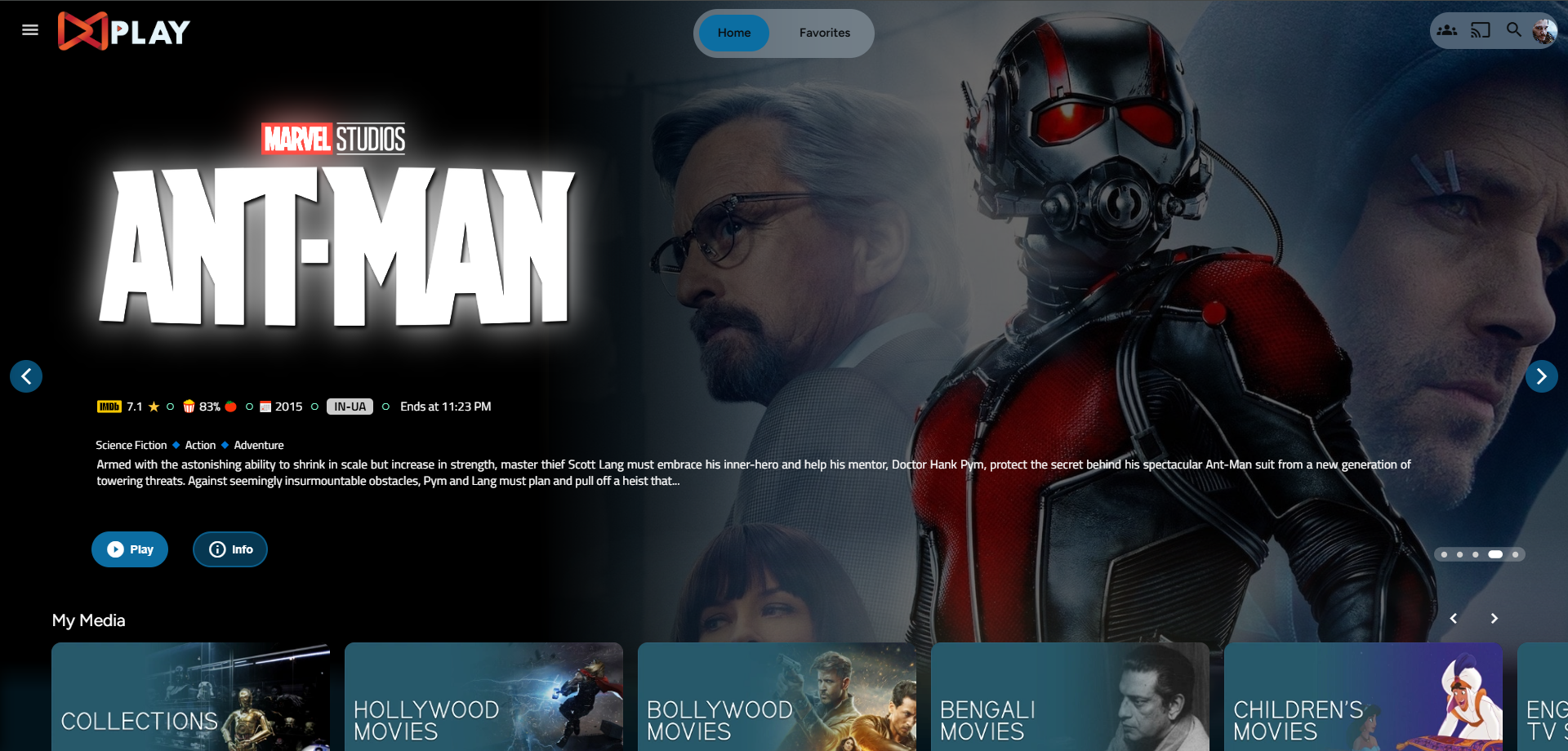
|
|
|
|
</details>
|
|
|
|
<details>
|
|
|
|
<summary> Mobile Layout </summary>
|
|
|
|
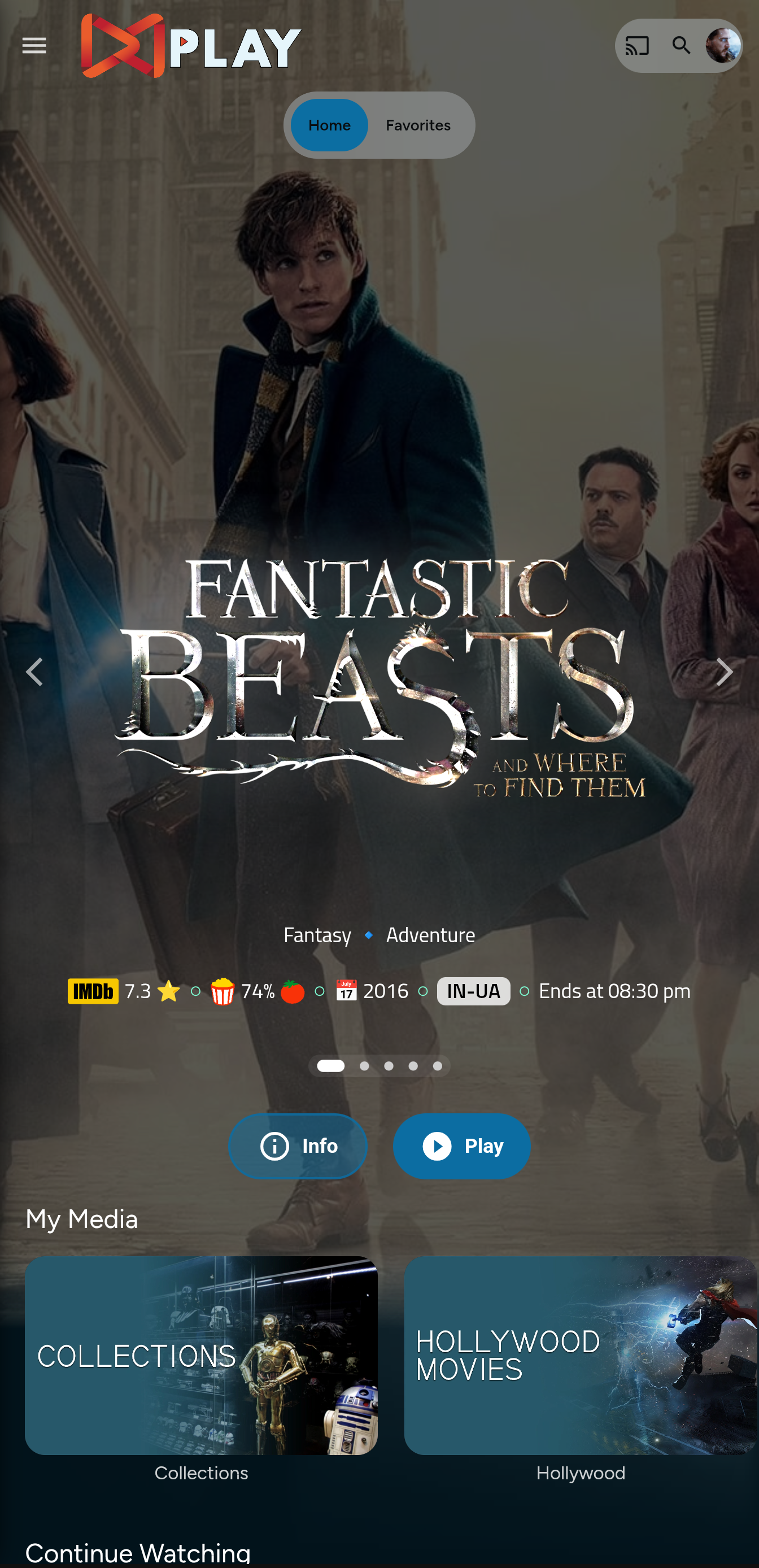
|
|
|
|
</details>
|
|
|
|
|
|
# Prepping the files
|
|
<details>
|
|
|
|
<summary>index.html</summary>
|
|
|
|
1. Navigate to your `jellyfin-web` folder and search for the file index.html. (you can use any code editor, just remember to open with administrator privileges.
|
|
2. Search for `</head>`
|
|
3. Just before the `</head>`, plug the below code
|
|
```
|
|
<link rel="stylesheet" href="https://cdn.jsdelivr.net/gh/MakD/Jellyfin-Media-Bar@latest/slideshowpure.css" />
|
|
<script async src="https://cdn.jsdelivr.net/gh/MakD/Jellyfin-Media-Bar@latest/slideshowpure.js"></script>
|
|
```
|
|
</details>
|
|
|
|
And that is it. Hard refresh your web page (CTRL+Shift+R) twice, and Profit!
|
|
|
|
# Want a Custom List to be showcased instead of random items??
|
|
|
|
No worries this got you covered.
|
|
|
|
## Steps
|
|
|
|
1. Create a `list.txt` file inside your `avatars` folder.
|
|
2. In line 1 give your list a name.
|
|
3. Starting line 2, paste the item IDs you want to be showcased, one ID per line. For Example :
|
|
|
|
```
|
|
Awesome Playlist Name
|
|
ItemID1
|
|
ItemID2
|
|
ItemID3
|
|
ItemID4
|
|
ItemID5
|
|
```
|
|
The next time it loads, it will display these items.
|
|
|
|
# Uninstall the Bar
|
|
|
|
<details>
|
|
|
|
<summary> Roll Back </summary>
|
|
|
|
Restore the `index.html` file / remove the lines added and you are good to go!!!
|
|
|
|
</details>
|