 Russell Luther
c1fa76f046
The background behind the home page is Jellyfin's own backdrop layer, and it
has no connection to what the bar is showing. It sits on unrelated library art,
and where the user has Jellyfin's backdrop rotator enabled it also cycles on its
own timer, so the page behind the hero drifts while the hero itself is correct.

PageBackdrop points that layer at the featured item and keeps it in step. It
reuses the exact URL the active slide already requested through
SlideCreator.buildImageUrl, so the browser serves the image from cache and no
extra request is made.

Two details worth calling out:

Jellyfin's rotator adds its own .backdropImage siblings into the same container
and cycles them, which paints over anything we set. While the bar owns the
screen we keep our layer the only one and make sure it stays last. This is done
with a MutationObserver on the container rather than a timer, so it reacts to
the rotator instead of polling for it.

It is scoped to the home page. VisibilityObserver already knows when the bar is
hidden, so leaving the page hands the backdrop straight back to Jellyfin and no
other page is affected.

Defaults on, alongside slideAnimationEnabled and enableTrailers. Set
CONFIG.syncPageBackdrop to false to leave the backdrop alone.
Jellyfin-Media-Bar - Now with Play Now Function

IMP UPDATE — We have dropped support for the normal CSS version (for now). (It still works, but there will be no further updates till the fullscreen mode is stabilized)
The fullscreen version has a new look (in beta), and support for different screen sizes has been added. For any visual goof-ups, please open a bug report, including the device being used and whether it is encountered in portrait or landscape mode.
Thanks to the Man, the Legend BobHasNoSoul for his work on the jellyfinfeatured and SethBacon and TedHinklater for their take on the Jellyfin-Featured-Content-Bar.
Here I present my version with some code improvements, loading optimizations, and security enhancements. Works best with the Zombie theme (Shameless Plug @import url(https://cdn.jsdelivr.net/gh/MakD/zombie-release@latest/zombie_revived.css);, visit the repo for more color schemes).
Before Installing, please take a backup of your index.html file
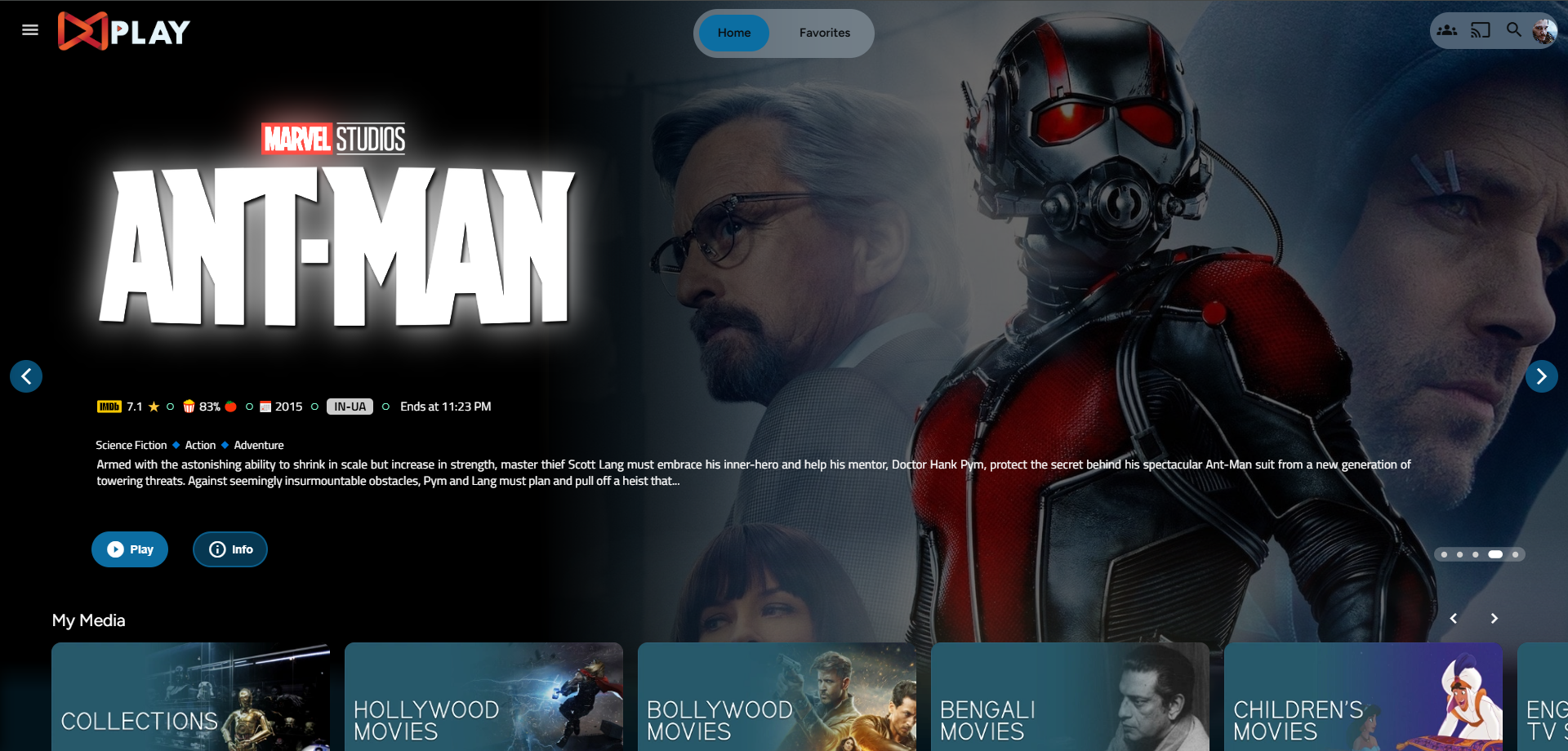
Desktop Layout
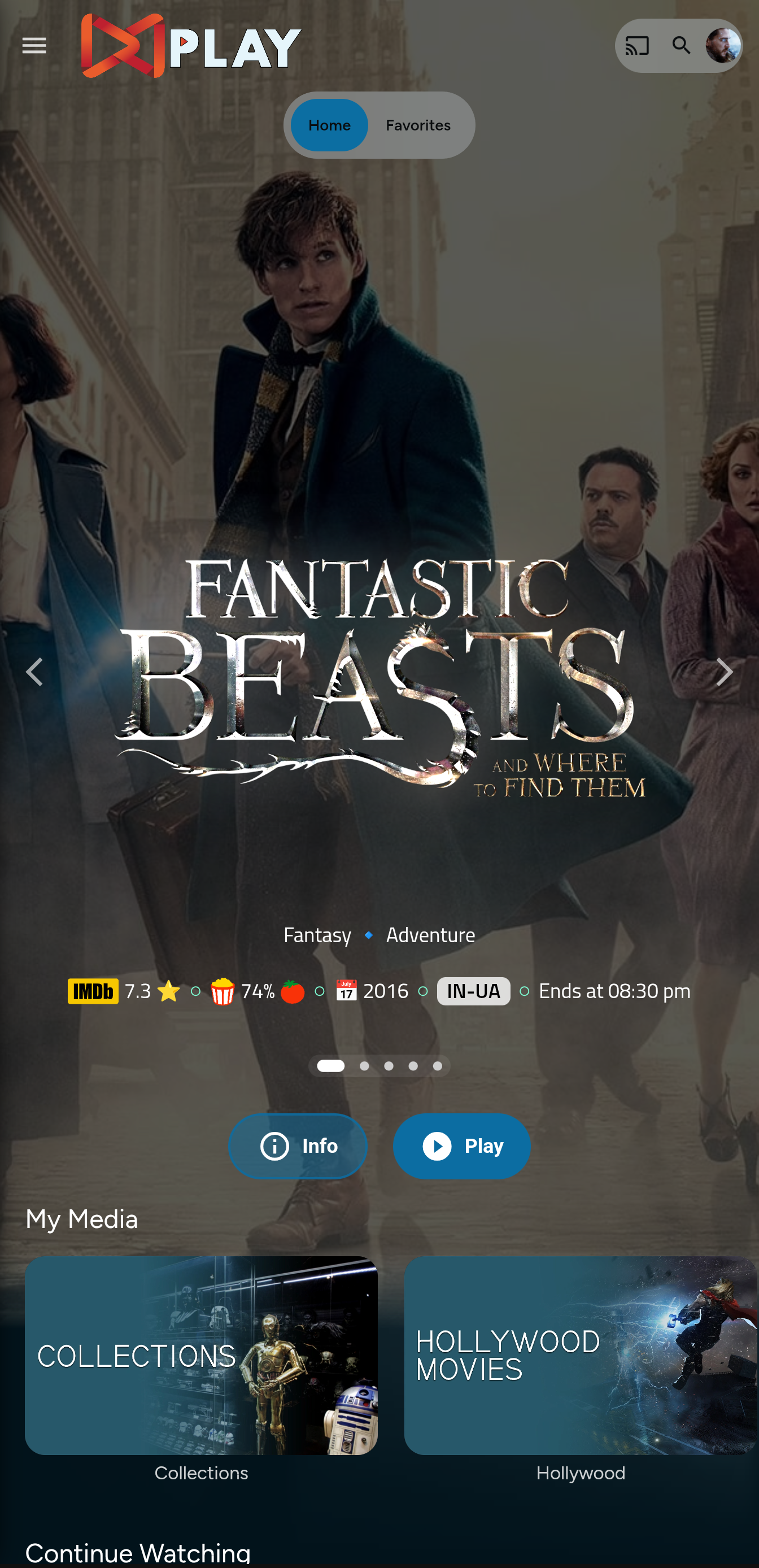
Mobile Layout
Prepping the files
index.html
- Navigate to your
jellyfin-webfolder and search for the file index.html. (you can use any code editor, just remember to open with administrator privileges. - Search for
</head> - Just before the
</head>, plug the below code
    <link rel="stylesheet" href="https://cdn.jsdelivr.net/gh/MakD/Jellyfin-Media-Bar@latest/slideshowpure.css" />
    <script async src="https://cdn.jsdelivr.net/gh/MakD/Jellyfin-Media-Bar@latest/slideshowpure.js"></script>
And that is it. Hard refresh your web page (CTRL+Shift+R) twice, and Profit!
Want a Custom List to be showcased instead of random items??
No worries this got you covered.
Steps
- Create a
list.txtfile inside youravatarsfolder. - In line 1 give your list a name.
- Starting line 2, paste the item IDs you want to be showcased, one ID per line. For Example :
Awesome Playlist Name
ItemID1
ItemID2
ItemID3
ItemID4
ItemID5
The next time it loads, it will display these items.
Uninstall the Bar
Roll Back
Restore the index.html file / remove the lines added and you are good to go!!!
License

This project is licensed under a DBAD license prohibiting any commercial use or redistribution.
All modifications must be contributed back to this repository.
Attribution to the original author (MakD) is required in any use or derivative work.
Please take a look at the LICENSE file for full terms.