mirror of
https://github.com/IAmParadox27/jellyfin-plugin-media-bar.git
synced 2026-11-11 00:44:34 +01:00

109 lines
4.2 KiB
Markdown
109 lines
4.2 KiB
Markdown
# Jellyfin-Media-Bar - Now with Play Now Function
|
|
|
|
**IMP UPDATE — We have dropped support for the normal CSS version (for now). _(It still works, but there will be no further updates till the fullscreen mode is stabilized)_**
|
|
|
|
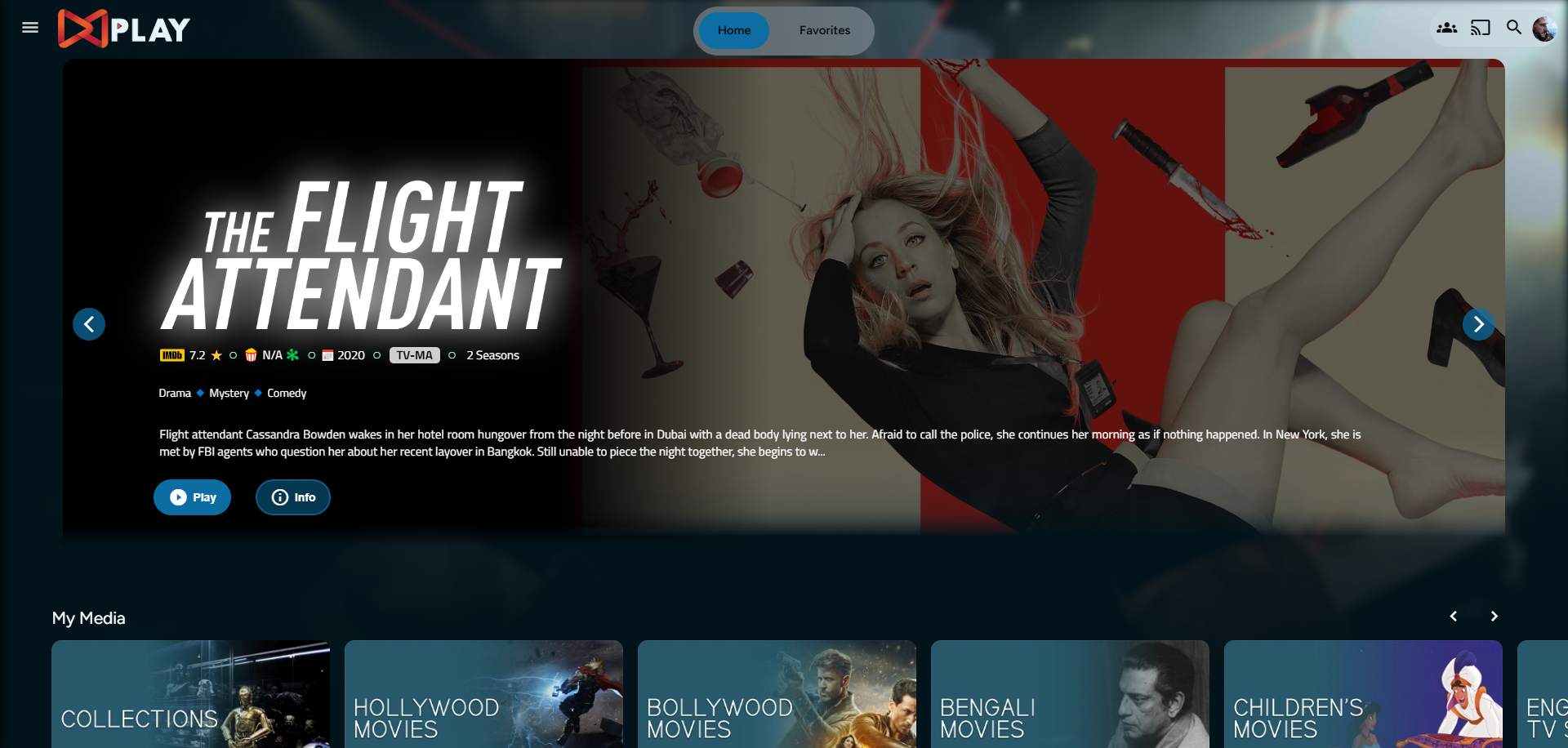
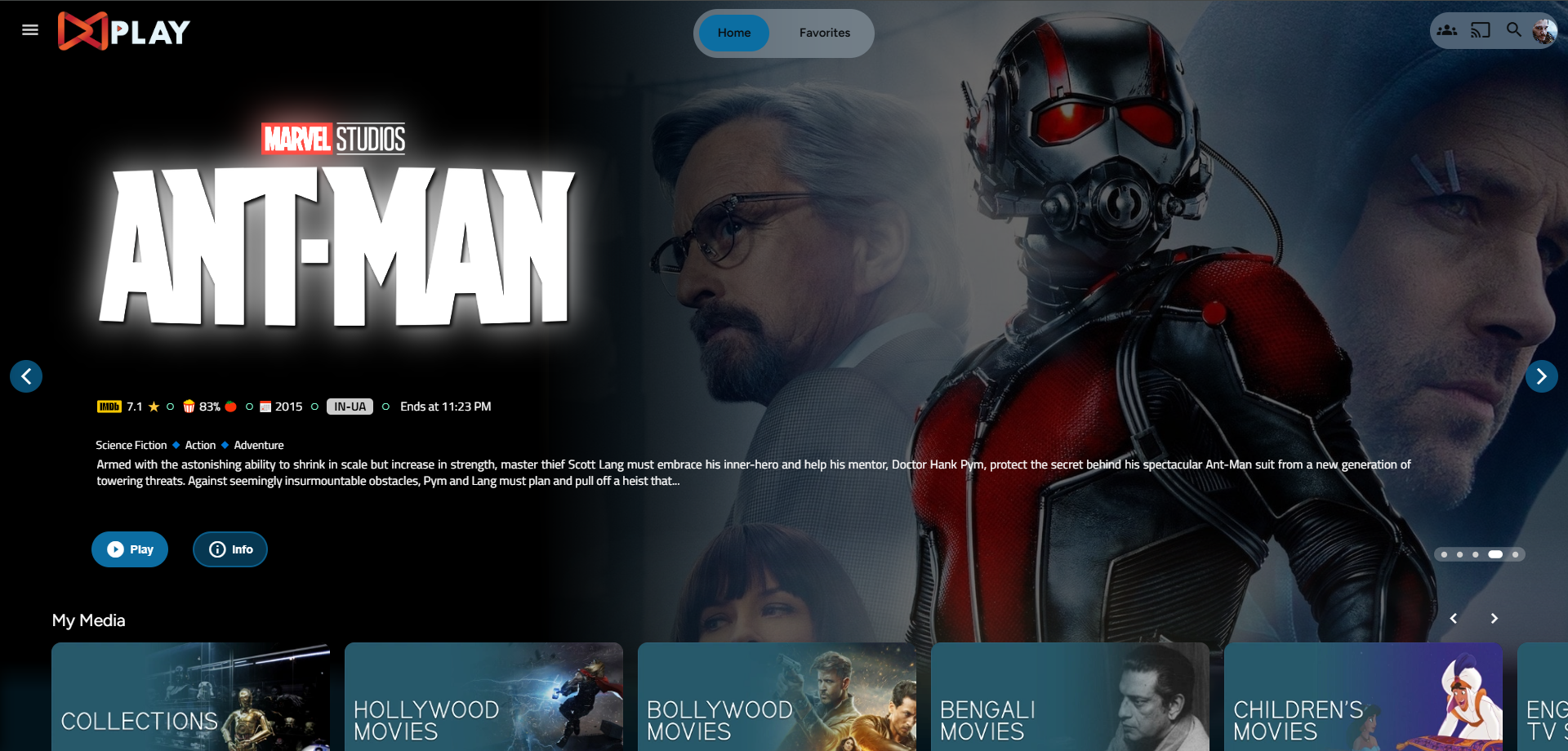
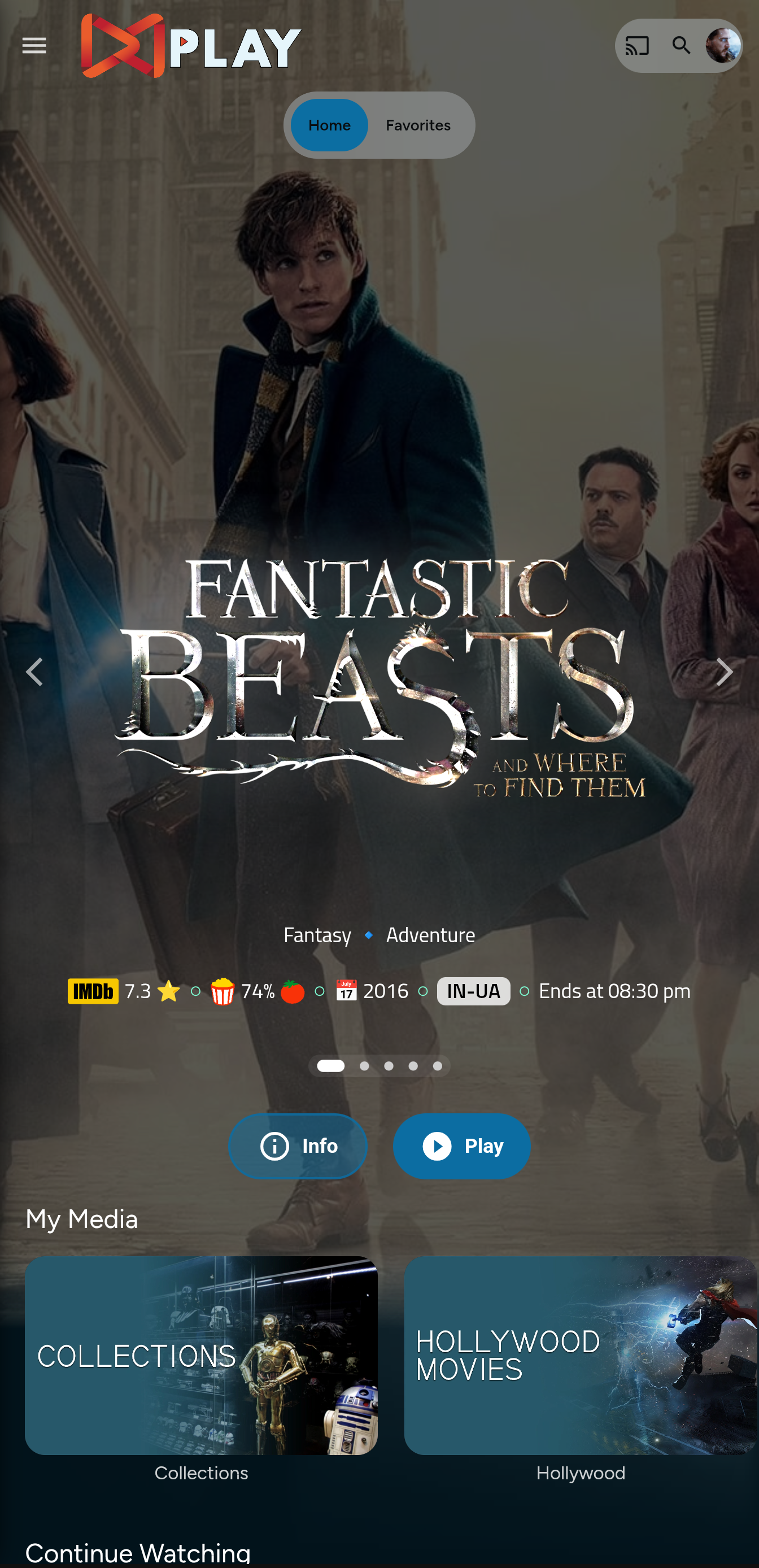
The fullscreen version has a new look (in beta), and support for different screen sizes has been added. For any visual goof-ups, please open a bug report, including the device being used and whether it is encountered in portrait or landscape mode.
|
|
|
|
|
|
Thanks to the Man, the Legend [BobHasNoSoul](https://github.com/BobHasNoSoul) for his work on the [jellyfinfeatured](https://github.com/BobHasNoSoul/jellyfin-featured) and [SethBacon](https://forum.jellyfin.org/u-sethbacon) and [TedHinklater](https://github.com/tedhinklater) for their take on the [Jellyfin-Featured-Content-Bar](https://github.com/tedhinklater/Jellyfin-Featured-Content-Bar).
|
|
|
|
Here I present my version of the same with some code improvements, loading optimizations, and Security Enhancements. Works best with the [Zombie theme](https://github.com/MakD/zombie-release) (_Shameless Plug_ `@import url(https://cdn.jsdelivr.net/gh/MakD/zombie-release@latest/zombie_revived.css);`, visit the repo for more color schemes), but it fits with every other theme the creators have put their hard work in. You should edit the color accents in the CSS to match yours.
|
|
|
|
# For Release v1.0, existing users need to roll back to the stock home-html.xxxxxx.chunk.js, index.html & main.jellyfin.bundle.js. In order to do so, you can restore the files you have taken backup as instructed before, or just remove the edits made earlier.
|
|
|
|
|
|
|
|
> <ins>**Before Installing, please take a backup of your index.html, main.jellyfin.bundle.js and home-html.xxxxxx.chunk.js files**<ins>
|
|
|
|
<details>
|
|
<summary> Desktop Layout - Normal </summary>
|
|
|
|
|
|
|
|
</details>
|
|
|
|
<details>
|
|
<summary> Desktop Layout - Fullscreen </summary>
|
|
|
|
|
|
|
|
- Download the slideshowpure-fullsreen.css, rename it to `slideshowpure,css`, and replace the default CSS with the full-screen one.
|
|
|
|
</details>
|
|
|
|
<details>
|
|
|
|
<summary> Mobile Layout - Fullscreen </summary>
|
|
|
|
|
|
|
|
</details>
|
|
|
|
<details>
|
|
|
|
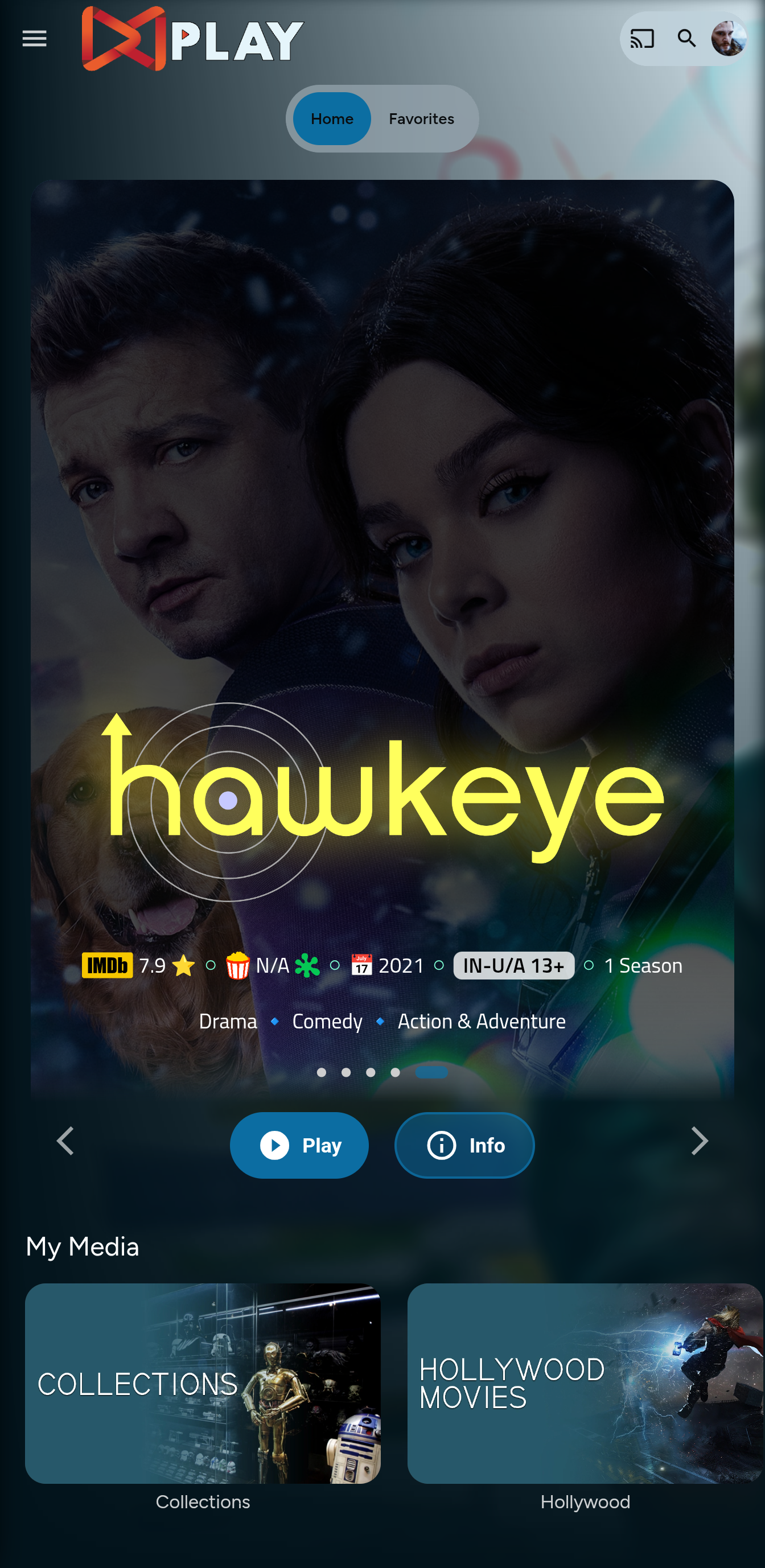
<summary> Mobile Layout - Normal </summary>
|
|
|
|
|
|
|
|
</details>
|
|
|
|
|
|
# Prepping the Environment
|
|
|
|
<details>
|
|
|
|
<summary> Steps </summary>
|
|
|
|
1. Create a folder `avatars` in your `jellyfin-web` folder. (Usually in C:\Program Files\Jellyfin\Server)
|
|
2. Download the files `slideshowpure.js` and `slideshowpure.css`
|
|
3. Paste them inside the avatars folder created, and you are ready to venture down the rabbit hole.
|
|
|
|
</details>
|
|
|
|
# Prepping the files
|
|
<details>
|
|
|
|
<summary>index.html</summary>
|
|
|
|
1. Navigate to your `jellyfin-web` folder and search for the file index.html. (you can use any code editor, just remember to open with administrator privileges.
|
|
2. Search for `</head>`
|
|
3. Just before the `</head>`, plug the below code
|
|
```
|
|
<link rel="preload" href="/web/avatars/slideshowpure.css" as="style" />
|
|
<link rel="stylesheet" href="/web/avatars/slideshowpure.css" />
|
|
<script defer src="/web/avatars/slideshowpure.js"></script>
|
|
```
|
|
</details>
|
|
|
|
And that is it. Hard refresh your web page (CTRL+Shift+R) twice, and Profit!
|
|
|
|
# Want a Custom List to be showcased instead of random items??
|
|
|
|
No worries this got you covered.
|
|
|
|
## Steps
|
|
|
|
1. Create a `list.txt` file inside your `avatars` folder.
|
|
2. In line 1 give your list a name.
|
|
3. Starting line 2, paste the item IDs you want to be showcased, one ID per line. For Example :
|
|
|
|
```
|
|
Awesome Playlist Name
|
|
ItemID1
|
|
ItemID2
|
|
ItemID3
|
|
ItemID4
|
|
ItemID5
|
|
```
|
|
The next time it loads, it will display these items.
|
|
|
|
# Uninstall the Bar
|
|
|
|
<details>
|
|
|
|
<summary> Roll Back </summary>
|
|
|
|
Restore the `index.html`, `home-html.xxxxxx.chunk.js`, and `main.jellyfin.bundle.js` and you are good to go!!!
|
|
|
|
</details>
|